Category: Temp Mail

  • Best Temp Email Tools for 2026

    Best Temp Email Tools for 2026

    In 2026, protecting your primary email from spam, data breaches, and tracking is non-negotiable. Temporary email tools are your first line of defense, offering disposable addresses for sign-ups and verifications. This guide cuts through the noise to review the most reliable, private, and user-friendly services. We evaluate them on speed, security, and features to help you choose the perfect tool for your digital privacy needs.

    Remember that sinking feeling? You sign up for what seems like a useful online tool or a one-time discount, carefully using your main email. Weeks later, your inbox is buried under a relentless tide of promotional spam. Your data has been sold, shared, or leaked, and you’re left cleaning up the digital mess. In 2026, this isn’t just annoying—it’s a serious privacy and security risk. The solution? A temporary email address. But with countless options popping up, which ones actually deliver on their promises of privacy, reliability, and ease of use? This is your definitive, no-fluff guide to the best temp email tools for 2026.

    We’ve moved beyond the simple, bare-bones disposable inboxes of the early 2010s. Today’s leading tools are sophisticated privacy guardians, often packed with features that rival permanent email services—without the long-term commitment or baggage. They’re not just for avoiding spam; they’re a critical tool for managing your digital footprint, testing services, and safeguarding your identity. Forget everything you thought you knew about “disposable email.” Let’s dive into the tools that define the category in 2026.

    Key Takeaways

    • Temp emails are essential privacy shields: They prevent spam, data harvesting, and credential stuffing attacks on your primary inbox by providing a sacrificial address for one-time use.
    • Not all disposable mail services are equal: Key differentiators include inbox retention time, domain variety, browser extension support, and whether they require registration.
    • Look for advanced privacy features: The best 2026 tools offer end-to-end encryption for the temporary inbox, no-logs policies, and built-in ad/tracker blockers.
    • Integration is key for usability: Top tools seamlessly integrate with browsers via extensions or mobile apps, allowing one-click generation and auto-fill of temp addresses.
    • They are for verification, not critical communication: Use temp mail for account sign-ups, download access, and forum registrations, but never for banking, primary accounts, or important correspondence.
    • The future is AI-powered management: Emerging tools use AI to categorize incoming temp emails, auto-delete after use, and even suggest when a temp address is no longer needed.
    • Legal and ethical use matters: These tools are for personal privacy, not for fraud, bypassing bans, or malicious activity. Always respect a website’s Terms of Service.

    Why a Temporary Email Isn’t Just for Spam Anymore

    Let’s clarify the core mission first. A temporary or disposable email service provides you with a random, public inbox address that lasts for a short, predefined period—usually 10 minutes to 48 hours. The primary purpose is to act as a buffer between your real identity and a website or service you don’t fully trust or only need once.

    The Modern Privacy Imperative

    In 2026, data is currency. Every online form filled with your primary email is a data point sold to advertisers, aggregated by data brokers, and potentially exposed in a breach. Using a temp email severs that link at the source. It’s a proactive privacy measure, not a reactive spam filter.

    Beyond Spam: Security & Testing

    Consider this: you’re trying a new SaaS platform. Do you really want to give it your work email, potentially triggering internal security alerts? A temp email lets you test freely. For developers and QA testers, it’s invaluable for creating multiple test accounts without managing a zoo of real inboxes. It also thwarts “credential stuffing” attacks, where hackers use breached email/password combos on other sites—your temp address is a dead end for them.

    The Ethical Boundary

    A crucial note: these tools are for legitimate privacy protection and testing. Using them to create accounts on platforms that explicitly ban disposable emails (like many social media or banking sites) violates their Terms of Service. The goal is to protect *your* data, not to circumvent *their* rules fraudulently. Use responsibly.

    How We Evaluated the Best Temp Email Tools for 2026

    Not all temp mail services are created equal. Some are slow, some are filled with intrusive ads, and some simply vanish when you need them most. Our evaluation for 2026 focused on five critical pillars:
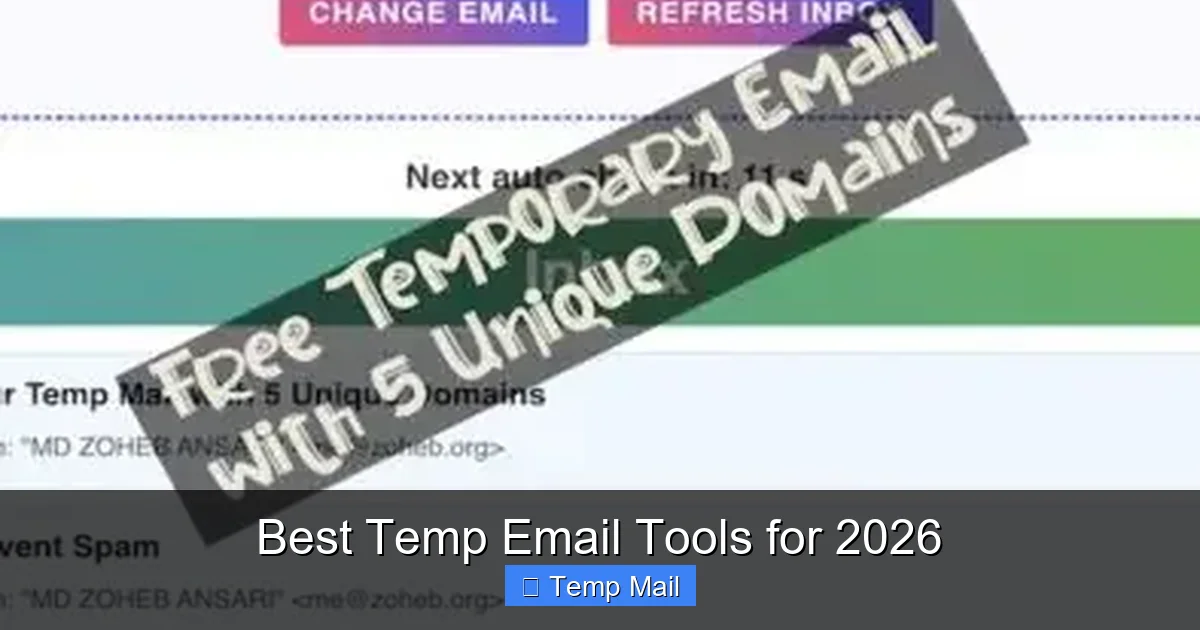
    Best Temp Email Tools for 2026

    Visual guide about Best Temp Email Tools for 2026

    Image source: techgrapple.com

    • Speed & Reliability: Does the inbox load instantly? Do verification emails arrive within seconds, or do you miss a time-sensitive code?
    • Privacy & Security: Is there a no-logs policy? Is the connection HTTPS encrypted? Does the service sell your activity data?
    • User Experience (UX): Is the interface clean? Is there a browser extension or mobile app for one-click generation? How many clicks to copy the address?
    • Feature Set: Inbox retention time, custom domain options, password protection for the inbox, and the ability to reply (a rare but valuable feature).
    • Ad Intrusiveness: Many free services rely on ads. We penalized those with aggressive pop-ups, misleading download buttons, or auto-playing video ads that ruin the experience.

    The “No Registration” Rule

    A gold standard for true temporary email is that you should never have to create an account to use it. The moment a service asks for *its own* email to “save your inbox,” it ceases to be truly temporary and becomes just another data-harvesting operation. All tools on our list work on the “visit, get address, check inbox, forget” principle.

    The Top 6 Temp Email Tools for 2026

    After rigorous testing across dozens of services, these six consistently outperformed the rest for different user needs.
    Best Temp Email Tools for 2026

    Visual guide about Best Temp Email Tools for 2026

    Image source: thebabyway.co

    1. SimpleLogin (by Proton): The Privacy Powerhouse

    While technically an “email alias” service, SimpleLogin (now part of Proton) functions perfectly as a premium, long-term temp email solution and sets the benchmark for privacy in 2026.

    Why It’s #1: It’s backed by Proton, the Swiss company famous for Proton Mail’s end-to-end encryption and strict privacy laws. Each alias is a real, forwardable email address that can be set to auto-delete after a certain number of messages or time. It offers a free tier with 10 aliases, and paid plans for unlimited. The browser extension is flawless, automatically detecting email fields and offering to generate an alias.

    Best For: The privacy-conscious user who wants a more robust, slightly longer-term “temp” solution (weeks/months) with the option to reply and manage aliases from a dashboard. It’s the ethical choice for those who find traditional disposable mail too ephemeral.

    Key Feature: Reply capability. You can actually reply from your alias, and it will forward through your real inbox (if you connect one) or via the SimpleLogin web interface. This bridges the gap between disposable and permanent.

    2. Temp-Mail.org: The Speed Champion

    When seconds count, Temp-Mail.org is the undisputed leader. Its entire design is optimized for one thing: getting you a working inbox and the verification code as fast as humanly possible.

    Why It’s Fast: The site has minimal bloat. You land, get your random @temp-mail.org address, and the inbox is already open and polling. There’s no “waiting for email” animation; it just appears. The domain list is vast, so if one is blocked, you can switch with one click. Their dedicated mobile app (iOS/Android) is equally snappy.

    Best For: Users in a hurry—signing up for a limited-time offer, verifying a phone number for a one-off service, or developers needing a quick email for automated tests.

    Watch Out For: The free version has ads, but they are relatively non-intrusive display ads compared to the deceptive “download” buttons on some competitors. The inbox retention is short (usually 2-4 hours), which is by design for true temp use.

    3. Guerrilla Mail: The Veteran with Character

    One of the original disposable email services, Guerrilla Mail has evolved while keeping its quirky, no-nonsense identity. It’s reliable, has been around for over a decade, and offers a surprising amount of control.

    Why It’s Trusted: Longevity breeds trust. It has survived privacy crackdowns and web changes. You can choose your inbox address from a list of random words (e.g., [email protected]), which is great for memorability in a short session. It also allows you to send a limited number of emails from the temporary address—a rare feature.

    Best For: Users who want a bit more control over their temp address and might need to fire off a quick reply without revealing their real email. Also great for those who appreciate a service that doesn’t take itself too seriously but gets the job done.

    Key Feature: Send a limited number of replies. You get about 3 “reply” credits per inbox, enough to respond to a confirmation or a simple query without using your real address.

    4. 10MinuteMail: The Classic, Focused Tool

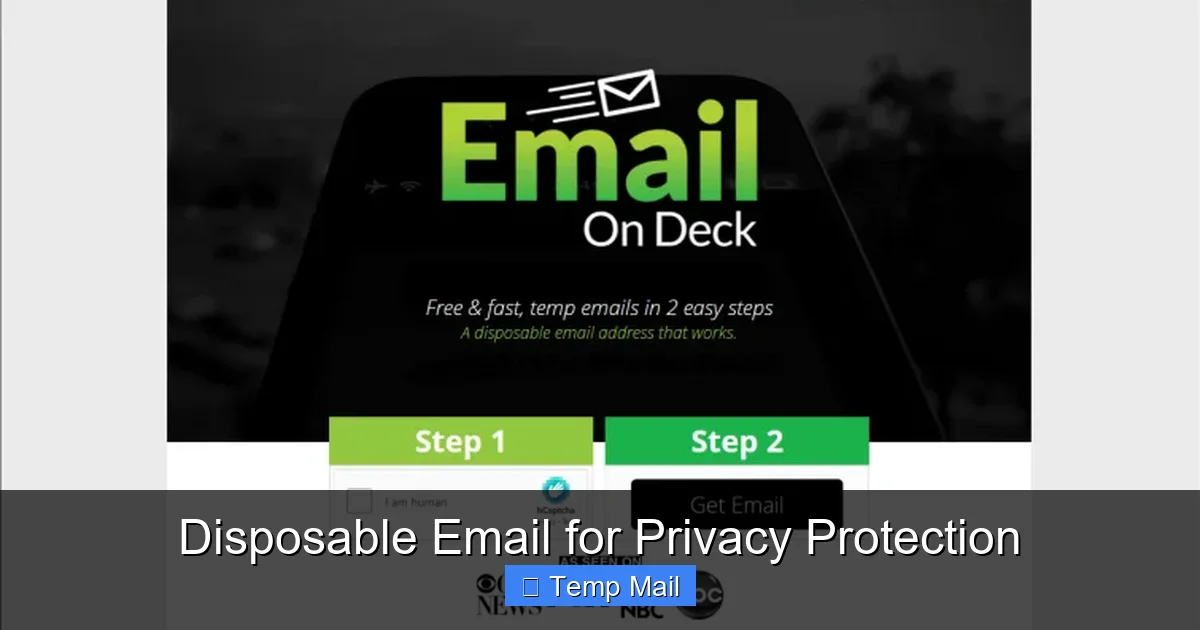
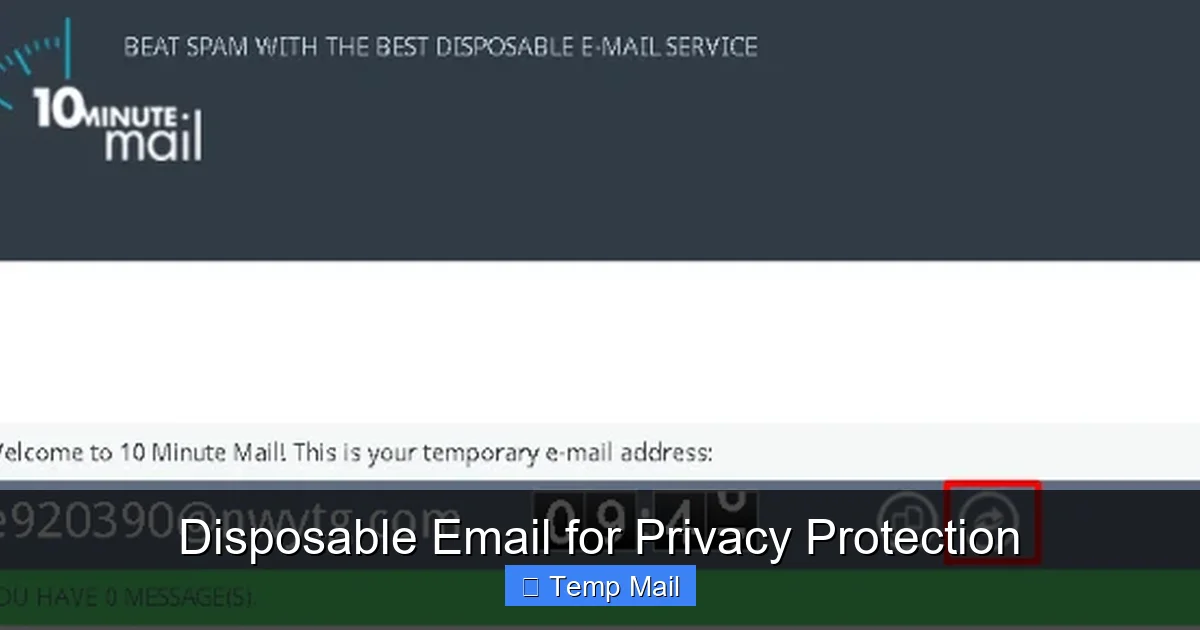
    As the name implies, this service is beautifully focused. You get a brand-new email address that is guaranteed to last for exactly 10 minutes, with a clear, large countdown timer. That’s it. No fuss, no extra features.

    Why It’s Pure: Its simplicity is its strength. There’s no login, no account, no frills. The inbox is clean, ad-light, and solely dedicated to receiving mail for that 10-minute window. The domain is fixed (@10minutemail.com), so it’s easily recognized by most websites.

    Best For: The ultra-cautious user who wants the shortest possible exposure and doesn’t want to think about settings. Perfect for a single, very quick verification where you’ll copy the code and abandon the tab immediately.

    Limitation: The fixed 10-minute timer can be too short for some services that send emails with a delay. You have to be ready to act fast.

    5. Maildrop: The Clean, Ad-Free Experience

    Maildrop takes a different approach: it’s completely free and, remarkably, has no advertising whatsoever. It’s supported by donations and a paid “premium” tier that offers custom domains and longer retention.

    Why It’s So Clean: The interface is minimalist and elegant, resembling a stripped-down Gmail. Inboxes are public by URL only (e.g., maildrop.cc/randomname), meaning you must save that URL to return. There is no search function on the free tier, which encourages you to use it for single, specific purposes.

    Best For: Users who hate ads and are willing to trade a little convenience (no search, must save URL) for a pristine, distraction-free experience. Also good for shared temporary inboxes where you can give someone the URL.

    Privacy Note: While ad-free, Maildrop’s privacy policy states they do not log IP addresses for free users, but they do scan for illegal content. It’s a solid middle-ground option.

    6. Firefox Relay (by Mozilla): The Browser-Native Solution

    For Firefox users, this is a game-changer. Firefox Relay is built directly into the browser (and available as a Chrome extension too). It generates a unique, random @relay.firefox.com address with one click in any email field.

    Why It’s Integrated: No new tab, no new site. You’re on a sign-up page, click the Relay icon in your browser toolbar, and it fills the field. All emails are forwarded to your real Firefox account email with clear labels showing the Relay address used. You can block senders or disable the alias from your Relay dashboard.

    Best For: Firefox (or Chrome) power users who want the ultimate in frictionless temp email use. It’s perfect for everyday, low-risk sign-ups where you want a buffer but might want to receive occasional updates (which you can block later).

    Limitation: The free tier limits you to 5 aliases. The forwarding delay can sometimes be a few minutes. It’s less ideal for a “burn after reading” 10-minute scenario and more for a “manage this sender” scenario.

    The Future of Temp Mail: AI, Integration, and Enhanced Privacy

    Looking ahead to 2026 and beyond, temporary email is evolving from a simple utility to an intelligent privacy layer.
    Best Temp Email Tools for 2026

    Visual guide about Best Temp Email Tools for 2026

    Image source: thebabyway.co

    AI-Powered Inbox Management

    Imagine a temp email service that uses AI to read incoming messages. It can categorize them (“Verification Code,” “Newsletter,” “Promo”), auto-delete newsletters after 24 hours, and highlight the verification code in large text. Some experimental tools in 2025 already do this, and by 2026, it will be a standard premium feature.

    Deep Browser & OS Integration

    We’re moving beyond extensions. Expect native integrations into password managers (like Bitwarden or 1Password) that can generate and store temp aliases alongside your real credentials. Operating systems may include a privacy-focused “temporary identity” feature that auto-generates not just an email, but a pseudonymous name and address for forms.

    Blockchain & Decentralized Identities

    The cutting edge is using decentralized identifiers (DIDs) and blockchain-based systems. Instead of a random string @tempmail.com, you could prove you’re a unique human without revealing your email at all, using a cryptographic attestation. While nascent, this points to a future where the *concept* of an email for low-trust interactions may become obsolete.

    Practical Guide: How to Use Temp Email Like a Pro in 2026

    Having the tool is only half the battle. Using it effectively requires a strategy.

    The Golden Rules

    • Never use for: Banking, primary cloud accounts (Apple/Google/Microsoft), main social media, job applications, or any service where account recovery is critical. If you lose access to the temp inbox, you lose the account.
    • Always check the domain list: Some sites block known disposable email domains. Have 2-3 different services bookmarked. If one domain is blocked, try another from the same service (e.g., switching from @temp-mail.org to @tmpmail.org).
    • Copy the address immediately: Don’t rely on the browser tab. Copy the generated email address to your clipboard or a note app before navigating to the sign-up form.
    • Keep the inbox tab open: Most services stop polling if you close the tab. Keep it open in the background and refresh periodically until you get the verification email.
    • Use the “custom name” feature wisely: If a service offers it (like Guerrilla Mail), create a memorable name related to the site (e.g., [email protected]). This helps you identify which inbox is for what if you have multiple open.

    Step-by-Step: Signing Up for a Sketchy Forum

    Let’s walk through a real-world use case.

    1. Navigate to the forum’s registration page.
    2. Open a new tab and go to your preferred temp mail site (e.g., Temp-Mail.org).
    3. Your new address is generated instantly. Click the “Copy” button next to it.
    4. Return to the forum tab, paste the address into the email field, and fill in the rest of the form.
    5. Submit the form.
    6. Switch back to the temp mail tab. You should see “1 message” appear within 10-30 seconds. Click it to view.
    7. Find the verification link or code, copy it, and complete the forum activation.
    8. Once you’ve received the necessary email, you can close the tab. The inbox and its contents will vanish automatically.

    When to Choose a Browser Extension vs. a Website

    Choose a Browser Extension (Firefox Relay, SimpleLogin): For everyday, semi-regular use where you want frictionless protection. It’s faster and integrates into your workflow.

    Choose a Standalone Website (Temp-Mail.org, Guerrilla Mail): For maximum anonymity (no browser fingerprinting linked to an extension), for one-off urgent tasks, or when you’re on a public/shared computer where installing extensions isn’t possible.

    Conclusion: Your Inbox, Your Rules

    The digital world of 2026 demands a new approach to identity. Handing out your primary email address is like giving out your home address to every stranger you meet for a coffee. It’s unnecessary and risky. Temporary email tools are the simple, effective lock on your digital front door.

    Our top recommendations—SimpleLogin for privacy power users, Temp-Mail.org for raw speed, and Firefox Relay for seamless integration—represent the best of what the category offers. The right tool for you depends on your specific need: ultimate privacy, sheer velocity, or everyday convenience.

    Start using one today. Bookmark a service, and the next time a website asks for an email you’re unsure about, default to your temp address. Take back control. Keep your primary inbox clean, your data private, and your online life compartmentalized. In the battle for digital privacy, a temporary email isn’t just a tool; it’s your first and most fundamental act of defense.

    Frequently Asked Questions

    Are temporary email services legal to use?

    Yes, using a temporary email service is perfectly legal in most countries. They are legitimate privacy tools. However, using them to commit fraud, bypass bans, or violate a website’s Terms of Service can be illegal or result in account termination.

    Can websites detect that I’m using a temporary email?

    Yes, many websites maintain lists of known disposable email domains and will block sign-ups from those addresses. This is why services with large, frequently rotating domain pools (like Temp-Mail.org) are more effective. Using a unique alias service like SimpleLogin is harder to detect as it uses its own legitimate-looking domains.

    What’s the difference between a “temporary email” and an “email alias”?

    A traditional temporary email creates a completely separate, public inbox that expires. An email alias (like SimpleLogin or Firefox Relay) forwards all mail to your *real, permanent* inbox. Aliases last longer (you control them), allow replies, and are better for managing ongoing relationships (like newsletters) you may want to stop later without changing your real address.

    What happens if I don’t check the temporary inbox in time?

    The verification email will be deleted along with the entire inbox when it expires (typically after 10 minutes to 48 hours). You will not be able to activate the account or retrieve the code. You would need to generate a new temp email address and try the sign-up process again, if the website allows multiple attempts.

    Do I need to install a browser extension to use these tools?

    No, all the tools listed work perfectly as standalone websites. Browser extensions (like those from SimpleLogin or Firefox Relay) are a convenience feature that auto-fills email fields with a generated address, saving you a copy-paste step. They are optional but highly recommended for frequent users.

    Can businesses use temporary email tools?

    Businesses can use them for specific purposes like quality assurance testing, creating trial accounts for software evaluation, or for employees to sign up for industry newsletters without using corporate email. However, they should never be used for official business communications, customer accounts, or any process requiring legal accountability or audit trails.
  • Disposable Email for Privacy Protection

    Disposable Email for Privacy Protection

    Disposable email services provide temporary email addresses that expire after a short time. They are a powerful tool for protecting your primary email from spam, phishing, and data harvesting. By using a disposable email for online sign-ups and untrusted sites, you can keep your personal information private and maintain a clean inbox. Remember: never use disposable email for critical accounts like banking or primary communications.

    Have you ever signed up for an online service, only to find your inbox flooded with spam a few days later? Or maybe you’ve hesitated to provide your email address on a sketchy website, fearing it might be sold to marketers or hackers. If so, you’re not alone. In today’s digital world, our email addresses are like keys to our online identity – and they’re constantly under attack. That’s where disposable email comes in. Think of it as a burner phone for your inbox: a temporary, throwaway address that you can use when you don’t want to reveal your real email. It’s a simple yet powerful tool for taking back control of your privacy.

    Disposable email services, also known as temp mail or temporary email, provide you with an email address that exists for a short period – usually 10 minutes to a few hours – and then automatically deletes itself. You don’t need to create an account; you just visit a website, get a random address, and start receiving emails. When you’re done, you close the tab and the address vanishes. No strings attached. It’s like having a secret identity for the internet, one that shields your primary inbox from the mess of spam, phishing attempts, and data harvesting. In this guide, we’ll explore how disposable email works, why it’s essential for privacy protection, and how you can use it wisely in your daily online activities.

    Key Takeaways

    • Disposable emails are temporary addresses that protect your primary email from spam and data collection.
    • They help you avoid unwanted marketing emails and phishing attempts.
    • Using a disposable email reduces the risk of your personal information being exposed in a data breach.
    • Ideal for signing up on websites with questionable privacy practices or for one-time use.
    • Most disposable email services are free and require no registration.
    • However, they are not suitable for important accounts like banking, work, or primary communications.
    • Always choose a reputable disposable email provider to ensure reliability and security.

    What is a Disposable Email?

    A disposable email is a temporary email address that you can use for a short period without any long-term commitment. Unlike your personal or work email, which you maintain indefinitely, a disposable email is designed to be discarded after a single use or a brief timeframe. These addresses are generated by specialized websites or apps that don’t require you to sign up or provide any personal information. You simply visit the site, receive a random email address, and start using it. The inbox is usually accessible directly from the browser, and all messages are automatically deleted after a set time – often 10 minutes, 1 hour, or 1 day.

    How Does It Work?

    The technology behind disposable email is straightforward. When you visit a service like Temp-Mail or 10MinuteMail, the server creates a random email address associated with a temporary inbox. This inbox exists on the provider’s server and is not linked to your identity. You can then use that address to register on websites, download files, or receive verification codes. Any emails sent to that address appear in the temporary inbox, which you can view in real time. Once the timer expires, the inbox and all its contents are permanently erased. Some services also allow you to extend the time or manually delete the inbox earlier.

    Types of Disposable Email Services

    There are two main categories of disposable email services:

    • Web-based platforms: These are websites you visit to get a temporary address. Examples include Temp-Mail.org, 10MinuteMail.com, and Guerrilla Mail. They are easy to use and require no installation.
    • Browser extensions and mobile apps: Some services offer browser add-ons or smartphone apps that integrate directly with your browsing experience. For instance, the “Temp Mail” extension for Chrome generates a disposable address with one click and automatically fills it into web forms. These options provide added convenience.

    Additionally, some email providers like Gmail offer “plus addressing” (e.g., [email protected]) which is not fully disposable but can be used to filter emails. However, true disposable email is completely anonymous and short-lived.

    Lifespan and Inbox Management

    The lifespan of a disposable email varies by provider. Common time limits are 10 minutes, 1 hour, 1 day, or until you close the browser tab. Some services let you extend the time by clicking a refresh button. The inbox typically shows the number of messages received, and you can read them by clicking. There’s no need for a password because the inbox is tied to the unique URL or session. Once the time is up, the address is recycled and may be given to another user. Therefore, you should never rely on a disposable email for important communications – if you need to retrieve a password later, it will be gone.

    History and Evolution

    Disposable email services emerged in the early 2000s as a response to the growing spam problem. The first known service, called “Mailinator”, launched in 2004 and popularized the concept of public, temporary inboxes. Since then, numerous providers have appeared, offering improved features like encryption, custom domains, and longer lifespans. Today, disposable email is an essential tool for privacy-conscious users worldwide.

    The Privacy Threats in the Digital Age

    Before we dive deeper into how disposable email helps, it’s crucial to understand why we need it. Our digital lives are under constant surveillance. Every time you enter your email address on a website, you’re potentially handing over a piece of your identity. That email can be used to track your online behavior, build a profile about you, and bombard you with targeted ads. Worse, it can become a target for hackers. Let’s examine the main privacy threats that make disposable email a necessity.

    Disposable Email for Privacy Protection

    Visual guide about Disposable Email for Privacy Protection

    Image source: mashtips.com

    Data Collection and Profiling

    Companies collect email addresses as a primary way to identify users. When you sign up for a free service, your email is often linked to your activity, purchases, and even your location. This data is then sold to advertisers or used to create detailed consumer profiles. For example, a shopping website might track what products you view and then send you personalized emails to lure you back. Over time, your email becomes a hub for profiling, and it’s hard to escape because changing your email doesn’t erase the data already collected. Disposable email breaks this chain by providing a different address each time, making it difficult for companies to stitch together your activities.

    Spam and Phishing Attacks

    Spam is more than just annoying; it’s a security risk. Once your email is leaked or sold, spammers flood your inbox with unsolicited messages. Some of these are phishing attempts designed to trick you into revealing passwords or credit card details. Phishing emails often mimic legitimate companies and may include urgent language like “Your account has been compromised.” By using a disposable email for non-essential sign-ups, you contain the spam to a temporary inbox that self-destructs, keeping your primary email clean and reducing exposure to phishing.

    Data Breaches and Credential Stuffing

    Data breaches are alarmingly common. When a website you signed up with gets hacked, attackers often steal email addresses and passwords. If you used your primary email, that address now floats around the dark web, making you a target for credential stuffing attacks (where hackers try the same password on multiple sites). With a disposable email, even if the site is breached, the compromised address is temporary and not linked to your other accounts. This limits the damage and protects your main identity.

    Identity Theft and Account Takeover

    When your email is compromised, attackers can use it to reset passwords on other accounts, leading to identity theft. Disposable email reduces this risk by ensuring that your primary email is never exposed in the first place.

    How Disposable Emails Protect Your Privacy

    Now that we’ve seen the threats, let’s explore how disposable email acts as a shield. It’s not just about avoiding spam; it’s about reclaiming control over your personal information. Here’s how temporary email addresses safeguard your privacy in practical ways.

    Disposable Email for Privacy Protection

    Visual guide about Disposable Email for Privacy Protection

    Image source: optery.com

    Shielding Your Primary Email Address

    Your primary email is the cornerstone of your online identity. It’s used for password resets, important notifications, and often as a login for critical services. By using a disposable email for anything that isn’t essential, you keep your primary address hidden from marketers, data brokers, and hackers. This means fewer spam emails, lower risk of phishing, and less chance that a breach will expose your main account. Think of it as a firewall: the disposable address absorbs the junk so your real inbox stays pristine.

    Avoiding Unwanted Tracking and Cookies

    Many websites use your email as a unique identifier to track you across the web. Even if you clear cookies, they can recognize you through your email address. Disposable email disrupts this tracking because each site gets a different address. Without a consistent identifier, it’s much harder for advertisers to build a longitudinal profile of your behavior. This enhances your anonymity and reduces the creepiness factor of targeted ads that seem to follow you everywhere.

    Reducing Your Digital Footprint

    Every online account you create leaves a digital footprint. Over years, this footprint grows庞大 and can be used to reconstruct your identity. Disposable email lets you create “ephemeral” accounts that disappear. For instance, if you sign up for a one-time discount using a disposable email, that account vanishes after a few hours, leaving no trace. This practice minimizes the amount of personal data stored on servers you don’t trust, effectively shrinking your digital footprint and making it harder for anyone to piece together your online history.

    Preventing Email Tracking

    Some senders use invisible pixels or tracking links to see if you opened an email and where you clicked. With a disposable email, you’re less likely to open such emails because they’re in a temporary inbox that you might not check regularly. Even if you do, the tracking data is tied to a throwaway address, not your real identity.

    Top Use Cases for Disposable Emails

    Disposable email isn’t just for tech-savvy privacy nuts; it’s a practical tool for everyday internet users. Here are some common scenarios where a temporary email address can save you from headaches.

    Disposable Email for Privacy Protection

    Visual guide about Disposable Email for Privacy Protection

    Image source: icpmedical.com

    Online Shopping and Discounts

    Who doesn’t love a good discount? But many retailers ask for your email to send a coupon code. If you use your primary email, you’ll likely be added to their promotional list, and your inbox will never be the same. Instead, use a disposable email to grab the code, make your purchase, and then forget about it. The retailer gets their required email, but you avoid the long-term spam. This is especially useful for one-time purchases from unfamiliar stores.

    Social Media and Forum Registrations

    Signing up for a new social media platform or online forum? Some of these sites have questionable privacy policies or may sell your data to third parties. Using a disposable email for initial sign-up protects your main address. However, note that for social media you intend to use regularly, you might want a more permanent solution because you’ll need to receive notifications. But for throwaway accounts or testing a new service, disposable email is perfect.

    Downloading Gated Content

    Many blogs and companies offer free e-books, whitepapers, or software trials in exchange for your email address. This is a classic lead generation tactic. While the content might be valuable, you’re essentially trading your email for it. If you’re not interested in future communications from that company, use a disposable email. You’ll get the download link without cluttering your primary inbox.

    Software Trials and Beta Testing

    Want to try a new app or software without commitment? Most trials require an email to send a download link or activation code. Use a disposable email so that the company can’t follow up with marketing emails after the trial ends. This also applies to beta testing programs where you might sign up for early access. Keep your primary email free for software you actually plan to buy.

    One-Time Communications

    There are many situations where you need to share an email address but don’t want a long-term connection. Examples include posting a Craigslist ad, applying for a short-term gig, or contacting a service provider for a quote. A disposable email gives you a temporary point of contact that disappears after a few days, protecting your personal information from strangers.

    Testing and Development

    Developers and testers often use disposable emails to create multiple accounts for testing purposes. This avoids using real user data and prevents test accounts from interfering with production systems. It’s a common practice in QA workflows.

    Accessing Public Wi-Fi

    Many airports, cafes, and hotels require an email address to sign up for Wi-Fi access. Using a disposable email prevents these venues from adding you to their marketing lists or sharing your data with advertisers.

    Online Gaming

    Some online games or gaming platforms ask for an email to create an account. If you’re trying a new game and aren’t sure if you’ll stick with it, a disposable email avoids cluttering your main inbox with game updates and promotions.

    Choosing a Reliable Disposable Email Service

    Not all disposable email services are created equal. Some may have hidden agendas, poor security, or unreliable uptime. Here’s what to look for when selecting a provider.

    Key Features to Look For

    When evaluating a disposable email service, consider these factors:

    • Inbox duration: How long does the email address last? Choose based on your needs – 10 minutes for quick verifications, 1 hour or more for longer interactions.
    • Domain variety: Some services offer multiple domain names ([email protected], @dispostable.com). This can be useful if a particular domain is blocked by a website.
    • Security: Look for services that use HTTPS encryption to protect your temporary inbox from eavesdropping. Avoid sites that don’t have a padlock icon in the address bar.
    • No registration required: The best disposable email services don’t ask you to sign up. If they do, they’re not truly disposable.
    • Ad-free experience: Many free disposable email sites display ads. While not a deal-breaker, excessive ads can be annoying and sometimes malicious. Choose a provider with a clean interface.
    • Ease of use: The inbox should load quickly and be straightforward to navigate. Some services offer browser extensions for one-click generation.

    Here are some well-known disposable email services that have stood the test of time:

    • Temp-Mail: One of the most popular, offering a random address, multiple domains, and an option to manually choose an address. It also has a mobile app and browser extension.
    • 10MinuteMail: As the name suggests, it provides a 10-minute email address. Simple, no-frills, and reliable.
    • Guerrilla Mail: Offers a disposable address with a 1-hour lifespan and the ability to send emails (not just receive). It also allows you to choose a username.
    • Mailinator: A public inbox service where any address @mailinator.com can be accessed by anyone without a password. Not recommended for sensitive info but useful for quick verifications.
    • DropMail: Provides a custom disposable address that you can extend. It also offers a Chrome extension.

    Always check the current reputation of these services, as their policies may change.

    Tips for Safe Usage

    To get the most out of disposable email while staying safe, follow these tips:

    • Never use disposable email for critical accounts: This includes banking, primary email, social media you care about, or any service where you need to recover a password. If the disposable address expires, you’ll lose access.
    • Avoid sending sensitive information: Temporary inboxes may not be as secure as your primary email. Don’t use them to transmit passwords, financial data, or personal documents.
    • Check the provider’s privacy policy: Ensure they don’t log your IP address or sell your data. Reputable services delete messages immediately after the timer ends.
    • Use a different disposable address for each site: This maximizes anonymity and helps you track which sites might be spamming you.
    • Be aware of blacklisting: Some websites block known disposable email domains. If you encounter this, try a different provider or domain.

    Self-Hosted Disposable Email Solutions

    For tech-savvy users, there are open-source solutions that allow you to run your own disposable email server. This gives you full control over data retention and security, but requires technical expertise to set up and maintain. Projects like “Mail.tm” or “SimpleLogin” (which offers aliasing rather than pure disposable) can be self-hosted for those who want complete privacy.

    Limitations and Risks of Disposable Emails

    While disposable email is a powerful privacy tool, it’s not a silver bullet. Understanding its limitations helps you use it responsibly and avoid pitfalls.

    Not for Important Accounts or Services

    The most critical limitation is that disposable email is, by design, temporary. If you use it to sign up for a service where you need long-term access – like online banking, cloud storage, or your main email – you’ll be locked out as soon as the address expires. Password reset links will go to an inbox that no longer exists. Therefore, reserve disposable email for low-stakes, non-essential activities only.

    Potential for Abuse and Blacklisting

    Because disposable email addresses are anonymous and easy to create, they are often abused by spammers and fraudsters. As a result, many websites and online services block entire domains associated with disposable email providers. If you try to sign up with a blocked domain, you’ll get an error message. This can be frustrating, but it’s a trade-off for privacy. To work around it, you can switch to a different provider or use a less common domain. However, if a site is particularly strict, you may have no choice but to use your real email.

    In some jurisdictions, using a disposable email to create an account may violate terms of service or even laws if it’s done to conceal identity for fraudulent purposes. While using temp mail for privacy is generally legal, it’s important to read the terms of the website you’re signing up for. Some sites explicitly prohibit disposable email addresses. If you violate their terms, they could suspend your account. Additionally, for services that require identity verification (e.g., financial institutions), disposable email will not be accepted because they need a stable contact method.

    Limited Functionality

    Disposable email services typically only support receiving emails; sending is often restricted or disabled. Even when sending is allowed (like in Guerrilla Mail), it’s usually limited to the same temporary address. So you can’t use it as a full-fledged email client. Also, attachments may be blocked or size-limited. For most verification purposes, receiving is enough, but if you need to send emails regularly, you’ll need a permanent solution.

    Ethical Considerations

    While using disposable email is a legitimate privacy practice, it can be misused for malicious purposes like creating fake accounts for trolling or fraud. Responsible use means employing temporary emails only for legitimate privacy protection, not to evade accountability for harmful actions.

    Conclusion

    Disposable email is a simple yet effective tool for protecting your online privacy. By using temporary email addresses for non-essential sign-ups, you can keep your primary inbox free from spam, reduce your exposure to data breaches, and limit the amount of personal information collected by companies. It’s like having a privacy shield that you can deploy whenever you’re unsure about a website’s trustworthiness.

    However, it’s important to use disposable email wisely. Never rely on it for critical accounts, and always choose a reputable provider to ensure your temporary messages are secure. Remember that while disposable email helps you avoid unwanted tracking, it’s just one piece of a broader privacy strategy. Combine it with other practices like using strong, unique passwords, enabling two-factor authentication, and being cautious about what you share online.

    In a world where our data is constantly bought, sold, and exploited, taking small steps like using disposable email can make a big difference. So next time you’re asked for your email on a sketchy site, reach for a temporary address instead. Your future self (and your inbox) will thank you.

    Frequently Asked Questions

    Is using disposable email legal?

    Yes, using disposable email for privacy protection is legal in most countries. However, it may violate the terms of service of some websites, and using it for fraudulent activities is illegal. Always use temporary email responsibly and for legitimate purposes.

    Can disposable email be traced back to me?

    Reputable disposable email services do not require personal information and do not log your IP address, making tracing extremely difficult. However, if you access the disposable inbox from a network that identifies you (like a work or school network), your IP might be logged by the service. For maximum anonymity, use a VPN and avoid logging in from identifiable networks.

    How long do disposable emails last?

    The lifespan varies by provider. Common durations are 10 minutes, 1 hour, 1 day, or until you close the browser tab. Some services allow you to extend the time manually. Always check the specific timer of the service you’re using.

    Are disposable email services secure?

    Security depends on the provider. Look for services that use HTTPS encryption and have a clear privacy policy stating that messages are deleted after expiration. Avoid providers that display excessive ads or ask for personal details. While no service is 100% foolproof, reputable disposable email platforms are generally safe for receiving non-sensitive information.

    Why would a website block disposable email addresses?

    Websites block disposable email domains to prevent spam, abuse, and fake account creation. Since disposable emails are anonymous and temporary, they are often used by bad actors to create accounts for malicious purposes. To maintain a legitimate user base, many sites restrict sign-ups from known disposable email domains.

    Can I send emails from a disposable address?

    Most disposable email services only allow receiving emails, not sending. A few, like Guerrilla Mail, permit sending limited emails from the temporary address. However, sending capabilities are usually restricted to the same temporary inbox and are not meant for regular communication. For sending emails, you need a permanent email account.

  • Temp Mail for Avoiding Marketing Emails

    Temp Mail for Avoiding Marketing Emails

    Marketing emails are a relentless nuisance that clutter your primary inbox and expose your personal email to data brokers. A temporary email service provides a simple, powerful shield by giving you a short-lived, disposable address to use for sign-ups, downloads, and one-time offers. This strategy keeps your real email private, significantly reduces spam, and puts you back in control of your digital footprint without any cost or complicated setup.

    Key Takeaways

    • Disposable Armor: Temp mail acts as a sacrificial buffer between your primary email and the marketing world, absorbing spam so your main inbox stays clean.
    • Zero Cost, Maximum Privacy: These services are typically free and require no personal information to create an address, drastically limiting the data you hand over to companies.
    • Use It and Lose It: The core strength of temp mail is its temporary nature; once you’ve used the address for its intended purpose (e.g., getting a PDF), you simply discard it, severing any future connection.
    • Not for Everything: Temp mail is perfect for transactional or promotional sign-ups but should never be used for critical accounts (banking, main social media, primary cloud storage) where long-term access is vital.
    • Provider Matters: Not all temp mail services are equal; choose one with a reliable inbox, decent retention time (15-30 minutes is standard), and a simple interface without aggressive ads.
    • Part of a Larger Strategy: For comprehensive inbox hygiene, combine temp mail with strong email filtering rules, unsubscribe diligence, and a dedicated “promotional” email address for non-critical subscriptions you want to keep.

    The Inbox Invasion: Why Marketing Emails Are Out of Control

    Open your primary email inbox right now. What do you see? Among messages from friends, family, and colleagues, how much of that space is stolen by “Special Offer Inside!”, “Your Exclusive 20% Off Expires Tonight!”, or “We Miss You!”? For most of us, marketing emails aren’t just a minor annoyance; they’re a digital tidal wave. They arrive unbidden after a single online interaction—a quick website visit, a downloaded ebook, a contest entry. They pile up, demanding attention, and even when you ignore them, they create noise,消耗 mental energy, and, most critically, sell your attention and your data.

    The business model is straightforward: your email address is a commodity. Companies, from huge retailers to small bloggers, harvest emails to build lists. They then rent or sell these lists to advertisers and data brokers. Every marketing email you receive is a testament to your address being passed around, often without your meaningful consent. The “unsubscribe” link, while legally required, is sometimes a trap that confirms your address is active, potentially leading to *more* spam from affiliated networks. This cycle makes many feel powerless, as if their inbox is public property. But it doesn’t have to be this way. There is a simple, elegant, and free tool to fight back: the temporary email, or temp mail.

    What Exactly Is Temp Mail? Your Digital Disposable Shield

    At its core, a temporary email service provides you with a random, anonymous email address that exists for a short, predetermined period—usually 10 minutes to 1 hour, sometimes up to a day. You don’t create an account. You don’t set a password. You simply visit a website like Temp-Mail.org, 10MinuteMail, or Guerrilla Mail, and a address like [email protected] is generated for you instantly. You can then copy this address and use it anywhere an email is required online.

    Temp Mail for Avoiding Marketing Emails

    Visual guide about Temp Mail for Avoiding Marketing Emails

    Image source: temp-mail.io

    How It Works: The Mechanics of a Temporary Inbox

    Behind the simple interface is a clever system. The service maintains a pool of domain names (the part after the @) and randomly assigns addresses from that pool to incoming visitors. When you use your generated address to sign up for a newsletter, the confirmation email is routed to the service’s server and stored in a temporary inbox associated with your unique session. You refresh the page on the temp mail site to see incoming messages. Once the timer expires, or you manually delete the session, that address is retired and may be recycled for another user in the future. There is no persistent database linking that address to your IP address or any personal identifier. It is, by design, ephemeral.

    Key Features That Make It Effective

    What makes a temp mail service useful for avoiding marketing emails? First is anonymity. No sign-up means no personal data given to the temp mail provider itself (though you should still check their privacy policy). Second is simplicity. No password to remember, no recovery process. Third is the self-destruct mechanism. The address’s inevitable death is its greatest strength, as it severs the chain of communication after its single use. Finally, most services offer a reply function for a short time, allowing you to click a verification link or receive a one-time password (OTP) without ever touching your real inbox.

    The Strategic Benefits: Why Temp Mail Is Your Anti-Spam Ally

    Using a temporary email isn’t about being paranoid; it’s about being strategic and reclaiming agency. The benefits extend far than just a cleaner inbox.

    Temp Mail for Avoiding Marketing Emails

    Visual guide about Temp Mail for Avoiding Marketing Emails

    Image source: oniad.com

    1. Primary Inbox Sanctity: Zero Spam Leakage

    This is the most immediate and satisfying benefit. When you use a temp mail for a “free webinar” sign-up or a “10% off your first order” pop-up, any subsequent promotional emails are sent to the disposable address. They never, ever reach your main inbox—the one you use for work, banking, and family. Your primary inbox remains a sanctuary for important communications only. You stop seeing those “Last Chance!” subject lines and the psychological drag of constant promotional noise.

    2. Data Broker Starvation: Cutting Off the Supply Line

    Data brokers compile profiles on individuals by aggregating information from countless sources, with email addresses being a primary key for linking data. By never giving out your permanent email for low-stakes interactions, you starve these brokers of a critical data point. Each temp mail address is a dead end. A company may have a record that “[email protected]” downloaded their whitepaper, but that record is useless for building a profile on *you*, the real person. It cannot be linked back to your real identity, your purchase history, or your location. You are effectively invisible to their profiling engines for those minor interactions.

    3. Mitigating Data Breach Risks

    No one expects the small e-commerce store they gave a temp mail to suffer a massive data breach. But breaches happen everywhere, from major platforms to niche forums. If that company’s database is stolen, the compromised email is a disposable one. There is no risk that a hacker can use that leaked address to then attack your other accounts (since you never used it elsewhere) or to find your real identity. It’s a contained incident with no collateral damage to your core digital life.

    4. Streamlined Digital Hygiene and Mental Clarity

    There’s a profound psychological benefit to knowing your primary inbox is pristine. You open it with less dread. You can focus on what matters. Temp mail enforces a discipline: “Is this interaction worth my real email?” If the answer is “no” or “maybe,” you use the disposable. This habit builds a powerful filter, making you more conscious about where you share your primary address. It turns inbox management from a chore into a conscious act of privacy preservation.

    How to Choose and Use a Temp Mail Service: A Practical Guide

    Not all temporary email services are created equal. Some are cluttered with ads, have unreliable inboxes, or have retention times too short for practical use. Here’s how to pick a good one and use it effectively.

    Temp Mail for Avoiding Marketing Emails

    Visual guide about Temp Mail for Avoiding Marketing Emails

    Image source: mars-images.imgix.net

    Criteria for Selecting a Provider

    Look for a service that offers a clear, uncluttered inbox interface. You should be able to see incoming emails easily, with a distinct “refresh” button. Check the domain variety—some services offer multiple domain options (e.g., @temp-mail.org, @tmpmail.org), which can be useful if a particular domain is blocked by a website. Ensure the email retention time is at least 15-30 minutes; some may last only 10 minutes, which can be too short if you need to wait for a delayed confirmation email. Finally, avoid services that require you to solve aggressive CAPTCHAs for every action or that bombard you with pop-up ads that make checking your inbox a nightmare.

    Step-by-Step: Using Temp Mail for a Sign-Up

    1. Navigate: Go to your chosen temp mail site (e.g., temp-mail.org). A new address is generated automatically.
    2. Copy: Highlight and copy the full email address.
    3. Paste & Sign Up: Go to the website you want to access (a blog for a gated PDF, a discount code site, a forum registration). Paste the temp mail address into the email field and complete the sign-up.
    4. Wait & Refresh: Return to the temp mail tab and hit the refresh button periodically. The confirmation email or OTP should appear within a few minutes.
    5. Act: Click the link in the email (most services make links clickable) or copy the code and paste it into the original site.
    6. Discard: Close the tab. Let the timer run out. The address is now dead. You have achieved your goal (downloaded the file, gotten the code) with zero spam risk to your primary inbox.

    Pro Tips for Smooth Operation

    • Use a dedicated browser window or incognito mode to avoid any session confusion, though it’s usually not necessary.
    • Have your temp mail tab open before you start the sign-up process. Some sites send the confirmation email so quickly that if you wait to open the temp mail, it might expire before you check.
    • Don’t get attached. If the email doesn’t arrive within 5-10 minutes for a standard sign-up, just generate a new temp address and try again. The old one will expire anyway.
    • Bookmark your go-to service for one-click access. You’ll use this frequently.

    Limitations and Crucial “Do Nots”: Where Temp Mail Fails

    Temp mail is a fantastic tool for a specific job, but it is not a universal solution for all email needs. Using it incorrectly can lead to real problems.

    The Single Point of Failure: No Account Recovery

    This is the most critical limitation. Because the address is temporary and you have no password, you cannot recover an account registered with a temp mail. If you use a temp mail to sign up for a service where you later need to reset your password, you will be locked out forever. The “forgot password” email will be sent to an address that no longer exists. This makes temp mail completely unsuitable for any account you need to maintain long-term: social media profiles, online banking, primary cloud storage (Google Drive, iCloud), subscription services you pay for (Netflix, Spotify), or any official government/healthcare portal.

    Website Blocks and Detection

    Many popular websites (like Google, Facebook, Twitter/X, major banks) actively block known temp mail domains. They detect the domain and will refuse to accept the address during sign-up. This is a security measure on their part. You must respect this. Trying to bypass it is often impossible. Additionally, some smaller websites may have poorly configured filters that accidentally block legitimate temp mail domains, causing your sign-up to fail. In these cases, you’ll need to use your real email or a different approach.

    Never use a temp mail for job applications, official business correspondence, contracts, or any communication that requires legal validity or a verifiable audit trail. These emails are anonymous and transient, providing no proof of receipt or sender identity. They are the equivalent of writing a note on a piece of tissue paper and throwing it away—completely inappropriate for formal contexts.

    Building Your Personal Inbox Defense Ecosystem

    While temp mail is a powerful frontline tool, the best defense against marketing email overload is a layered strategy. Think of it as a digital immune system.

    Layer 1: The Temp Mail First Rule

    Adopt a strict policy: for any non-essential, promotional, or one-time interaction, temp mail is the default. Downloading a free ebook? Temp mail. Signing up for a webinar to get a replay? Temp mail. Getting a discount code from a coupon site? Temp mail. Entering a social media giveaway? Temp mail. This habit alone will stop 80% of spam at the source.

    Layer 2: The Dedicated “Promotional” Address

    For subscriptions you genuinely want to receive but that are promotional in nature (e.g., a favorite brand’s newsletter, a hobbyist magazine), create a separate, free email address specifically for this purpose (using Gmail, Outlook, etc.). Do not use this for anything else. This contains all marketing emails to one place, keeping your primary inbox and your temp mail for truly disposable interactions completely separate. You can check this “promo” address once a week or month, and if it gets too spammy, you can simply delete the entire account and start a new one.

    Layer 3: Aggressive Filtering and Unsubscribing

    Even with the above layers, some marketing emails will inevitably land in your primary inbox (e.g., from companies you’ve done business with). Use your email provider’s robust filtering rules. In Gmail, create filters that automatically archive, mark as read, or delete emails from specific senders or with keywords like “unsubscribe,” “offer,” “sale.” When a legitimate newsletter arrives that you no longer read, take 10 seconds to click the unsubscribe link. The CAN-SPAM Act requires these links to work. Do not just delete and mark as spam; unsubscribing is more effective at stopping the source.

    The Bigger Picture: Privacy, Autonomy, and Digital Minimalism

    Using temp mail is more than a spam-fighting tactic; it’s a statement about digital autonomy. Every time you withhold your primary email and use a disposable instead, you are making a conscious choice to withhold your data. You are rejecting the default assumption that companies have the right to your contact information for marketing purposes. You are practicing data minimization, a core principle of privacy.

    This practice aligns perfectly with the philosophy of digital minimalism—intentionally curating your digital life to focus on what adds value. A cluttered inbox with unread promotional emails is the opposite of value. It creates stress and distraction. A clean inbox, where every email is expected and important, creates focus and calm. Temp mail is a tool of curation. It helps you maintain boundaries between your essential self (represented by your primary email) and your transactional self (the you that needs a discount code or a PDF).

    Furthermore, as global privacy regulations like GDPR and CCPA strengthen, the principle of giving users control over their data becomes paramount. While temp mail operates in a gray area of “anonymous access,” it empowers individuals to exercise that control on a practical, daily level. It’s a grassroots tool for privacy in an environment that often feels designed to extract data from us by default.

    Conclusion: Reclaim Your Inbox, Reclaim Your Attention

    The relentless drip of marketing emails is not an inevitable fact of digital life. It is a consequence of our past complacency in sharing our primary email addresses too freely. The temporary email service flips the script. It provides a simple, free, and highly effective method to engage with the online world on your terms. By using a disposable address for all non-essential interactions, you erect a firewall that protects your primary inbox, starves data brokers of your personal information, and dramatically reduces your digital attack surface.

    Start today. The next time a pop-up asks for your email to “get the latest updates,” pause. Open a new tab, generate a temp mail, and paste it in. Experience the quiet satisfaction of knowing that the promotional torrent that follows will vanish into a void, never to touch your real life. It’s a small action with a powerful cumulative effect. In the battle for your attention and privacy, the temp mail is a humble but mighty weapon. Wield it wisely, reserve your real email for what truly matters, and watch your inbox—and your peace of mind—transform.

    Frequently Asked Questions

    Is using a temporary email legal and safe?

    Yes, using a temporary email service is completely legal. It is a tool for privacy. However, “safe” depends on the provider. Reputable services do not log your IP or activity, but you should always check their privacy policy. The main risk is using it for accounts where you need long-term access, as you will lose that access.

    How long do temporary emails typically last?

    Most standard temp mail services keep your inbox and address active for between 10 minutes and 1 hour after generation. Some premium services offer longer retention, up to 24 hours or even several days. For most sign-up confirmations, 30 minutes is more than sufficient.

    Can I send emails from a temporary address?

    Generally, no. Temp mail services are designed almost exclusively for receiving emails (like verification links or one-time passwords). The ability to send outbound emails is rare, intentionally limited to prevent abuse for spam, and is not a feature you should rely on or expect.

    Will websites block me if I use a temp mail?

    Many major platforms (Google, Facebook, banks) actively block known disposable email domains and will not let you sign up. Some smaller sites might also block them. You must be prepared to use your real email for services that require higher trust or have strict anti-fraud measures.

    What happens to the emails after the temp address expires?

    The entire inbox associated with that specific address is permanently deleted from the service’s servers. The email address itself is then recycled and may be assigned to a completely different user in the future. No data from your session is retained or linked to you.

    Should I use temp mail for online shopping accounts?

    No. For any account where you need to log in repeatedly, receive order receipts, shipping notifications, or access customer support, you must use a permanent, accessible email address. Using temp mail for a shopping account will lock you out after the first session, making order tracking impossible.

  • How to Create Unlimited Temp Emails

    How to Create Unlimited Temp Emails

    Creating unlimited temporary email addresses is simpler than you think, and it’s a powerful tool for protecting your primary inbox from spam, signing up for trials, and verifying accounts anonymously. By leveraging browser isolation, domain variations, and dedicated services, you can generate as many disposable emails as you need without cost or complex setup. This guide breaks down proven, step-by-step methods to achieve truly unlimited temp emails while understanding the associated risks and best practices for safe usage.

    Ever felt that sinking feeling when you give your real email address to a sketchy website for a free PDF, only to be buried in spam for months? Or when you just need a quick account to test a service, but the sign-up demands an email you’d rather not sacrifice? This is the universal pain point that temporary email services solve. But what if you need more than one or two? What if you want a new, fresh, disposable inbox for every single trial, every forum sign-up, every one-time download? You’re not asking for much; you’re asking for unlimited temp emails. And guess what? It’s absolutely possible. This isn’t about some shady black-market hack. It’s about understanding the system, using the right tools strategically, and practicing smart isolation. We’re going to walk through exactly how to build your own personal, infinite pipeline of disposable email addresses. Let’s dive in.

    Key Takeaways

    • Unlimited temp emails are achievable through strategy, not magic: You create volume by combining techniques like browser profiles, domain hopping, and using services with high generation limits.
    • Your primary defense is isolation: Using separate browsers, incognito windows, or virtual machines prevents tracking and ensures each temp email remains independent.
    • Not all temp mail services are equal: Focus on providers that offer custom domain options, no registration, and API access for maximum flexibility and “unlimited” potential.
    • There are real risks to manage: Temp emails can be blocked by some platforms, and illegal activity can have consequences. Use them ethically for privacy, not fraud.
    • Automation is possible but requires caution: Scripts and APIs can generate emails at scale, but you must respect service terms and avoid overwhelming systems.
    • Organization is key to managing volume: Without a system, unlimited addresses become chaos. Use password managers or simple spreadsheets to track active emails and their purposes.
    • The goal is privacy, not anonymity: Understand that while temp emails hide your main address, activity can often still be traced back to your IP or device if not used carefully.

    Understanding the Temp Email Ecosystem

    Before we start building our unlimited factory, we need to understand what we’re working with. A temporary email service is a website that provides you with a random, public inbox. You go to the site, it gives you an address like [email protected], and you can check the inbox right there on the webpage. No password, no registration. The inbox exists for a short time—usually 10 minutes to a few hours—and then it and all its messages are permanently deleted. Simple, right?

    The Core Principle: Public Inboxes

    The magic (and limitation) is that these inboxes are public. Anyone who knows the address can check it. That’s why they’re disposable; there’s no security. This public nature is also why services can offer them for free—they don’t need to store your data long-term. The “unlimited” part comes from the fact that these services generate millions of these random addresses on the fly. From their perspective, giving you one more doesn’t cost them anything. Our job is to tap into that seemingly endless stream without hitting their rate limits or getting blocked.

    Why Would Anyone Need “Unlimited” Temp Emails?

    You might think, “Just use one or two.” But for power users, developers, testers, and privacy advocates, a few isn’t enough. Here’s why volume matters.

    How to Create Unlimited Temp Emails

    Visual guide about How to Create Unlimited Temp Emails

    Image source: image.winudf.com

    For Software Testers and Developers

    Imagine you’re building an app that requires email verification. You need to test the sign-up flow, the password reset, the notification system. Using your real email for this is messy—you’ll get dozens of test emails. Using the same temp email for all tests can poison the data; if one test fails, the inbox might be clogged. You need a clean, unique inbox for every single test case. That’s dozens, even hundreds, of temp emails for a single project.

    For Privacy-Conscious Users and Journalists

    Every online account is a potential data leak point. If you use your main Gmail for a loyalty card at a grocery store, that’s one more entity with your primary contact. The principle of “least privilege” applies: give each service only the minimum contact info needed. A unique temp email for each newsletter, forum, or e-commerce site means that if that company gets hacked or sells your data, you can simply abandon that specific address. The spam or breach is isolated to a dead inbox. To do this comprehensively, you need many addresses.

    For Accessing Regional or Gated Content

    Some websites block certain countries or require an email from a specific domain (like a university .edu) to access content. By generating many temp emails, you can attempt to circumvent these basic blocks for research purposes, testing how a site responds to different regions, or accessing publicly available information that is unnecessarily gated.

    For One-Time Use and Trials

    Want to try a 7-day SaaS trial without the follow-up sales calls? Use a temp email. Want to download a whitepaper without joining a mailing list? Use a temp email. If you do this regularly for research or competitive analysis, you’ll burn through temp emails quickly. Having an unlimited supply means you never have to reuse an address, maintaining perfect isolation.

    The Methodology: How to Actually Generate Unlimited Temp Emails

    This is the heart of it. There is no single “unlimited temp email generator” button. You achieve volume through a combination of techniques. Think of it as a layered defense and supply strategy.

    How to Create Unlimited Temp Emails

    Visual guide about How to Create Unlimited Temp Emails

    Image source: image.winudf.com

    1. Master Browser Isolation and Session Management

    This is your most powerful and fundamental tool. Temp email sites use cookies and browser fingerprinting to limit how many addresses you can generate from a single browser instance. If you just keep refreshing the same site in one Chrome window, it will eventually say “Too many requests” or give you the same address repeatedly. To bypass this, you must make each request look like it’s coming from a completely new, first-time visitor.

    • Use Private/Incognito Windows: This is the simplest step. Each incognito window starts with a clean slate—no cookies, no cache. Open a new incognito window, go to the temp mail site, get an address, use it. Close the window. That session is dead. Open a new one. You can do this repeatedly. Most services allow 5-10 addresses per IP per day from fresh sessions before slowing down.
    • Use Different Browsers: Firefox, Chrome, Safari, Brave, Edge. Each is a different fingerprint. Rotate between them. Use one browser for your first 10 addresses, switch to another for the next 10.
    • Use Browser Profiles: This is more advanced but highly effective. In Chrome or Firefox, you can create multiple, separate “profiles.” Each profile has its own set of extensions, cookies, and cache. Create a profile called “TempMail-1,” use it until it’s rate-limited, then switch to “TempMail-2.” You can create dozens of profiles.
    • Consider Virtual Machines or Containers: For the ultimate in isolation, spin up a lightweight virtual machine (using VirtualBox or VMware) or a browser container (like Firefox Multi-Account Containers). Each VM or container acts like a completely separate computer with its own IP (if configured with a VPN). This is the gold standard for avoiding any cross-contamination.

    2. Leverage Domain Variation and Aggregator Sites

    Not all temp mail services are the same. Some are single-domain (like 10minutemail.com). Others are aggregators that pull from multiple backend domains.

    • Find Aggregator Lists: Search for “temp mail sites list” or “disposable email domains.” You’ll find articles and GitHub repos listing dozens of active services (e.g., tempmailo.com, dropmail.me, guerrillamail.info, getnada.com). Bookmark 20-30 of these.
    • Rotate Between Services: Don’t just use one site. Use Site A until it limits you, then immediately switch to Site B. Since they are different companies with different rate limits and domains, you multiply your total output. Using 20 different services, each giving you 5 emails per day via isolation, theoretically gets you 100 emails daily.
    • Understand Domain Pools: Some services (like Mail.tm or Temp-Mail.org) offer multiple domain options (@mail.tm, @temp-mail.org, @tmpmail.org). If a service allows you to choose your domain, use them all. Each domain is often treated as a separate pool of addresses.

    3. Utilize Services with Custom Domains and APIs

    This is the pro level. Some modern temp mail services offer features that make “unlimited” much more achievable and manageable.

    • Custom Domain Forwarding Services: Services like SimpleLogin (now part of Proton) or AnonAddy are not classic “temp mail.” They are email alias services. You create a random alias like [email protected] that forwards to your real inbox. You can delete the alias anytime. The “unlimited” part comes from the fact that you can generate thousands of these aliases programmatically via their API. The emails go to your real inbox, but the sender only sees the disposable alias. You maintain control and can kill any alias that starts spamming you. This is arguably the most powerful and organized method for a “pseudo-unlimited” system.
    • API-First Temp Mail Services: Some disposable email providers (like MailSlurp, Temp-Mail.io) offer robust APIs. You can write a simple script (in Python, JavaScript, etc.) that calls their API, generates a new inbox address, uses it for your sign-up, and then either checks the inbox via API or discards it. By using an API, you bypass website rate limits and can automate generation at scale, limited only by your paid plan (many have free tiers with hundreds of emails/month) and the service’s overall limits.

    4. The “Wild West” Method: Self-Hosted Solutions

    For the technically inclined, the ultimate in control and volume is running your own. This requires a server (a cheap VPS from DigitalOcean, Linode, etc.) and some Linux command-line knowledge.

    • Mail Server Scripts: There are open-source projects on GitHub that implement a basic, temporary mail server (using Postfix, Dovecot, and a web interface like RainLoop or a custom script). You configure it to delete emails after 1 hour. You then point a domain you own (or a subdomain) to this server. You can write a script that generates random addresses at [email protected] and checks the maildir. Since you control the server, you are only limited by your server’s resources. This is truly unlimited, but it’s complex to set up, maintain, and secure. It also risks your server IP being blacklisted if used improperly.

    Putting It All Together: A Practical Routine
    A realistic, high-volume user’s workflow might look like this:

    1. Open a fresh Firefox profile (or a new VM).
    2. Navigate to your first aggregator site (e.g., tempmailo.com). Get address #1. Use it.
    3. When that site gives a “limit reached” message, close the browser.
    4. Open a new Chrome incognito window.
    5. Go to your second aggregator site (e.g., getnada.com). Get address #2.
    6. Repeat, cycling through your list of 30 sites and alternating between Firefox profiles, Chrome incognito, and Edge.
    7. For critical accounts you need long-term access to (like a 7-day trial you’re actually using), use an alias service like SimpleLogin to create a dedicated, manageable disposable address that forwards to you.
    8. At the end of the day, you could easily have 50-100+ unique, used temp email addresses.

    Tools and Services: Your Unlimited Temp Email Toolkit

    Let’s get specific. Here are the best-in-class tools for each method.

    For Browser Isolation & Management

    • Firefox Multi-Account Containers: A free, official Firefox extension. It lets you open sites in color-coded, isolated tabs. Containers separate storage, so Container A’s cookies for TempMailSite1 won’t affect Container B’s session on the same site. Perfect for rotating 10+ sessions simultaneously.
    • Chrome Profiles: Built-in. Go to Settings > You and Google > Manage other people > Add person. Create as many as you want.
    • VirtualBox: Free, powerful virtualization software. Create a base VM, snapshot it, and then clone it for each new “computer” you need. Install a browser in each. You can even assign different VPNs to different VMs for IP rotation.

    For Aggregator and Standalone Temp Mail Sites

    • Mail.tm: Excellent modern interface, multiple domains, no CAPTCHA often, relatively generous limits. A top-tier choice.
    • Temp-Mail.org: Very popular, reliable, offers domain selection.
    • Guerrilla Mail: A classic. Offers a 60-minute inbox, domain choices, and a simple interface.
    • 10MinuteMail.com: The original. Simple, fast, 10-minute timer.
    • DropMail.me: Allows you to “extend” the inbox time and has a clean design.
    • Important: Always have a list of 20-30 sites. Sites go down, get blocked, or change policies. If your #1 site stops working, you have immediate backups.

    For API & Alias Services (The “Smart Unlimited” Approach)

    • SimpleLogin (by Proton): The gold standard. Free tier: 10 aliases/month. Paid plans offer unlimited aliases. You get a custom domain (e.g., @aleeas.com) or use your own. API is excellent. Emails forward to your real inbox, and you can reply from the alias. This is not a temporary inbox—it’s a permanent alias you can delete at any time. It’s the most professional solution for managing hundreds of disposable contacts.
    • AnonAddy: Very similar to SimpleLogin. Open-source, self-hostable option available. Also offers a generous free tier and paid plans for more aliases.
    • MailSlurp: Specifically designed for developers and testing. Provides real, programmable SMTP/IMAP inboxes via API. Free tier: 100 emails/month. Paid plans scale to thousands. You get actual inboxes you can programmatically create, send to, and read from. This is for serious automation.
    • Temp-Mail.io API: Another API-focused disposable email service.

    Risks, Limitations, and Ethical Boundaries

    You can’t talk about creating unlimited temp emails without talking about the guardrails. Ignoring these can get your IP banned, your projects blocked, or worse.

    Rate Limiting and IP Bans

    Every service has limits. They are enforced by IP address. If you generate 100 emails from your home IP in an hour across 20 different sites, you might trigger anti-abuse systems. Your IP could be temporarily or permanently banned from that service. Solution: Use a reputable VPN (like Mullvad, ProtonVPN) to rotate your IP address periodically. Do not use free VPNs; they share IPs with spammers and are often already banned. Combine VPN rotation with your browser isolation for maximum effect.

    Service Detection and Blocking

    Many major platforms (Google, Facebook, Twitter, Netflix, most banking sites) maintain real-time lists of known temp mail domains. If you try to sign up with @mail.tm, they will reject it outright. This is their right. Solution: You cannot use classic disposable emails for essential accounts. For these, you must use a real email or a high-quality alias service (like SimpleLogin) that uses its own reputable domains, which are less likely to be on these blocklists.

    Using temp emails to create multiple accounts to circumvent a ban (e.g., on a social media platform or game), to commit fraud, or to hide illegal activity is a violation of Terms of Service and can be illegal. The “unlimited” part does not make you immune from consequences if you abuse the system. Ethical Rule: Use temp emails for privacy protection and testing, not for deception, harassment, or bypassing legitimate restrictions.

    Loss of Access and Data

    By definition, temp emails are temporary. If you need to reset a password for an account you created with a temp email 3 months ago, you are locked out. The inbox is gone. Solution: Maintain a secure, encrypted password manager (like Bitwarden or KeePassXC). In the notes field for a site where you used a temp email, paste that temp email address. This way, if you ever need to reference it or recover an account (if recovery is email-based and you still have access to the temp inbox within its lifespan), you have the address recorded. For alias services, you always have the alias record in your dashboard.

    Best Practices for Sustainable “Unlimited” Use

    To make this work long-term without burning through services or getting frustrated, adopt these habits.

    Create a Master Tracking System

    Even with “unlimited” addresses, you need to know which address was used for what. Create a simple spreadsheet or, better, use your password manager. For each entry, include:

    • Website/Service Name
    • Date of Sign-up
    • Full Temp Email Address Used
    • Expected Expiration Date (if known)
    • Purpose/Notes

    This prevents you from accidentally reusing an address on a site where it’s already registered, and it helps you identify the source of any spam that might slip into a longer-lived alias.

    Implement a Rotation Schedule

    Don’t just hammer one service until it breaks. Have a planned rotation:

    • Service Group A: Use on Monday, Wednesday, Friday.
    • Service Group B: Use on Tuesday, Thursday.
    • Service Group C: Use on weekends.

    This spreads the load and respects implicit rate limits. Combine this with your browser/VM isolation schedule.

    Know When to Use What Tool

    • For one-time sign-ups you’ll never need again: Use a classic disposable inbox from an aggregator site (Mail.tm, etc.).
    • For services you might use for a few weeks (trials, short projects): Use a SimpleLogin/AnonAddy alias. You control its lifespan.
    • For automated software testing: Use an API service like MailSlurp. Integrate it into your test scripts.
    • For maximum anonymity on a sensitive task: Use a fresh VM, a VPN, and a brand-new aggregator site you’ve never visited before.

    Respect the Ecosystem

    These free services exist because a small percentage of users need them for legitimate purposes. If everyone tries to generate 1000 emails a day, the services will collapse or start charging. Use what you need. Don’t be greedy. Your goal is sufficient privacy, not to break the system.

    Conclusion: Empowerment Through Control

    Creating unlimited temp emails isn’t about a single trick; it’s about adopting a system. It’s the disciplined application of browser isolation, service diversification, and smart tool selection. By understanding that “unlimited” is a function of strategy rather than a single product feature, you take control of your digital footprint. You stop feeding the spam machine with your primary, precious email address. You gain the freedom to explore, test, and access the web without leaving a permanent trail back to your core identity. Start simple: master incognito mode and bookmark five aggregator sites. As your needs grow, graduate to browser profiles and alias services. Always operate within ethical and legal boundaries, and maintain your own records. This is how you build a sustainable, personal pipeline of disposable email addresses that serves your needs for privacy, testing, and access, today and far into the future. Your inbox will thank you.

    Frequently Asked Questions

    Is it legal to create unlimited temporary email addresses?

    Yes, creating and using disposable email addresses is legal. The legality depends on how you use them. Using them for privacy, testing, or to avoid spam is perfectly acceptable. Using them to commit fraud, evade bans, or harass others violates Terms of Service and can be illegal.

    Will I get banned from websites for using a temp email?

    You will likely be blocked from sign-up on major platforms like Google, Facebook, or Netflix, as they blacklist known temp mail domains. For smaller sites, forums, or content downloads, it often works. Using an alias service (like SimpleLogin) with a reputable domain reduces this risk significantly.

    What’s the easiest way for a beginner to get multiple temp emails?

    The simplest method is to open a new incognito/private browsing window for each new email you need. Then, visit a reliable aggregator site like Mail.tm or Temp-Mail.org. Each new incognito session will generate a fresh address. Cycle through 3-4 different aggregator sites to multiply your total.

    Can I automate generating and checking these temp emails?

    Yes, but you must use the right tools. Do not try to script clicks on a public temp mail website—you’ll be blocked instantly. Instead, use a service that offers an API, like MailSlurp or the API from SimpleLogin. These are designed for programmatic access and will allow you to generate and manage hundreds of addresses via code.

    Are my activities with a temp email truly anonymous?

    No, not truly anonymous. While your real email is hidden from the recipient, your activity is still tied to your IP address and device fingerprint. If you use a temp email for illegal activity, authorities can still trace it back to you through your IP. For privacy from marketing spam, it’s excellent. For evading law enforcement, it is not effective.

    How do I remember which temp email I used for which site?

    You must keep a record. The easiest way is to use a password manager (like Bitwarden, 1Password, or KeePass). When you sign up for a site with a temp email, save the site’s login entry in your password manager and include the temp email address in the “notes” or “username” field. For a simpler method, use a spreadsheet with columns for Website, Email Used, and Date.

  • Temporary Email for Instant Verification Codes

    Temporary Email for Instant Verification Codes

    Struggling with email overload from countless online sign-ups? A temporary email for instant verification codes is your secret weapon. It creates a disposable inbox in seconds, shielding your real email from spam, trackers, and potential data breaches. Use it for one-time registrations, free trials, and any service where you just need a quick code, not a long-term relationship. It’s a simple, free tool for boosting online privacy and sanity.

    Key Takeaways

    • Disposable Inboxes for a Digital Clean-Up: Temporary email services generate a random, short-lived email address you can use solely to receive a single verification code, keeping your primary inbox pristine.
    • Instant & Effortless: No sign-up, no password, no personal info needed. You get an address and an inbox view instantly, copy the code, and forget it.
    • Primary Defense Against Spam & Tracking: By using a temp mail for low-stakes sign-ups, you prevent companies from adding your main email to marketing lists or tracking your activity across platforms.
    • Know the Limits—Critical for Security: Never use temporary email for banking, primary social media, cryptocurrency, or any account where recovery is vital. The inbox disappears, and so does your access.
    • Not All Services Are Created Equal: Choose reputable providers with clear privacy policies. Some offer browser extensions and mobile apps for seamless integration into your workflow.
    • A Tool for Privacy, Not Anonymity: While it hides your main email, the temporary address itself is not anonymous to the service provider. For high-risk anonymity, additional tools like VPNs are needed.
    • Ethical and Legal Use: These services are perfectly legal for their intended purpose: receiving a verification email. Misusing them to fraudulently create accounts may violate a platform’s Terms of Service.

    The Modern Sign-Up Dilemma: Your Email as a Key and a Target

    You’re clicking through the internet, trying to access a helpful tool, download a free ebook, or grab a limited-time discount. You hit the sign-up wall. “Enter your email address.” What happens next? For many of us, it’s a moment of internal debate. Do I use my main, personal email—the one tied to my bank, my family, my identity? Or do I create a new “junk” email account that I’ll inevitably forget the password to? This is the modern digital dilemma. Our email addresses have become master keys to our online lives, but they’re also the primary way companies track us, spam us, and, in worst-case scenarios, compromise our security if a data breach occurs.

    Enter a brilliant, simple solution: the temporary email for instant verification codes. This isn’t just another tech trend; it’s a fundamental tool for managing your digital footprint. Imagine having a secret, throwaway mailbox that appears out of thin air, receives the one email you need—the verification code—and then vanishes without a trace. That’s the power we’re talking about. In this guide, we’ll unpack exactly how this works, why it’s a game-changer for privacy and convenience, the critical risks you must understand, and how to use these services smartly and responsibly.

    How It Works: The Magic of Disposable Inboxes

    The concept is beautifully straightforward, almost like a digital magician’s trick. You don’t create an account. You don’t set a password. You simply visit a temporary email provider’s website.

    Temporary Email for Instant Verification Codes

    Visual guide about Temporary Email for Instant Verification Codes

    Image source: i0.wp.com

    The Instant Generation Process

    Upon loading the site, the backend algorithm instantly generates a completely random email address for you. It might look like [email protected] or [email protected]. This address is linked to a private, temporary inbox that exists only on that server. You are automatically assigned this inbox, and the website displays its interface right there—a clean, simple page showing your new address and an empty message list.

    Now, you go to the website or app that requires verification. You paste this temporary address into the sign-up form. The service sends a verification email containing a code or a link to that temporary address. Because you have the inbox page open, you see the new email arrive in real-time, often within seconds. You open it, copy the six-digit code (or click the link), paste it back into the original site, and complete your sign-up. That’s it. The entire process takes under 30 seconds.

    The Self-Destruct Sequence

    This is the crucial part. These inboxes are designed with a short lifespan. The timer starts the moment the address is generated. Many services set a default expiration of 10 minutes, 1 hour, or until you close the browser tab. Some allow you to extend the time manually. Once the timer hits zero, the email address and all its received messages are permanently deleted from the server. The address is then recycled and given to a new user. There is no way to recover that inbox or its contents. This ephemeral nature is the core of its privacy benefit.

    Why You Need This: The Core Benefits of Temp Mail

    Using a temporary email isn’t about being sneaky; it’s about being smart and protective. The benefits stack up quickly for the average internet user.

    Temporary Email for Instant Verification Codes

    Visual guide about Temporary Email for Instant Verification Codes

    Image source: prod.docsiteassets.roblox.com

    Benefit 1: Slay the Spam Dragon for Good

    This is the most immediate and gratifying benefit. When you use your primary email for every freebie and forum, you are essentially giving away permission to be marketed to. Companies sell email lists. Data breaches happen. Your inbox becomes a war zone of promotional offers, newsletter digests you never read, and phishing attempts. By using a disposable address for any sign-up that isn’t critically important (like your bank or main cloud storage), you create an impermeable barrier. The spam goes to the temporary inbox, which self-destructs before it can ever bother you.

    Benefit 2: A Shield for Your Privacy and Data

    Every time you enter your email on a new website, you are providing a unique identifier that can be used to build a profile of your online behavior. Advertisers and data brokers love this. A temporary email severs that link. The website gets an email address that works for 10 minutes and then ceases to exist. They cannot correlate that activity back to your real identity or your main email address. It’s a simple, effective way to limit data collection and enhance your digital anonymity for low-stakes interactions.

    Benefit 3: Bypass Annoying Barriers Instantly

    How many times have you abandoned a download because you didn’t want to commit your email? A temporary email removes that friction. Need to read a gated article? Sign up for a SaaS tool’s free trial to test a feature? Access a Wi-Fi hotspot that requires email registration? With a temp mail service, you can breeze through these gates in under a minute, getting what you need without the long-term commitment or the ensuing inbox clutter. It turns a frustrating roadblock into a non-issue.

    Benefit 4: Test and Verify Without Commitment

    For developers, testers, or even savvy users, temp mail is invaluable. Want to see if a new app’s notification system works? Need to test how a website handles email verification flows? You can use a disposable address to receive those test emails without polluting your own accounts. It’s a clean, isolated environment for verification purposes.

    The Critical Caveats: When NOT to Use a Temporary Email

    While powerful, a temporary email is a specialized tool, not a universal replacement for your primary email. Using it in the wrong context can lead to real, painful problems. Understanding these limitations is non-negotiable for safe usage.

    Temporary Email for Instant Verification Codes

    Visual guide about Temporary Email for Instant Verification Codes

    Image source: i.ytimg.com

    The Golden Rule: Irreversible Access

    The cardinal rule is this: if losing access to the email address would cause you significant harm or inconvenience, do not use a temporary one. This means never for:

    • Financial Accounts: Banks, PayPal, Stripe, investment platforms. These send critical statements, security alerts, and password reset links. Losing access means losing control of your money.
    • Primary Social Media & Communication: Your main Facebook, Twitter/X, Instagram, or LinkedIn accounts. Your social graph and identity are tied here. Password recovery emails go to your registered address.
    • Cloud Storage & Main Software Accounts: Apple ID, Google Account, Microsoft Account, Adobe Creative Cloud. These are the keys to your digital life—photos, documents, subscriptions, app purchases.
    • Any Account with Recovery Options Tied to Email: If “forgot password” sends a reset link only to your email, and that email vanishes, you are permanently locked out.

    Service-Specific Blocks and Detection

    Many major platforms actively detect and block known temporary email domains. Google, Facebook, and Microsoft maintain lists and will reject a disposable address during sign-up. You’ll get an error message like “Please enter a valid email address.” This is a security measure on their part to reduce fraud and spam. So, you can’t even use it there. Always be prepared for this possibility. For smaller forums, blogs, or one-off tools, it often works fine.

    Lack of Long-Term Features

    Temp mail is for receiving, not for sending or organizing. You cannot set up forwarding, create folders, or use it with an email client like Outlook or Apple Mail. It’s a single, transient viewing pane. You also cannot rely on it for any communication that requires a reply. If a service says “We’ll email you with updates,” and you need to reply, a temporary address is useless.

    Best Practices: How to Use Temporary Email Smartly and Safely

    Armed with the knowledge of benefits and risks, let’s talk strategy. Using temp mail effectively is about applying it with precision.

    Step 1: Choose a Reputable Provider

    Not all temp mail sites are equal. Look for providers that:

    • Do Not Require Registration: The whole point is anonymity. If a site asks you to create an account to get a temp email, run.
    • Have a Clear Privacy Policy: Read it. Do they log IP addresses? How long do they keep data? Reputable ones state they do not log or sell user data.
    • Offer a Browser Extension or mobile app. This makes generating and using a temp address seamless without navigating to a separate site every time.
    • Are ad-supported but not malicious. You’ll see ads; that’s how free services survive. But avoid sites with aggressive pop-ups or misleading download buttons.

    Popular, long-standing options include Temp-Mail.org, 10MinuteMail.com, and Guerrilla Mail. Do a quick search for “best temp mail 2024” to see current community favorites, as the landscape can change.

    Step 2: Integrate It Into Your Workflow

    Don’t just use it reactively. Be proactive. Keep your chosen provider’s site bookmarked or, better yet, install its browser extension. When you encounter an email gate, click the extension icon to generate a new address, copy it, and paste it. Have the inbox pop-up open in a small side window. This turns a multi-minute chore into a 15-second habit.

    Step 3: Use it for the Right Scenarios

    Create a mental checklist. Ask yourself: “Is this a service I will use daily and need to recover?” If no, temp mail is likely a great fit. Perfect candidates include:

    • Downloading a whitepaper or template.
    • Signing up for a webinar where you just want the link.
    • Creating an account on a new forum or comment section you might visit once.
    • Testing a mobile app’s initial setup.
    • Accessing public Wi-Fi that requires an email.
    • Getting a one-time discount code from a retailer you don’t plan to shop with regularly.

    Step 4: Manage the Inbox Window

    Once you’ve received the verification code and completed the sign-up, close the browser tab or window with the temporary inbox. Don’t just minimize it. This helps you psychologically disconnect from it and reduces the chance you’ll accidentally try to check it later for a recovery email. Let it vanish from your mind as it vanishes from the server.

    The Future of Verification: Beyond Just Email Codes

    The ecosystem is evolving. While email remains a dominant verification method, we’re seeing shifts.

    The Rise of Passwordless and Social Logins

    More services are offering “Sign in with Google” or “Sign in with Apple.” These use OAuth protocols and are inherently more secure and private, as they don’t require you to create a new password or use a separate email just for that site. They leverage your existing, secure identity provider. This trend reduces the need for email-based verification in some contexts.

    Advanced Two-Factor Authentication (2FA)

    For critical accounts, the industry is pushing for 2FA using authenticator apps (like Google Authenticator or Authy) or hardware security keys (like Yubikey). These methods are far more secure than SMS or email codes, which can be intercepted. A temporary email would be useless here, which is a good thing—it forces you to use a stronger method for important accounts.

    The Persistent Role of the Disposable Address

    Despite these advances, the temporary email isn’t going away. The sheer volume of low-commitment, one-time interactions on the web ensures its longevity. It solves a specific, widespread pain point that passwordless logins don’t address—the initial, barrier-creating email collection for non-critical services. It will remain a vital tool in the privacy-conscious user’s toolkit for the foreseeable future.

    Conclusion: Reclaim Your Inbox and Your Privacy

    The temporary email for instant verification codes is more than a convenience; it’s a statement about how you value your digital space. It’s the acknowledgment that your primary email address is a precious asset, not a public resource to be handed out freely. By strategically deploying these disposable inboxes for the countless minor sign-ups that pepper our daily browsing, you perform a quiet act of digital self-defense. You stop the spam at the source, you cut off a stream of data collection, and you reclaim the peace of a clean, organized primary inbox.

    Remember the core philosophy: use it for the disposable, keep it real for the essential. Integrate a reputable service into your routine, respect its limitations, and never use it for anything where loss of access would be a disaster. Adopt this simple habit, and you’ll wonder how you ever browsed without it. In the constant battle for our attention and our data, the temporary email is a small, free, and incredibly effective weapon. Pick it up, use it wisely, and watch the digital clutter disappear.

    Frequently Asked Questions

    Is using a temporary email address legal?

    Yes, using temporary email services is completely legal. They are legitimate tools designed for privacy and spam prevention. The legality only becomes an issue if you use the address to commit fraud, illegal activities, or to deliberately violate a website’s Terms of Service by creating fake accounts en masse.

    Can I receive attachments with a temporary email?

    Most reputable temporary email services can receive standard email attachments. However, there are often strict size limits (e.g., 1-5 MB) and they may block certain file types (like .exe) for security reasons. For important documents, always use your secure, permanent email.

    How long does a temporary email inbox actually last?

    It varies by provider. Common lifespans are 10 minutes, 1 hour, or until you close the browser tab. Some services allow you to manually extend the time (e.g., by clicking a “Keep Alive” button). Always check the specific timer displayed on your inbox page.

    Will a website know I’m using a temporary email?

    Yes, absolutely. The website you sign up with will see the email domain (e.g., @temp-mail.org). Many major platforms like Google or Facebook have pre-existing blocks on these domains and will reject them. Smaller sites may accept them without issue. The service provider itself also knows the IP address that generated the inbox.

    What happens to my verification code after the inbox expires?

    It is permanently and irrecoverably deleted from the server along with the entire inbox. Once the timer expires, that specific email address is recycled and assigned to a completely different user. There is no way to retrieve that code or access that inbox again.

    Can I use a temporary email for Gmail or Outlook account creation?

    No, you cannot. Gmail (Google) and Outlook (Microsoft) explicitly block all known temporary and disposable email domains during their account creation processes. They will display an error message and prevent you from proceeding. You must use a permanent, valid email address to create accounts with these major providers.

  • Temp Mail for Protecting Your Primary Inbox

    Temp Mail for Protecting Your Primary Inbox

    Temp mail is your secret weapon against inbox clutter and privacy invasion. It provides a temporary, disposable email address you can use for any online sign-up, download, or sketchy website, keeping your real email safe from spam, data breaches, and unwanted marketing. By acting as a privacy shield, it ensures your primary inbox remains clean, secure, and solely for important personal and professional communications.

    Think about your primary email address for a second. It’s probably the digital key to your life. It connects you to your bank, your work, your family, and your most important subscriptions. It’s a permanent fixture. Now, think about the last time you wanted to download a free PDF, enter an online raffle, or sign up for a website just to browse. Did you hesitate, cringing at the thought of adding yet another sender to your inbox? That gut feeling is your #1 reason to start using temp mail.

    Temp mail, short for temporary mail, is a service that provides you with a random, disposable email address for a short period. It’s not meant for long-term communication. Instead, it’s a privacy tool, a shield, a sacrificial lamb you lead to the altar of internet sign-up forms. Its sole purpose is to receive the confirmation email or the download link, and then vanish into the digital ether, taking all future spam with it. Protecting your primary inbox isn’t just about tidiness; it’s a critical step in safeguarding your privacy, security, and peace of mind in an age of relentless data harvesting.

    Key Takeaways

    • Primary Inbox Protection: Temp mail creates a barrier between your real identity and the chaotic, often predatory, world of online forms and downloads.
    • Spam & Marketing Elimination: Any spam sent to your disposable address is automatically isolated and deleted, never reaching your main inbox.
    • Enhanced Privacy & Security: It minimizes your digital footprint by preventing companies from collecting and selling your primary email address.
    • No Long-Term Commitment: These addresses are designed to self-destruct after a short period or a limited number of uses, leaving no trace.
    • Simple & Instant: Generating a new temp email address takes seconds and requires no personal information or account creation.
    • Use Case Specific: It’s the perfect tool for one-time actions like accessing gated content, forum sign-ups, or software trials.
    • Not for Critical Accounts: Never use temp mail for banking, main social media, or any account where password recovery is essential.

    What Exactly is Temp Mail and How Does It Work?

    At its core, a temp mail service is a simple concept executed brilliantly. Unlike your Gmail or Outlook account, which is tied to your identity and persists until you delete it, a temporary inbox is anonymous and ephemeral.

    The Mechanics of a Disposable Inbox

    When you visit a temp mail website, the system instantly generates a unique email address for you, something like [email protected]. This address is active immediately. You can copy it and paste it into any website’s sign-up field. The temp mail service’s servers then start listening for any incoming mail addressed to that specific, random inbox.

    When a website sends a confirmation email or a download link, it arrives at the temp mail service’s server. You visit the service’s website, and your inbox (with its random address) is displayed. You click the email, get your link or code, and complete your task. That’s it. After a set time—often 10 minutes to 1 hour—or sometimes after you close your browser session, that email address and all its received messages are permanently deleted from the server. No trace is left behind.

    No Login, No Password, No Trace

    The beauty of most temp mail systems is the complete lack of setup. You don’t create an account. You don’t set a password. You don’t provide a recovery phone number. The service doesn’t ask for, and therefore cannot store, any of your personal information. The inbox is tied only to the randomly generated address and exists purely in your current browser session. Close the tab, and the connection is severed. This anonymity is its superpower.

    The Core Benefits: Why Your Primary Inbox Needs a Bodyguard

    Using a temp mail address isn’t a paranoid move; it’s a smart, practical strategy. The benefits cascade from that single act of not using your real email.

    Temp Mail for Protecting Your Primary Inbox

    Visual guide about Temp Mail for Protecting Your Primary Inbox

    Image source: interestingfacts.org

    1. Achieve Inbox Zero and Mental Clarity

    How many newsletters did you accidentally sign up for? How many “exclusive offers” from a single download five years ago still haunt your promotions tab? Every unwanted email is a tiny cognitive load, a notification that pulls you away from focus. Temp mail acts as a filter at the source. By never giving your primary address to low-value or one-time services, you prevent that clutter from ever being created. Your important emails—from your boss, your family, your real subscriptions—stand out clearly. The result is a cleaner inbox and a clearer mind.

    2. Slash the Risk of Phishing and Data Breaches

    Data breaches are a weekly news headline. Company A gets hacked, and 50 million email addresses are leaked to the dark web. If your email is in that database, you become a target for sophisticated phishing campaigns. Attackers use that known email address to send convincing “security alerts” or “account verification” emails, hoping you’ll click a malicious link. By using a temp mail for sketchy or non-essential sites, you ensure that email address is the one that gets leaked, not your permanent one. The spam and phishing attempts go to an inbox that self-destructs, leaving your real account safe.

    3. Regain Control of Your Digital Footprint

    Every time you enter your email on a website, you’re giving that company permission to market to you, and often, to sell your data to other advertisers. This is the hidden cost of “free” services. Temp mail lets you opt-out of this economy by proxy. You can access the content or tool you need without contributing your valuable, identifiable email address to their database. It’s a small but powerful act of data sovereignty in a world that wants to track you.

    Perfect Use Cases: When to Break Out the Disposable Email

    Knowing *how* to use temp mail is as important as knowing *why*. Here are the prime scenarios where a disposable address is not just helpful, but essential.

    Temp Mail for Protecting Your Primary Inbox

    Visual guide about Temp Mail for Protecting Your Primary Inbox

    Image source: i.ytimg.com

    Gated Content & Lead Magnets

    You see a blog post promising a “free ebook” or “ultimate checklist” but it requires an email to download. Ask yourself: “Do I want this company in my inbox forever?” If the answer is no, use temp mail. You get the resource instantly, and the company gets an email that will bounce in an hour. It’s a fair transaction for content you may only want once.

    Online Forums and Community Sign-Ups

    Want to ask a question on a niche forum or join a Discord server linked from a website? These platforms often have minimal moderation and can become spammy. Using a temp mail protects you from the inevitable forum digest emails and potential data leaks from a small community site.

    Software Trials and “Free” Tools

    That “7-day free trial” of expensive software doesn’t need your real email. The company’s primary goal is to convert you to a paying customer, and your email is their primary sales channel. Use a temp mail to test the software. When the trial ends and the sales emails start pouring into your disposable inbox, you simply ignore them. No unsubscribe needed.

    One-Time Discounts and Coupon Sites

    Sites that aggregate coupon codes often require an email to “unlock” the full list. This is a classic email capture tactic. The codes might be useful once, but the subsequent marketing emails are not. A temp mail address gets you the discount code without the long-term marketing commitment.

    Downloading from File-Sharing or “Suspicious” Sites

    If a download page is littered with aggressive ads and misleading “Download Now” buttons, it’s a red flag. These sites are notorious for selling email addresses to spammers. Never, under any circumstances, use your primary email here. A temp mail is a must. It contains the risk entirely within a disposable container.

    Choosing the Right Temp Mail Service: Features to Look For

    Not all temp mail services are created equal. While most function on the same basic principle, some offer features that improve usability and security.

    Temp Mail for Protecting Your Primary Inbox

    Visual guide about Temp Mail for Protecting Your Primary Inbox

    Image source: tmailor.com

    Inbox Lifespan and Auto-Refresh

    Check the advertised lifespan of the inbox. Is it 10 minutes? 1 hour? Some services let you extend the time with a click. An auto-refresh feature is crucial—it automatically checks for new emails so you don’t have to manually reload the page constantly while waiting for a confirmation.

    Multiple Domain Options

    Some services offer several domain names (e.g., @tempmail.com, @disposable.com). If a website blocks emails from a known temp mail domain, you can simply switch to another domain provided by the service to generate a new address.

    No Captcha or Simple Access

    The best services don’t bombard you with captchas just to view your inbox. You should be able to generate an address and access your emails in two clicks. If a service makes you solve multiple puzzles, it’s often more about ad revenue than user convenience.

    Browser Extension Support

    For power users, some temp mail providers offer browser extensions. These can auto-fill disposable email addresses on known form-heavy sites or generate a new address with a single click from your toolbar. This streamlines the process immensely.

    Clear Privacy Policy

    Even though the service is temporary, read their policy. Do they log IP addresses? Do they claim any rights to the emails? The most reputable services explicitly state they do not access, store, or share your email contents and delete everything automatically.

    Critical Best Practices and Major Limitations

    Temp mail is a powerful tool, but it’s not a universal replacement for your primary email. Using it incorrectly can cause real problems.

    The Golden Rule: Never for Important Accounts

    This is non-negotiable. Do not use a temp mail address for:

    • Banking or Financial Services: You will be locked out permanently if you lose access to the disposable inbox.
    • Primary Social Media Accounts: Password recovery will fail, and you’ll lose access to your profile and network.
    • Cloud Storage or Main Software Accounts: (e.g., your main Apple ID, Google Account, Adobe Creative Cloud).
    • Any Service You Need to Access Long-Term: If you’ll need to log in from a new device or recover a password, a temp address is a dead end.

    Managing the “Inbox” While It’s Active

    You have a very short window. Keep the temp mail browser tab open until you’ve received the necessary email. Some services offer a “keep alive” button. If you’re waiting for a confirmation that might take a few minutes, don’t close the tab. If you navigate away, you might lose the connection to that specific inbox.

    Copying Information Securely

    Once you get your confirmation code or download link, copy it immediately to a text editor or password manager. Then, close the temp mail tab. This prevents any accidental clicks on malicious links that might appear in later spam emails that arrive in the same disposable inbox.

    The Future of Privacy: Temp Mail in a Tracking World

    As online surveillance and data collection become more sophisticated, tools like temp mail shift from convenience to necessity. Regulations like GDPR and CCPA give users more rights, but enforcement is spotty. The most effective privacy protection is to not give away your data in the first place. A disposable email is the first line of that defense.

    We are moving towards a future where your email address is a primary key to your digital identity. Protecting it with a temp mail for all non-essential interactions is a simple, zero-cost habit that compounds your privacy and security every single day. It’s about drawing a clear line between your essential digital self and your transient online interactions.

    Conclusion: Embrace the Disposable for the Sake of the Essential

    Your primary email address is too valuable to treat casually. It is the anchor to your most critical digital assets. Every time you use it for a trivial sign-up, you chip away at its security and your inbox’s sanity. Temp mail provides an elegant, effortless solution. It’s a practice in digital minimalism and proactive defense. By adopting the habit of using a disposable email for anything that isn’t fundamentally “you,” you take back control. You stop the spam at the source. You reduce your attack surface. And you keep your primary inbox a clean, trusted space for what truly matters. Start using a temp mail service today. It’s one of the easiest and most effective privacy upgrades you can make.

    Frequently Asked Questions

    Is using temp mail legal and safe?

    Yes, using temp mail is completely legal and a standard privacy practice. It is safe as long as you use a reputable service that doesn’t log your data and you follow the critical rule of never using it for important, long-term accounts.

    How long does a temp email address last?

    It varies by service, but most temp mail inboxes last between 10 minutes and 1 hour after receiving an email. Some may persist for 24 hours if active. The address and all its emails are permanently deleted after this timeframe.

    Can I send emails from a temp mail address?

    Generally, no. Temp mail services are designed almost exclusively for receiving emails (like confirmation links). They typically do not have an SMTP server for sending outgoing mail, as that functionality would increase abuse and complicate their temporary nature.

    What’s the difference between temp mail and a disposable email alias?

    They are very similar. A “disposable email alias” often refers to a feature from services like SimpleLogin or Firefox Relay, which forwards mail from a unique alias to your real inbox. Temp mail creates a standalone, separate inbox that you check directly on their site, with no forwarding to your primary account.

    What happens if I need to recover a password for a site I signed up with temp mail?

    You won’t be able to. Since the temp mail address and its inbox are permanently deleted, any password reset emails sent to that address will be lost forever. This is precisely why you must never use temp mail for any account where you need ongoing access or recovery options.

    Do temp mail services work on mobile phones?

    Yes. Most temp mail services are websites that work perfectly in any mobile browser. Some popular services also offer dedicated apps on the App Store and Google Play for even quicker access and generation of disposable addresses on the go.

  • Best Free Temp Mail Platforms

    Best Free Temp Mail Platforms

    Tired of spam cluttering your primary inbox? Free temp mail platforms offer a simple, powerful solution. These disposable email services provide you with a temporary, anonymous email address in seconds, perfect for signing up to websites, downloading files, or verifying accounts without risking your personal information. This guide cuts through the noise to review the top free platforms, highlighting their unique features, pros, cons, and best-use scenarios to help you choose the perfect tool for your privacy needs.

    You’re about to sign up for a new online service. You get that familiar sinking feeling. You know that by entering your real email address, you’re likely signing up for a lifetime of promotional newsletters, potential data leaks, and a cluttered inbox. What if there was a way to bypass that entirely? Enter the world of temporary email, or “temp mail” – your secret weapon for digital privacy and inbox sanity.

    But with so many free temp mail platforms flooding the search results, how do you know which one is reliable, actually free, and safe to use? Many are riddled with ads, have terrible interfaces, or simply don’t work. We’ve done the exhaustive testing for you. This isn’t just a list; it’s a practical guide to understanding and utilizing these invaluable tools. We’ll break down the top contenders, explain exactly how and when to use them, and warn you of the critical pitfalls to avoid. Let’s reclaim your primary email address, one disposable inbox at a time.

    Key Takeaways

    • Temp mail is your spam shield: It creates a disposable email address to protect your primary inbox from unwanted promotional emails, data breaches, and spam.
    • No registration means instant privacy: The best platforms generate an email for you immediately, requiring no personal details, sign-up, or password.
    • Not for critical communications: Never use a temp mail for password resets, banking, official accounts, or any correspondence you need to keep long-term.
    • Features vary significantly: Compare platforms based on inbox duration, attachment support, browser extensions, and domain options to find your fit.
    • Security has limits: While it hides your IP from the recipient, temp mail traffic itself may not be fully encrypted; don’t use it for highly sensitive data.
    • It’s a tool, not a VPN: Temp mail protects your email identity, but for full browsing anonymity, you still need a reputable VPN or Tor.
    • Free tiers often suffice: For most one-time sign-ups and verifications, the generous free limits of top platforms are more than adequate.

    What Exactly is Temp Mail? (And Why You Need It)

    At its core, a temporary email service provides you with a random, functioning email address for a short period. Think of it as a burner phone for your digital life. You use it once or twice for a specific purpose, and then you let it vanish into the digital ether, along with all the associated spam.

    The Core Mechanics: How It Works

    When you visit a temp mail site, its backend instantly generates a unique email address, typically from a pool of its own domains (like @tempmail.demo or @10minutemail.com). This address is active and can receive emails immediately. The service’s server acts as a middleman: it receives any email sent to that address and displays it in a web-based inbox accessible only to you via that browser session. There’s no password, no account creation. You simply bookmark the page or copy the address, use it, and check the inbox for the verification code or file you need. After a set time—often 10 minutes to 24 hours—the address and all its emails are permanently deleted.

    Primary Use Cases: When to Reach for Disposable Email

    Understanding the right use case is crucial. Temp mail shines for:

    • One-Time Sign-Ups & Registrations: Accessing a gated article, downloading a whitepaper, or registering on a forum you’ll rarely use.
    • Software/App Trial Downloads: Many “free trials” require an email and immediately subscribe you to a newsletter. A temp mail sidesteps this.
    • Account Verification on Low-Stakes Sites: Creating an account on a new social platform, gaming site, or utility tool where you don’t plan to engage deeply.
    • Testing Email Functionality: If you’re a developer testing how your website sends emails, a temp address is a perfect, clean recipient.
    • Avoiding Data Brokerage: Every time you give out your real email, it gets sold. Temp mail breaks that chain for non-essential interactions.

    The Top Contenders: Best Free Temp Mail Platforms of 2024

    Not all temp mail services are created equal. We evaluated dozens based on reliability, ad intrusiveness, feature set, ease of use, and inbox lifespan. Here are the clear winners.

    Best Free Temp Mail Platforms

    Visual guide about Best Free Temp Mail Platforms

    Image source: addons.mozilla.org

    1. Temp-Mail.org: The All-Round Champion

    Temp-Mail.org consistently tops lists for a reason. It’s the gold standard in reliability and user experience.

    • Key Features: Offers multiple domain choices, a browser extension for Chrome/Firefox, and a mobile app. Inbox lasts up to 24 hours, extendable. Supports attachments. Clean, minimal interface with very few intrusive ads.
    • Best For: Everyone. From beginners to power users who need a reliable, feature-rich service without the headache.
    • The Verdict: If you only try one, make it this one. Its balance of simplicity, power, and trustworthiness is unmatched.

    2. 10MinuteMail.com: The Original Speed Demon

    True to its name, this service is famous for its brutal, no-nonsense 10-minute inbox. It’s the epitome of “in and out.”

    • Key Features: Extremely fast address generation. The countdown timer is prominent and honest. You can extend the time by a few minutes if needed. Interface is starkly simple, almost retro.
    • Best For: Ultra-fast verifications where you know the email will arrive instantly (like a login code). Also great for a quick, anonymous browse of a site.
    • The Caveat: The short lifespan means you must act fast. Not suitable for anything that might have delayed email delivery.

    3. Guerrilla Mail: The Veteran with Personality

    One of the oldest names in the game, Guerrilla Mail offers a quirky, functional experience that has won loyal users.

    • Key Features: Allows you to choose from several fun, memorable domains (like @guerrillamail.com, @grr.la). You can even reply to emails from within the inbox, a rare feature. Inbox lasts 60 minutes.
    • Best For: Users who want a slightly more personalized touch and the occasional ability to reply without revealing their real address.
    • Note: The interface is a bit more cluttered with ads than Temp-Mail.org, but it’s functional.

    4. Tempail.com: The Modern, Feature-Packed Option

    Tempail.com focuses on a sleek, modern design and powerful extra features that cater to more demanding users.

    • Key Features: Excellent browser extension. Allows you to generate multiple addresses simultaneously. Offers a “password protection” option for a single inbox session (a local browser password, not a real account). Inbox lasts up to 3 days.
    • Best For: Power users, testers, and anyone who needs to manage a few different temp addresses for different projects from one clean dashboard.
    • Why It Stands Out: The multi-address feature and longer default lifespan give it an edge for more complex workflows.

    5. Maildrop.cc: The Minimalist’s Choice

    As the name suggests, Maildrop is about dropping mail with zero fuss. It’s incredibly straightforward.

    • No frills. You get an address, you check the inbox. That’s it. No options to choose domains or extend time (inbox clears after 24 hours). The ad load is very low.
    • Best For: The “I just need a code” user who wants the absolute simplest, fastest path with no decisions to make.
    • The Trade-Off: Lack of features is its feature. Perfect for simplicity, but power users will quickly outgrow it.

    How to Choose the Right Platform: A Practical Decision Framework

    With these top-tier options, how do you pick? Ask yourself these three questions.

    Best Free Temp Mail Platforms

    Visual guide about Best Free Temp Mail Platforms

    Image source: cdn.dribbble.com

    Question 1: How Long is My “Temp” Window?

    This is the most critical factor. If you’re verifying a phone number for a social app, you need immediate access (10MinuteMail). If you’re signing up for a newsletter with a “download link” that might arrive in an hour, you need at least a 1-3 hour window (Guerrilla Mail). For a software trial that sends a license key a few hours later, you need 24+ hours (Temp-Mail.org, Tempail). Always overestimate the time you need.

    Question 2: What’s My Tolerance for Ads?

    Free services need revenue. Most use display ads. Guerrilla Mail and 10MinuteMail have noticeable ad placements on the inbox page. Temp-Mail.org and Maildrop.cc are cleaner. If you’ll be staring at the inbox for a while, a cleaner interface (like Temp-Mail.org’s) is worth the slight potential trade-off in other features.

    Question 3: Do I Need Extras?

    Do you want a browser extension to generate addresses without leaving your current tab? (Temp-Mail.org, Tempail). Do you want to reply to a verification email to ask a question? (Guerrilla Mail). Do you need to spin up multiple addresses at once? (Tempail). Identify these “nice-to-haves” to narrow the field.

    Beyond the Basics: Advanced Tips & Smart Practices

    Using temp mail is simple, but using it effectively requires a few pro tips to avoid common frustrations.

    Best Free Temp Mail Platforms

    Visual guide about Best Free Temp Mail Platforms

    Image source: img.wduoyu.com

    Always Bookmark the Inbox Page Immediately

    This is the #1 mistake. Once you close the tab, you lose the unique URL to your inbox. Some services store it in browser local storage, but it’s not guaranteed. The moment you get your temp address, copy the entire inbox URL and save it as a bookmark or in a text file. This is your lifeline to the emails.

    Use a Different Browser or Incognito Window for Each Session

    Because these services rely on your browser session, using the same browser for multiple temp mail sessions can sometimes cause confusion or mix up inboxes. For absolute clarity, open a new incognito/private window for each new temp address you need. This keeps each session completely isolated.

    Check Spam/Junk Folders (On the Sender’s Side)

    Some websites’ automated emails, when sent to a non-standard domain (like a temp mail domain), get flagged as spam by the sender’s own email provider before it even reaches the temp mail server. If you don’t see the email arrive in your temp inbox within 5-10 minutes, check the “spam” or “junk” folder of the temp mail inbox. The email might be there, just misclassified.

    Know When to Abandon Ship

    If you’re waiting for a critical email (like a password reset) and it doesn’t arrive in the expected timeframe, the temp mail service may have issues, or the sender may be blocking disposable domains. Don’t waste 20 minutes refreshing. It’s often faster to start over with a new temp address from a different provider (e.g., switch from 10MinuteMail to Temp-Mail.org).

    Critical Security & Privacy: The Limitations You Must Know

    Temp mail is a fantastic privacy tool, but it is not a magic invisibility cloak. Understanding its limits is non-negotiable for safe usage.

    What Temp Mail Hides (The Good)

    • Your Primary Email Address: This is the main goal. The recipient only sees the disposable address.
    • Your Identity from the Recipient: There is no direct link from the temp address to your name, phone number, or other accounts (unless you put that info in the email body yourself).

    What Temp Mail Does NOT Hide (The Crucial Caveats)

    • Your IP Address from the Temp Mail Provider: The service itself sees your real IP address when you visit their site. Reputable services have privacy policies stating they do not log or sell this data, but you are trusting them. For extreme anonymity, you’d need a VPN before accessing the temp mail site.
    • Traffic Encryption: Most temp mail sites use HTTPS, which encrypts traffic between you and their server. However, this is standard web encryption, not the same as end-to-end encrypted email like ProtonMail. The email content is stored in plaintext on their servers until deleted.
    • Malicious Attachments: While many temp mail platforms scan for viruses, do not assume safety. Never open unexpected attachments from unknown senders, even in a temp inbox.
    • Legal Requests: If a temp mail service receives a valid legal subpoena for a specific address and timestamp, they may be compelled to provide any logs they have (which ideally are minimal). This is why choosing services with clear, strict no-logs policies is important.

    The Future of Disposable Email and Your Digital Hygiene

    The rise of privacy-focused tools like temp mail is a direct response to the broken email economy of the 2020s. As data breaches become weekly news and spam filters become less effective, the logic of using a single, lifelong email address for everything is crumbling.

    Looking ahead, we can expect temp mail platforms to integrate more deeply with browsers (as password managers have), offer even shorter-lived “view-only” addresses for hyper-sensitive actions, and potentially use blockchain-like systems for truly anonymous, serverless inboxes. The trend is toward more ephemeral, compartmentalized digital identities.

    Your action step today is to adopt the “primary email + temp mail” duality. Reserve your personal, secure email (ideally with 2FA) for banking, important accounts, and communication with real contacts. Use a free temp mail platform as your default for everything else. This simple habit dramatically reduces your digital attack surface, cleans your primary inbox, and takes back control of your online presence. Start with Temp-Mail.org or 10MinuteMail.com today on your next sign-up. You’ll wonder how you ever lived without it.

    Frequently Asked Questions

    Is using a free temp mail platform legal?

    Yes, using disposable email services is perfectly legal in most jurisdictions. They are legitimate privacy tools. However, using them to commit fraud, send spam, or engage in illegal activities is, of course, illegal regardless of the email address used.

    Can I send emails from a temp mail address?

    Generally, no. Temp mail platforms are designed for receiving emails only, primarily for verification and one-time access. Sending capabilities are almost always disabled to prevent abuse for spam. A few services, like Guerrilla Mail, allow limited replies to emails received in that specific inbox session.

    How long do emails stay in a temp inbox?

    It varies by service. Common lifespans are 10 minutes (10MinuteMail), 1 hour (Guerrilla Mail), 24 hours (Temp-Mail.org default), or even 3 days (Tempail). The entire inbox, including all emails, is permanently deleted after that time frame. Always check the specific service’s policy.

    Is temp mail safer than a VPN for privacy?

    They serve different purposes and are complementary. A VPN encrypts all your internet traffic and hides your IP address from every website you visit. Temp mail only hides your primary email address from the specific website where you use the disposable address. For full anonymity, use a VPN and a temp mail.

    What happens if I need to reset a password for an account I made with a temp email?

    You will be locked out. This is the most critical rule: never use a temp mail for any account you need to access long-term, including social media, banking, or important subscriptions. Use your real, secure email for anything requiring password recovery.

    Do temp mail services work on mobile phones?

    Absolutely. All major free temp mail platforms have mobile-responsive websites that work perfectly in your phone’s browser. Some, like Temp-Mail.org, also offer dedicated apps for iOS and Android for even easier access and management on the go.

  • Temporary Email for Online Shopping Signups

    Temporary Email for Online Shopping Signups

    Tired of your main inbox being flooded with promotional emails after every online shopping spree? A temporary email is your secret weapon. These disposable addresses let you sign up for store newsletters, discount alerts, and one-time deals without handing over your personal email. They automatically delete after a short time, shielding your real inbox from spam and potential data breaches. It’s a simple, free tool for smarter, more private online shopping.

    You’re browsing your favorite online store, filling your cart with goodies. At checkout, a little box winks at you: “Sign up for our newsletter and get 15% off your first order!” It’s a great deal. You hesitate. Your primary email address is already a war zone of unread promotions, sale alerts, and “we miss you” messages from every store you’ve ever browsed. What if there was a way to get that discount code without sentencing your inbox to another lifetime of spam? Enter the world of the temporary email for online shopping signups—a simple, powerful tool for taking back control of your digital privacy.

    This isn’t some complex tech hack. It’s a straightforward service that gives you a disposable email address for a short period, typically 10 minutes to a few hours. You use it once to snag a coupon code or create a throwaway account, and then it simply ceases to exist. No passwords to remember, no long-term commitment, and no spam haunting you months later. In this complete guide, we’ll dive deep into how to use these services safely and effectively for all your online shopping adventures, from flash sale frenzies to casual browsing.

    Key Takeaways

    • Privacy First: A temporary email acts as a protective barrier, keeping your primary email address and personal information hidden from retailers and potential data harvesters.
    • Spam Annihilator: By using a disposable address for sign-ups, you effectively route all future marketing emails and newsletters into a virtual trash can that self-destructs, leaving your main inbox pristine.
    • Effortless & Instant: Generating a temporary email takes seconds—no registration, no password, no commitment. You get a live inbox immediately to copy and paste during checkout.
    • Not for Everything: Never use a temporary email for critical accounts like banking, primary cloud storage, or any service where account recovery is vital. These addresses are ephemeral.
    • Retailer Restrictions: Some major online stores and platforms actively block known temporary email domains to prevent fraud. Always have a backup plan, like a dedicated secondary email.
    • Receipts & Orders: You can receive order confirmations and digital receipts to a temp email, but you must check that inbox promptly before it vanishes. Save important files to your device.
    • Tool, Not a Shield: While excellent for marketing sign-ups, a temporary email does not make you anonymous online. Your browsing activity and actual purchases are still tracked by retailers and advertisers.

    Why Your Inbox Needs a Shield: The Spam Epidemic

    Let’s set the scene. You buy a pair of socks from a new website. A week later, you’re getting emails about matching scarves, then “exclusive” early access to a sale, then a “we miss you” plea with a 5% discount. This is the cycle. One sign-up leads to a cascade of marketing emails, often from subsidiaries and “partner” companies you never explicitly agreed to hear from. Your primary email, the one tied to your bank, your family, and your work, slowly transforms into a marketing funnel.

    The Real Cost of “Free” Sign-Ups

    When you hand over your main email to a retailer, you’re not just getting newsletters. You’re often giving them a key to link your shopping behavior across the web. That email becomes a persistent identifier. Data brokers and advertising networks use it to build a profile of your interests, income bracket, and lifestyle, which they then sell. The “free” discount comes at the hidden cost of your data privacy. Furthermore, every database that stores your email is a potential target for a data breach. If that retailer gets hacked, your email address is out in the wild, likely to be used in phishing attacks or credential stuffing attempts on your other accounts.

    Using a temporary email for online shopping signups cuts this chain. The retailer gets an email address that serves its single purpose and then vanishes. They can’t build a long-term profile on “[email protected].” Your primary address remains a private sanctuary, used only for people and services you truly trust.

    What Exactly Is a Temporary Email? A Simple Breakdown

    A temporary email service is a web-based platform that generates a random, unique email address for you to use immediately, without any registration. These inboxes are public and shared among users, but each address is isolated. When you visit a site like Temp-Mail.org or 10MinuteMail.com, the homepage instantly displays an email address like [email protected] and a preview of its (currently empty) inbox.

    Temporary Email for Online Shopping Signups

    Visual guide about Temporary Email for Online Shopping Signups

    Image source: anonymmail.net

    How Disposable Addresses Work Under the Hood

    These services operate on a simple principle: they manage a large pool of domain names and generate countless combinations of usernames. The inbox for [email protected] exists on their server. When an email is sent to that address, it gets routed to a temporary storage space linked to that specific random string. You, the visitor, can see that inbox as long as you keep the browser tab open or the session active. Once the timer expires—often 10 minutes, 1 hour, or until you close the browser—the address and all its stored emails are permanently deleted from the system. The next person who randomly generates [email protected] (extremely unlikely but possible in theory) gets a fresh, empty inbox.

    Key Features of a Good Service

    Not all temporary email services are created equal. For shopping sign-ups, you want one that is:
    Fast & Reliable: The inbox should refresh automatically to show new emails within seconds.
    Long Enough Duration: 10 minutes might be too short if you need to click a confirmation link later. Look for options that last at least 1-2 hours, or allow you to extend the time manually.
    No intrusive ads: Some free services bombard you with pop-ups. A clean interface makes it easier to copy your address and find your confirmation email.
    Multiple Domain Options: If a retailer blocks one domain (e.g., @tempmail.org), being able to switch to another (e.g., @discard.email) with one click is a huge advantage.

    How to Use Temporary Email for Shopping Signups: A Step-by-Step Guide

    Using this tool is remarkably simple, but doing it correctly ensures you actually get your discount code and avoid pitfalls. Here’s your practical playbook.

    Temporary Email for Online Shopping Signups

    Visual guide about Temporary Email for Online Shopping Signups

    Image source: frictionlessco.wpengine.com

    Step 1: Choose and Open Your Service

    Before you even start shopping, open a new tab in your browser and navigate to a reputable temporary email provider. I recommend keeping a few favorite sites bookmarked. Temp-Mail.org, 10MinuteMail.com, and Guerrilla Mail are long-standing, reliable options. Having it open in a separate tab means you can quickly switch to copy your address.

    Step 2: Generate Your Disposable Address

    Upon loading the site, your unique temporary email address is generated automatically. It will look something like: [email protected]. Simply click the “Copy” button next to it. No need to create an account or set a password.

    Step 3: Sign Up and Get Your Reward

    Go to the online store. Paste the temporary address into the email field for the newsletter sign-up or account creation. Proceed through the steps. Often, the discount code is displayed immediately on a “welcome” page. Always screenshot or copy this code immediately, in case the confirmation email gets lost or the inbox expires.

    Step 4: Check Your Temporary Inbox

    Switch back to your open temporary email tab. You should see a new email arrive within 30-60 seconds, usually titled “Welcome! Here’s your 15% off code” or “Confirm your subscription.” Open it and click the link or copy the code. If the email doesn’t arrive, check the spam/junk folder tab within the temporary inbox interface. If it still doesn’t come after a few minutes, the retailer may be blocking that domain.

    Step 5: Close and Forget

    Once you have your code and have used it (or saved it), you can simply close the temporary email tab. The address and all associated emails will be purged automatically. There is nothing to log out of, no account to delete. You’ve reaped the benefit without the long-term baggage.

    Pro-Tip: The Order Confirmation Scenario

    What if you need to make a purchase and want the order confirmation sent to a temp email? This is riskier but doable. After purchasing, immediately check the temporary inbox. Save the order number and receipt PDF to your computer or phone. Do not rely on that inbox for future shipment tracking updates or customer service replies. For any post-purchase communication, you may need to contact support with your order number, but be prepared for them to insist on emailing the original address.

    The Real Benefits: More Than Just Spam Prevention

    While escaping the spam cycle is the biggest perk, using a temporary email for online shopping signups offers a suite of other advantages that enhance your digital hygiene and security.

    Temporary Email for Online Shopping Signups

    Visual guide about Temporary Email for Online Shopping Signups

    Image source: cdn.iphoneincanada.ca

    1. Unparalleled Privacy Protection

    Your primary email address is a golden key. It’s often the username for countless other sites, a recovery option for banks and social media, and a personal identifier. By never exposing it to a retailer you don’t deeply trust, you prevent that retailer from cross-referencing your identity with data brokers. It compartmentalizes your digital life. Your “shopping identity” is separate from your “personal identity.”

    2. A Clean, Clutter-Free Inbox

    Imagine an inbox where every single email is from a real person or an essential service you chose. No more digging through “20% off all summer apparel!” emails to find a message from your doctor. Your productivity and mental load decrease. The temporary email becomes your designated “marketing inbox,” a virtual dumpster you visit only when you actively want a deal.

    3. Mitigating Data Breach Risk

    In 2023, millions of records from e-commerce sites were exposed in data breaches. When you use a disposable address, your real email isn’t in that compromised database. This means you won’t receive phishing emails that say, “We had a security incident at StoreX. Click here to secure your account,” because your account at StoreX is tied to an email that no longer exists. You are insulated from the fallout of their security failures.

    4. Perfect for One-Time Deals and Flash Sales

    Sites like Rue La La, Gilt, or flash sale plugins often require an email to see the deals or access the sale. You have zero intention of becoming a long-term customer. A temporary email is perfect here. Get in, see the goods, maybe grab a bargain, and exit without a trace. You use the service for its intended, fleeting purpose.

    5. Testing and Research

    Are you a deal hunter researching which retailers send the best coupons? Create a fresh temporary email for each one you test. After a week, see which inboxes are spammed and which are quiet. This gives you real data on which companies respect (or abuse) your contact information, helping you make informed choices about where to shop with your primary email.

    Potential Pitfalls and How to Avoid Them

    Using a temporary email is not a magic “set and forget” solution. It comes with significant caveats and risks that every savvy shopper must understand to avoid frustration.

    Pitfall 1: The Site Blocks Disposable Domains

    This is the most common issue. Many major retailers (Amazon, Target, Walmart, etc.) and platforms like Shopify or Etsy have lists of known temporary email domains and will reject them during sign-up, showing an error like “Please enter a valid email address.” This is their anti-fraud measure.

    How to Avoid It: Have a backup plan. Maintain a dedicated secondary email address specifically for online shopping. Create it with a free provider like Gmail or Outlook. Use this for stores that block temp mail. This secondary inbox is still separate from your primary personal/work inbox, so it will catch some spam, but it’s a contained sacrifice. Also, try multiple temporary email services; if @tempmail.org is blocked, @tmpmail.org or @guerrillamail.com might work.

    Pitfall 2: Losing Access to Important Communications

    You buy a pair of shoes. The shipping confirmation, tracking number, and delivery update all go to the temporary email. You check it once, save the tracking number, but then the inbox expires. Two days later, the package is marked “undeliverable” because you missed a “please confirm address” email. You’re out of luck.

    How to Avoid It: Never use a temporary email for the actual purchase transaction. Reserve it for newsletter sign-ups *before* you buy, or for account creation on sites you browse but may not buy from immediately. For any financial transaction, use your primary or a dedicated secondary email that you check regularly. The rule of thumb: if losing the email would cause a financial or logistical problem, don’t use a temp address.

    Pitfall 3: The Illusion of Complete Anonymity

    Some users think a temporary email makes them invisible online. It does not. The retailer still knows your IP address, your browser fingerprint, your shipping address, and your payment details (credit card name, PayPal account). They can track your browsing on their site via cookies. The disposable email only hides one piece of the puzzle: your long-term contact identity. Do not use it on illicit sites or under the false belief you are “hacked.”

    Pitfall 4: Two-Factor Authentication (2FA) Failures

    If a site requires 2FA and sends a code to your email for login, and that email is temporary and expired, you will be permanently locked out of that account. This is catastrophic if the account holds gift card balances, loyalty points, or order history.

    How to Avoid It: Only enable 2FA on accounts tied to an email you control permanently. Never set up 2FA on an account registered with a disposable address.

    Alternatives and When to Stick With Your Primary Email

    The temporary email is a fantastic tool, but it’s not the only one in your privacy toolkit. Knowing the alternatives helps you choose the right approach for each situation.

    The Dedicated “Shopping” Email Address

    This is the gold standard compromise. Create a free email account (e.g., [email protected]) and use it exclusively for online store sign-ups, newsletters, and order confirmations. You can check it weekly or monthly. It keeps all your shopping-related emails in one place, separate from your personal life, and you won’t miss important order updates. The downside? It will still accumulate spam over time, and it’s a permanent address that can be breached.

    Email Alias Services (The Premium Option)

    Services like SimpleLogin or AnonAddy (now integrated into Firefox Relay) offer a more sophisticated solution. They create unique, forwardable aliases for each website. For example, you could sign up for “Kohls” using [email protected]. Emails sent to that alias are forwarded to your real inbox, and you can disable the alias with one click if spam starts. This gives you the convenience of a permanent inbox with the control of disposability. These often have free tiers with limited aliases.

    Using Your Primary Email with Aggressive Filters

    If you’re organized, you can use your main email but set up strict filters/rules. Create a folder called “Promotions” and set a rule that any email from known retail domains or containing words like “sale,” “newsletter,” or “offer” automatically skips the inbox and goes into that folder. You can then batch-delete or browse them monthly. This requires initial setup but keeps everything in one place.

    When to Absolutely Use Your Primary Email

    There is no substitute for your primary, permanent email in these cases:
    Financial Services & Banking: Any account linked to money.
    Primary Cloud Storage (Google Drive, iCloud, Dropbox): Account recovery is critical.
    Social Media & Primary Communication: Facebook, Instagram, your main WhatsApp/Telegram.
    Government/Healthcare Portals: Tax services, medical records.
    Any Service You Cannot Afford to Lose Access To.

    The Future of Privacy: Where Do Temporary Emails Fit In?

    As data privacy regulations like GDPR and CCPA tighten, and as consumers become more aware of digital footprints, tools like temporary email services are moving from a “tech-savvy user” trick to a mainstream privacy essential. We’re seeing browser integrations (like Firefox Relay’s built-in alias feature) and password managers adding masked email functionality. The industry is responding to the demand for compartmentalization.

    For the online shopper, this trend is a win. It signals a shift from the “give us your email for everything” model toward a more user-centric approach. However, retailers will also adapt. Expect to see more sophisticated anti-disposable email measures, and perhaps a rise in “loyalty program” sign-ups that require a permanent email to accrue points, making the disposable option less appealing for frequent shoppers.

    The enduring lesson is this: your email address is a valuable piece of your digital identity. Treat it with the same care you would your home address or phone number. Using a temporary email for online shopping signups is a practical, immediate step anyone can take to reduce spam, minimize data exposure, and reclaim a sliver of privacy in an increasingly tracked online world. It’s not about being paranoid; it’s about being purposeful. Before you click “sign up” for that next tempting discount, ask yourself: “Does this store need my real email, or can a temporary one do the job?” More often than not, the temporary one is the smarter choice.

    Frequently Asked Questions

    Is using a temporary email for shopping sign-ups legal?

    Yes, using a temporary email is completely legal. You are using a publicly available service to receive emails. However, it may violate the specific terms of service of some websites, which is why some sites block disposable domains. It’s a tool, not an illegal act.

    Are temporary email services secure?

    For its intended purpose—receiving non-sensitive marketing emails and one-time codes—a reputable temporary email service is secure enough. However, you should never use it for password resets on important accounts, private communications, or to send sensitive data. The inboxes are public on the server side, so confidentiality is not guaranteed.

    What happens if a website blocks the temporary email domain?

    If a retailer rejects your disposable address, you have two options: switch to a different temporary email provider (which may use a different domain that isn’t blocked), or fall back to your dedicated secondary email address. There is no way to circumvent a block if the site is actively maintaining a blacklist.

    How long do temporary emails actually last?

    It varies by service. Some last 10 minutes, others 1 hour, and some last until you close the browser tab. Many services also offer a “extend” button to add more time. Always check the countdown timer on the service’s page so you know when your inbox will self-destruct.

    Can I receive attachments or order receipts with a temporary email?

    Yes, most temporary email services support receiving attachments like PDFs or images. You can download them to your device. However, you must do this before the inbox expires. For important receipts, it’s best to screenshot or save the file immediately upon receipt.

    Can a retailer trace a temporary email back to me?

    Not through the email address itself, as it’s randomly generated and unlinked to you. However, they can still trace your activity via your IP address, browser cookies, and the personal information you provide during checkout (name, shipping address, payment details). The disposable email only hides your long-term contact identity, not your entire online footprint.

  • Disposable Email for Quick Access

    Disposable Email for Quick Access

    Tired of giving out your real email for one-time sign-ups? A disposable email (or temp mail) is your secret weapon. It’s a free, temporary inbox that lasts just long enough to verify an account or grab a download, then self-destructs. This keeps your primary inbox squeaky clean and your privacy intact. Use it for forums, discounts, or any site you don’t fully trust.

    Key Takeaways

    • Disposable email is a temporary inbox: It exists for a short time (minutes to hours) and then disappears, perfect for one-time verification.
    • It protects your primary email from spam: By using a throwaway address, you prevent marketing emails and potential data breaches from cluttering your main inbox.
    • Enhanced privacy and security: No personal details are required to create most temp mail addresses, reducing your digital footprint.
    • Use it for low-trust interactions: Ideal for signing up on unfamiliar websites, accessing gated content, or downloading software you’re testing.
    • Not for important accounts: Never use disposable email for banking, primary social media, or any service where account recovery is critical.
    • Be aware of limitations: Some websites actively block known disposable email domains, and you cannot retrieve a temp inbox once it expires.

    What Exactly is a Disposable Email?

    Imagine you’re at a coffee shop, and you need to quickly sign up for a loyalty program to get a free pastry. You don’t want to give the coffee shop your real phone number or home address, right? You just want the pastry, no strings attached. A disposable email works the same way for your digital life. It’s a temporary, no-frills email address you can use for a specific, short-term purpose and then forget about forever.

    These services, often called temp mail, throwaway email, or 10-minute mail, provide you with a random inbox that typically lasts anywhere from 10 minutes to 48 hours. You don’t create a password, you don’t provide your name, and there’s no lengthy sign-up process. You simply visit a website, they generate an address for you (like [email protected]), and that’s it. You use that address to receive a single verification link or download file. Once your task is done, you close the browser tab. The inbox, and the address along with it, vanishes into thin air.

    The Core Philosophy: Minimal Commitment

    The entire philosophy behind a disposable email is minimal commitment. The internet is full of barriers—websites that demand an email address just to read an article, download a PDF, or see a price list. This practice, often called “content gating,” can be frustrating. A disposable email service removes that frustration. It says, “You want my email? Here’s a fake one for now. Do what you need to do, and we part ways.” It’s a tool for asserting a tiny bit of control and privacy in an environment that constantly asks for your data.

    How Does Disposable Email Actually Work?

    The mechanics behind a disposable email service are beautifully simple, which is why they’re usually free and instant. There’s no complex account setup because there are no accounts to set up.

    Disposable Email for Quick Access

    Visual guide about Disposable Email for Quick Access

    Image source: customguide.com

    Step-by-Step: From Zero to Inbox in 10 Seconds

    First, you navigate to a temp mail website like Temp-Mail.org, 10MinuteMail.com, or Guerrilla Mail. The moment the page loads, the backend system automatically generates a unique, random email address for your session. This address is tied to a temporary inbox that exists only on their server for your current browser session. You copy that address and paste it wherever you need it—a website registration form, a software download page, etc.

    When that website sends a confirmation email or a download link, it goes to the temp mail service’s server. You simply refresh the disposable email webpage you have open, and the new email appears in the list. You click the link or download the attachment directly from that interface. Once you close the browser window or the timer runs out, the server deletes that inbox and the email address is recycled and given to the next user. There’s no storage, no password, and no trail back to you.

    Behind the Scenes: Server Magic

    These services run on powerful, automated servers. They manage millions of temporary inboxes at once. The random addresses are generated from a pool of domains they own (like @trashmail.com or @tmpmail.org). When an inbox expires, all data associated with it is purged from their systems according to their privacy policy (which you should always glance at). This entire process is designed for speed and anonymity, not for long-term storage or security like Gmail or Outlook.

    Perfect Use Cases: When to Reach for a Temp Mail

    Knowing when to use a disposable email is just as important as knowing how. It’s a specific tool for specific jobs. Using it for the wrong job can cause you headaches. Let’s break down the ideal scenarios.

    Disposable Email for Quick Access

    Visual guide about Disposable Email for Quick Access

    Image source: customguide.com

    1. Accessing Gated Content

    This is the #1 reason people use temp mail. You want to read a whitepaper, see a research report, or access a “free” webinar recording. The website asks for your email to “send the link.” You have no intention of joining their newsletter or nurturing a relationship with that company. A disposable email is perfect. You get the content instantly, and their email list gets a dead-end address. No clutter, no guilt.

    2. One-Time Discounts and Coupons

    See a fantastic “first-time customer” discount that requires an email sign-up? Use your temp mail. You’ll get the coupon code, use it for your purchase, and never hear from them again. This is especially useful for stores you’ll probably never shop at again.

    3. Downloading Software or Trials

    Many software vendors require an email to send a download link or a trial license key. If it’s a piece of software you’re trying out cautiously, don’t risk your main email. Use a disposable address. Just be sure to download the file immediately, as the link often expires with the inbox.

    4. Forum or Comment Section Sign-Ups

    Want to participate in a one-off discussion on a niche forum or news site? Some forums are notorious for spam or selling user data. A disposable email lets you contribute your thoughts without creating a permanent digital identity tied to that potentially sketchy community.

    5. Testing Website or App Functionality

    If you’re a developer or a QA tester, you often need to test email-based workflows (registration, password reset, notifications). Creating dozens of real email accounts is a nightmare. Temp mail services let you generate infinite test addresses on the fly to ensure your email systems work correctly.

    The Major Benefits: Why It’s a Smart Habit

    Using a disposable email isn’t about being paranoid; it’s about being pragmatically protective of your digital space. The benefits are immediate and tangible.

    Disposable Email for Quick Access

    Visual guide about Disposable Email for Quick Access

    Image source: disposableformwork.com

    Benefit 1: Spam Prevention (The Inbox Diet)

    Your primary email address is valuable. Companies and data brokers want it. Once you give it out, it can be sold, shared, and leaked. Even if you unsubscribe, the damage is often done. A disposable email acts as a perfect filter. Any spam, promotional blasts, or data breach notifications go to an address that will cease to exist in a few hours. Your main inbox stays pristine, containing only emails from people and services you truly trust—your family, your bank, your boss.

    Benefit 2: Enhanced Privacy and Reduced Tracking

    Every time you enter your real email on a website, you’re creating a data point that can be linked to your identity. Advertisers build profiles on you based on these interactions. A disposable email severs that link. Since no personal information is tied to the temp address, it cannot be used to profile you. It’s a simple, effective way to practice “data minimization”—only giving away the data absolutely necessary for the transaction at hand.

    Benefit 3: Simplifying the Digital On-Ramp

    Let’s be honest: how many times have you abandoned a download or a sign-up because you didn’t want to deal with the email hassle? A disposable email removes that friction. You can explore, sample, and access resources freely without the mental overhead of “Now I have to remember to unsubscribe from their list in 3 months.” It encourages you to try new tools and resources with zero long-term obligation.

    Critical Risks and Important Limitations

    Despite the advantages, a disposable email is not a magic bullet. It has significant limitations and risks if used improperly. Understanding these is crucial.

    Limitation 1: You Cannot Recover It

    This is the most important rule. Once the temporary inbox expires, it is gone forever. If a website you signed up for later sends a crucial password reset link, a receipt, or an account update notification, you will never see it. The account is essentially locked, and you’ll have to create a new one with a real email. Therefore, never use a disposable email for any service where you might need to log in again or receive important security alerts. This includes: social media accounts, online banking, primary cloud storage, main work accounts, and subscription services you pay for.

    Limitation 2: They Are Often Blocked

    Many reputable websites, especially financial institutions, social networks, and major e-commerce platforms, actively maintain and update blocklists of disposable email domains. They do this to prevent fraud, spam, and abuse. If you try to sign up for a service like PayPal, Facebook, or Amazon with a temp mail address, it will almost certainly be rejected. You’ll get an error message saying the email domain is invalid. This is a feature, not a bug, from their perspective.

    Security Consideration: Not for Sensitive Info

    While the service itself doesn’t require your data, the inbox is not secure in the same way as encrypted email services. The provider could, in theory, read any emails that pass through their servers (though reputable ones claim not to log or store content). Therefore, never use a disposable email to receive sensitive personal information like medical records, legal documents, or confidential business contracts. It’s for low-stakes, one-way communication (you receiving a link/code), not for two-way private correspondence.

    Best Practices for Safe and Effective Use

    To get the most out of disposable email without falling into pitfalls, follow these practical guidelines. Think of it as a tool with a specific handle—use it correctly.

    Rule 1: The Golden Rule – Know Your Why

    Before you paste that temp address, ask yourself: “Will I ever need to log in to this account again? Will they ever send me something critical?” If the answer is yes, use your primary email. If the answer is “no, I just need the link now,” the temp email is perfect. This single decision prevents 99% of problems.

    Rule 2: Choose a Reputable Provider

    Not all temp mail services are created equal. Some are ad-heavy, some have very short expiration times (5 minutes), and some might have questionable privacy practices. Stick with well-known, established names that have clear privacy policies stating they do not log IP addresses or email content. A quick web search for “best disposable email 2024” will show current, reliable options. Avoid obscure sites that look like they were built in 2005.

    Rule 3: Use a Separate Browser or Incognito Window

    For an extra layer of anonymity, open your temp mail service in a private or incognito browser window. This prevents the service from potentially linking your session to your regular browsing cookies and history. It’s a simple step that reinforces the “disposable” nature of the activity.

    Rule 4: Have a Primary Email Ready

    Always be prepared to switch to your real email if needed. If a website blocks the temp address or you realize halfway through sign-up that this is a service you’ll actually use (like a project management tool for work), abandon the temp email and start over with your permanent address. Don’t try to “fix” a temp email account; they are unfixable by design.

    Rule 5: Never Use for Professional or Financial Identity

    This cannot be stressed enough. Your professional reputation and financial security are too important. For LinkedIn, your company’s SaaS tools, your bank, your broker, your insurance—always use your real, monitored, secure email address. The risk of being locked out or having a critical notification missed is far too high.

    The Future of Privacy: Where Does Temp Mail Fit In?

    As data privacy concerns grow globally, tools like disposable email are becoming mainstream hygiene. They represent a shift from the old model of “give everything away” to a new model of “strategic anonymity.” We are seeing this concept expand to other areas: virtual phone numbers for SMS verification, privacy-focused browsers, and VPNs. The disposable email is the simplest entry point into this mindset.

    Regulations like GDPR and CCPA give users more rights, but enforcement is spotty. Using a temp mail is a proactive, personal measure you can take today without waiting for laws to change. It’s a small act of digital civil disobedience that says, “I will not be a passive data point.” Furthermore, as AI-driven marketing becomes more sophisticated, the value of a clean, uncluttered primary inbox increases. Your attention is a scarce resource; a disposable email helps you protect it from unwanted solicitations.

    In the coming years, we may see email providers themselves integrate “alias” features (like Apple’s “Hide My Email” or Firefox’s “Relay”), which are essentially a more polished, integrated version of the disposable email concept. These aliases forward to your main inbox but can be deleted at will. Until those become universal, standalone temp mail services fill a crucial gap. They are the Swiss Army knife of the modern, privacy-conscious internet user—simple, effective, and designed for one job: keeping your real self out of the unnecessary mess.

    Conclusion: Your Digital Bouncer

    A disposable email is more than just a trick; it’s a fundamental tool for 21st-century digital literacy. It acts as your personal bouncer at the door of your primary inbox. You tell it, “This person (website) can come in, but only for this one specific reason, and then they must leave immediately.” This simple boundary keeps your main communication channel clean, secure, and focused on what truly matters.

    Embrace the power of the temporary. Use it liberally for anything that feels like a one-night stand in the digital world—a quick download, a fleeting sign-up, a curiosity you want to satisfy. Reserve your permanent, real email address for the relationships and commitments that deserve longevity: your family, your core professional network, your essential services. By drawing this clear line, you take control of your data, your attention, and your peace of mind. The next time a website asks for your email just to show you a price, smile and reach for a temp mail. Your future, less-spammed self will thank you.

    Frequently Asked Questions

    Is using a disposable email legal?

    Yes, using a disposable email service is completely legal. These services operate within data protection laws. The legality concern arises from how you use the address. It’s legal to use it for accessing content, but using it to fraudulently sign up for services, evade bans, or commit illegal acts is, of course, illegal regardless of the email type.

    Are disposable emails safe from hackers?

    Disposable emails are safe from hackers targeting your personal identity because they contain no personal information. However, the temporary inbox itself is not encrypted or secure like a paid business email. Anyone with the unique URL to your specific temporary inbox could, in theory, view the emails in it. The risk is low for a brief session, but you should never use them for sensitive communications.

    How long does a disposable email last?

    It varies by service. Some inboxes last only 10 minutes (like the original 10MinuteMail), others last 1 hour, and some offer 24 or 48 hours. Always check the timer on the service you use. Once the time expires, the inbox and its contents are permanently deleted and the email address is recycled.

    What’s the difference between a disposable email and a regular email?

    A regular email (Gmail, Outlook) is permanent, secure, password-protected, and tied to your identity. It’s meant for long-term communication and account recovery. A disposable email is temporary, requires no password or personal info, has no recovery option, and is designed for single-use, low-stakes interactions where you don’t need to receive emails later.

    Why do some websites block disposable emails?

    Websites block disposable email domains to prevent spam, abuse, and fake account creation. They want to ensure users are real people and can be contacted for important updates or to enforce terms of service. Blocking temp mail is a common anti-fraud measure, especially for sites dealing with financial transactions, social interaction, or valuable resources.

    Can I send emails from a disposable address?

    Most disposable email services are receive-only. Their primary function is to let you receive a verification link or file. They rarely, if ever, allow you to send emails out to other addresses. The service is a one-way ticket: you give the address to a website, they send email to it, you view it. It’s not designed for correspondence.

  • How Temp Mail Works Behind the Scenes

    How Temp Mail Works Behind the Scenes

    Temp mail creates disposable email addresses that auto-delete, shielding your real inbox from spam. Behind the scenes, specialized servers handle incoming messages without storing them long-term. This system offers a privacy-focused solution for sign-ups and verification, but understanding its limitations is key to safe usage.

    Key Takeaways

    • Disposable Nature: Temp mail addresses are generated on-demand and designed to be used once or for a short, predefined period before automatic deletion.
    • No Personal Storage: These services do not require account creation or store your personal data, operating as a public, anonymous inbox for a limited time.
    • Server-Side Handling: Incoming emails are processed by dedicated mail servers that temporarily hold messages in volatile memory (RAM) rather than persistent hard drives.
    • Privacy by Design: The architecture deliberately avoids linking emails to user identities, preventing tracing back to you, but also means you cannot recall sent messages.
    • Use Case Specific: It’s ideal for one-time verifications and avoiding spam but is unsuitable for important accounts, password recovery, or sensitive communication.
    • Provider Variability: Different temp mail services implement varying technical workflows, retention times, and security measures, so choosing a reputable provider matters.
    • Not Invisible: While your identity is protected from the recipient, the temp mail provider itself sees all incoming content, so never use it for highly sensitive data.

    Introduction: The Privacy Shield in Your Digital Toolkit

    Every day, we’re asked to trade our email address for access—a discount code, a PDF guide, entry to a webinar. That “free” offer often leads to a lifetime of promotional emails, data broker profiles, and potential security risks if that address gets breached. This is where temporary email, or “temp mail,” emerges as a digital shield. But what actually happens when you use a service like 10MinuteMail or Temp-Mail.org? How does it magically create an inbox out of thin air, receive a message, and then make it all vanish? Understanding how temp mail works behind the scenes isn’t just tech trivia; it’s about making informed choices for your online privacy. We’re going to peel back the layers of this seemingly simple tool to reveal the clever server architecture, data flows, and security compromises that make disposable email possible.

    Think of temp mail as a public, digital PO box that self-destructs. You don’t own it; you just rent it for a few minutes. The magic lies in its deliberate impermanence and anonymity. In this deep dive, we’ll follow a single verification email on its journey from a corporate server to a temporary inbox and into the void. We’ll explore the roles of different servers, the critical security decisions made by providers, and why this system, while brilliant for certain tasks, comes with significant caveats you must know before hitting “send.”

    The Technical Flow: Step-by-Step Journey of a Temp Email

    Let’s trace the lifecycle of a typical temp email interaction. Imagine you need to verify an account for a one-time software download. You visit a temp mail site, and a random address like [email protected] appears. Here’s the detailed technical choreography that follows.

    How Temp Mail Works Behind the Scenes

    Visual guide about How Temp Mail Works Behind the Scenes

    Image source: o.quizlet.com

    1. Address Generation and Session Creation

    When you load the temp mail website, its backend server immediately runs an algorithm to generate a unique, random email address. This isn’t a pre-existing box; it’s fabricated on the spot. The random string (e.g., “x7f9p2”) is paired with the service’s domain (e.g., “@disposable.com”). Crucially, this address is mapped in the server’s active memory (RAM) to your specific browser session, often via a temporary session cookie or a unique URL. No database entry with your IP address or personal details is created at this stage. The mapping exists only in volatile memory and is designed to expire quickly.

    2. Providing the Address to the External Service

    You copy this generated address and paste it into the sign-up form of the website you’re accessing (the “external service”). That website’s server now has your temp address as the destination for the verification email.

    3. The External Service Sends the Email

    The external service’s mail server (using SMTP—Simple Mail Transfer Protocol) looks up the DNS records for the temp mail domain (e.g., disposable.com). It finds the MX (Mail Exchange) records pointing to the temp mail provider’s incoming mail servers. It then opens a connection and transmits the email, including the full headers (From, To, Subject) and body, to the temp mail server.

    4. The Temp Mail Server Receives and Queues the Message

    The temp mail provider’s SMTP server accepts the incoming message. Here’s a key divergence from permanent email: the server does not immediately write the email to a hard disk. Instead, it places the message data into a high-speed queue in the server’s RAM, associated with the random mailbox identifier (abc123). It may perform minimal spam filtering, but it does not index or permanently store the content. The system is configured to keep this RAM-based queue for a very short time—often 10 minutes to 1 hour.

    5. Your Browser Polls for Mail

    Your open browser tab, holding the session cookie/URL identifier, periodically sends a lightweight request (via AJAX or WebSocket) to the temp mail provider’s web application server, asking, “Do I have any mail for abc123?” The web server queries the in-memory queue. If the email is there, it retrieves the raw message from RAM, formats it into a clean HTML view (stripping some headers, displaying attachments as download links), and sends it back to your browser. This polling happens every few seconds, creating the “auto-refresh” effect you see.

    6. The Countdown to Deletion

    From the moment the address was generated, a countdown timer is active in your browser session and on the server. Once the timer expires (e.g., 10 minutes), the server-side process executes: the mapping between the random address (abc123) and your session is destroyed. The in-memory queue holding the email is purged. The address becomes invalid. Any subsequent attempt to access that specific URL or session will show “Mailbox not found” or a fresh, new address. The email is gone from the server’s memory. There is no “trash” or “archive.” It simply ceases to exist in that server’s ecosystem.

    Behind the Servers: Architecture of a Temp Mail Provider

    To make the above flow possible, a temp mail service relies on a streamlined, specialized server architecture, often simpler than that of a full-scale email provider like Gmail.

    How Temp Mail Works Behind the Scenes

    Visual guide about How Temp Mail Works Behind the Scenes

    Image source: firegroup.io

    The Core Components: Front-End, Mail Server, and In-Memory Store

    A typical setup involves three main layers:

    • The Web Front-End: This is the website you interact with. It’s a lightweight application (often built with Node.js, Python/Django, or PHP) responsible for generating the random address, managing your browser session, and displaying the inbox interface. Its primary job is to talk to the other two components.
    • The Mail Transfer Agent (MTA): This is the workhorse that speaks the SMTP protocol. Software like Postfix, Exim, or custom-built SMTP daemons listen on port 25 for incoming mail. When it receives mail for anything@theirdomain.com, it doesn’t try to deliver it elsewhere. Instead, it accepts it and immediately hands it off to the next component.
    • The In-Memory Data Store: This is the heart of the system. Instead of a traditional database like MySQL or PostgreSQL, temp mail services use ultra-fast, volatile memory stores like Redis or even simple in-process memory maps. The MTA deposits the incoming email into this store, using the full recipient address ([email protected]) as the key. The web front-end later queries this store using the same key to retrieve the message. This design ensures zero disk I/O, making it fast and ensuring data is wiped clean on server reboot or manual flush.

    Why Not Use a Database?

    Permanent email providers use databases to store millions of emails indefinitely, enabling search, folders, and syncing across devices. For temp mail, this is overkill and counterproductive. Writing to a disk leaves forensic traces. Databases require maintenance, backups, and security hardening. An in-memory store is simpler, cheaper to run, and aligns perfectly with the “disposable” ethos. The trade-off is obvious: if the server crashes or restarts, all active mail is lost instantly—which is often a desired feature, not a bug.

    Domain and DNS Strategy

    Providers often use multiple domains to avoid being blacklisted. If one domain gets added to a spam filter’s blocklist, they can switch traffic to another. They configure wildcard DNS MX records so that *@theirdomain.com all points to their mail server, allowing them to accept mail for any random string without pre-configuring each address.

    Security and Privacy: The Promises and Pitfalls

    The allure of temp mail is privacy, but the reality is nuanced. Let’s dissect the security model.

    What’s Protected: Anonymity from the Recipient

    When you use a temp address, the external service (e.g., the forum you’re signing up for) sees only the temp address. It has no direct link to your real email or your IP address (the temp mail server’s IP is what’s logged). This successfully shields your primary identity from that specific service. If that service suffers a data breach, your temp address is in the leak, not your lifelong email.

    What’s NOT Protected: The Provider’s View

    This is the critical, often overlooked part. The temp mail provider can see every single email that passes through its system. While reputable providers claim not to log IPs or monitor content, the technical capability exists. A malicious or compromised provider could read all emails. Furthermore, if law enforcement presents a warrant, the provider might be forced to turn over server logs if any were kept (though the best designs avoid logging). You are placing trust in the provider’s integrity and security practices.

    Encryption in Transit, Not at Rest

    Most temp mail services enforce TLS (Transport Layer Security) for connections between external servers and their MTA, and between your browser and their web server. This means the email is encrypted while traveling over the internet. However, once it lands in the provider’s RAM, it is typically not encrypted at rest. It’s plain text in server memory. This is a performance and simplicity choice but means that if an attacker gains remote access to the server’s memory or the server is physically seized, the emails could be read.

    No Sender Verification (SPF/DKIM/DMARC)

    Permanent email systems use SPF, DKIM, and DMARC to verify that an email genuinely comes from the domain it claims to be from. Temp mail providers rarely implement these for incoming mail because they accept mail for any address on their domain. This makes it easier for spammers to use the service, but it also means you cannot verify the authenticity of a received email. A “verification code” email could be spoofed by a third party if the external service’s own email security is weak. Always treat links and codes from temp mail with the same caution as any email.

    Practical Applications: When to Use (and Not Use) Temp Mail

    Armed with technical knowledge, we can make smarter decisions about when this tool is appropriate.

    Ideal Use Cases: The “One-and-Done” Scenarios

    • Account Verification for Gated Content: You want a whitepaper or a software trial that requires an email. Use temp mail, get the link/download, and abandon the address.
    • Testing Website Registration Flows: As a developer or QA tester, you need to verify that a “sign up” form sends a confirmation email without using your real work or personal address repeatedly.
    • Accessing a Forum or Comment Section: Some sites require login to comment. Create a temp identity to post a single comment without long-term commitment.
    • Downloading from File-Sharing Sites: Sites that require an email for a download link can be navigated with a temp address, avoiding future spam.
    • Privacy-Preserving Sign-Ups: For services you distrust or that have a history of poor data handling, a temp address creates a firebreak between your identity and that service’s potential data breach.

    Dangerous Misuse: What to NEVER Do

    • Financial or Banking Accounts: Never use temp mail for banks, PayPal, cryptocurrency exchanges, or any service where account recovery is vital. If you lose access, your money could be locked forever.
    • Primary Social Media or Email Accounts: Your main digital identity needs a permanent, recoverable email. Using temp mail here is a recipe for permanent loss.
    • Any Service Requiring Long-Term Communication: Job applications, official government correspondence, subscription services you intend to keep—these need a stable address.
    • Sending Sensitive Information: Do not use temp mail to transmit passwords, confidential documents, or personal health information. You have no control over the provider’s security, and the recipient will see a disposable address, which may seem suspicious.
    • Assuming Complete Anonymity: Remember, the temp mail provider sees the content. For high-stakes anonymity, use encrypted, secure messaging apps or dedicated privacy-focused email services with zero-knowledge architecture, not disposable webmail.

    Limitations and Drawbacks: The Other Side of the Coin

    The temp mail model has inherent weaknesses that users frequently encounter.

    Delivery Failures and Blacklisting

    Many reputable companies (Google, Microsoft, major banks) actively scan for and block email domains known to provide disposable addresses. Your verification email might simply never arrive because the external service’s server rejected the temp mail domain as a source of spam or fraud. This is a common point of frustration. Some services even perform basic DNS checks or use commercial databases of disposable domains and refuse to send mail to them altogether.

    The “No Reply-To” Problem

    When you use a temp address, you cannot reply to the emails you receive. The “Reply” button either does nothing or attempts to reply from a non-existent, random address that will bounce. This is fine for one-way verification codes, but it makes any follow-up communication impossible.

    Attachment and Size Limits

    To manage server load and RAM usage, temp mail providers impose strict limits on attachment size (often 1-5 MB) and sometimes even strip attachments altogether. Large PDFs or images may be truncated or cause the email to be rejected by the provider’s MTA.

    There is no folders, no labels, no powerful search across thousands of emails. You have a single, chronological list of messages for one address that will vanish. You cannot “star” or “save” an email for later unless you manually copy its content elsewhere before the timer runs out.

    Timer Inflexibility

    The countdown is usually fixed (10, 30, 60 minutes). If you need the inbox for 2 hours because the external service has a slow email delivery, you’re out of luck. Some services offer a “extend” button, but it’s not universal and may require watching an ad.

    The Future and Alternatives: Beyond the Basic Temp Mail

    The landscape is evolving. Some providers now offer “custom domain” temporary addresses, allowing you to use a subdomain of your own site as a disposable address. Others integrate with browser extensions that auto-fill and manage temp addresses more seamlessly. For users needing more robust privacy, the alternative is a dedicated, encrypted email service like ProtonMail or Tutanota. These provide real, recoverable inboxes with strong encryption but require account creation and have some learning curve. The choice boils down to a spectrum: maximum convenience and anonymity (temp mail) versus maximum control and security (encrypted permanent email).

    Conclusion: A Powerful Tool for a Specific Job

    So, how does temp mail work? It works by embracing imperfection. It’s a system built on ephemeral in-memory queues, random address generation, and a conscious rejection of permanence. It’s not a replacement for your primary email; it’s a tactical tool for the digital battlefield of spam and data harvesting. The magic is in its simplicity: no accounts, no storage, no long-term commitment. But that simplicity is also its limitation. By understanding the server-side journey—from the moment an email hits the MX record to its deletion from RAM—you can wield this tool effectively and safely. Use it for the one-time verifications, the gated downloads, the anonymous forum posts. But when it comes to your identity, your finances, or your critical communications, invest in a proper, secure, and recoverable email address. The temporary shield is perfect for skirmishes, but you need a fortress for the war.

    Frequently Asked Questions

    Is temp mail safe to use?

    Temp mail is safe for its intended purpose—receiving non-sensitive verification emails—because it isolates your primary address from spam. However, it is not secure for private or sensitive communication, as the provider can see all content and emails are unencrypted in server memory.

    Can my temp mail be traced back to me?

    By design, the external service you give the temp address to cannot trace it back to your real email or identity. However, the temp mail provider itself can potentially link the address to your IP address and session if they choose to log it, though reputable ones claim not to. Your anonymity is protected from the recipient, not necessarily from the provider.

    Why do some websites block temp mail domains?

    Websites block known temp mail domains to prevent spam, fake account creation, and abuse. Disposable addresses are often used for fraudulent sign-ups, bonus abuse, or to bypass bans. By blocking them, sites aim to improve the quality of their user base and reduce administrative overhead from managing fake accounts.

    How long do emails stay in a temp mail inbox?

    It varies by provider, but typically emails are retained for 10 to 60 minutes after arrival. The entire mailbox (the address and all its messages) is automatically deleted when the session timer expires, which is often 10 minutes from address generation, though some services allow extensions.

    Is using temp mail legal?

    Yes, using temp mail is legal in most jurisdictions. It’s a legitimate tool for privacy protection. However, using it for illegal activities—like fraud, harassment, or sending threats—does not shield you from legal consequences. Law enforcement can often obtain logs from the provider with a warrant.

    Can I send emails from a temp mail address?

    Generally, no. Temp mail services are designed primarily for receiving emails. Sending capabilities are usually disabled or severely restricted because allowing outbound mail would make the service a hub for spam, leading to rapid blacklisting by major email providers. Some advanced services may offer limited sending, but it’s not the norm.