
Tired of spam cluttering your primary inbox? Free temp mail platforms offer a simple, powerful solution. These disposable email services provide you with a temporary, anonymous email address in seconds, perfect for signing up to websites, downloading files, or verifying accounts without risking your personal information. This guide cuts through the noise to review the top free platforms, highlighting their unique features, pros, cons, and best-use scenarios to help you choose the perfect tool for your privacy needs.
You’re about to sign up for a new online service. You get that familiar sinking feeling. You know that by entering your real email address, you’re likely signing up for a lifetime of promotional newsletters, potential data leaks, and a cluttered inbox. What if there was a way to bypass that entirely? Enter the world of temporary email, or “temp mail” – your secret weapon for digital privacy and inbox sanity.
But with so many free temp mail platforms flooding the search results, how do you know which one is reliable, actually free, and safe to use? Many are riddled with ads, have terrible interfaces, or simply don’t work. We’ve done the exhaustive testing for you. This isn’t just a list; it’s a practical guide to understanding and utilizing these invaluable tools. We’ll break down the top contenders, explain exactly how and when to use them, and warn you of the critical pitfalls to avoid. Let’s reclaim your primary email address, one disposable inbox at a time.
Key Takeaways
- Temp mail is your spam shield: It creates a disposable email address to protect your primary inbox from unwanted promotional emails, data breaches, and spam.
- No registration means instant privacy: The best platforms generate an email for you immediately, requiring no personal details, sign-up, or password.
- Not for critical communications: Never use a temp mail for password resets, banking, official accounts, or any correspondence you need to keep long-term.
- Features vary significantly: Compare platforms based on inbox duration, attachment support, browser extensions, and domain options to find your fit.
- Security has limits: While it hides your IP from the recipient, temp mail traffic itself may not be fully encrypted; don’t use it for highly sensitive data.
- It’s a tool, not a VPN: Temp mail protects your email identity, but for full browsing anonymity, you still need a reputable VPN or Tor.
- Free tiers often suffice: For most one-time sign-ups and verifications, the generous free limits of top platforms are more than adequate.
📑 Table of Contents
- What Exactly is Temp Mail? (And Why You Need It)
- The Top Contenders: Best Free Temp Mail Platforms of 2024
- How to Choose the Right Platform: A Practical Decision Framework
- Beyond the Basics: Advanced Tips & Smart Practices
- Critical Security & Privacy: The Limitations You Must Know
- The Future of Disposable Email and Your Digital Hygiene
What Exactly is Temp Mail? (And Why You Need It)
At its core, a temporary email service provides you with a random, functioning email address for a short period. Think of it as a burner phone for your digital life. You use it once or twice for a specific purpose, and then you let it vanish into the digital ether, along with all the associated spam.
The Core Mechanics: How It Works
When you visit a temp mail site, its backend instantly generates a unique email address, typically from a pool of its own domains (like @tempmail.demo or @10minutemail.com). This address is active and can receive emails immediately. The service’s server acts as a middleman: it receives any email sent to that address and displays it in a web-based inbox accessible only to you via that browser session. There’s no password, no account creation. You simply bookmark the page or copy the address, use it, and check the inbox for the verification code or file you need. After a set time—often 10 minutes to 24 hours—the address and all its emails are permanently deleted.
Primary Use Cases: When to Reach for Disposable Email
Understanding the right use case is crucial. Temp mail shines for:
- One-Time Sign-Ups & Registrations: Accessing a gated article, downloading a whitepaper, or registering on a forum you’ll rarely use.
- Software/App Trial Downloads: Many “free trials” require an email and immediately subscribe you to a newsletter. A temp mail sidesteps this.
- Account Verification on Low-Stakes Sites: Creating an account on a new social platform, gaming site, or utility tool where you don’t plan to engage deeply.
- Testing Email Functionality: If you’re a developer testing how your website sends emails, a temp address is a perfect, clean recipient.
- Avoiding Data Brokerage: Every time you give out your real email, it gets sold. Temp mail breaks that chain for non-essential interactions.
The Top Contenders: Best Free Temp Mail Platforms of 2024
Not all temp mail services are created equal. We evaluated dozens based on reliability, ad intrusiveness, feature set, ease of use, and inbox lifespan. Here are the clear winners.

Visual guide about Best Free Temp Mail Platforms
Image source: addons.mozilla.org
1. Temp-Mail.org: The All-Round Champion
Temp-Mail.org consistently tops lists for a reason. It’s the gold standard in reliability and user experience.
- Key Features: Offers multiple domain choices, a browser extension for Chrome/Firefox, and a mobile app. Inbox lasts up to 24 hours, extendable. Supports attachments. Clean, minimal interface with very few intrusive ads.
- Best For: Everyone. From beginners to power users who need a reliable, feature-rich service without the headache.
- The Verdict: If you only try one, make it this one. Its balance of simplicity, power, and trustworthiness is unmatched.
2. 10MinuteMail.com: The Original Speed Demon
True to its name, this service is famous for its brutal, no-nonsense 10-minute inbox. It’s the epitome of “in and out.”
- Key Features: Extremely fast address generation. The countdown timer is prominent and honest. You can extend the time by a few minutes if needed. Interface is starkly simple, almost retro.
- Best For: Ultra-fast verifications where you know the email will arrive instantly (like a login code). Also great for a quick, anonymous browse of a site.
- The Caveat: The short lifespan means you must act fast. Not suitable for anything that might have delayed email delivery.
3. Guerrilla Mail: The Veteran with Personality
One of the oldest names in the game, Guerrilla Mail offers a quirky, functional experience that has won loyal users.
- Key Features: Allows you to choose from several fun, memorable domains (like @guerrillamail.com, @grr.la). You can even reply to emails from within the inbox, a rare feature. Inbox lasts 60 minutes.
- Best For: Users who want a slightly more personalized touch and the occasional ability to reply without revealing their real address.
- Note: The interface is a bit more cluttered with ads than Temp-Mail.org, but it’s functional.
4. Tempail.com: The Modern, Feature-Packed Option
Tempail.com focuses on a sleek, modern design and powerful extra features that cater to more demanding users.
- Key Features: Excellent browser extension. Allows you to generate multiple addresses simultaneously. Offers a “password protection” option for a single inbox session (a local browser password, not a real account). Inbox lasts up to 3 days.
- Best For: Power users, testers, and anyone who needs to manage a few different temp addresses for different projects from one clean dashboard.
- Why It Stands Out: The multi-address feature and longer default lifespan give it an edge for more complex workflows.
5. Maildrop.cc: The Minimalist’s Choice
As the name suggests, Maildrop is about dropping mail with zero fuss. It’s incredibly straightforward.
No frills. You get an address, you check the inbox. That’s it. No options to choose domains or extend time (inbox clears after 24 hours). The ad load is very low. - Best For: The “I just need a code” user who wants the absolute simplest, fastest path with no decisions to make.
- The Trade-Off: Lack of features is its feature. Perfect for simplicity, but power users will quickly outgrow it.
How to Choose the Right Platform: A Practical Decision Framework
With these top-tier options, how do you pick? Ask yourself these three questions.

Visual guide about Best Free Temp Mail Platforms
Image source: cdn.dribbble.com
Question 1: How Long is My “Temp” Window?
This is the most critical factor. If you’re verifying a phone number for a social app, you need immediate access (10MinuteMail). If you’re signing up for a newsletter with a “download link” that might arrive in an hour, you need at least a 1-3 hour window (Guerrilla Mail). For a software trial that sends a license key a few hours later, you need 24+ hours (Temp-Mail.org, Tempail). Always overestimate the time you need.
Question 2: What’s My Tolerance for Ads?
Free services need revenue. Most use display ads. Guerrilla Mail and 10MinuteMail have noticeable ad placements on the inbox page. Temp-Mail.org and Maildrop.cc are cleaner. If you’ll be staring at the inbox for a while, a cleaner interface (like Temp-Mail.org’s) is worth the slight potential trade-off in other features.
Question 3: Do I Need Extras?
Do you want a browser extension to generate addresses without leaving your current tab? (Temp-Mail.org, Tempail). Do you want to reply to a verification email to ask a question? (Guerrilla Mail). Do you need to spin up multiple addresses at once? (Tempail). Identify these “nice-to-haves” to narrow the field.
Beyond the Basics: Advanced Tips & Smart Practices
Using temp mail is simple, but using it effectively requires a few pro tips to avoid common frustrations.
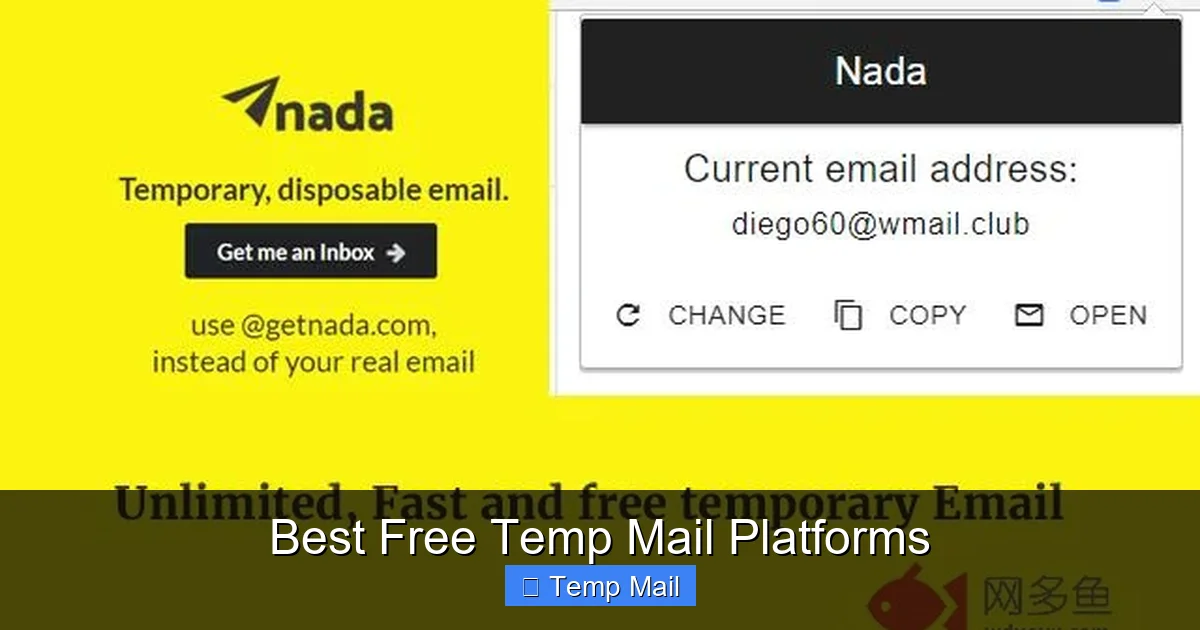
Visual guide about Best Free Temp Mail Platforms
Image source: img.wduoyu.com
Always Bookmark the Inbox Page Immediately
This is the #1 mistake. Once you close the tab, you lose the unique URL to your inbox. Some services store it in browser local storage, but it’s not guaranteed. The moment you get your temp address, copy the entire inbox URL and save it as a bookmark or in a text file. This is your lifeline to the emails.
Use a Different Browser or Incognito Window for Each Session
Because these services rely on your browser session, using the same browser for multiple temp mail sessions can sometimes cause confusion or mix up inboxes. For absolute clarity, open a new incognito/private window for each new temp address you need. This keeps each session completely isolated.
Check Spam/Junk Folders (On the Sender’s Side)
Some websites’ automated emails, when sent to a non-standard domain (like a temp mail domain), get flagged as spam by the sender’s own email provider before it even reaches the temp mail server. If you don’t see the email arrive in your temp inbox within 5-10 minutes, check the “spam” or “junk” folder of the temp mail inbox. The email might be there, just misclassified.
Know When to Abandon Ship
If you’re waiting for a critical email (like a password reset) and it doesn’t arrive in the expected timeframe, the temp mail service may have issues, or the sender may be blocking disposable domains. Don’t waste 20 minutes refreshing. It’s often faster to start over with a new temp address from a different provider (e.g., switch from 10MinuteMail to Temp-Mail.org).
Critical Security & Privacy: The Limitations You Must Know
Temp mail is a fantastic privacy tool, but it is not a magic invisibility cloak. Understanding its limits is non-negotiable for safe usage.
What Temp Mail Hides (The Good)
- Your Primary Email Address: This is the main goal. The recipient only sees the disposable address.
- Your Identity from the Recipient: There is no direct link from the temp address to your name, phone number, or other accounts (unless you put that info in the email body yourself).
What Temp Mail Does NOT Hide (The Crucial Caveats)
- Your IP Address from the Temp Mail Provider: The service itself sees your real IP address when you visit their site. Reputable services have privacy policies stating they do not log or sell this data, but you are trusting them. For extreme anonymity, you’d need a VPN before accessing the temp mail site.
- Traffic Encryption: Most temp mail sites use HTTPS, which encrypts traffic between you and their server. However, this is standard web encryption, not the same as end-to-end encrypted email like ProtonMail. The email content is stored in plaintext on their servers until deleted.
- Malicious Attachments: While many temp mail platforms scan for viruses, do not assume safety. Never open unexpected attachments from unknown senders, even in a temp inbox.
- Legal Requests: If a temp mail service receives a valid legal subpoena for a specific address and timestamp, they may be compelled to provide any logs they have (which ideally are minimal). This is why choosing services with clear, strict no-logs policies is important.
The Future of Disposable Email and Your Digital Hygiene
The rise of privacy-focused tools like temp mail is a direct response to the broken email economy of the 2020s. As data breaches become weekly news and spam filters become less effective, the logic of using a single, lifelong email address for everything is crumbling.
Looking ahead, we can expect temp mail platforms to integrate more deeply with browsers (as password managers have), offer even shorter-lived “view-only” addresses for hyper-sensitive actions, and potentially use blockchain-like systems for truly anonymous, serverless inboxes. The trend is toward more ephemeral, compartmentalized digital identities.
Your action step today is to adopt the “primary email + temp mail” duality. Reserve your personal, secure email (ideally with 2FA) for banking, important accounts, and communication with real contacts. Use a free temp mail platform as your default for everything else. This simple habit dramatically reduces your digital attack surface, cleans your primary inbox, and takes back control of your online presence. Start with Temp-Mail.org or 10MinuteMail.com today on your next sign-up. You’ll wonder how you ever lived without it.
Frequently Asked Questions
Is using a free temp mail platform legal?
Yes, using disposable email services is perfectly legal in most jurisdictions. They are legitimate privacy tools. However, using them to commit fraud, send spam, or engage in illegal activities is, of course, illegal regardless of the email address used.
Can I send emails from a temp mail address?
Generally, no. Temp mail platforms are designed for receiving emails only, primarily for verification and one-time access. Sending capabilities are almost always disabled to prevent abuse for spam. A few services, like Guerrilla Mail, allow limited replies to emails received in that specific inbox session.
How long do emails stay in a temp inbox?
It varies by service. Common lifespans are 10 minutes (10MinuteMail), 1 hour (Guerrilla Mail), 24 hours (Temp-Mail.org default), or even 3 days (Tempail). The entire inbox, including all emails, is permanently deleted after that time frame. Always check the specific service’s policy.
Is temp mail safer than a VPN for privacy?
They serve different purposes and are complementary. A VPN encrypts all your internet traffic and hides your IP address from every website you visit. Temp mail only hides your primary email address from the specific website where you use the disposable address. For full anonymity, use a VPN and a temp mail.
What happens if I need to reset a password for an account I made with a temp email?
You will be locked out. This is the most critical rule: never use a temp mail for any account you need to access long-term, including social media, banking, or important subscriptions. Use your real, secure email for anything requiring password recovery.
Do temp mail services work on mobile phones?
Absolutely. All major free temp mail platforms have mobile-responsive websites that work perfectly in your phone’s browser. Some, like Temp-Mail.org, also offer dedicated apps for iOS and Android for even easier access and management on the go.
Leave a Reply