Tired of your main inbox being flooded with promotional emails after every online shopping spree? A temporary email is your secret weapon. These disposable addresses let you sign up for store newsletters, discount alerts, and one-time deals without handing over your personal email. They automatically delete after a short time, shielding your real inbox from spam and potential data breaches. It’s a simple, free tool for smarter, more private online shopping.
You’re browsing your favorite online store, filling your cart with goodies. At checkout, a little box winks at you: “Sign up for our newsletter and get 15% off your first order!” It’s a great deal. You hesitate. Your primary email address is already a war zone of unread promotions, sale alerts, and “we miss you” messages from every store you’ve ever browsed. What if there was a way to get that discount code without sentencing your inbox to another lifetime of spam? Enter the world of the temporary email for online shopping signups—a simple, powerful tool for taking back control of your digital privacy.
This isn’t some complex tech hack. It’s a straightforward service that gives you a disposable email address for a short period, typically 10 minutes to a few hours. You use it once to snag a coupon code or create a throwaway account, and then it simply ceases to exist. No passwords to remember, no long-term commitment, and no spam haunting you months later. In this complete guide, we’ll dive deep into how to use these services safely and effectively for all your online shopping adventures, from flash sale frenzies to casual browsing.
Key Takeaways
- Privacy First: A temporary email acts as a protective barrier, keeping your primary email address and personal information hidden from retailers and potential data harvesters.
- Spam Annihilator: By using a disposable address for sign-ups, you effectively route all future marketing emails and newsletters into a virtual trash can that self-destructs, leaving your main inbox pristine.
- Effortless & Instant: Generating a temporary email takes seconds—no registration, no password, no commitment. You get a live inbox immediately to copy and paste during checkout.
- Not for Everything: Never use a temporary email for critical accounts like banking, primary cloud storage, or any service where account recovery is vital. These addresses are ephemeral.
- Retailer Restrictions: Some major online stores and platforms actively block known temporary email domains to prevent fraud. Always have a backup plan, like a dedicated secondary email.
- Receipts & Orders: You can receive order confirmations and digital receipts to a temp email, but you must check that inbox promptly before it vanishes. Save important files to your device.
- Tool, Not a Shield: While excellent for marketing sign-ups, a temporary email does not make you anonymous online. Your browsing activity and actual purchases are still tracked by retailers and advertisers.
📑 Table of Contents
- Why Your Inbox Needs a Shield: The Spam Epidemic
- What Exactly Is a Temporary Email? A Simple Breakdown
- How to Use Temporary Email for Shopping Signups: A Step-by-Step Guide
- The Real Benefits: More Than Just Spam Prevention
- Potential Pitfalls and How to Avoid Them
- Alternatives and When to Stick With Your Primary Email
- The Future of Privacy: Where Do Temporary Emails Fit In?
Why Your Inbox Needs a Shield: The Spam Epidemic
Let’s set the scene. You buy a pair of socks from a new website. A week later, you’re getting emails about matching scarves, then “exclusive” early access to a sale, then a “we miss you” plea with a 5% discount. This is the cycle. One sign-up leads to a cascade of marketing emails, often from subsidiaries and “partner” companies you never explicitly agreed to hear from. Your primary email, the one tied to your bank, your family, and your work, slowly transforms into a marketing funnel.
The Real Cost of “Free” Sign-Ups
When you hand over your main email to a retailer, you’re not just getting newsletters. You’re often giving them a key to link your shopping behavior across the web. That email becomes a persistent identifier. Data brokers and advertising networks use it to build a profile of your interests, income bracket, and lifestyle, which they then sell. The “free” discount comes at the hidden cost of your data privacy. Furthermore, every database that stores your email is a potential target for a data breach. If that retailer gets hacked, your email address is out in the wild, likely to be used in phishing attacks or credential stuffing attempts on your other accounts.
Using a temporary email for online shopping signups cuts this chain. The retailer gets an email address that serves its single purpose and then vanishes. They can’t build a long-term profile on “[email protected].” Your primary address remains a private sanctuary, used only for people and services you truly trust.
What Exactly Is a Temporary Email? A Simple Breakdown
A temporary email service is a web-based platform that generates a random, unique email address for you to use immediately, without any registration. These inboxes are public and shared among users, but each address is isolated. When you visit a site like Temp-Mail.org or 10MinuteMail.com, the homepage instantly displays an email address like [email protected] and a preview of its (currently empty) inbox.
Visual guide about Temporary Email for Online Shopping Signups
Image source: anonymmail.net
How Disposable Addresses Work Under the Hood
These services operate on a simple principle: they manage a large pool of domain names and generate countless combinations of usernames. The inbox for [email protected] exists on their server. When an email is sent to that address, it gets routed to a temporary storage space linked to that specific random string. You, the visitor, can see that inbox as long as you keep the browser tab open or the session active. Once the timer expires—often 10 minutes, 1 hour, or until you close the browser—the address and all its stored emails are permanently deleted from the system. The next person who randomly generates [email protected] (extremely unlikely but possible in theory) gets a fresh, empty inbox.
Key Features of a Good Service
Not all temporary email services are created equal. For shopping sign-ups, you want one that is:
Fast & Reliable: The inbox should refresh automatically to show new emails within seconds.
Long Enough Duration: 10 minutes might be too short if you need to click a confirmation link later. Look for options that last at least 1-2 hours, or allow you to extend the time manually.
No intrusive ads: Some free services bombard you with pop-ups. A clean interface makes it easier to copy your address and find your confirmation email.
Multiple Domain Options: If a retailer blocks one domain (e.g., @tempmail.org), being able to switch to another (e.g., @discard.email) with one click is a huge advantage.
How to Use Temporary Email for Shopping Signups: A Step-by-Step Guide
Using this tool is remarkably simple, but doing it correctly ensures you actually get your discount code and avoid pitfalls. Here’s your practical playbook.
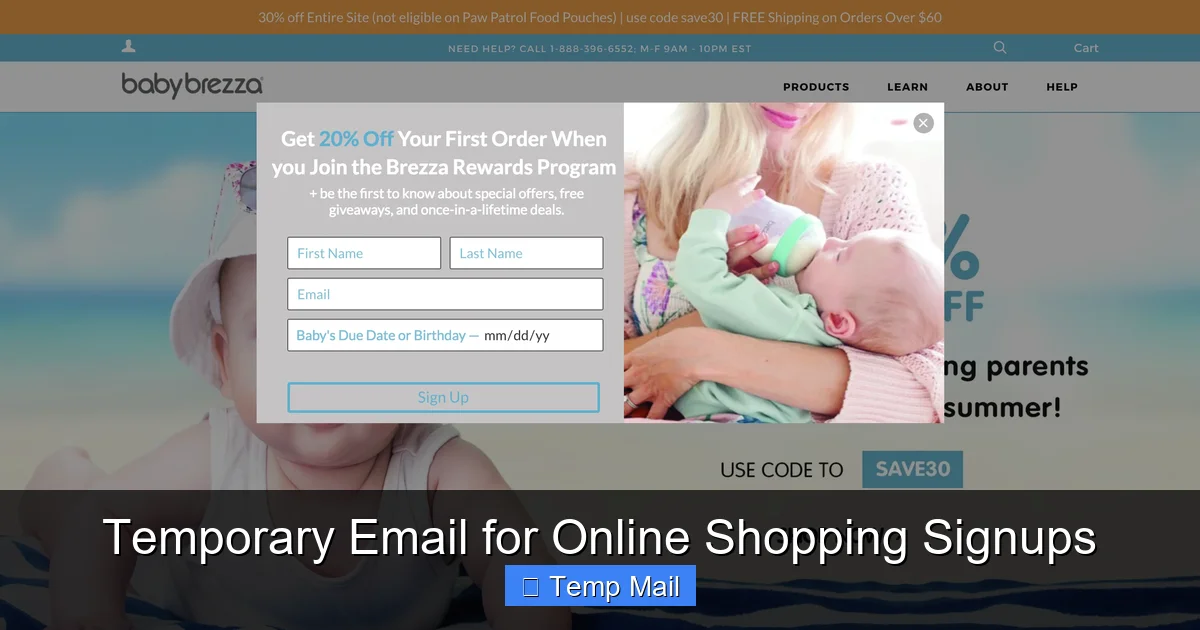
Visual guide about Temporary Email for Online Shopping Signups
Image source: frictionlessco.wpengine.com
Step 1: Choose and Open Your Service
Before you even start shopping, open a new tab in your browser and navigate to a reputable temporary email provider. I recommend keeping a few favorite sites bookmarked. Temp-Mail.org, 10MinuteMail.com, and Guerrilla Mail are long-standing, reliable options. Having it open in a separate tab means you can quickly switch to copy your address.
Step 2: Generate Your Disposable Address
Upon loading the site, your unique temporary email address is generated automatically. It will look something like: [email protected]. Simply click the “Copy” button next to it. No need to create an account or set a password.
Step 3: Sign Up and Get Your Reward
Go to the online store. Paste the temporary address into the email field for the newsletter sign-up or account creation. Proceed through the steps. Often, the discount code is displayed immediately on a “welcome” page. Always screenshot or copy this code immediately, in case the confirmation email gets lost or the inbox expires.
Step 4: Check Your Temporary Inbox
Switch back to your open temporary email tab. You should see a new email arrive within 30-60 seconds, usually titled “Welcome! Here’s your 15% off code” or “Confirm your subscription.” Open it and click the link or copy the code. If the email doesn’t arrive, check the spam/junk folder tab within the temporary inbox interface. If it still doesn’t come after a few minutes, the retailer may be blocking that domain.
Step 5: Close and Forget
Once you have your code and have used it (or saved it), you can simply close the temporary email tab. The address and all associated emails will be purged automatically. There is nothing to log out of, no account to delete. You’ve reaped the benefit without the long-term baggage.
Pro-Tip: The Order Confirmation Scenario
What if you need to make a purchase and want the order confirmation sent to a temp email? This is riskier but doable. After purchasing, immediately check the temporary inbox. Save the order number and receipt PDF to your computer or phone. Do not rely on that inbox for future shipment tracking updates or customer service replies. For any post-purchase communication, you may need to contact support with your order number, but be prepared for them to insist on emailing the original address.
The Real Benefits: More Than Just Spam Prevention
While escaping the spam cycle is the biggest perk, using a temporary email for online shopping signups offers a suite of other advantages that enhance your digital hygiene and security.
Visual guide about Temporary Email for Online Shopping Signups
Image source: cdn.iphoneincanada.ca
1. Unparalleled Privacy Protection
Your primary email address is a golden key. It’s often the username for countless other sites, a recovery option for banks and social media, and a personal identifier. By never exposing it to a retailer you don’t deeply trust, you prevent that retailer from cross-referencing your identity with data brokers. It compartmentalizes your digital life. Your “shopping identity” is separate from your “personal identity.”
2. A Clean, Clutter-Free Inbox
Imagine an inbox where every single email is from a real person or an essential service you chose. No more digging through “20% off all summer apparel!” emails to find a message from your doctor. Your productivity and mental load decrease. The temporary email becomes your designated “marketing inbox,” a virtual dumpster you visit only when you actively want a deal.
3. Mitigating Data Breach Risk
In 2023, millions of records from e-commerce sites were exposed in data breaches. When you use a disposable address, your real email isn’t in that compromised database. This means you won’t receive phishing emails that say, “We had a security incident at StoreX. Click here to secure your account,” because your account at StoreX is tied to an email that no longer exists. You are insulated from the fallout of their security failures.
4. Perfect for One-Time Deals and Flash Sales
Sites like Rue La La, Gilt, or flash sale plugins often require an email to see the deals or access the sale. You have zero intention of becoming a long-term customer. A temporary email is perfect here. Get in, see the goods, maybe grab a bargain, and exit without a trace. You use the service for its intended, fleeting purpose.
5. Testing and Research
Are you a deal hunter researching which retailers send the best coupons? Create a fresh temporary email for each one you test. After a week, see which inboxes are spammed and which are quiet. This gives you real data on which companies respect (or abuse) your contact information, helping you make informed choices about where to shop with your primary email.
Potential Pitfalls and How to Avoid Them
Using a temporary email is not a magic “set and forget” solution. It comes with significant caveats and risks that every savvy shopper must understand to avoid frustration.
Pitfall 1: The Site Blocks Disposable Domains
This is the most common issue. Many major retailers (Amazon, Target, Walmart, etc.) and platforms like Shopify or Etsy have lists of known temporary email domains and will reject them during sign-up, showing an error like “Please enter a valid email address.” This is their anti-fraud measure.
How to Avoid It: Have a backup plan. Maintain a dedicated secondary email address specifically for online shopping. Create it with a free provider like Gmail or Outlook. Use this for stores that block temp mail. This secondary inbox is still separate from your primary personal/work inbox, so it will catch some spam, but it’s a contained sacrifice. Also, try multiple temporary email services; if @tempmail.org is blocked, @tmpmail.org or @guerrillamail.com might work.
Pitfall 2: Losing Access to Important Communications
You buy a pair of shoes. The shipping confirmation, tracking number, and delivery update all go to the temporary email. You check it once, save the tracking number, but then the inbox expires. Two days later, the package is marked “undeliverable” because you missed a “please confirm address” email. You’re out of luck.
How to Avoid It: Never use a temporary email for the actual purchase transaction. Reserve it for newsletter sign-ups *before* you buy, or for account creation on sites you browse but may not buy from immediately. For any financial transaction, use your primary or a dedicated secondary email that you check regularly. The rule of thumb: if losing the email would cause a financial or logistical problem, don’t use a temp address.
Pitfall 3: The Illusion of Complete Anonymity
Some users think a temporary email makes them invisible online. It does not. The retailer still knows your IP address, your browser fingerprint, your shipping address, and your payment details (credit card name, PayPal account). They can track your browsing on their site via cookies. The disposable email only hides one piece of the puzzle: your long-term contact identity. Do not use it on illicit sites or under the false belief you are “hacked.”
Pitfall 4: Two-Factor Authentication (2FA) Failures
If a site requires 2FA and sends a code to your email for login, and that email is temporary and expired, you will be permanently locked out of that account. This is catastrophic if the account holds gift card balances, loyalty points, or order history.
How to Avoid It: Only enable 2FA on accounts tied to an email you control permanently. Never set up 2FA on an account registered with a disposable address.
Alternatives and When to Stick With Your Primary Email
The temporary email is a fantastic tool, but it’s not the only one in your privacy toolkit. Knowing the alternatives helps you choose the right approach for each situation.
The Dedicated “Shopping” Email Address
This is the gold standard compromise. Create a free email account (e.g., [email protected]) and use it exclusively for online store sign-ups, newsletters, and order confirmations. You can check it weekly or monthly. It keeps all your shopping-related emails in one place, separate from your personal life, and you won’t miss important order updates. The downside? It will still accumulate spam over time, and it’s a permanent address that can be breached.
Email Alias Services (The Premium Option)
Services like SimpleLogin or AnonAddy (now integrated into Firefox Relay) offer a more sophisticated solution. They create unique, forwardable aliases for each website. For example, you could sign up for “Kohls” using [email protected]. Emails sent to that alias are forwarded to your real inbox, and you can disable the alias with one click if spam starts. This gives you the convenience of a permanent inbox with the control of disposability. These often have free tiers with limited aliases.
Using Your Primary Email with Aggressive Filters
If you’re organized, you can use your main email but set up strict filters/rules. Create a folder called “Promotions” and set a rule that any email from known retail domains or containing words like “sale,” “newsletter,” or “offer” automatically skips the inbox and goes into that folder. You can then batch-delete or browse them monthly. This requires initial setup but keeps everything in one place.
When to Absolutely Use Your Primary Email
There is no substitute for your primary, permanent email in these cases:
Financial Services & Banking: Any account linked to money.
Primary Cloud Storage (Google Drive, iCloud, Dropbox): Account recovery is critical.
Social Media & Primary Communication: Facebook, Instagram, your main WhatsApp/Telegram.
Government/Healthcare Portals: Tax services, medical records.
Any Service You Cannot Afford to Lose Access To.
The Future of Privacy: Where Do Temporary Emails Fit In?
As data privacy regulations like GDPR and CCPA tighten, and as consumers become more aware of digital footprints, tools like temporary email services are moving from a “tech-savvy user” trick to a mainstream privacy essential. We’re seeing browser integrations (like Firefox Relay’s built-in alias feature) and password managers adding masked email functionality. The industry is responding to the demand for compartmentalization.
For the online shopper, this trend is a win. It signals a shift from the “give us your email for everything” model toward a more user-centric approach. However, retailers will also adapt. Expect to see more sophisticated anti-disposable email measures, and perhaps a rise in “loyalty program” sign-ups that require a permanent email to accrue points, making the disposable option less appealing for frequent shoppers.
The enduring lesson is this: your email address is a valuable piece of your digital identity. Treat it with the same care you would your home address or phone number. Using a temporary email for online shopping signups is a practical, immediate step anyone can take to reduce spam, minimize data exposure, and reclaim a sliver of privacy in an increasingly tracked online world. It’s not about being paranoid; it’s about being purposeful. Before you click “sign up” for that next tempting discount, ask yourself: “Does this store need my real email, or can a temporary one do the job?” More often than not, the temporary one is the smarter choice.
Frequently Asked Questions
Is using a temporary email for shopping sign-ups legal?
Yes, using a temporary email is completely legal. You are using a publicly available service to receive emails. However, it may violate the specific terms of service of some websites, which is why some sites block disposable domains. It’s a tool, not an illegal act.
Are temporary email services secure?
For its intended purpose—receiving non-sensitive marketing emails and one-time codes—a reputable temporary email service is secure enough. However, you should never use it for password resets on important accounts, private communications, or to send sensitive data. The inboxes are public on the server side, so confidentiality is not guaranteed.
What happens if a website blocks the temporary email domain?
If a retailer rejects your disposable address, you have two options: switch to a different temporary email provider (which may use a different domain that isn’t blocked), or fall back to your dedicated secondary email address. There is no way to circumvent a block if the site is actively maintaining a blacklist.
How long do temporary emails actually last?
It varies by service. Some last 10 minutes, others 1 hour, and some last until you close the browser tab. Many services also offer a “extend” button to add more time. Always check the countdown timer on the service’s page so you know when your inbox will self-destruct.
Can I receive attachments or order receipts with a temporary email?
Yes, most temporary email services support receiving attachments like PDFs or images. You can download them to your device. However, you must do this before the inbox expires. For important receipts, it’s best to screenshot or save the file immediately upon receipt.
Can a retailer trace a temporary email back to me?
Not through the email address itself, as it’s randomly generated and unlinked to you. However, they can still trace your activity via your IP address, browser cookies, and the personal information you provide during checkout (name, shipping address, payment details). The disposable email only hides your long-term contact identity, not your entire online footprint.
Leave a Reply