In 2026, your email inbox is a battleground. Spam, data breaches, and relentless marketing are constant threats. Free temp mail generators are your first line of defense, offering disposable addresses to shield your primary identity. This guide cuts through the noise to review the top services, highlighting which truly prioritize privacy and which are scams in disguise. Learn to choose the right tool for sign-ups, downloads, and any scenario where you’d rather not use your real email.
Key Takeaways
- Temp mail is essential privacy hygiene: Using a disposable email for non-critical sign-ups prevents your primary address from being sold, scraped, or hacked.
- Not all generators are created equal: The best services in 2026 offer no-registration use, strong encryption, and reasonable inbox retention times (10-60 minutes).
- Avoid services with hidden agendas: Steer clear of generators that show intrusive ads, require captchas constantly, or have vague privacy policies—they often log your data.
- It’s for one-time use, not critical accounts: Never use a temp mail for banking, primary social media, or any account you must recover long-term.
- Advanced features matter: Look for API access, custom domain options, and browser extensions for power users and developers in 2026.
- Legal and ethical use is key: Temp mail is a legitimate tool for privacy but violates Terms of Service on many platforms; use it responsibly for testing and gated content.
📑 Table of Contents
- The Unseen War on Your Inbox: Why 2026 Demands a New Strategy
- What Exactly is a Temp Mail Generator? (And How It Works)
- Our Selection Criteria for 2026’s Best: What Actually Matters
- Top 6 Free Temp Mail Generators of 2026: Detailed Reviews
- Beyond the Basics: Advanced Features to Look For in 2026
- The Dark Side: Red Flags and Temp Mail Scams to Avoid
- Practical Applications: Where to Use (and NOT Use) Temp Mail
- Conclusion: Your Digital Hygiene Depends on It
The Unseen War on Your Inbox: Why 2026 Demands a New Strategy
Remember the early 2000s? Your email was a relatively peaceful place. Maybe a newsletter or two. Fast forward to 2026, and your primary email address is a target. It’s the key to your digital identity, and every new website, app, or webinar you sign up for is a potential breach point. Data leaks are not “if” but “when.” Once your email is out there, it’s sold on dark web marketplaces, bombarded with phishing attempts, and forever linked to your real name. The inbox you once used for family photos is now a spam-filled liability.
This is where free temp mail generators become non-negotiable. They act as a digital shield, a disposable buffer between your true identity and the chaotic, often predatory, corners of the internet. Think of it as using a burner phone for a Craigslist deal, but for your email. In this guide, we’re not just listing names; we’re conducting a forensic analysis of the top free temp mail generators in 2026. We’ll separate the privacy guardians from the data-hungry impostors, giving you the knowledge to navigate the web without sacrificing your security.
What Exactly is a Temp Mail Generator? (And How It Works)
The Disposable Email Principle
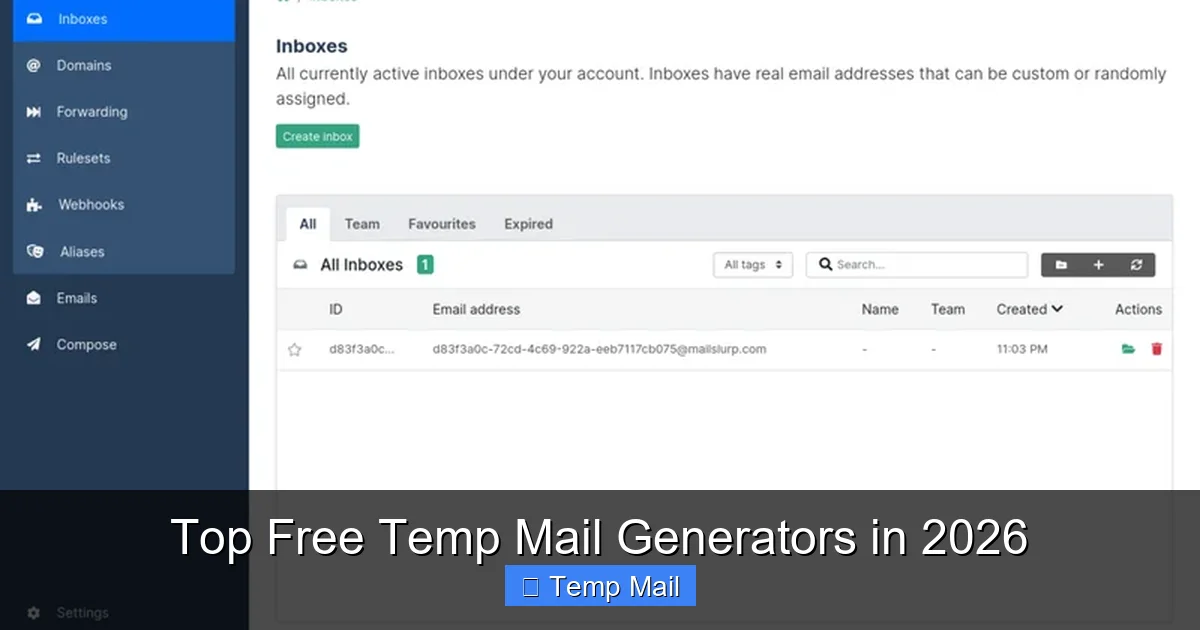
A temporary email generator creates a random, unique email address on a dedicated domain (like @tempmail.demo or @10minutemail.net). This address exists for a short, predefined period—usually 10 minutes to 1 hour—or until you manually delete it. Any emails sent to that address are stored on the service’s server and displayed in a web-based inbox you can access without a password. Once the time expires or you close the inbox, the address and all its emails are permanently purged from the system.
Visual guide about Top Free Temp Mail Generators in 2026
Image source: toolpix.pythonanywhere.com
No Password, No Problem
The genius of a true temp mail service is the complete lack of registration. You visit the site, an address is generated, you copy it, and you use it. There’s no “create account” button, no password to forget, and no personal data tied to that inbox. The entire process is designed for anonymity and ephemerality. In 2026, the best generators have refined this to a science, offering instant inbox loading and minimal, non-intrusive interfaces.
Our Selection Criteria for 2026’s Best: What Actually Matters
Not all that glitters is gold. A quick Google search yields hundreds of “free temp mail” sites, many of which are ad farms or data collection fronts. To curate this list for 2026, we evaluated each service against a strict, privacy-first rubric:

Visual guide about Top Free Temp Mail Generators in 2026
Image source: grovers.io
- Zero Registration & No Logs: The service must not require sign-up and must have a clear, public policy stating they do not log IP addresses, email content, or access times.
- Inbox Lifetime & Customization: How long does the inbox last? Is it a fixed 10 minutes, or can you extend it? Can you choose your own inbox name?
- Ad Intrusiveness: Free services need ads to survive, but there’s a line. We penalized sites with pop-ups, auto-playing video ads, or misleading “Download Now” buttons that lead to malware.
- Email Delivery Reliability: Does it actually receive emails from major providers (Gmail, Outlook, corporate domains)? A temp mail that fails to get your verification code is useless.
- Security & Encryption: Does the site use HTTPS? Is the inbox itself accessible only via a unique, random URL that changes per session?
- User Experience (UX): Clean design, fast load times, one-click copy, and clear refresh/delete buttons are signs of a service built for users, not just ad revenue.
Top 6 Free Temp Mail Generators of 2026: Detailed Reviews
1. TempMail.org: The Gold Standard for Simplicity
TempMail.org has consistently refined its offering and remains the industry benchmark in 2026. It exemplifies the “do one thing perfectly” philosophy. Upon landing, you’re presented with a random address and a 60-minute countdown timer. The inbox auto-refreshes every 10 seconds.
Visual guide about Top Free Temp Mail Generators in 2026
Image source: mailslurp.com
Why it’s top-tier: Its privacy policy is starkly clear: “We do not store, log, or process any emails after they are deleted from the server.” The ad load is minimal, consisting of static banners at the bottom. The domain pool is vast, reducing the chance of your temp address being blocked by a website. A standout feature is the “One-Click Extend” button that adds 30 minutes to your timer without changing your address—crucial for longer verification processes.
Best for: Everyday users, students, and professionals needing a quick, reliable buffer for forum sign-ups, ebook downloads, or app testing. It’s the “set it and forget it” champion.
Watch-out: The 60-minute limit is firm. If you need an address for a 24-hour job application portal, you’ll need to manually copy the address and revisit the site before time runs out to see new emails.
2. 10MinuteMail.com: The Original Speedster
A veteran that perfected the ultra-short-term niche. As the name implies, your inbox lives for exactly 10 minutes from generation. The interface is brutally simple: a giant countdown clock, your email, and a list of received messages. No distractions.
Why it’s top-tier: Its focus on extreme temporality is its strength. For a quick password reset on a site you’ll never use again, 10 minutes is plenty. It has a near-perfect record for receiving emails from major providers. The service operates on a strict no-logs policy and the domain (@10minutemail.com) is widely recognized and rarely blocked.
Best for: Instant, one-off tasks. Testing if a website sends a confirmation email. Accessing a single article behind a paywall. It’s the digital equivalent of a paper shredder for your email address.
Watch-out: The 10-minute clock is unforgiving. Have your next tab ready. You cannot extend the time, and the address is gone forever after the timer hits zero.
3. Guerrilla Mail: The Feature-Powered Power User Tool
Guerrilla Mail (guerrillamail.com) is the Swiss Army knife of temp mail. It combines a disposable inbox with a surprisingly robust set of features that cater to developers and privacy enthusiasts.
Why it’s top-tier: Beyond the standard 60-minute inbox, you can choose your own inbox name from a list of available aliases (e.g., [email protected]). This is huge if you need to remember or share the address easily. It also offers a password-protected inbox option (you set a simple PIN) if you need to step away but want to keep the same address active. For developers, it provides a public API for programmatic email reception—a rare and valuable feature in 2026 for automated testing.
Best for: Developers testing email workflows, users who need a semi-persistent alias for a multi-day project, and anyone who hates random strings of characters.
Watch-out: The ad load is higher than TempMail.org, with more animated banners. The “choose your name” feature can sometimes lead to addresses that look less random and might be blocked by stricter websites.
4. Mailinator (Free Tier): The Public Inbox Pioneer (With Caveats)
Mailinator is a legacy name in the temp mail space. Its free tier (mailinator.com) is a public inbox service. Any address you think of (like [email protected]) is instantly available to anyone, as all inboxes are public by default.
Why it’s notable: Its reliability is unparalleled. Major companies have used Mailinator’s public inboxes for years for QA testing. The domain is almost never blocked. It’s incredibly fast and simple.
Critical 2026 Warning: The free, public model is a massive privacy risk. Anyone can view the inbox for any public address. You should never use it for anything containing personal data, password resets, or private links. Its value in 2026 is almost exclusively for developers testing if an *email was sent*, not for receiving anything sensitive. Use it like a public bulletin board, not a mailbox.
Best for: Anonymous, non-sensitive testing where you just need to confirm an email triggered. A developer checking a “welcome email” template.
Watch-out: Absolute zero privacy. Do not use for personal sign-ups.
5. Temp-Mail.io: The Modern, Mobile-First Contender
Temp-Mail.io represents the new wave of temp mail services built for a mobile-first world. Its interface is sleek, responsive, and feels like a native app. It offers a 60-minute default inbox with a one-click extend feature.
Why it’s top-tier: It excels in user experience. The “Copy Address” and “Open Inbox” buttons are large and tactile. It provides a dedicated browser extension for Chrome and Firefox that generates a temp address with one click from any webpage—a game-changer for on-the-go sign-ups. The ad experience is managed by a reputable network, resulting in fewer malicious-looking “download” traps.
Best for: Mobile users, social media managers signing up for multiple tools, and anyone who values a polished, app-like experience over raw functionality.
Watch-out: The domain pool is smaller than TempMail.org’s, so some websites (especially gaming or social platforms) might flag its domains more frequently.
6. DropEmail.net: The “Set & Forget” Longevity Specialist
Most temp mail services cap at 60 minutes. DropEmail.net breaks the mold by offering a default 24-hour inbox retention. You generate an address, and it stays active for a full day unless you delete it.
Why it’s top-tier: This solves the “I need this address for a job application that’s open for 12 hours” problem. It’s perfect for multi-stage processes where you might receive emails at different times throughout a day. The interface is clean, and it includes a useful “Mark as Read/Unread” feature. It also allows you to reply to received emails (from the temp address), a feature almost unique in the free tier, useful for simple two-step verifications.
Best for: Longer-duration tasks like freelance platform sign-ups, scholarship applications, or accessing a course that sends materials over several hours.
Watch-out: The 24-hour window is its main differentiator, but it means the address exists longer, increasing (slightly) the theoretical attack surface. Its ad load is moderate.
Beyond the Basics: Advanced Features to Look For in 2026
The landscape is evolving. The best free temp mail generators in 2026 aren’t just about a random address; they’re about integrated workflows. Here’s what the power users are seeking:
API Access for Automation
For developers and QA testers, an API is the holy grail. Services like Guerrilla Mail offer this, allowing you to programmatically generate an address, poll for emails, and fetch content. This automates testing cycles for sign-up flows, password resets, and notification systems without ever touching a real inbox.
Browser Extensions & Mobile Apps
The friction of copying an address, opening a new tab, and pasting is a barrier. The 2026 leaders provide browser extensions (like Temp-Mail.io) that inject a generator button next to every email field on the web. Some are even experimenting with lightweight mobile apps for on-the-go generation.
Custom Domain Support
While most use shared domains (like @tmpmail.org), some premium-oriented free tiers allow you to use a custom domain you own. This is for businesses or advanced users who want branded, disposable addresses (e.g., [email protected]) that still route to a secure, temporary inbox.
The Dark Side: Red Flags and Temp Mail Scams to Avoid
The temp mail space is rife with bad actors. A “free generator” can be a front for malware distribution or data harvesting. Here are your survival rules for 2026:
Aggressive, Deceptive Advertising
If the site has giant green “DOWNLOAD” buttons that are actually ads, pop-ups that block the inbox, or ads that look like system warnings (“Virus Detected!”), leave immediately. These are often adware networks that profit from accidental clicks and may lead to phishing sites.
No Clear Privacy Policy or “We May Log” Disclaimers
A legitimate privacy-focused service will proudly state “No logs” or “Emails deleted after X time.” If the policy is buried, written in legalese, or explicitly says they collect “usage data,” assume your activity is being tracked and sold.
Requiring “Verification” via SMS or Another Email
This is a major red flag. A true temp mail generator does not need to verify you. If a site asks you to enter a code sent to a *different* email or your phone to “unlock” the inbox, it’s trying to link your real identity to the session and harvest your phone number.
No HTTPS or Padlock Icon
Never use a temp mail site without “https://” and a valid padlock in the browser bar. Your communication with the inbox could be intercepted by your ISP or on public Wi-Fi.
Practical Applications: Where to Use (and NOT Use) Temp Mail
Perfect Use Cases
- Gated Content & Lead Magnets: Downloading an ebook, whitepaper, or template that requires an email. Use temp mail, get the file, and never hear from them again.
- One-Time Forum or Commenting: Signing up on a niche forum to ask a single question or comment on a news article.
- App & Software Trials: Registering for a 14-day SaaS trial you want to test without future sales emails.
- Online Gaming or Betting Sites: These are notorious for spam and data sharing. Use a disposable address.
- Testing Email Delivery: For developers, as mentioned, using APIs or the manual interface to test if your own website’s emails are being sent and formatted correctly.
Absolutely NOT Use Cases
- Banking, Financial Services, or Crypto Exchanges: These require secure, recoverable communication. Losing access to the temp inbox means losing access to your funds.
- Primary Social Media Accounts (Facebook, Instagram, Twitter/X):strong> Recovery is impossible. If your account is hacked, you cannot reset the password.
- Any Account with Long-Term Value: Cloud storage (Google Drive, iCloud), primary email accounts, professional networking (LinkedIn).
- Government or Official Services: Tax agencies, university portals, official DMV/transport sites. These often have legal requirements for valid contact information.
Conclusion: Your Digital Hygiene Depends on It
The free temp mail generators of 2026 are more than just a convenience; they are a critical tool for maintaining digital hygiene and personal privacy. The services we highlighted—TempMail.org, 10MinuteMail, Guerrilla Mail, Temp-Mail.io, and DropEmail.net—represent the pinnacle of what’s possible when a service is built with user anonymity as the core principle. They are the breath of fresh air in a cluttered, predatory online ecosystem.
Your strategy should be simple: for any interaction that is transactional, temporary, or low-stakes, reach for a temp mail. Reserve your primary, personal email address for your family, close friends, and essential, trusted services. By making this distinction, you take back control. You stop the data brokers at the gate. You declutter your mind and your inbox. In the ongoing battle for your digital identity, a reliable temp mail generator isn’t just a helpful tool—it’s your first and most essential line of defense. Choose wisely from the vetted list above, and sign up with confidence, not compromise.
Frequently Asked Questions
Is using a temp mail generator legal?
Yes, using a disposable email service is perfectly legal in most countries. It’s a tool for privacy protection. However, using it to fraudulently sign up for services, evade bans, or send illegal content is illegal. Always comply with a website’s Terms of Service.
Can a temp mail address be traced back to me?
With a reputable, no-log service like those listed, the service provider itself does not link the temp address to your IP or personal data. However, if you use the temp address to perform an action that requires identity (like purchasing something), your activity on that *target website* could be linked to the payment method or behavior, not the email itself.
What’s the difference between a temp mail and a VPN?
They protect different things. A VPN encrypts your internet traffic and masks your IP address, hiding your location and network activity from your ISP and websites. A temp mail masks your *identity* by providing a disposable contact point. They are complementary tools for layered privacy.
What is the best temp mail generator for beginners?
For absolute beginners, TempMail.org is the best. Its interface is the simplest: you land, you have an address, you have an inbox. There are no confusing options, no need to choose a username. It’s the most intuitive and foolproof option for one-off use.
How long should I keep a temp email address active?
Only as long as the task requires. For a quick verification code, 10-30 minutes is fine. For a multi-day process like a job application, use a service like DropEmail.net that offers 24-hour retention. Never rely on a temp address for anything requiring long-term recovery.
What should I do if a website blocks a temp mail domain?
This happens occasionally with stricter platforms (some social media, banking trials). Simply generate a new address from a different temp mail service. The top generators use large pools of domains, so switching from TempMail.org to 10MinuteMail.com will often yield an address on a different, unblocked domain.
Leave a Reply