Tired of your primary inbox getting flooded with spam after every online sign-up? Temp mail services offer a simple, powerful solution. They provide disposable email addresses that shield your real identity, prevent unwanted marketing, and add a crucial layer of security to your digital life. By using a temporary inbox for one-time registrations, downloads, or sketchy websites, you keep your personal data safe and your main email clean. It’s a free, essential tool for anyone who values privacy and sanity online.
Let’s be honest: the internet can be a messy place. You want to download a useful PDF, access a helpful forum, or grab a one-time discount code, but the website demands your email address. You sigh, type in your primary Gmail or Outlook address, and hit submit. A few days later, your inbox is buried under a avalanche of newsletters, promotional offers you never wanted, and the occasional phishing attempt. Sound familiar? There’s a brilliant, simple tool that can break this cycle: temp mail services. Also known as disposable or temporary email services, they are your first line of defense for a cleaner, safer, and more private online experience.
Think of a temp mail service as a digital bodyguard for your identity. Instead of handing out your real, personal email—the one tied to your bank accounts, social media, and important contacts—you generate a random, throwaway address. You use it for that one interaction, and then you simply walk away. The service automatically deletes the inbox and everything in it after a short time. No passwords, no recovery steps, no long-term obligations. In this comprehensive guide, we’re diving deep into the top benefits of using temp mail services. From reclaiming your inbox peace to safeguarding your data, you’ll discover why this underrated tool is a must-have for savvy internet users in 2024 and beyond.
Key Takeaways
- Privacy Shield: Temp mail acts as a barrier, preventing websites and services from linking your online activity to your real identity or primary email address.
- Spam Annihilation: By routing non-essential sign-ups through a disposable address, you effectively eliminate promotional and phishing emails from cluttering your permanent inbox.
- Security Enhancement: It reduces the risk of your main email being caught in a data breach, as the temporary address becomes useless once discarded.
- Cost-Effective & Simple: Most temp mail services are completely free, require no registration, and work instantly in your browser with zero setup.
- Versatile Use Cases: Ideal for forum registrations, software trials, accessing gated content, one-time discounts, and testing website email flows.
- No Long-Term Commitment: Inboxes auto-delete after a short period (usually 1-24 hours), ensuring no lingering digital footprint from temporary interactions.
📑 Table of Contents
- 1. Unparalleled Privacy Protection in the Digital Age
- 2. The Ultimate Spam and Junk Email Defense
- 3. A Proactive Layer of Security Against Data Breaches
- 4. Cost-Effective and Incredibly Simple to Use
- 5. Streamlining Development and Business Testing
- 6. Navigating the Web Without Long-Term Commitment
- Conclusion: Embracing Smart, Temporary Identity
1. Unparalleled Privacy Protection in the Digital Age
Every time you enter your email address on a website, you’re providing a key piece of personal identifiable information (PII). That email is often the starting point for building a digital profile about you—your interests, your browsing habits, your approximate location. Companies use this for targeted advertising, and in the worst cases, data brokers compile and sell these profiles. Temp mail services sever this link at the source.
How It Works: The Anonymity Buffer
When you visit a site like Temp-Mail.org or 10MinuteMail.com, the service instantly generates a random email address for you, such as [email protected]. This address is not connected to your name, your IP address (in most cases), or any of your other accounts. You use it to receive a confirmation link or a download file. Once your task is complete, the address is retired. The website you visited has no way to trace that activity back to your real-world identity. It’s like using a public, anonymous PO box for a single piece of mail and then burning it.
Practical Example: Imagine you’re researching a sensitive health topic on a new forum that requires registration. You don’t want that site’s marketing emails or, worse, a potential data leak linking that research to your name. Using a temp mail address allows you to participate anonymously, accessing the information you need without leaving a breadcrumb trail back to your primary identity.
2. The Ultimate Spam and Junk Email Defense
This is the most immediately gratifying benefit for most users. Spam isn’t just annoying; it’s a productivity killer and a security hazard. According to recent statistics, spam emails account for over 45% of all global email traffic. Much of this spam originates from legitimate but overzealous marketing lists you never intended to join, acquired when you casually handed over your email for a minor convenience.
Visual guide about Top Benefits of Using Temp Mail Services
Image source: darksms.com
Contain the Spam at the Source
By consistently using a disposable email for any sign-up that isn’t critical (like your bank, primary doctor’s office, or close family), you create a firebreak. All the promotional clutter, “special offers,” and unwanted newsletters are funneled into an inbox that self-destructs. Your primary inbox remains a pristine space for emails that actually matter: work communications, personal messages, and essential receipts.
Tip: Get in the habit of asking yourself before any online form: “Is this email critical for my long-term identity or access?” If the answer is no, reach for the temp mail. This simple mental filter drastically reduces long-term spam accumulation.
Protection from Malicious Campaigns
Beyond mere annoyance, spam is the primary delivery vehicle for phishing attacks, malware, and ransomware. These emails are crafted to look legitimate and often bypass basic filters. By never giving your primary address to untrusted or peripheral sites, you dramatically lower the chances of a malicious email ever landing in your main feed where you might accidentally click a link or open an attachment. The disposable inbox acts as a canary in the coal mine; if it gets bombarded with suspicious stuff, you simply delete it and move on, with zero risk to your main account.
3. A Proactive Layer of Security Against Data Breaches
Data breaches are not a matter of if, but when. Major companies, from social media giants to retail chains, suffer breaches that leak millions of user records, including email addresses. Once your email is in a hacker’s hands, it becomes a tool for credential stuffing attacks (using that email + common passwords to try and break into your other accounts), targeted phishing, and identity theft.

Visual guide about Top Benefits of Using Temp Mail Services
Image source: darksms.com
Minimize Your Digital Footprint
Every account you create with your primary email is a potential point of failure. Using a temp mail service for low-stakes accounts means that even if that specific website is breached, the leaked email address is useless. It points to a disposable inbox that no longer exists or is inaccessible. There is no way for hackers to use that breached data to pivot into your more important digital life because the key—your real email—was never there.
Real-World Scenario: You sign up for a free trial of a niche software tool using a temp email. Six months later, that small company suffers a ransomware attack and its user database is published online. Your temp address is in the leak, but it’s a dead end. Your LinkedIn, Amazon, and bank accounts remain secure because the attackers have no bridge to your real identity.
No Password Reuse Required
This benefit ties into security hygiene. For an account you create with a temp email, you have zero incentive to use a strong, unique password because you’ll likely never log in again after the initial verification. You can use a simple, one-time password or even the site’s generated one. This eliminates the risk of password reuse—a common flaw where people use the same password for a shady forum as they do for their email. If that forum is breached, the breached password can’t be used to attack your primary email.
4. Cost-Effective and Incredibly Simple to Use
In a world of complex software and paid privacy tools, temp mail stands out for its sheer simplicity and zero cost. There is no financial barrier to adopting this privacy practice.
Visual guide about Top Benefits of Using Temp Mail Services
Image source: on4t.com
Zero Setup, Zero Cost
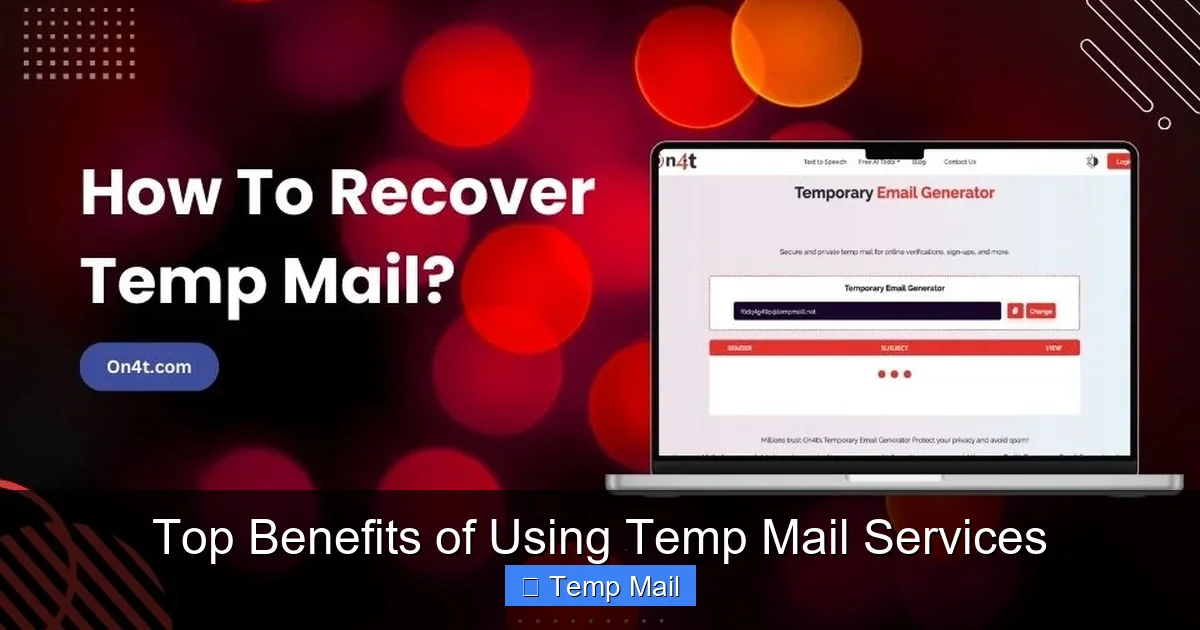
You don’t need to download an app, create an account, or configure anything. You simply navigate to a temp mail website, and an inbox is ready for you in seconds. The generated email address is displayed prominently. You copy it, paste it into the site you’re visiting, and then refresh the temp mail page to check for incoming messages. That’s it. No credit card, no subscription, no hidden fees. It’s a purely utility-based service, often supported by minimal, non-intrusive advertising on the provider’s site.
Comparison: Compare this to a dedicated email alias service like SimpleLogin or AnonAddy, which are fantastic but often require a small monthly fee for higher limits and custom domains. Temp mail is the free, no-strings-attached entry point into the world of email privacy.
Universal Accessibility
Because it’s web-based, you can access your temporary inbox from any device—a public library computer, a friend’s phone, a hotel business center—without installing anything or leaving traces on that device. The inbox exists only in the browser session (or for the set lifespan), making it perfect for one-off use on shared or trusted computers.
5. Streamlining Development and Business Testing
The utility of temp mail extends far beyond individual privacy. For developers, QA testers, and marketers, it’s an indispensable workflow tool.
Automated Testing and QA
When building an application that requires email verification (user sign-up, password reset, notification systems), developers need to test these email flows. Creating hundreds of real email accounts is impractical and clutches up production systems. Temp mail services provide a quick way to generate numerous, unique inboxes to test if emails are sent, formatted correctly, and contain the right links. Tools and scripts can be written to poll a temp mail API or inbox to automatically retrieve verification codes during test runs.
Competitive Analysis and Market Research
Want to see what kind of welcome email sequence a competitor sends after you sign up? Use a temp mail address to create an account. Need to access a gated piece of content (like an industry report) that requires an email gate? A disposable address gets you in without committing your business email to their nurturing list. For market researchers and business analysts, temp mail is a stealthy way to gather intelligence without polluting primary professional channels.
6. Navigating the Web Without Long-Term Commitment
The internet thrives on “engagement” and “retention”—getting you to sign up, stay subscribed, and remain in a platform’s ecosystem. Sometimes, you just need a peek inside without being sucked in.
Accessing Gated Content and One-Time Bonuses
How many times have you found a perfect article, template, or tool, only to be stopped by a “Enter your email to download” popup? Using your primary email for this often leads to a weekly newsletter you’ll ignore. A temp mail address is the perfect key. You get the immediate download or access, and you vanish. No guilt, no unsubscribing later (which can be a process in itself), no lingering marketing tags.
Pro Tip: This is also excellent for claiming one-time discount codes from new customer welcome offers from services you might try once. Use the temp mail, get the code, make your purchase if you want, and then the relationship ends cleanly.
Testing Website and App Email Flows
Are you a UX designer or product manager? Before launching a new email-based feature, you can use a series of temp mail addresses to walk through the user journey as a new sign-up, a password reset user, and a notification recipient. This helps catch broken links, formatting issues in different email clients, and timing problems without contaminating your real user base data.
Conclusion: Embracing Smart, Temporary Identity
The benefits of using temp mail services paint a clear picture: they are a fundamental tool for modern digital hygiene. They empower you to take back control from a system that often treats your email address as a public commodity. By strategically deploying a disposable inbox, you construct a powerful shield around your privacy, your security, and your peace of mind. You stop spam at the gates, you insulate yourself from the inevitable data breach, and you simplify countless mundane online tasks.
This isn’t about being paranoid; it’s about being prudent. Just as you wouldn’t give your home address to every stranger who asks, you shouldn’t freely hand out your primary digital address. Temp mail services provide the perfect, low-friction alternative for the vast majority of online interactions that don’t require a lifelong commitment. Start incorporating this simple habit today. Use it for the next forum you join, the next ebook you download, the next free trial you test. Experience the profound satisfaction of a clean inbox and a tighter security posture. In the ongoing battle for your digital identity, a temp mail service is a free, effective, and easy-to-use weapon you should absolutely have in your arsenal.
Frequently Asked Questions
Are temp mail services legal to use?
Yes, using temp mail services is completely legal in most jurisdictions. They are a legitimate privacy tool. However, using them to commit fraud, evade legal obligations, or send illegal content is, of course, illegal. Their primary legal use is for personal privacy and receiving one-time communications.
How long do emails last in a temporary inbox?
The lifespan varies by provider, but most temporary inboxes automatically delete all emails and the address itself after a set period, typically between 10 minutes and 24 hours. Some services allow you to extend the time manually for a few minutes. Always check the specific timer on the service you are using.
Is it safe to use temp mail for important accounts like banking?
Absolutely not. Temp mail is designed for disposable, non-critical use. You should never use it for any account where you need long-term access, password recovery, or that contains sensitive personal or financial information. Always use a secure, permanent email address for banks, primary government services, your main cloud storage, and critical subscriptions.
Can I receive attachments with a temp mail?
Yes, most modern temp mail services support receiving common file attachments like PDFs, images, and documents. However, there are often strict size limits (e.g., 10-25MB). For security, many services also scan attachments for viruses before allowing download. It’s not advisable to open unexpected attachments from unknown senders, even in a temp inbox.
What’s the difference between temp mail and a disposable email alias service?
Temp mail creates a completely random, anonymous inbox with no password or login. It’s for one-way receiving and is inherently short-lived. An email alias service (like SimpleLogin or DuckDuckGo’s Email Protection) creates a forwarding address that sends mail to your permanent inbox. You can manage, block, or delete aliases later, and they often last indefinitely until you deactivate them. Alias services offer more control but require a connected permanent account.
What should I do if I accidentally used temp mail for an important account?
Act immediately. Log into the important account using whatever credentials you set up and change the primary email address to your permanent, secure email. Ensure you can still access the account and set up proper recovery options. If you’ve lost access because you can’t receive the reset email (since it went to the now-deleted temp address), you will need to contact the service’s customer support to verify your identity and regain control, which can be a lengthy process.
Leave a Reply