Temporary emails are not secure for sensitive accounts, as they lack encryption and can be accessed by anyone with the inbox link. While they effectively shield your primary address from spam and data harvesting, you should avoid using them for banking, social media, or any service requiring password recovery. Their transient nature makes them a useful privacy tool for one-time sign-ups, but they offer zero long-term security or accountability.
Is Temporary Email Safe to Use?
You’ve been there. You’re excited to download that free ebook, try a new app, or access a gated article. But the sign-up form asks for your email. Your stomach sinks a little. You don’t want another newsletter clogging your primary inbox, and the thought of potentially getting spam from an unknown site is frustrating. Then you remember: a temporary email. A quick Google search, a random address like [email protected], and you’re in. Problem solved, right?
But then a nagging thought pops up. Is this actually safe? That random address you used to get a discount code—could it come back to haunt you? Is someone reading your “temporary” emails? The convenience is undeniable, but what’s the real trade-off? For years, I’ve used disposable emails for specific tasks, but I’ve always had a quiet voice in the back of my head asking these same questions. Let’s sit down and have a real talk about temporary email safety, separating the myths from the very real risks and benefits.
Key Takeaways
- Point 1: Avoid temporary email for sensitive accounts like banking or healthcare.
- Point 2: These addresses can be monitored by the provider, compromising privacy.
- Point 3: Never use them for password recovery; you will lose account access.
- Point 4: They often lack encryption, risking data interception.
- Point 5: Use them solely for one-time sign-ups or content unlocks.
- Point 6: Service providers may log and sell your activity data.
- Point 7: Always check the provider’s privacy policy before use.
📑 Table of Contents
- The Allure and The Anxiety: Why We Use Temporary Email
- How Temporary Email Services Actually Work
- The Safety Spectrum: Risks vs. Benefits
- Data Privacy & Security: What Happens to Your Data?
- Comparing Popular Temporary Email Services
- Best Practices: How to Use Temporary Email Responsibly
- The Verdict: It’s About Smart, Limited Use
The Allure and The Anxiety: Why We Use Temporary Email
Before we dive into safety, let’s admit why we’re even here. The appeal is pure, uncomplicated convenience. Our primary email addresses are digital homes. They’re linked to our banks, social media, work, and families. They’re valuable. Throwing that valuable address at every random website feels like giving out your house key to every stranger who asks. Temporary email services act like a spare, anonymous key you can use once and throw away.
Common, Smart Use Cases
I use temporary emails for a clear set of purposes, and they work brilliantly for these scenarios:
- Signing up for one-time promotions: That 10% off coupon for a store I’ll probably never shop at again? Perfect for a temp mail.
- Accessing gated content: A research paper, a template, or a webinar replay that requires an email. I get the file, and the site gets a dead-end address.
- Testing website registrations: As a developer or just a curious user, seeing how a site handles email verification without using a real account.
- Creating a burner for a short-term project: A Craigslist ad, a temporary forum account for a specific question, or a sign-up for a free trial I intend to cancel before payment.
In these cases, I’m consciously trading long-term access for short-term anonymity and inbox cleanliness. The anxiety creeps in when the line between these clear-cut cases and more sensitive activities gets blurry.
How Temporary Email Services Actually Work
To understand the safety, you need to know what’s happening under the hood. Most services follow a similar pattern:

Visual guide about Is Temporary Email Safe to Use?
Image source: safescaffoldingltd.com
- You Visit the Site: You go to a service like Temp-Mail, 10MinuteMail, or Guerrilla Mail.
- An Address is Generated: The server instantly creates a random email address for you, often with a random domain (e.g., @trashmail.com, @tempmail.net).
- You Use It: You copy that address and paste it into the third-party website you’re signing up for.
- Emails Are Received: Any emails sent to that address land in the service’s public inbox, which you can view on their website by refreshing the page.
- It Vanishes: After a set time (10 minutes, 1 hour, 1 day) or after the inbox is cleared, the address and all its emails are permanently deleted from the server.
The critical thing to note here is that you do not need a password to access the inbox. Anyone who knows that specific, randomly generated email address can view the emails in that inbox by going to the service’s website. This is the core design—it’s accessible by design. This is the first major red flag for privacy.
The Safety Spectrum: Risks vs. Benefits
Now for the meat of the issue. “Safe” isn’t a binary yes or no. It’s a spectrum of risks you accept based on your use case. Let’s break it down.
Visual guide about Is Temporary Email Safe to Use?
Image source: temporary-email.net
Primary Risks: Where the Danger Lies
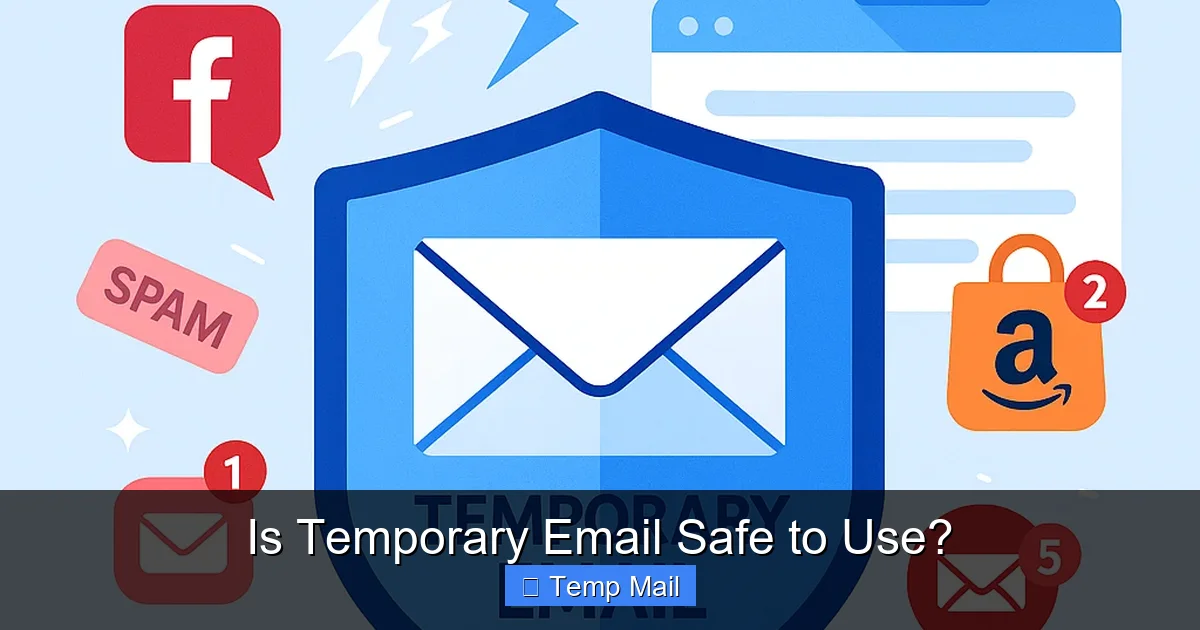
- Zero Privacy in the Inbox: This is the biggest one. Because the inbox is public and passwordless, anyone with the email address can read the emails. If you use a temp mail for a site that sends a confirmation link, and you share that address with a friend (or worse, a malicious actor who guesses it), they can see that confirmation and potentially access your account on that third-party site.
- Not for Sensitive Accounts: Never, ever use a temporary email for:
- Banking or financial services
- Primary social media accounts (Facebook, Twitter, Instagram)
- Email account recovery for your main email
- Any account where long-term access and security are critical
- Service Reliability & Data Retention: Some free services are ad-supported and may not be reliable long-term. While they claim to delete data, you are trusting their privacy policy and infrastructure. A less scrupulous service could log IP addresses or harvest data from emails for advertising.
- Blocked by Major Platforms: Many reputable services (Google, Microsoft, Apple, most major banks) actively block email domains from known disposable email providers. You won’t be able to sign up for a Gmail account with a temp mail. This is a good thing for security, but it limits utility.
- No Real Ownership or Control: You can’t forward emails from a temp address. You can’t set up filters. You have zero control. If a crucial email (like a password reset for a site you *did* use the temp mail for) arrives after you’ve closed the browser tab, it’s gone forever.
Key Benefits: Why They’re Still Useful
- Spam & Marketing Prevention: This is the #1 win. Your primary inbox stays pristine. Unwanted newsletters and promotional blasts are directed to an address that will self-destruct.
- Enhanced Privacy (in a specific way): It prevents the third-party website from easily linking your activity to your real identity via your main email. It creates a clean break for a single action.
- Simplicity & Speed: No registration, no password, no setup. Click, copy, paste. It’s the ultimate in frictionless sign-ups.
- Testing & Development: Essential for QA testers and developers to create multiple test accounts without managing a zoo of real email addresses.
Data Privacy & Security: What Happens to Your Data?
This is the heart of the “is it safe?” question. When you use a temporary email, you are trusting a third party with the content of emails sent to that address, even if briefly. Here’s what you need to consider:
Visual guide about Is Temporary Email Safe to Use?
Image source: temporary-email.net
- The Service’s Privacy Policy: This is non-negotiable reading. Does it state they do not log or sell email content? Do they store IP addresses? A reputable service will have a clear policy stating emails are not monitored and are automatically deleted. A shady one might have vague language.
- HTTPS Encryption: Ensure the service’s website uses HTTPS (the padlock in your browser). This encrypts the connection between your browser and their server, preventing eavesdropping on the network level. All major temp mail services use this now.
- Server Location & Jurisdiction: Where is the service based? Data privacy laws vary wildly. A service operating from a country with strong data protection laws (like in the EU under GDPR) may offer more theoretical privacy than one from a jurisdiction with lax laws. However, the public, passwordless nature of the inbox often overshadows this.
- Ad-Supported Models: Many free services show ads. Some may scan email content (like keywords) to serve “relevant” ads, similar to how some free email providers did years ago. Check their policy.
Practical Tip: For any temp mail service you consider, open its privacy policy in a new tab. Scan for “email content,” “logs,” “IP address,” and “retention period.” If it’s unclear or states they may use data, move on.
Comparing Popular Temporary Email Services
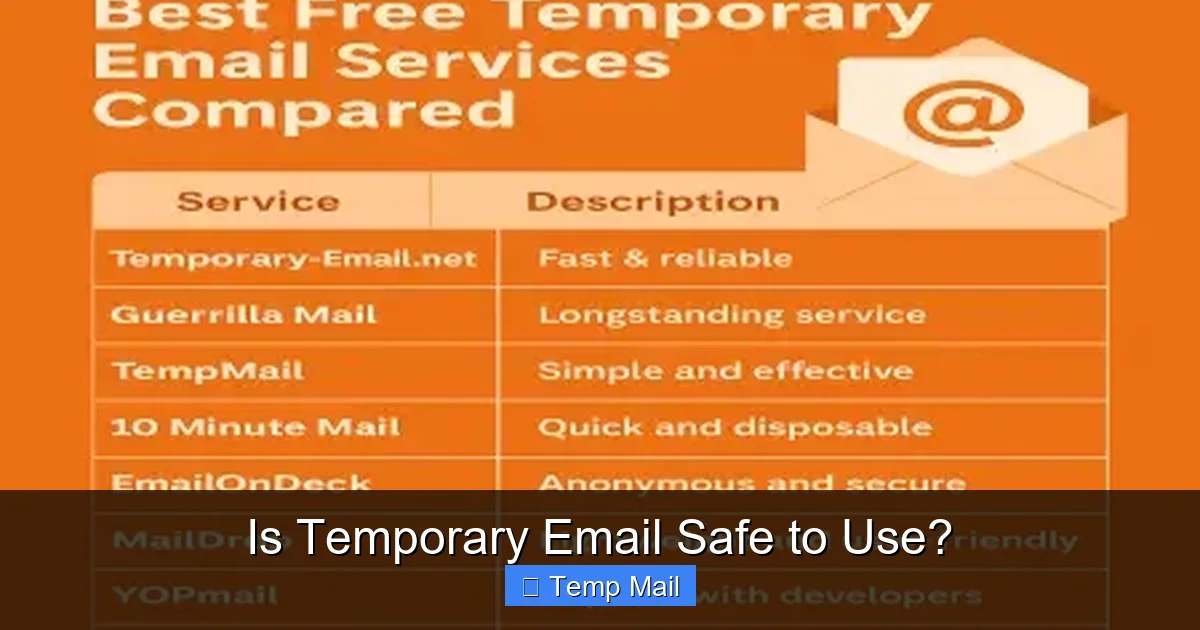
Not all disposable email providers are created equal. Here’s a practical comparison based on common features and my experience using them for low-risk tasks.
| Service | Typical Address Lifespan | Key Feature | Notable Limitation | Best For |
|---|---|---|---|---|
| Temp-Mail | Until tab is closed (or manually refreshed) | Very simple, multiple domain options | Inbox can be cleared by anyone else if they guess the address | Quick, one-off sign-ups |
| 10MinuteMail | 10 minutes (extendable) | Clear countdown timer, very focused | Very short window; not for processes that take time | Instant verification, no delay expected |
| Guerrilla Mail | 1 hour (inbox persists) | Includes a simple email composer to reply | More ads on interface | Slightly longer tasks, needing a reply |
| Maildrop | Inbox persists until cleared | No ads, clean interface, supports attachments | No “compose” feature, only receiving | Receiving files, cleaner UI experience |
Important: This table is for informational comparison. Always verify a service’s current terms before use. The landscape changes frequently.
Best Practices: How to Use Temporary Email Responsibly
So, you’ve decided the benefits outweigh the risks for your specific need. How do you use them wisely? Here’s my personal checklist:
The Golden Rules
- Never Use for Critical Accounts: Repeat after me: no banking, no main social media, no account recovery. This is the cardinal rule.
- Assume the Inbox is Public: Never put sensitive information in an email sent to a temporary address. Assume a stranger could read it. No passwords, no ID numbers, no private details.
- Use a Different Address Each Time: Don’t reuse the same temp address across multiple sites. The whole point is compartmentalization. If one site gets spam or is breached, only that single “identity” is tainted.
- Copy the Address Immediately: These addresses are random and long. Copy it to your clipboard and paste it into the sign-up form immediately. Don’t try to remember it or type it.
- Complete the Action Quickly: If you’re signing up for something, do it all in one browser tab. Get the verification email, click the link, and complete the process before you close the temp mail tab. Once the tab is closed, access is often lost.
- Have a Plan B: If the site you’re signing up for is something you might genuinely want to use long-term (a project management tool, a newsletter you’re interested in), use your primary email. The convenience of a temp mail isn’t worth losing access to a service you care about.
When to Walk Away
Sometimes, the need for a temporary email is a signal. If a website only accepts emails from disposable providers, or if it feels overly pushy about getting your email for a simple download, it might be a low-quality or spammy site. It’s okay to abandon the sign-up. Your primary inbox’s peace of mind is more valuable than that free pdf.
The Verdict: It’s About Smart, Limited Use
So, is temporary email safe? The honest answer is: it is safe for its intended, narrow purpose, and dangerously unsafe for anything else.
Think of it like a public library computer. You can use it to quickly look up a phone number or read a news article. It’s perfect for that. You would never use it to log into your online banking or write a confidential email to your lawyer. The environment is inherently public and transient.
The safety comes from what you use it for, not from the technology itself. Used wisely for creating frictionless, low-stakes digital interactions where you have zero expectation of long-term relationship or privacy, temporary email is a fantastic tool. It’s a shield for your primary identity.
Used for anything where you need security, account recovery, or privacy of the communication itself, it’s a terrible choice. The risks of a public inbox and lack of control make it fundamentally unsuitable.
My own rule is simple: if the website or service is asking for my email as a mere formality to get me to the content or download, and I have no intention of engaging with them again, I reach for a temp mail. If I’m creating an account I plan to actually use, I use my real email and rely on good spam filters and unsubscribe buttons. That balance has kept my primary inbox manageable and my accounts secure.
Ultimately, the power is in your hands. By understanding the mechanics—the public inbox, the limited lifespan, the trust you place in a anonymous service—you can make an informed choice. Temporary email isn’t inherently unsafe; it’s just unsafe for the wrong jobs. Use it as the specialized tool it is, and it will serve you well. Use it as a replacement for your real digital identity, and it will eventually cause problems.
The next time you see that email field, pause for a second. Ask yourself: “What’s the worst that could happen if this address is public?” If the answer is “nothing I care about,” then go ahead and generate that fluffy_panda address with confidence. If the answer gives you any pause, close the tab and walk away. Your future self will thank you.
Frequently Asked Questions
Is using a temporary email safe for my privacy?
Yes, temporary emails can enhance privacy by preventing spam and data harvesting from your primary inbox. However, they are not completely anonymous, as the service provider may log IP addresses and timestamps. For maximum safety, avoid using them for sensitive accounts or transactions.
Can a temporary email be traced back to me?
While the email address itself is ephemeral, your activity can potentially be traced via your IP address by the temporary email provider. Law enforcement may also obtain logs with a legal request. Therefore, they should not be considered a tool for illegal anonymity.
Is temporary email legal to use?
Yes, using disposable email services is perfectly legal for purposes like signing up to websites or receiving one-time coupons. It becomes problematic if used to circumvent bans, commit fraud, or engage in illegal activities, which can violate a service’s Terms of Service.
When should I use a temporary email address?
They are ideal for situations where you don’t need long-term access or trust, such as downloading a free ebook, accessing a gated article, or registering on a forum with questionable privacy practices. They help keep your main inbox clean from promotional clutter.
What are the main risks of using temp mail?
The primary risks are the lack of account recovery—if you lose the inbox page, access is gone forever. Additionally, some services block known temporary email domains, and the provider could potentially intercept unencrypted communications if you use it for sensitive logins.
Are there secure alternatives to temporary email?
For better security and persistence, consider using a dedicated secondary email address from a reputable provider like Gmail or ProtonMail. For signing up to less trusted sites, browser extensions that generate unique, forwardable aliases (like SimpleLogin or Firefox Relay) offer a more robust solution.
Leave a Reply