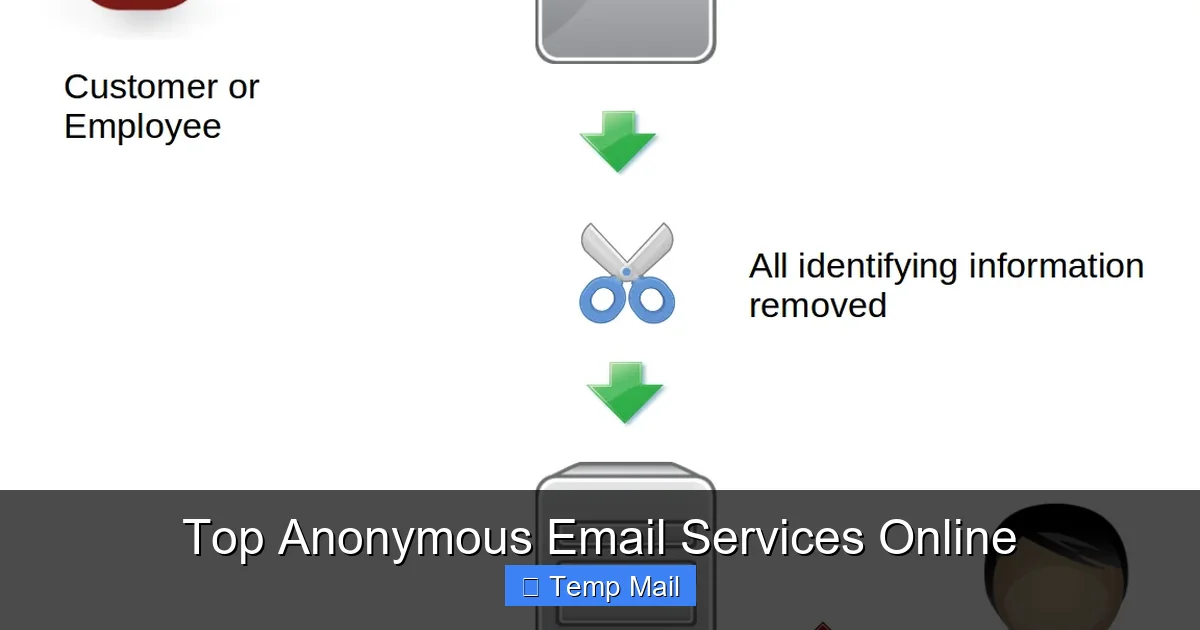
Protecting your digital identity starts with your inbox. Anonymous email services shield your personal information from spam, tracking, and unwanted surveillance. They fall into two main categories: temporary “disposable” emails for quick, one-time sign-ups and fully encrypted, secure providers for long-term, confidential correspondence. Choosing the right tool depends entirely on your specific privacy need—whether it’s avoiding spam or safeguarding sensitive communications from prying eyes.
Ever felt that slight unease when a random website asks for your email address? You know it’s the gateway to a potential tsunami of spam, targeted ads, and who-knows-what-else. That little “@” symbol has become a digital fingerprint. But what if you could hand out a throwaway address, a secret alias, or a truly locked-down inbox that even the service provider can’t peer into? Welcome to the world of anonymous email services. This isn’t about shady dealings; it’s about reclaiming your digital autonomy. Whether you’re a journalist protecting a source, an activist organizing safely, a shopper tired of promotional clutter, or just someone who values their privacy, there’s an anonymous email tool for you. Let’s break down the landscape, compare the top players, and figure out exactly how to choose and use these powerful privacy shields.
Key Takeaways
- Two Core Types: Anonymous email services are primarily either temporary/disposable (for short-term, spam-blocking use) or secure/encrypted (for long-term, private communication).
- Encryption is Key: True privacy requires end-to-end encryption (E2EE), where only you and the recipient can read the messages, not the service provider.
- No Perfect Anonymity: Most services still require some sign-up information, and your IP address can be logged unless you use additional tools like a VPN or Tor.
- Trade-Offs Exist: Disposable emails offer instant, no-registration convenience but lack security and permanence. Secure emails provide robust privacy but often require more setup and may have storage limits.
- Legal and Acceptable Use: These services are legal tools for privacy protection. Using them for fraud, harassment, or illegal activities violates their Terms of Service and the law.
- Your Behavior Matters: No service can protect you if you use your real name, share personal details in the email body, or log in from an identifiable network without protection.
- Combine Tools for Max Privacy: For high-stakes anonymity, pair an anonymous email with a reputable VPN, the Tor Browser, and practice operational security (OPSEC) in your communications.
📑 Table of Contents
- What Exactly Are “Anonymous” Email Services?
- Two Main Categories: Disposable vs. Secure Email
- Top 6 Anonymous Email Services Reviewed
- How to Choose the Right Service for Your Needs
- Advanced Privacy Tips: Going Beyond the Service
- Debunking Common Myths and Misconceptions
- The Bottom Line: Your Privacy is a Practice, Not a Product
What Exactly Are “Anonymous” Email Services?
Before we dive into the “top” lists, we need to clear up a common misconception. The term “anonymous email” covers a spectrum. At one end, you have services that don’t ask for any personally identifiable information (PII) during sign-up. At the other, you have services that employ military-grade encryption to make the content of your emails unreadable to anyone but the intended recipient. True, complete anonymity—where your identity is untraceable to the act of sending an email—is incredibly difficult to achieve and often requires layering multiple tools. However, the services we’ll discuss provide significant layers of protection that far exceed what Gmail, Outlook, or Yahoo offer by default.
The Privacy Promise vs. The Reality
Standard email providers scan your messages to serve ads, build profiles, and comply with government data requests. Anonymous services promise to stop that. Their business models differ: some are funded by premium subscriptions, some by donations, and some (especially disposable ones) by showing non-tracking ads or limiting free features. The core promise is a reduced digital footprint. They minimize the data they collect, often don’t log IP addresses, and use encryption to protect your data in transit and at rest. But a critical rule applies: the service can only protect what it controls. If you reveal your name in the email body or send it to someone who then forwards it from a non-secure account, that protection vanishes.
Why Would You Need This?
The use cases are vast and often mundane. You might use a disposable address to download a whitepaper from a company you don’t trust not to sell your contact info. A whistleblower or journalist might use a secure, encrypted service to communicate with a confidential source. Someone living under an oppressive regime might need an email that won’t lead authorities back to their real identity. Everyday users employ these to create accounts on forums they don’t want associated with their primary identity, to sign up for one-time discounts, or to simply avoid the relentless marketing machine. It’s a fundamental tool for digital hygiene and personal security.
Two Main Categories: Disposable vs. Secure Email
This is the most crucial distinction. Confusing the two leads to choosing the wrong tool for the job and a false sense of security. Think of it like this: a disposable email is a public payphone—anyone can use it, it’s great for a quick, anonymous call, and you walk away with no trace. A secure email is your own private, soundproofed room with a locked door—it requires a key, it’s for ongoing, confidential conversations, and you control who gets in.
Visual guide about Top Anonymous Email Services Online
Image source: sp-ao.shortpixel.ai
1. Disposable/Temporary Email Services
These are the classic “temp mail” services. Their defining feature is instant, no-registration access.
- How they work: You visit the website, they generate a random email address for you (e.g., [email protected]), and you use it immediately. Incoming emails appear in a public inbox on the site. After a set time—usually 10 minutes to a few hours—the address and all its emails are permanently deleted.
- Primary Use Case: Spam prevention and one-time account activation. Perfect for signing up to a sketchy forum, downloading a file that requires an email, or accessing a gated article you’ll never visit again.
- Key Limitations: No security. The inbox is publicly accessible to anyone who has the address. There is no encryption between you and the service’s server. Anyone with the URL can read your emails. They are also not for sending emails from; you can only receive. They are a receipt, not a conversation tool.
2. Secure/Encrypted Email Services
These are full-featured email providers built from the ground up for privacy.
- How they work: You typically create an account (sometimes with minimal info). They use end-to-end encryption (E2EE), like PGP or their own proprietary systems. This means emails are encrypted on your device and can only be decrypted by the recipient’s private key. The service provider stores only encrypted gibberish.
- Primary Use Case: Ongoing confidential communication—journalist-source chats, sensitive business discussions, personal correspondence you don’t want exposed, activist coordination.
- Key Features: Strong privacy policies (audited, based in privacy-friendly jurisdictions like Switzerland or Germany), no ad scanning, two-factor authentication (2FA), and often zero-knowledge architecture where even they cannot access your data.
Top 6 Anonymous Email Services Reviewed
Now, let’s get specific. We’ll look at three top-tier disposable services and three top-tier secure services. Each excels in its category.
Visual guide about Top Anonymous Email Services Online
Image source: techlazy.com
Top Disposable Email Services
1. Temp-Mail
- What it is: The most popular and user-friendly disposable service. Offers a random address instantly.
- Pros: Extremely simple. No sign-up. Multiple domain options (e.g., @temp-mail.org, @tmpmail.org). Has a browser extension and mobile app. Allows you to “reply” to emails within their interface (though the reply comes from a new disposable address).
- Cons: Inboxes are public to anyone with the URL. Emails auto-delete after 1-24 hours (configurable). No ability to send from a persistent address.
- Best for: Quick, anonymous sign-ups where you just need to receive a verification link and never think about it again.
2. 10MinuteMail
- What it is: The original, famously simple service. Gives you an email for exactly 10 minutes, extendable in 10-minute increments.
- Pros: Ultralight, no-frills, incredibly fast. The 10-minute timer is a clear, psychological nudge that this is temporary. Very low-tech, which can be a privacy plus (less tracking).
- Cons: Very short lifespan by default. Less feature-rich than Temp-Mail. Can be too short for some verification processes that take time.
- Best for: When you need a receipt for a process you know will take under 10 minutes, or for testing email functionality in development.
3. Guerrilla Mail
- What it is: A disposable service that also offers a pseudo-persistent feature.
- Strong>Pros: You can choose your own disposable address (e.g., [email protected]). Offers a “Password” feature to protect your inbox from others who might guess the address. Allows you to send emails from that disposable address (within limits). Can “pin” an inbox to keep it alive longer.
- Cons: The “send” feature is limited and not for serious use. The address is still technically disposable. The protection is basic.
- Best for: When you need a slightly more memorable disposable address for a back-and-forth that might last a few hours, but still isn’t for real identity.
Top Secure/Encrypted Email Services
4. ProtonMail
- What it is: The gold standard and most well-known secure email. Based in Switzerland, which has strong privacy laws.
- Pros: Robust, open-source, independently audited E2EE. Zero-access architecture. Beautiful, Gmail-like interface. Free tier available (500 MB, 150 messages/day). Allows sending encrypted emails to non-Proton users via a password. Strong 2FA. VPN service included with paid plans.
- Cons: Free tier has limitations. To use full features like custom domains, you need a paid plan. The recipient needs to use ProtonMail for automatic E2EE; otherwise, you use the password method.
- Best for: Almost everyone seeking a secure, private email replacement for daily use. Great balance of security and usability.
5. Tutanota
- What it is: A powerful, fully open-source secure email service based in Germany.
- Pros: Entire service code is open-source and auditable. Uses its own secure Tutanota encryption (also AES & RSA). Automatically encrypts subject lines, body, and attachments between Tutanota users. No data mining, no tracking. Free tier (1 GB). Very strong on transparency.
- Cons: Interface is less polished than ProtonMail’s for some users. Sending encrypted mail to external users requires them to go through a web portal to decrypt, which can be clunky.
- Best for: Privacy purists, developers, and activists who value open-source transparency above all else.
6. Mailfence
- What it is: A Belgian-based secure email and collaboration suite.
- Pros: Based in Belgium, which has excellent privacy laws outside the 5/9/14-Eyes alliances. Offers a full suite (calendar, contacts, documents) with PGP integration. Good for those who want a more “office-like” private suite. Transparent privacy policy and regular transparency reports.
- Cons: Interface can feel dated. Free tier is very limited (500 MB email, 50 MB docs). PGP setup, while offered, requires more user knowledge than ProtonMail’s integrated system.
- Best for: Users who want a secure, all-in-one private office suite (email + calendar + docs) and are comfortable with a slightly steeper learning curve.
How to Choose the Right Service for Your Needs
Don’t just pick the most famous name. Ask yourself a few key questions to match your need to the tool.
Visual guide about Top Anonymous Email Services Online
Image source: sp-ao.shortpixel.ai
Ask: What’s My Primary Threat Model?
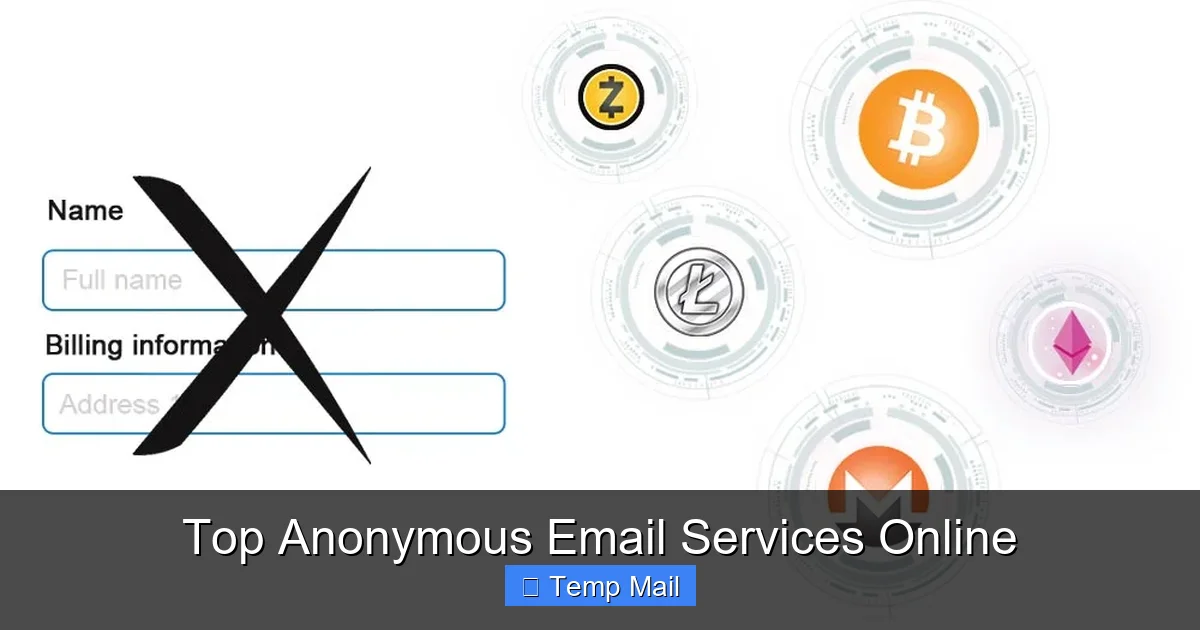
Are you mainly trying to avoid spam and data harvesting from commercial entities? A disposable service is your weapon. You don’t care if the disposable provider sees the verification email for a free trial; you just don’t want your main inbox polluted. Are you trying to protect communication content from hackers, your ISP, or state-level surveillance? Then you need a secure, encrypted service with a proven track record and strong jurisdiction. Are you trying to hide your identity from the recipient? This is hardest. You’d need a secure service that doesn’t require a phone number (many do for 2FA), used over a VPN or Tor, with an account created under a pseudonym, and you must never reveal personal details in the email itself.
Consider: Ease of Use vs. Maximum Security
ProtonMail wins on making encryption feel effortless. Tutanota wins on being completely open-source. For a non-technical user wanting to switch from Gmail, ProtonMail is the easiest transition. If you’re a journalist who needs to verify the code yourself, Tutanota’s open-source nature might be the deciding factor. Remember, the best security is the security you actually use. A slightly less perfect system that you use consistently is better than a perfect system you abandon because it’s too confusing.
Factor in: Cost and Longevity
Disposable emails are almost always free. Secure services have freemium models. If you need more storage (1GB+), custom domains, or unlimited sending, you’ll pay $3-$8/month. Consider this an investment in your privacy. Also, think long-term. Do you need an address that will last for years, or just for this afternoon’s sign-up? This single question often dictates the entire category you should be looking in.
Advanced Privacy Tips: Going Beyond the Service
Choosing a good provider is step one. Step two is using it correctly. No tool is magic.
Always Use a VPN or Tor
When you sign up for or access your anonymous email, your IP address is a major identifying piece of data. Your ISP (and thus, potentially, authorities) knows that “your home IP” accessed “that anonymous email service” at a specific time. A reputable VPN masks your real IP with one from their server pool. For the highest anonymity, use the Tor Browser, which routes your traffic through multiple, random volunteer relays. Important: Some secure email services (like ProtonMail) may block or flag Tor exit node IPs due to abuse. Check their documentation. You may need to create the account over a standard VPN first, then access it via Tor later.
Mind the Metadata: Subject Lines & Headers
Even with encrypted bodies, email subject lines are often not encrypted by default. A subject like “Meeting about Project X from John Doe” reveals content. Use generic subjects like “Hello” or “Update.” More critically, email headers contain a wealth of routing information (Received: headers). Secure providers like ProtonMail and Tutanota strip or minimize these between their own users, but when email leaves their ecosystem, headers can leak your originating IP and client info. Be aware that complete header anonymity is very hard.
Never Mix Identities
This is a cardinal rule. Do not log into your anonymous email from a browser where you are logged into your personal Gmail or Facebook. Do not access it on a personal device without a separate browser profile. Ideally, use a dedicated browser (like a Tor Browser window) or at least a separate browser profile/container tab solely for your anonymous identity. Cross-contamination is the fastest way to link your anonymous account to your real self.
Use Aliases and Unique Answers
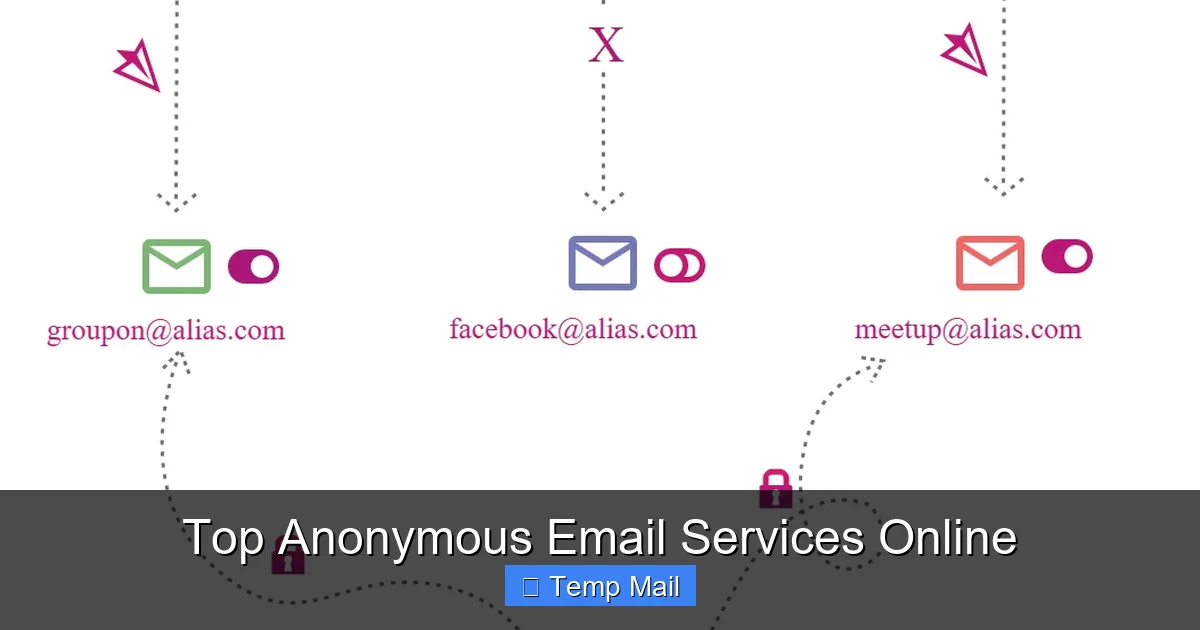
When setting up security questions (if the service uses them), never use real answers. Use a password manager to generate and store fake answers (e.g., “First pet’s name? Answer: BlueCoffee42!”). If the service offers alias features (like ProtonMail’s “plus addressing” or custom domains), use them. Instead of your main anonymous address, use a unique alias for each site (e.g., [email protected], [email protected]). This lets you track breaches and filter easily without revealing a single, catch-all address.
Debunking Common Myths and Misconceptions
Let’s clear the air about what these services can and cannot do.
Myth 1: “Anonymous Email is Illegal.”
False. Wanting privacy is not a crime. These are legitimate businesses operating under the law. Using them for illegal activities (fraud, threats, selling drugs) is, of course, illegal, but the tool itself is not. Many privacy advocates, journalists, and everyday citizens use them lawfully.
Myth 2: “If It’s Encrypted, It’s Completely Anonymous.”
False. Encryption protects the *content* of your message. It does not automatically hide your *identity*. If you signed up with a phone number (as many services require for 2FA), that number can be a link. If you access it from your home IP without a VPN, that IP is a link. True anonymity requires hiding the metadata of *who is communicating with whom* and *from where*, which is much harder.
Myth 3: “Disposable Emails are Secure for Private Chats.”
Dangerously False. The public inbox feature of disposable services means anyone who stumbles upon the URL can read your messages. They are for receiving a single link or code, not for back-and-forth conversations. Never use them for anything sensitive.
Myth 4: “Free Means Trustworthy.”
Not Necessarily. The business model matters. A free service that shows ads might still track you to target those ads. A free tier from a reputable paid service (like ProtonMail) is usually sustainable and trustworthy because it’s a loss-leader for their premium plans. Always read the privacy policy. If it’s vague or says they may share data with “partners,” avoid it. “If you’re not paying for the product, you *are* the product” holds especially true in the privacy space.
The Bottom Line: Your Privacy is a Practice, Not a Product
Anonymous email services are powerful tools in your privacy toolkit. For spam and one-off sign-ups, a disposable service like Temp-Mail is a perfect, effortless shield. For any communication you want to keep truly private—with a lawyer, a journalist, a colleague, or a loved one—you must use a secure, encrypted provider like ProtonMail or Tutanota. But remember, the service is only one layer. Your habits are the other 90%. Using a strong, unique password, enabling 2FA (with an authenticator app, not SMS if possible), accessing your account over a VPN or Tor, and never mixing your identities are non-negotiable practices. Start by auditing your current email use. Which accounts are tied to your primary email that could be separated? Which newsletters do you really need? Take one step today: create a disposable account for the next non-essential sign-up, or begin the process of moving one important contact to a secure email. Your future, less-spammed, more secure self will thank you.
Frequently Asked Questions
Is using an anonymous email service legal?
Yes, using anonymous email services is perfectly legal in most countries. They are legitimate privacy tools. However, using them for illegal activities like fraud, harassment, or threats is, of course, illegal. Services have Terms of Service that prohibit illegal use and may cooperate with law enforcement for serious crimes.
Are temporary/disposable emails safe?
They are safe for their intended purpose: receiving a single verification link or code without giving away your main address. They are not safe for private conversations because the inbox is publicly accessible to anyone with the URL. Never use them for sensitive personal, financial, or login information.
What is end-to-end encryption (E2EE) and why does it matter?
End-to-end encryption means your email is encrypted on your device and can only be decrypted by the intended recipient’s private key. Not even the email service provider can read the content. This matters because it prevents hackers from stealing your emails from the provider’s servers and stops the provider itself from scanning your messages for ads or handing them over to governments without your knowledge.
Can free anonymous email services be trusted?
It depends on their business model. Free tiers from reputable paid services (like ProtonMail or Tutanota) are generally trustworthy as they are funded by subscriptions. Free services that rely solely on ads may still track you to target those ads. Always read the privacy policy. Look for services based in privacy-friendly jurisdictions, with clear, transparent policies and independent security audits.
Does using an anonymous email hide my IP address from the recipient?
Not by itself. When you access your email provider’s website or app, your ISP sees your IP. The email provider may log it. The “Received:” headers in the email itself can sometimes contain the IP address of the client that sent it. To hide your IP, you must use a VPN or the Tor Browser when accessing your anonymous email account.
What is the best anonymous email for whistleblowing or high-risk activism?
For high-risk scenarios, you need maximum security and anonymity. This typically means using a secure, encrypted service like ProtonMail or Tutanota accessed exclusively through the Tor Browser. You should create the account with a pseudonym, using a VPN/Tor, and without providing a phone number if possible. Always assume your device could be compromised and follow operational security (OPSEC) guidelines from trusted digital security organizations.
Leave a Reply