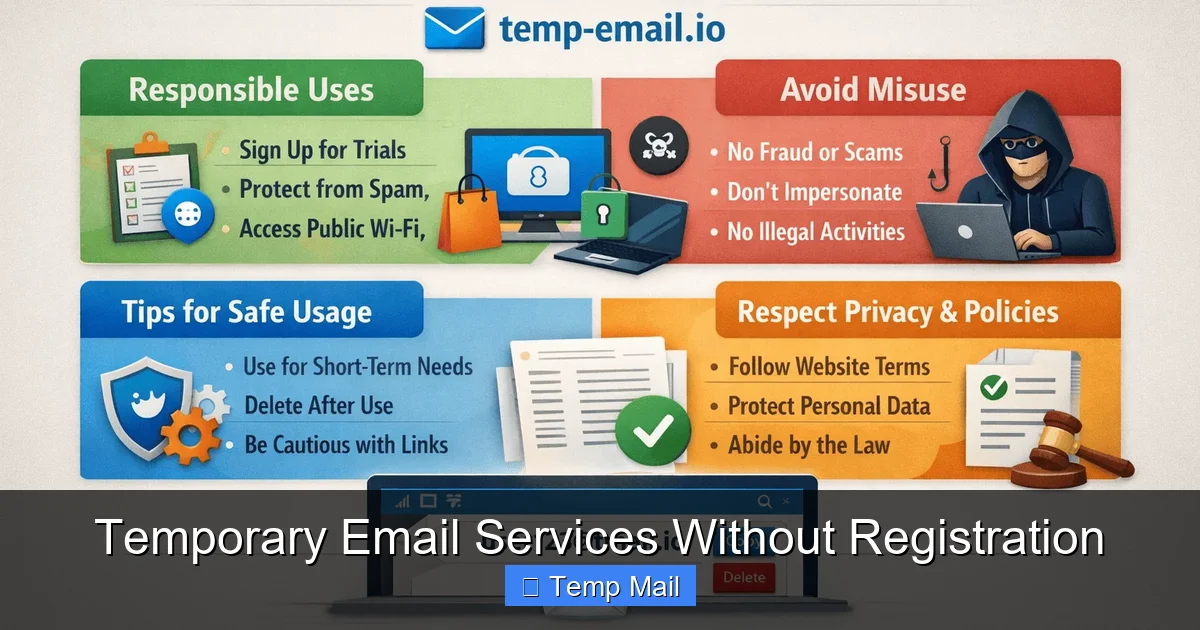
Temporary email services without registration provide instant, disposable inboxes that require zero personal details or account creation. They are perfect for protecting your primary email from spam, verifying one-time accounts, and testing online forms—all with complete anonymity and immediate access. These tools offer a simple, zero-commitment way to manage digital interactions where you don’t need long-term communication.
Have you ever hesitated to sign up for a free ebook, a discount code, or a new app because it meant handing over your primary email address? You know the drill: you hand it over, and suddenly your inbox is flooded with newsletters, promotional offers, and, worst of all, potential phishing attempts. This is where the beautiful, no-fuss concept of temporary email services without registration comes in. It’s a tool that feels almost too simple to be true: you click a link, get a random email address, and can start receiving emails in a browser-based inbox seconds later. No name, no password, no two-factor authentication, no recovery questions. Just pure, unadulterated digital anonymity for a brief moment in time.
This isn’t about being secretive; it’s about being smart and in control of your digital footprint. In a world where data is currency and every online interaction can lead to a lifetime of targeted advertising or data breaches, these services act as a digital condom—a protective barrier for your most personal contact point. They embrace the philosophy of “minimum viable data”: you provide nothing, so there’s nothing to leak, sell, or misuse. Let’s dive deep into how these services work, why they’re essential in your online toolkit, the best options available, and the critical rules for using them safely and effectively.
Key Takeaways
- True Anonymity: These services generate random email addresses without linking them to your identity, ensuring no personal data is ever stored or required.
- Zero Registration Friction: Access an inbox instantly by visiting a website—no forms, passwords, phone numbers, or recovery emails needed.
- Inherently Disposable: Addresses and their contents are automatically deleted after a short period (usually 10 minutes to 24 hours), leaving no digital footprint.
- Primary Defense Against Spam: Use them for any website or service you don’t fully trust to keep promotional and phishing emails away from your permanent inbox.
- Ideal for Testing & Verification: Perfect for developers testing email workflows, or users verifying accounts on platforms where using a real email feels excessive or risky.
- Not for Sensitive or Long-Term Use: Never use these for banking, official contracts, or any account where recovery or legal proof of ownership is necessary.
- Security & Privacy Trade-offs: While they hide your identity, the email content is often unencrypted and accessible by the service provider during its short lifespan.
📑 Table of Contents
- How Do “No-Registration” Temporary Emails Actually Work?
- Top Contenders: Best Temporary Email Services Without Registration
- Practical Use Cases: When and Why to Use a Temp Mail
- Critical Security and Privacy Considerations
- Best Practices and Ethical Guidelines
- The Future of Ephemeral Communication and Your Digital Hygiene
How Do “No-Registration” Temporary Emails Actually Work?
The magic of these services lies in their deliberate simplicity and their architectural detachment from user identity. Unlike traditional email providers like Gmail or Outlook, which are built around persistent user accounts, temporary email services are designed for ephemerality. Here’s a breakdown of the seamless, behind-the-scenes process.
The Instant Inbox Generation
When you visit a site like Temp-Mail.org or 10MinuteMail.com, the server immediately generates a completely random email address. This address is typically a jumble of letters and numbers (e.g., [email protected]) paired with the service’s domain. This address is then mapped to a unique, temporary inbox session on their backend, often identified by a long, random session ID stored in your browser’s cookies or local storage. There is no “you” in this equation—only a random string of characters pointing to an inbox.
Receiving and Viewing Emails
Any email sent to that random address is routed to the service’s mail servers, recognized as belonging to that specific session, and displayed in the web interface you have open. The interface is usually a simple, clean list of received messages. You can click on one to view its full content, including any HTML formatting, links, and attachments (though attachment support varies). The entire system is stateless from a user identity perspective; the service doesn’t know or care who you are, only that this browser session is watching this specific inbox.
The Inevitable Cleanup
The defining feature is the automatic deletion timer. From the moment the inbox is created, a countdown begins—often 10 minutes, 1 hour, or 24 hours. Once that timer expires, the server permanently wipes the inbox and the email address from its active pool. In many cases, the address may be recycled and given to a new user. This ensures that any data stored within the service is transient and cannot be accessed later, even by the service provider after deletion (though their logs may retain metadata briefly, depending on their privacy policy).
Top Contenders: Best Temporary Email Services Without Registration
Not all temporary email services are created equal. While the core function is similar, user experience, domain variety, inbox lifetime, and ad-load differ significantly. Here are some of the most reliable and user-friendly options that truly require zero sign-up.
Visual guide about Temporary Email Services Without Registration
Image source: techdaring.com
1. Temp-Mail.org
Often considered the gold standard, Temp-Mail.org offers a clean, ad-light interface. It provides multiple domain options (like @temp-mail.org, @tmpmail.org, @tmpmail.net), which is useful if a site blocks a known temp mail domain. The default inbox lifetime is a generous 24 hours, extendable with a click. It also has a browser extension for quick access. The lack of aggressive pop-ups and its straightforward design make it a top choice for both beginners and power users.
2. 10MinuteMail.com
The original pioneer in this space. As the name suggests, its default timer is 10 minutes, which is perfect for quick, one-time verifications. The interface is stark and functional, focusing purely on the task. It’s incredibly fast and reliable. If you need an email for a process you’ll complete in under ten minutes (like a simple forum registration), this is the no-nonsense tool for the job. The address can be extended in 10-minute increments if needed.
3. Guerrilla Mail
This service adds a layer of useful functionality. Alongside its disposable email, it offers a basic “send email” feature (allowing you to reply or send from the temp address while it’s active), a password manager for the session, and the ability to choose from several domain names. Its inbox stays alive as long as you keep the browser tab open, giving you manual control. It’s a bit more feature-rich but comes with more prominent ads.
4. Maildrop.cc
Maildrop prides itself on simplicity and privacy. It has a very clean design, no password requirement, and a 24-hour inbox lifespan. A key feature is its spam filter, which automatically moves suspected bulk or promotional emails to a “Spam” folder within the temp inbox. It also allows you to create a custom alias (e.g., [email protected]) for the duration of the session, which can be easier to remember than a random string.
5. Dispostable.com
Dispostable works slightly differently: you *choose* your own disposable address from a list of available ones on their domain (e.g., [email protected]). You don’t even need to visit the site first; you can give out the address and then check it on their site later. The inbox is cleared after 60 days of inactivity, which is much longer than most, but it still fits the “no registration” model as you never create an account.
Practical Use Cases: When and Why to Use a Temp Mail
Knowing *how* to use these tools is one thing; knowing *when* to use them is what makes them powerful. Here are the most common and smart scenarios for deploying a temporary email.
Visual guide about Temporary Email Services Without Registration
Image source: webtechsolution.org
Protecting Your Primary Inbox from Spam
This is the numero uno use case. You’re about to download a free template, sign up for a webinar, or get a discount from a retailer you’re not sure you’ll shop with again. Using your real email guarantees a newsletter subscription you’ll forget to cancel. Using a temp mail gets you the download link or coupon code instantly, and the inbox vanishes before the first promotional email can even arrive. It’s a preemptive strike against digital clutter.
Bypassing “Email-Required” Access on Websites
Many blogs and news sites gate their content behind an email sign-up (“Subscribe to our newsletter to read this article”). Instead of compromising your real address, use a temp mail. You’ll get the one-time access link, read the article, and the temp inbox will die before the next “weekly digest” email is sent. You get the content you want without the long-term commitment.
Testing Sign-Up and Email Flows (For Developers & Marketers)
If you’re building a website or app, you need to test what happens when a user signs up, requests a password reset, or receives a notification email. Creating dozens of real Gmail accounts is a hassle. Temp mail services let you generate a new, clean inbox for each test case with a single click, allowing you to verify email content, formatting, and delivery speed effortlessly and anonymously.
Creating Anonymous or Burner Accounts
For forums, comment sections, or platforms where you want to participate without tying the activity to your main identity, a temp email is perfect. You create an account, participate as needed, and when you’re done, the account becomes essentially unrecoverable because the email address no longer exists. This is useful for whistleblowing, sensitive discussions, or just maintaining a clear separation between your personal and hobbyist online lives.
Avoiding Data Harvesting and Profiling
Every time you enter your email on a website, you’re feeding the data harvesting machine. Companies build sophisticated profiles based on the sites you visit and the emails you use. By consistently using a different, disposable address for each new service, you fragment your digital profile, making it far less valuable and harder to track your cross-platform behavior. It’s a small act of data sovereignty.
Critical Security and Privacy Considerations
While incredibly useful, temporary email services without registration are not a panacea. Understanding their limitations is crucial for using them safely and avoiding pitfalls.
Visual guide about Temporary Email Services Without Registration
Image source: atempmail.com
The Illusion of Security: It’s Not Encrypted
Most of these free services do not use end-to-end encryption. The emails exist in plain text on their servers during their short lifespan. While the chance of someone targeting your specific random inbox is low, it’s not zero. The service provider themselves could, in theory, read the content. Therefore, never use a temporary email for transmitting sensitive personal information: passwords, credit card numbers, Social Security numbers, or confidential documents. Treat it like a public postcard, not a sealed letter.
No Account Recovery, No Sender Verification
If you need to reset a password for an account you signed up with a temp email, you are permanently locked out. The service cannot “retrieve” your old inbox or forward emails after deletion. Similarly, you cannot prove to a third party that you “own” that email address at a later date. This makes temp mail unsuitable for any account where future access is important, such as banking, primary cloud storage, or main social media profiles.
Domain Blocking and Reliability
Many websites and platforms actively maintain blocklists of known temporary email domains. If you try to sign up with @temp-mail.org, the site may reject it outright. This is why services that offer multiple domain options (like Temp-Mail.org) have an advantage. Always check if the email is accepted during the sign-up process. If it’s blocked, you may need to try a different service’s domain or, ultimately, use a real email.
Potential for Abuse and Blacklisting
Because they are anonymous and disposable, these services are frequently used for spam, fraud, and creating malicious accounts. As a result, the domains themselves can get blacklisted by major email providers like Gmail or Outlook. If you use a temp mail to sign up for a legitimate service, that service’s welcome email might get rejected or sent to spam by the recipient’s server because the sending domain (the temp mail service) has a poor reputation. This is a key reason why some sites block them entirely.
Best Practices and Ethical Guidelines
To get the most out of these tools while staying safe and ethical, follow these simple but vital rules.
The Golden Rule: One Service, One Purpose
Don’t reuse the same temporary email address across multiple unrelated sites. The whole point is compartmentalization. If you use [email protected] for both a sketchy software download site and your LinkedIn profile (which you shouldn’t), you’ve just linked those two activities together. Generate a fresh, random address for each new website or service you encounter.
Check the Inbox Lifespan
Before you start a process that might take time (like waiting for a confirmation email that could arrive in 15 minutes), make sure the inbox’s timer is long enough. If you’re on a 10-minute service and the email is delayed, you’ll lose it. Opt for a 1-hour or 24-hour service for anything that isn’t instant. Most services allow you to extend the timer manually—use that feature if you’re still waiting.
Never Use for Critical Accounts
Repeat after me: no banking, no primary email recovery, no government services, no main cloud storage, no job applications. The risk of permanent lockout is too high. For anything where losing access would cause significant financial loss, legal trouble, or data loss, use a permanent, secure email address you control.
Mind the Attachments and Links
While rare, some temporary services support attachments. Be extremely cautious with downloaded files from an anonymous source. They could contain malware. Similarly, links within the temp email should be treated with the same suspicion as any link in a spam email. Hover over them to check the actual URL before clicking. The anonymity of the sender means you have zero trust baseline.
Respect Website Terms of Service
Using a temp mail to circumvent a website’s requirement for a “real” email is often against their Terms of Service. While you likely won’t get sued for downloading a free ebook this way, it could result in your account being banned if detected. Use your judgment. For low-stakes content access, it’s fine. For paid services or platforms you want to engage with long-term, be honest and use a real email.
The Future of Ephemeral Communication and Your Digital Hygiene
Temporary email without registration is more than a convenience; it’s a fundamental tool for modern digital hygiene. As data privacy concerns grow and regulations like GDPR and CCPA give users more rights, the concept of minimal data disclosure becomes a powerful act of resistance. These services embody the “right to be forgotten” in a proactive way—you forget before you even begin.
Looking ahead, we may see these services integrate more deeply with privacy-focused browsers and VPNs, or even become a standard option within password managers. The demand is clear: users want to interact online without leaving a permanent trail. While they won’t replace your primary email for daily communication, they are the perfect Swiss Army knife for the hundreds of minor, one-off interactions that populate our digital lives. By adopting the habit of asking “Do I need to give my real email for this?” and then using a disposable alternative when the answer is “no,” you take a significant, practical step toward controlling your online identity and protecting your main inbox from the relentless tide of digital noise.
Frequently Asked Questions
Are temporary email services without registration safe to use?
They are safe for their intended purpose—receiving non-sensitive verification emails—but are not secure for private communication. The content is not encrypted on the server, and the inbox is publicly accessible to anyone with the URL during its lifetime. Never use them for passwords, financial info, or private messages.
How long does a temporary email inbox last?
It varies by service. Common lifetimes are 10 minutes (10MinuteMail), 1 hour, or 24 hours (Temp-Mail.org, Maildrop.cc). Some services keep the inbox alive as long as you keep the browser tab open. Always check the specific timer for the service you are using.
Can I send emails from a temporary address?
Some services like Guerrilla Mail offer a limited “send” function, but it’s not a standard feature. Most are receive-only. Even when sending is possible, the sender’s identity is still anonymous, and the “from” address is the temporary one, which many receiving servers may flag as spam.
Is it legal to use a disposable email address?
Yes, it is completely legal to use a temporary email address. However, using it to commit fraud, harassment, or to violate a website’s Terms of Service is illegal. The tool itself is neutral; its legality depends on how you use it.
What’s the difference between this and a regular anonymous email service?
The key difference is the complete lack of registration. Regular anonymous email services (like ProtonMail) still require you to create an account with a username and password, even if they don’t ask for personal details. Temporary email services require zero credentials—you get an inbox just by visiting a webpage.
What happens if I need to recover an account linked to a temporary email?
You cannot. Once the temporary inbox is deleted, the email address is gone forever. Any account created with that address will be permanently inaccessible because you cannot receive password reset links. This is why you must only use temp mails for accounts you don’t care about losing.
Leave a Reply