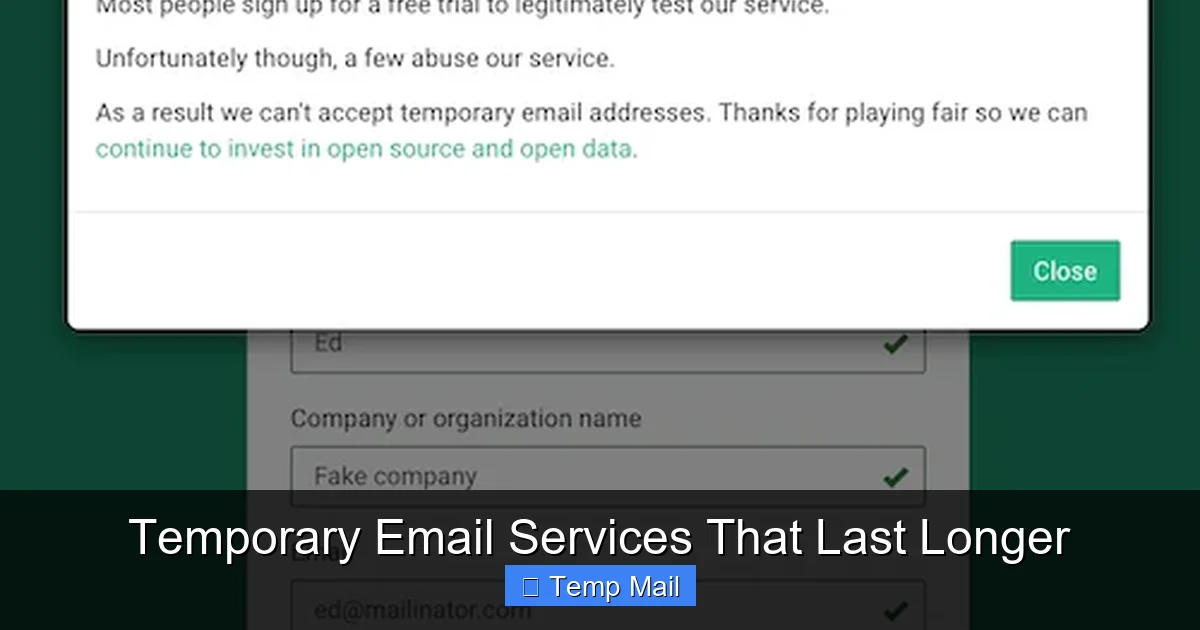
Temporary email services that last longer bridge the gap between disposable inboxes and permanent accounts, offering extended usability for projects requiring more than a single sign-up. These platforms provide durable, privacy-focused addresses that remain active for days or weeks, perfect for extended registrations, prolonged verification processes, or sustained communication without cluttering your primary email. They deliver the perfect balance of anonymity and longevity for users needing a reliable, non-committal email solution over extended periods.
Key Takeaways
- Select services with extended email retention: Look for providers that keep emails longer than standard limits.
- Opt for customizable expiration settings: Adjust email lifespan to match your specific needs.
- Prioritize providers with strong encryption: Ensure your data is protected with robust security.
- Use for account verifications requiring time: Prevent missing activation links with longer access.
- Monitor your temporary inbox regularly: Check messages before they auto-delete to avoid loss.
- Review privacy policies carefully: Understand how your data is stored and used.
- Compare services for optimal fit: Evaluate duration, features, and reliability before choosing.
📑 Table of Contents
- Why Your Temporary Email Needs More Time
- Beyond 10 Minutes: What “Longer-Lasting” Really Means
- Head-to-Head: Services That Keep Your Inbox Alive
- When to Reach for an Extended Temp Mail
- The Hidden Costs of Longevity: Privacy and Security
- Finding Your Perfect Fit: A Practical Guide
- Conclusion: Embracing Smart, Temporary Digital Identities
Why Your Temporary Email Needs More Time
Let’s be honest. We’ve all been there. You need to download a free ebook, snag a discount code, or just peek at a website that demands an email address you’d rather not give out. So, you head to a temp mail site, grab a random inbox, and get your access. Five minutes later, that inbox self-destructs. Job done. But what about when the job isn’t done? What about when you actually need to receive a confirmation email for a service you plan to use for a week, or a newsletter you want to read over a month? That’s the frustrating gap that standard disposable email services leave wide open. They’re built for hit-and-run missions, not for the kinds of ongoing, low-stakes engagements that fill our digital lives. This is where the search for temporary email services that last longer becomes not just a convenience, but a genuine necessity for smarter, less cluttered online living.
I used to cycle through temp mail addresses like dirty socks. Sign up for a forum? New temp mail. Download a template? New temp mail. It was a messy, inefficient habit. The constant need to generate a new address, copy it, paste it, and then forget it was a minor but persistent annoyance. It felt like a digital version of using a paper map—functional for a one-off trip, but a real pain for anything resembling a journey. The realization hit me: my online activities often have a timeline longer than ten minutes. A project might last a few days. A trial subscription spans a week. A research phase for a purchase could stretch over a month. My tool, the temp mail, simply wasn’t built for my real-world use case. That’s the core problem we’re solving today.
Beyond 10 Minutes: What “Longer-Lasting” Really Means
First, let’s define our terms. When we say “longer-lasting” in the world of temporary email, we’re talking about services that offer a significantly extended lifespan for your disposable inbox compared to the industry standard of 10 minutes to 1 hour. These services typically provide durability ranging from 24 hours up to several weeks, and in some exceptional cases, even months. It’s a spectrum, and the sweet spot for most users lands somewhere between 3 days and 30 days.
Visual guide about Temporary Email Services That Last Longer
Image source: bodyartguru.com
The Spectrum of Duration
It’s helpful to visualize the options:
- Ultra-Short (10 min – 1 hour): The classic disposable model. Perfect for a single click verification with no follow-up.
- Short-Term (24 hours – 3 days): A practical sweet spot for weekend projects, short trials, or one-off communication threads.
- Medium-Term (1 week – 2 weeks): Ideal for trial periods, project-based sign-ups, or managing a temporary online identity for a specific event or research phase.
- Long-Term (1 month+): Approaches a “semi-permanent” alias. Useful for ongoing but non-critical subscriptions, managing accounts for temporary life situations (like a short-term lease), or as a dedicated shield for a specific hobby or forum.
The key differentiator isn’t just the clock ticking longer. Longer-lasting temporary email services often come with enhanced features that make the extended time useful. This can include a proper inbox interface you can check multiple times, the ability to reply to emails (a rare feature in ultra-short services), and sometimes even basic storage or organization tools. They bridge the gap between a true disposable address and a permanent email, offering a middle ground of utility and privacy.
Head-to-Head: Services That Keep Your Inbox Alive
Not all services promising extended access are created equal. Some are simply the same old 10-minute service with a misleading “extend” button that rarely works. Others have built their entire model around providing reliable, longer-term inboxes. Let’s compare some of the most reputable players in the “extended lifespan” category. Remember, the landscape changes, so always verify current features on their sites.
Visual guide about Temporary Email Services That Last Longer
Image source: allabouttattoo.com
Feature Comparison at a Glance
The following table breaks down the core offerings of services known for providing meaningful duration. This is a snapshot to guide your initial research.
| Service | Max Duration | Key Feature for Longevity | Notable Strength | Common Limitation |
|---|---|---|---|---|
| Guerrilla Mail | Inbox persists as long as you keep using it (typically 1 hour of inactivity resets) | “Keep Alive” button; manual reset of timer | Very reliable, simple interface, can reply to emails | Interface is ad-heavy and dated; duration requires active maintenance |
| Temp-Mail.org | Inbox lasts until you manually delete it or close the browser (can persist for days/weeks) | No automatic deletion while browser tab is open | Cleaner UI, domain variety, often no registration | Longevity is tied to an open browser tab; closing it may delete inbox |
| 10MinuteMail.com (Extended) | Can be manually extended in 10-minute increments up to ~1 hour, then requires new address | Extension button | Extremely simple, iconic service | Hard cap at ~1 hour; not truly “longer-lasting” by our definition |
| Maildrop.cc | Inboxes last for 24 hours from creation | Fixed 24-hour window, no login needed | Minimalist, no-frills, very private | No extension possible; hard 24-hour limit |
| Getnada.com | Inboxes last 7 days by default, can be renewed | 7-day auto-renewal cycle if accessed | Modern design, supports attachments, alias management | Requiring periodic access to renew can be forgotten |
Note: Service policies and features change frequently. This table reflects a general understanding based on common user reports and service descriptions. Always check the current terms.
Deep Dive: How They Actually Work
Let’s look at the two most viable models for extended use:
The “Active Maintenance” Model (e.g., Guerrilla Mail): Your inbox exists on a server with a countdown timer (often 1 hour). Every time you visit the inbox page or click a “Keep Alive” button, you reset that timer. This means if you need the inbox for three days, you must consciously visit the site at least once an hour, every hour, for three days. It’s effective but requires active, almost obsessive, management. It’s less “set and forget” and more “constant tending.”
The “Session/Persistence” Model (e.g., Temp-Mail.org, Getnada): Here, the service creates a unique inbox linked to a specific browser session or a cookie. As long as you keep that browser tab open (session-based) or periodically access the inbox to trigger a renewal (persistence-based), the inbox lives. Getnada’s 7-day auto-renewal is a great example: if you check your email on day 6, the clock resets to day 7. This is far more user-friendly for actual human behavior.
The trade-off is often privacy. Session-based models that rely on browser tabs mean if you accidentally close the tab, your inbox—and all its emails—may vanish permanently. Persistence models with account creation (even a lightweight one) are more reliable but introduce a tiny thread of linkage between your activity and that alias.
When to Reach for an Extended Temp Mail
Knowing the *how* is useless without the *when*. The magic of a longer-lasting temp mail is in its appropriate application. Using a 10-minute service for a month-long project is a recipe for lost access and frustration. Conversely, using a 30-day alias for a 30-second download is overkill and potentially riskier due to the longer exposure window. Here are the golden scenarios where extended duration shines.
Visual guide about Temporary Email Services That Last Longer
Image source: inspirationfeed.com
Scenario 1: The Extended Trial or Freemium Service
You want to test a premium SaaS tool, graphic design platform, or project management app. Their free trial lasts 14 or 30 days. You need to receive the onboarding sequence, weekly tip emails, and perhaps a final “your trial is ending” notification. A 7-day or 30-day temp mail is perfect. You get all the useful educational content and notifications without committing your primary email. You can even reply to certain emails (if the service allows) within the temp inbox to ask support questions during the trial period.
Scenario 2: Project-Based Online Identities
Imagine you’re organizing a community event, running a short-term campaign, or managing a specific hobby project (like a gaming clan or a book club). You might need a dedicated contact point for that project alone. Creating a long-lasting temp alias (e.g., 30 days) for this purpose keeps the project’s communications separate from your personal and professional inboxes. Once the project wraps, you let the alias expire, cleanly severing that digital thread.
Scenario 3: Research and Price Tracking
Serious shoppers and researchers sign up for competitor newsletters, price alert services, and industry update lists to gather information over weeks or months. Using your main email for this turns it into a promotional wasteland. A dedicated, longer-lasting temp mail acts as a research vessel. You let it collect all the marketing emails and price drop alerts, and you can periodically log in (if the service allows) to glean the information you need. After your research phase, you abandon the alias, leaving all the spam behind.
Scenario 4: Navigating Bureaucratic or Temporary Life Situations
This is a more nuanced but powerful use case. Think about applying for short-term rentals, dealing with a temporary government agency contact, or setting up utilities for a temporary worksite. These processes often require an email for documentation and communication, but you don’t want that correspondence haunting your primary inbox for years. A 30-60 day temp mail provides a plausible, functional email address for the duration of the transaction, after which it naturally expires, keeping your permanent identity clean.
The Hidden Costs of Longevity: Privacy and Security
Here’s the part we can’t skip. The trade-off for a longer-lasting email is almost always a reduced level of anonymity and a potentially larger attack surface. A 10-minute email that self-destructs is a digital ghost. A 30-day email is a ghost that lives in a haunted house for a month. More time means more opportunity for something to go wrong.
The Data Retention Reality
Every temp mail service, regardless of lifespan, has a data retention policy. For ultra-short services, emails are purged from servers within minutes of the inbox expiring. For longer-lasting services, emails typically remain on their servers until the inbox itself is deleted or expires. This means:
- Longer Exposure: If the service’s servers are breached, a longer-lasting inbox has a larger archive of your potentially sensitive emails (password resets, account confirmations, personal notifications) available to be stolen.
- Provider Access: The service provider inherently has access to the emails in your inbox for the entire duration it exists on their system. While reputable services claim not to log or scan content, the technical capability is there.
- Linkability: If you use the same extended temp alias across multiple websites over its lifespan, those websites can, in theory, correlate that activity back to that single alias, creating a profile of your behavior during that period.
Security Features to Look For
If you’re opting for extended duration, you must prioritize security:
- HTTPS Everywhere: The site must use SSL/TLS encryption. Check for the padlock icon.
- No-Logging Policy: Look for a clear, accessible privacy policy that states they do not log IP addresses, access times, or email contents.
- Email Content Limits: Some services block certain attachments (like .exe files) or scan for malware. This is actually a good thing for your security.
- Open Source or Audited: Rare, but the gold standard. If the service’s code is open source or has undergone a third-party security audit, it’s a massive vote of confidence.
The rule of thumb: Never use a temporary email, regardless of lifespan, for anything involving true financial accounts, primary identity verification (like banks or government IDs), or highly sensitive personal data. The extended lifespan is for convenience and clutter-reduction, not for high-stakes security.
Finding Your Perfect Fit: A Practical Guide
So, you’re convinced you need a longer-lasting option. How do you choose? It’s not about finding the “best” service; it’s about finding the right tool for your specific job. Walk through this checklist.
Step 1: Audit Your Actual Need
Get ruthless. How long do you *truly* need the inbox? Be honest. Is it a 14-day trial? A 7-day project? A 30-day research period? Don’t default to the maximum possible duration. Shorter is generally more private. Match the service’s offered duration (and renewal mechanism) to your timeline.
Step 2: Evaluate the “Set-and-Forget” Factor
Will you remember to visit an inbox every hour (Guerrilla Mail style) or every 6 days (Getnada style)? If the answer is no, avoid services that require frequent manual intervention. Look for models where the duration is fixed from creation (24-hour Maildrop) or auto-renewed based on simple access (Getnada’s 7-day cycle). Your future, forgetful self will thank you.
Step 3: Test the User Experience (The “Do I Hate This?” Test)
Before committing to a service for a project, do a dry run. Create an alias. Send a test email to it from another account. Try to find the inbox again later. Is the URL easy to save? Is the interface clear or a chaotic ad-fest? Can you actually read the emails? If the process is frustrating, you’ll either abandon it or make mistakes. A clunky tool guarantees poor results. Prioritize services with a clean, functional interface, even if it means slightly less duration.
Step 4: Have an Exit Strategy
Plan for the end. Know how the inbox expires. Is it automatic? Do you need to manually delete it? Can you proactively wipe it? A good practice is to, once your project is done, manually visit the inbox one last time (if possible) and clear any remaining data, or simply let the natural expiration happen. Don’t just forget about it and assume it’s gone.
Step 5: The Primary Email Rule
This is non-negotiable. Your extended temp mail address must never be used for account recovery for your primary email, bank accounts, password managers, or any service that could lead to a domino effect of compromise. It is a secondary, disposable channel. If a critical service *only* accepts an email for recovery and you don’t want to use your main one, that’s a sign you might need a separate, semi-permanent alias managed with a dedicated password manager—not a temp mail service.
Conclusion: Embracing Smart, Temporary Digital Identities
The journey to finding the right temporary email services that last longer is, at its heart, about taking control. It’s about recognizing that not every digital interaction deserves the keys to your permanent online kingdom. We sign up for so many things—a webinar, a free tool trial, a niche forum—that collectively turn our primary inboxes into noisy, promotional wastelands. The 10-minute disposable email was a great first step in resistance, but it was a blunt instrument for a nuanced problem.
By understanding the spectrum of duration, from session-based to auto-renewing, and by matching a service’s capabilities to a real-world use case—whether it’s a two-week software trial or a month-long research project—we can surgically protect our privacy and sanity. We can use a longer-lasting alias as a dedicated project channel, a research vessel, or a temporary identity for life’s bureaucratic hiccups, and then let it fade away without a trace.
Remember the core trade-offs: more time means more exposure, so never use these for high-stakes verification. Prioritize services with clear policies, usable interfaces, and an expiration mechanism that fits your memory span. Test them before you need them. And always, always keep your primary email address sacred, reserved for your core identity, financial life, and the people who truly need to reach you.
The goal isn’t to be anonymous for everything. The goal is to be intentional. Use the right tool for the right job. Sometimes, that tool is a 10-minute ghost. Sometimes, it’s a month-long alias. Now you know the difference, and you have the map to choose wisely. Go forth and declutter your digital life, one strategically temporary email at a time.
Frequently Asked Questions
How long do temporary email services that last longer actually keep my inbox active?
These extended services typically keep your temporary inbox active for 24 hours up to several days or even weeks, depending on the provider. This is significantly longer than the 10-minute lifespan of many basic disposable email services, giving you more time to receive and access important verification or registration emails.
What makes a “temporary email that lasts longer” different from a regular disposable email?
The key difference is the extended retention period for both the email address and its inbox. While standard temp mail auto-deletes after minutes or hours, these services allow you to use the same address for days, making them suitable for processes like multi-step account setups or waiting for delayed replies.
Why should I use a temporary email service with a longer duration?
Using a long-lasting temporary email protects your primary inbox from spam during extended sign-up or verification processes. It provides a reliable buffer if you need to access a confirmation link hours or days later, without the pressure of a quickly expiring inbox.
Are temporary email services that last longer secure and private?
Reputable long-term temporary email services still prioritize privacy by not requiring personal information and not connecting the address to your identity. However, the longer an address exists, the slightly higher the theoretical risk of it being targeted, so they should never be used for highly sensitive personal or financial communications.
What are some of the best temporary email services that last longer?
Top providers include Maildrop, which offers addresses lasting up to 24 hours, and 10 Minute Mail’s extended options. Services like Temp-Mail and Guerrilla Mail also feature configurable lifespans, often allowing you to manually extend the inbox duration from a control panel before it auto-deletes.
What are the best use cases for a long-lasting temporary email address?
They are ideal for registering on forums or platforms where account verification might be delayed, downloading resources that require an email sign-up, or creating a burner for a short-term project. They help maintain your main email’s cleanliness for any process that spans more than a few hours.
Leave a Reply