Creating a temporary email is a fast, free way to protect your primary inbox from spam and data breaches. You simply visit a dedicated website, and it generates a random, disposable email address for you in seconds—no registration or personal details required. Use it for one-time sign-ups, downloads, or verifications, then discard it when done. It’s the ultimate tool for online privacy and clutter control.
Key Takeaways
- Instant Setup: A temp email is generated the moment you visit a provider’s website—no account creation needed.
- Complete Anonymity: These services don’t require any personal information, keeping your identity private.
- Automatic Disposal: Emails and addresses self-destruct after a set time (usually 10 minutes to 24 hours) or after you close the browser tab.
- Spam Prevention: Use a temp email for untrusted websites to keep promotional and malicious emails out of your permanent inbox.
- No Long-Term Commitment: Unlike permanent email, there’s no password to remember or inbox to manage long-term.
- Limited Functionality: Temp emails typically only receive messages; you usually cannot send emails from them.
- Not for Critical Accounts: Never use for banking, primary social media, or any service where account recovery is essential.
📑 Table of Contents
- What Exactly is a Temporary Email?
- How Do Temporary Email Services Work? The Simple Magic
- Step-by-Step: How to Create a Temp Email Instantly (Under 30 Seconds)
- Top 5 Practical Use Cases for a Disposable Email
- The Crucial Balance: Advantages and Significant Drawbacks
- Staying Safe: Security Best Practices for Temp Mail Users
- Alternatives and When to Use a Permanent Email Instead
- Conclusion: Your New Digital Decluttering Weapon
What Exactly is a Temporary Email?
Imagine needing to sign up for a website to download a free ebook, but you’re certain that action will subscribe you to a dozen marketing newsletters. Your primary email inbox is already a chaotic hub of work messages, personal bills, and family updates. You don’t want that chaos multiplied. This is where the magic of a temporary email, often called a disposable or throwaway email, comes into play.
A temporary email is a service that provides you with a random, functional email address for a very short period. Think of it as a digital burner phone. You use it for a single, specific, low-stakes purpose and then forget about it. The address and any messages it receives vanish into thin air, often within minutes or a few hours. It’s a tool designed explicitly for moments when you need to provide an email address but have zero trust or long-term interest in the relationship with that website or service.
How It Differs From Your Regular Email
Your Gmail, Outlook, or Yahoo account is a permanent digital identity. It’s tied to your name, used for password recoveries, and is a central hub for your online life. A temp email is its complete opposite. It’s anonymous, transient, and has no links to your real identity. There’s no inbox to log into with a password; you simply visit the temp mail provider’s website, and your inbox for that random address is right there in your browser. Once you close the tab, that session is typically gone forever.
How Do Temporary Email Services Work? The Simple Magic
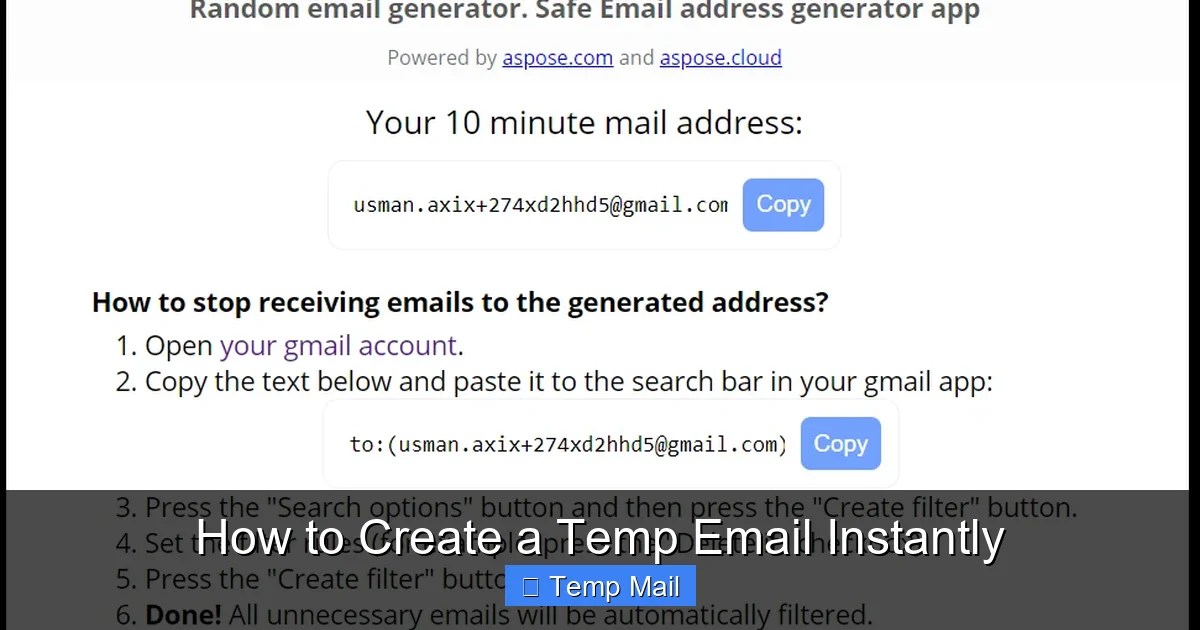
The underlying technology is surprisingly straightforward, which is why these services are so fast and lightweight. When you navigate to a site like Temp-Mail.org or 10MinuteMail.com, the server instantly does two things: it generates a completely random email address (e.g., [email protected]) and it creates a corresponding, hidden mailbox on its backend.
Visual guide about How to Create a Temp Email Instantly
Image source: blog.aspose.com
That randomly generated address is now active and able to receive emails. Any message sent to it by an external server is captured by the temp mail provider’s system and displayed in the web-based inbox they show you on their site. There’s no complex routing to a personal mailbox. It’s a direct, temporary pipe. The provider sets a timer on that mailbox. When the time expires—be it 10 minutes, 1 hour, or 24 hours—the server automatically purges the address and all its contents from existence. Some services also delete the address as soon as you close your browser window, adding an extra layer of ephemeral security.
The Role of Domains
These services own or lease large blocks of domain names specifically for this purpose (e.g., @tempmail.com, @guerrillamail.com). They can generate millions of unique addresses across these domains because they control the entire mail server setup for those domains. It’s a system built for mass, anonymous, and short-term use.
Step-by-Step: How to Create a Temp Email Instantly (Under 30 Seconds)
The beauty of this process is its sheer simplicity. There is no “account creation” in the traditional sense. Here is the universal, three-step process that works on any reputable temp mail site.
Visual guide about How to Create a Temp Email Instantly
Image source: slash1.startupheroes.io
Step 1: Choose and Visit a Provider
Open your web browser. In the search bar, type “temporary email” or “disposable email.” You’ll see a list of popular services. For this guide, we’ll use Temp-Mail.org as a classic example. Click on its link to go to the website.
Step 2: Your Address is Already Waiting
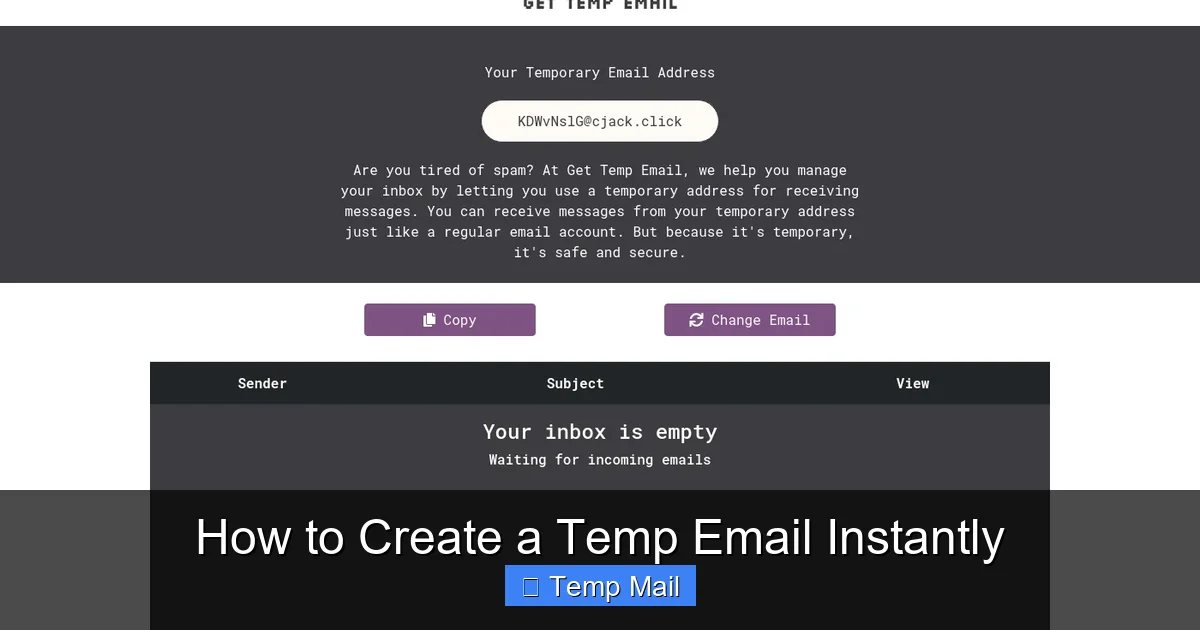
Seriously, that’s it. The moment the page loads, look at the top of the screen. You will see a long, random email address already displayed, often with a handy “Copy” button next to it. The inbox view below it is already active and waiting for mail. You did not have to sign up, choose a username, or verify anything. The address is yours to use immediately.
Step 3: Use and Discard
Highlight the address, copy it, and paste it into the website or service that is asking for your email. Proceed with whatever you needed to do (download the file, verify the account, etc.). Keep the temp mail site open in a tab. When the verification email arrives, it will pop right into the inbox on that page. Open it, click the link, get your download—whatever the goal was.
Once you’re done, simply close the browser tab. For many services, that’s the end of the line. The address is now invalid. For others with a time-based system, you can wait for the countdown timer (often visible on the site) to hit zero. Either way, no action is required on your part to “delete” it. It’s designed to clean up after itself automatically.
Pro Tips for the Instant Creation Process
- Use an Incognito/Private Window: This prevents the site from placing tracking cookies on your browser and ensures a truly fresh session every time.
- Bookmark the Site, Not the Address: If you think you might need another temp email later, bookmark the provider’s homepage (e.g., temp-mail.org). Never bookmark the specific random address, as it will be useless later.
- Check the Timer: Always glance at the countdown timer on the site. If you need more time for a delayed email, you might need to refresh the page to get a new address with a fresh timer (some sites offer a “Change” button).
Top 5 Practical Use Cases for a Disposable Email
Knowing *how* to create one is only half the battle. Knowing *when* to use it is what makes it a genuinely powerful tool for digital hygiene. Here are the most common and effective scenarios.
Visual guide about How to Create a Temp Email Instantly
Image source: d33wubrfki0l68.cloudfront.net
1. Signing Up for “Gated” Content or Trials
This is the #1 use case. A blog offers a fantastic PDF checklist, a software company offers a 14-day trial of their premium tool, or a newsletter promises exclusive insights. To get it, you must surrender your email. Using your primary address guarantees future promotional spam. A temp email lets you get the immediate resource (the PDF, the trial activation) and then vanish. The promotional emails from that company will bounce off the dead address, leaving your real inbox untouched.
2. Downloading from “Sketchy” or High-Volume File Portals
Sites that host free software, game mods, or video tutorials often bombard you with pop-up ads and aggressive email capture walls before the download button even appears. Using a temp email here is a defensive move. You get the file you want without subscribing to a torrent of marketing emails from a source you don’t trust.
3. Creating Test Accounts for Apps and Services
Are you a developer testing a user flow? A curious user wanting to explore an app’s features without commitment? A temp email is perfect for creating a throwaway account to test registration, notification systems, or basic functionality. It keeps your real identity separate from your testing activities.
4. Protecting Your Identity on Forums and Comment Sections
Many online forums, especially those discussing sensitive topics (tech support for malware, financial advice, health issues), require an email for account activation. Using your personal email links that anonymous forum persona directly to you. A temp email breaks that link, allowing for more genuine anonymous participation without fear of future data aggregation or doxxing.
5. Bypassing Regional Blocks or Basic Access Walls
Some websites restrict content to certain countries or require a simple email “wall” to view an article. A temp email from a service with multiple domain options can sometimes help you get past these basic barriers to access information, though this should be done ethically and in line with the site’s terms of service.
The Crucial Balance: Advantages and Significant Drawbacks
Temp emails are a powerful tool, but they are not a universal replacement for a permanent email address. Understanding their strengths and, more importantly, their weaknesses is critical for using them safely and effectively.
Major Advantages: Why They’re So Popular
- Unmatched Privacy: Zero personal data is collected. No name, no phone number, no recovery questions.
- Zero Spam in Your Primary Inbox: This is the primary benefit. All the clutter is funneled into a disposable container that self-destructs.
- Speed and Simplicity: The instant creation process is frictionless. It takes less time than logging into your own email.
- No Long-Term Management: There is no inbox zero to strive for. No folders to organize. It just disappears.
- Free to Use: The vast majority are supported by ads on their site, so the service is free for the user.
Critical Drawbacks and Risks You Must Know
- No Sending Capability: You almost always cannot *send* emails from a temp address. It’s receive-only. This is a deal-breaker for any service where you need to communicate.
- No Account Recovery: If you use a temp email to sign up for an important service and later forget your password, you are permanently locked out. There is no “forgot password” email that will reach you.
- Unreliable Delivery: Some sophisticated websites or services (like major social media platforms, banks, or government sites) actively block known disposable email domains. Your sign-up attempt will be rejected outright.
- Short Lifespan: The core feature is also a flaw. If a crucial verification email is delayed by a minute and your 10-minute timer expires, the email is lost forever, and you may not be able to complete the sign-up.
- Security Perception: Using a temp email can sometimes be flagged by fraud detection systems as suspicious behavior, potentially leading to additional verification steps or even account suspension on more sensitive platforms.
- Lack of Encryption: While the connection to the temp mail site may be HTTPS, the service itself is not built for confidentiality. Anyone with access to your device while the tab is open could see your temporary inbox. It is not for private communications.
Staying Safe: Security Best Practices for Temp Mail Users
Using a temp email is safe by design for its intended purpose—receiving a single verification link. However, you must practice good digital hygiene to avoid pitfalls.
Never Use for Anything Valuable
This is the golden rule. Do not use a temporary email for: online banking, stock trading, primary social media accounts (Facebook, Instagram, Twitter), your main cloud storage (Google Drive, iCloud), or any service where you store sensitive personal data or financial information. The risk of losing access is too great.
Treat the Session Like a Public Computer
Once you close the tab, assume the address and its contents are gone. Do not rely on it for any follow-up communication. If a service expects you to reply to an email, they will likely reject a reply from a disposable address anyway.
Clear Your Browser Data After Use
For maximum privacy, especially on a shared computer, clear your browser’s cookies and cache after your temp mail session. This removes any potential session data that could, in theory, be used to resurrect the inbox link (though most services invalidate it upon tab closure anyway).
Use a Reputable Provider
Stick with well-known, widely used temp mail services. These are more likely to have stable uptime and clear privacy policies. Avoid obscure sites that might be malicious themselves, potentially logging your IP address or injecting malware. A quick search for “best disposable email” will show you the consistently recommended ones.
Understand What “Anonymous” Means
While the service doesn’t ask for your info, your internet service provider (ISP) and the temp mail provider itself can see your IP address when you visit their site. The provider *could* log it, though reputable ones claim not to. For truly high-stakes anonymity, a temp email alone is insufficient; you would need a VPN and Tor browser. For avoiding spam, it’s perfectly adequate.
Alternatives and When to Use a Permanent Email Instead
The temp email is a specialized tool. Sometimes, a different tool is better suited for the job.
Alternatives to Consider
- Alias/Plus Addressing: Gmail and Outlook (and some others) allow you to add a “+” and a tag to your main email (e.g., you+news@ gmail.com). Mail still goes to your main inbox, but you can filter it easily and later block that specific alias. This is more organized than a temp email but still ties back to your primary account.
- Dedicated “Spam” Email Account: Create a second permanent email address (e.g., on ProtonMail for privacy) that you use only for newsletters and sign-ups. This is more work than a temp email but offers the reliability of a permanent address for password recoveries on less critical sites.
- Email Masking Services: Services like SimpleLogin or AnonAddy (often paid) create unique, forwardable email aliases that can be disabled with one click. They are more robust than temp mail but require a sign-up and often a subscription fee.
When You Must Use a Real, Permanent Email
Reach for your primary email address without hesitation for: financial services (banking, PayPal, Venmo), any account related to your physical identity (government IDs, healthcare portals), primary communication platforms (your main email for work, family, friends), and any service where you foresee needing long-term access and account recovery. The convenience of a temp email is not worth the catastrophic risk of being locked out of these essential services.
Conclusion: Your New Digital Decluttering Weapon
Learning how to create a temp email instantly isn’t about being sneaky or dishonest; it’s about being a smart, intentional digital citizen. It’s about drawing a clear line between your essential online identity and the countless minor interactions that pollute it. By adopting the habit of using a disposable address for any non-critical sign-up, you perform a daily act of inbox hygiene. You reclaim your attention from spam, reduce your exposure to data breaches (since the breached temp email is useless after 10 minutes), and simplify your digital life. The process is so fast and effortless that it becomes second nature. The next time a website demands your email for a PDF guide or a trial run, pause. Don’t hand over your primary address. Instead, open a new tab, visit a temp mail provider, copy the random address that’s already there, and proceed with confidence. You’ve just protected your real inbox from another day of digital clutter. That’s the power of instant, anonymous, temporary email.
Frequently Asked Questions
Is using a temporary email legal?
Yes, using a disposable email service is completely legal. These are legitimate businesses providing a communication tool. However, using one to commit fraud, evade bans, or engage in illegal activities is, of course, illegal. The tool itself is neutral.
How long does a temporary email last?
It varies by provider, but most temporary emails last between 10 minutes and 24 hours. The countdown timer is always displayed on the service’s website. Some addresses expire as soon as you close the browser tab. Always check the specific timer for the service you are using.
Can I send emails from a temporary address?
Almost never. Temporary email services are designed for receiving only. Their primary function is to get you a verification link or a download file. You cannot use them to send messages, which is another reason they are not suitable for any meaningful communication or account creation for major platforms.
Will a temporary email stop all spam?
It will stop spam *to that specific disposable address*. However, if you use your primary email elsewhere, spam will still go there. The tactic is to use a new temp email for every new untrusted site, ensuring that any spam generated from that site is isolated to an address that will soon vanish.
Are temporary emails safe from hackers?
They are safe for their intended, limited purpose. The major risk is not the service being “hacked,” but rather that the inbox is accessible to anyone who has the URL to the specific inbox page while it’s active. Never use them for sensitive data, and always close the tab when finished. For high security, a permanent, encrypted email service is better.
What happens if I need to recover an account I signed up with a temp email?
You will be permanently unable to recover it. Since you cannot access the disposable inbox after it expires, any “forgot password” or account verification emails will be lost. This is why the cardinal rule is: never use a temporary email for any account you might need to log into again.
Leave a Reply