Disposable email addresses are your first line of defense against spam, data harvesting, and inbox clutter. In 2026, the best providers offer more than just a temporary inbox—they integrate advanced privacy shields, one-click generation, and seamless browser extensions. This guide cuts through the noise to review the top services, helping you choose the perfect tool for signing up, verifying accounts, and browsing anonymously without compromising security.
Remember that feeling? You go to download a free PDF or sign up for a cool new app. You excitedly type in your real, trusted email address—the one tied to your bank, your family, your entire digital life. Then, the spam starts. Not just a little. We’re talking a relentless, daily barrage of “special offers” and “you’ve won!” emails that your primary inbox’s spam filter somehow always lets through. It’s a digital rite of passage, and it stinks.
What if you could have a secret, throwaway email address for exactly those moments? A digital smoke bomb you drop, let it do its job, and then vanish without a trace? That’s the promise of disposable email, or “temp mail.” But in 2026, it’s not just about avoiding spam. The best disposable email providers have evolved into sophisticated privacy tools, integrating directly into your browser and offering military-grade security for your temporary digital footprint. This isn’t your 2015 list of random websites. This is the definitive guide to the best disposable email providers in 2026, built for the modern, privacy-conscious user.
Key Takeaways
- Disposable emails are essential for digital hygiene: They create a barrier between your primary email and the noisy, risky parts of the web, preventing spam and data breaches.
- The 2026 landscape favors speed and integration: Top providers now offer browser extensions, mobile apps, and instant generation with a single click, moving beyond basic web forms.
- Not all temp mail is equal: Security protocols (like TLS encryption), inbox retention times, and domain reputation vary significantly between providers.
- Use cases have expanded: Beyond sign-ups, they’re vital for accessing geo-blocked content, testing apps, and conducting secure, anonymous research.
- Legality and ethics matter: Using disposable emails is legal, but misusing them for fraud or to evade legitimate bans violates most platforms’ Terms of Service.
- The future is AI and blockchain: Emerging 2026 features include AI-powered spam filtering for temporary inboxes and blockchain-verified disposable identities.
- Your primary email remains king for important accounts: Never use a disposable address for banking, primary cloud storage, or any service where account recovery is critical.
📑 Table of Contents
Why Disposable Emails Are Non-Negotiable in 2026
Let’s be clear: using a disposable email is no longer a “hacker trick.” It’s a fundamental practice for anyone who values their online privacy and sanity. The digital ecosystem of 2026 is more interconnected and data-hungry than ever. Every free service, every forum, every “free trial” is often a front for building a marketing profile. Your email address is the golden key to that profile.
The Spam & Data Broker Problem
When you use your primary email everywhere, you’re not just getting spam. You’re feeding data brokers. These companies compile vast databases of your online activities, linked directly to your email. That “free” e-book you downloaded? That’s a data point. That forum you commented on? Another. A disposable email severs this chain. It creates a siloed, temporary identity that can’t be tied back to your real self or your main accounts, effectively putting a stop to the profiling at the source.
Security Against Breaches
Data breaches are a weekly headline. When a service you signed up with (using your main email) gets hacked, your credentials are now in the wild. If you used a unique, disposable address for that service, the breach is contained. The compromised email is useless to hackers for accessing your other accounts. It’s a simple, powerful layer of security hygiene.
Bypassing Geo-Restrictions & Censorship
In 2026, internet censorship and geo-blocking are sophisticated. Journalists, researchers, and everyday citizens in restrictive regions often need to access tools, news sites, or platforms blocked by their government. A disposable email from a provider with servers in a neutral country can be the first step in creating an anonymous, unblocked digital identity to access vital information.
The Top 6 Disposable Email Providers Reviewed for 2026
Not all temp mail services are created equal. The winners in 2026 combine blazing speed, robust security, and user-friendly integration. Here are the standout providers, ranked by overall utility and trustworthiness.
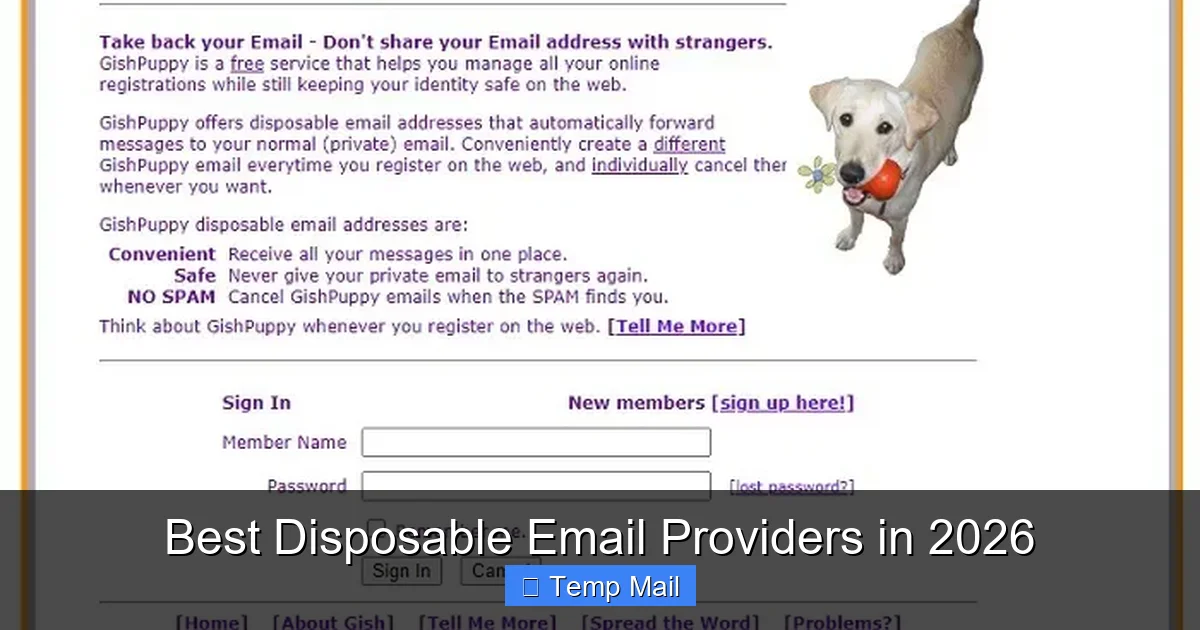
Visual guide about Best Disposable Email Providers in 2026
Image source: maketecheasier.com
1. TempMail.org: The Gold Standard for Speed & Simplicity
Best for: Instant, no-fuss sign-ups and one-time verifications.
TempMail.org has perfected the core disposable email formula. Visit the site, and you have a working inbox in under two seconds. No registration, no captchas (usually), just pure, immediate utility.
- Key Features: Real-time inbox loading, multiple domain options (e.g,@temp-mail.org, @tmpmail.org), browser extension for one-click generation from any web form, and a clean, ad-light interface.
- Security: All connections use TLS 1.3 encryption. Emails are automatically deleted from servers after 24-48 hours, depending on load.
- The 2026 Edge: Their new “Smart Domain” feature automatically selects the least-blocked domain based on the website you’re visiting, improving delivery success rates for verification emails.
- Potential Drawback: The free version has a limit of ~50 emails per month per IP. Heavy users need the affordable Pro plan.
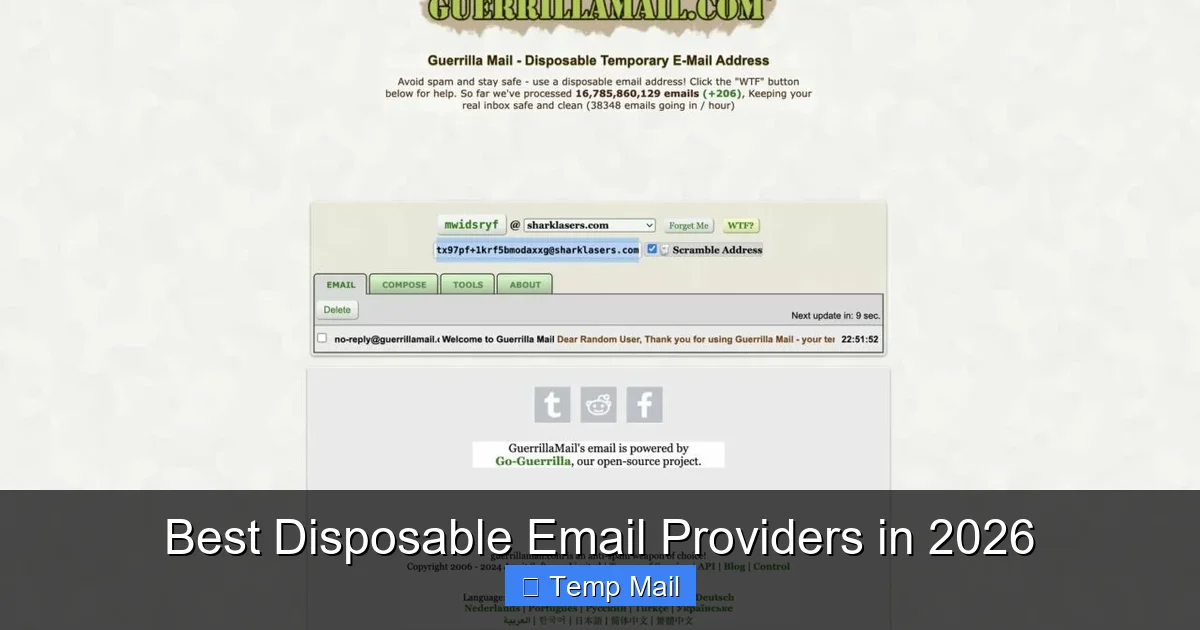
2. Guerrilla Mail: The Veteran with Unmatched Longevity
Best for: Long-term temporary projects (up to 60 days) and users who dislike change.
Guerrilla Mail has been a staple for over a decade. In 2026, it remains a rock-solid choice, especially for projects that need a temporary inbox for more than a few days.
- Key Features: You can choose your own email address from a list of available domains. Inboxes can be kept alive for up to 60 days with activity. Includes a basic password manager for the temporary inbox.
- Security: Emails are stored encrypted at rest. The service has a strong, transparent privacy policy stating no logs of email content are kept after deletion.
- The 2026 Edge: Integrated “Mask” feature. Instead of giving a site your temp mail, you give a Guerrilla Mail “mask” address that forwards to your temp inbox, adding an extra layer of abstraction.
- Potential Drawback: The interface feels slightly dated compared to newer competitors. The free tier’s 60-day retention is generous but not infinite.
3. 10 Minute Mail: The Epitome of Ephemeral
Best for: Maximum security and absolute minimal digital footprint. The name says it all.
When you need an email that truly vanishes, 10 Minute Mail is the tool. The countdown timer is the defining feature.
- Key Features: The inbox and address self-destruct after 10 minutes by default (can be extended in 10-minute increments). Zero data storage policy. Completely anonymous, no IP logging beyond the session.
- Security: The ephemeral nature is its security. Even if intercepted, the window for access is infinitesimal. All data is purged from RAM and servers upon expiration.
- The 2026 Edge: Now offers a “Secure Mode” that requires a session-specific PIN to view the inbox, preventing shoulder surfing in public places.
- Potential Drawback: The extreme temporariness is its main limitation. If a verification email is delayed, you could lose access. Not for anything requiring delayed retrieval.
4. SimpleLogin (by Proton): The Privacy Ecosystem Integrator
Best for: Users already in the Proton ecosystem or those wanting an alias manager that *can* act as disposable.
Acquired by Proton (the makers of Proton Mail) in 2022, SimpleLogin is in a category of its own. It’s an email alias service that can easily function as a disposable provider, with the backing of a major privacy company.
- Key Features: Create unlimited “aliases” (e.g., [email protected]) that forward to your real inbox (any provider). You can disable or delete an alias anytime, instantly stopping all mail. Works with any email, not just Proton Mail.
- Security: End-to-end encrypted alias management. Part of the Proton ecosystem, subject to Swiss privacy laws. Aliases are not stored in plaintext.
- The 2026 Edge: Deep browser integration. It auto-detects email fields on websites and offers to generate a new alias with one click. It also blocks trackers hidden in emails before they reach your main inbox.
- Potential Drawback: It’s not *purely* disposable. The alias *can* be kept forever if you want. The free plan has a limit (15 aliases), and it requires linking a real inbox.
5. AnonAddy: The Open-Source Power User’s Choice
Best for: Tech-savvy users and those who want full control over their alias infrastructure.
AnonAddy is a self-hostable or cloud-hosted email alias service. Its open-source nature and granular control make it a favorite among developers and privacy purists.
- Key Features: Create custom domains (if you own one) or use the anonaddy.com domain. Wildcard rules (e.g., *@reddit.anonaddy.com*). PGP encryption support for forwarded emails. Detailed logs and statistics.
- Security: Open-source code can be audited. Self-hosting option means your data never leaves your server. Supports 2FA for the dashboard.
- The 2026 Edge: Advanced filtering rules. You can set an alias to automatically delete after 1 email received, perfectly simulating a disposable address with custom domains.
- Potential Drawback: The interface is less polished than SimpleLogin. Self-hosting requires technical expertise. The free tier is limited to 5 aliases/month on the shared domain.
6. MailDrop.cc: The No-Frills, High-Volume Workhorse
Best for: Bulk account creation, testing, and situations where you need many addresses quickly.
MailDrop.cc focuses on volume and simplicity. It’s a bare-bones service that excels at providing a public, searchable inbox for a given address.
- Key Features: Public inboxes (anyone with the address can view the inbox). No password required. Simple, text-based interface. Can create custom addresses on the @maildrop.cc domain.
- Security: Very low. Since inboxes are public by default, this is for *completely* non-sensitive use only. Emails are deleted after a few hours.
- The 2026 Edge: Its API is widely used by developers for automated testing of email-based workflows. It’s the go-to for QA teams.
- Potential Drawback: The public inbox model is a major privacy risk for anything personal. Anyone who guesses or finds your address can read your mail. Use only for public-facing, non-private verifications.
How to Choose the Right Disposable Email Provider for You
With these top contenders, how do you pick? It’s not about which is “best” overall, but which is best for *your specific need*. Ask yourself these questions.
Visual guide about Best Disposable Email Providers in 2026
Image source: zerobounce.net
What’s Your Primary Use Case?
- For one-time sign-ups (e.g., downloading a whitepaper): 10 Minute Mail or TempMail.org. You need speed and utter disposability.
- For accounts you might check a few times (e.g., a forum, a trial service): Guerrilla Mail. The 60-day window gives you breathing room.
- For managing many online identities or newsletters: SimpleLogin or AnonAddy. Their alias management is superior for organizing multiple “disposable” identities.
- For software testing/automation: MailDrop.cc (with caution) or the API-focused features of AnonAddy.
How Important is Browser Integration?
If you hate leaving your tab to open a new temp mail site, prioritize providers with browser extensions. TempMail.org and SimpleLogin have excellent, one-click extensions that fill email fields automatically. This is a game-changer for workflow efficiency.
What’s Your Threat Model?
- Basic Spam Prevention: Almost any provider will do.
- Evading Targeted Advertising/Profiling: Use an alias service like SimpleLogin or AnonAddy. They create a unique, forwardable address for each site, making cross-site profiling impossible.
- High-Risk Activities (e.g., whistleblowing, bypassing censorship): This requires maximum anonymity. Use 10 Minute Mail in conjunction with a privacy-focused browser (like Tor) and a VPN. Never log into any personal accounts from the same session.
Are You Willing to Pay?
The free tiers of these services are powerful for casual use. But for power users, paid plans (usually $2-$5/month) offer benefits like custom domains, higher email limits, longer retention, and priority support. SimpleLogin Pro and AnonAddy Premium are excellent investments for professionals.
Advanced Use Cases: Beyond Just “Signing Up”
Let’s expand your thinking. A disposable email is a versatile tool in your digital toolkit.
Visual guide about Best Disposable Email Providers in 2026
Image source: zerobounce.net
Creating a “Canary” for Data Breaches
Use a dedicated disposable address *only* for a specific high-risk service (like a questionable forum or a data-aggregate site). If you start getting spam on that specific address, you know exactly which service leaked or sold your data. It’s a breach detection system.
Accessing Region-Locked Content & Trials
Many streaming services, software trials, or news sites offer different content based on your location. Using a disposable email from a provider with a UK or US domain, combined with a VPN set to that country, can help you access region-specific promotions or content libraries for research.
Clean, Anonymous App Testing
Developing an app that requires email sign-up? Use an API-connected service like AnonAddy or a script that generates addresses via TempMail.org’s API. You can automate the creation of thousands of unique email addresses to test your sign-up flow, password resets, and invitation systems without polluting your real inbox.
Protecting Your Identity on Marketplaces
Selling something on Craigslist, Facebook Marketplace, or a niche forum? Use a disposable email for all initial buyer communications. Once the deal is done, delete the address. This prevents a disgruntled buyer from finding your primary email and engaging in harassment or phishing.
The Future of Disposable Email: 2026 and Beyond
The temp mail space isn’t stagnant. The best providers in 2026 are innovating to meet new privacy challenges.
AI-Powered Inbox Filtering (Even for 10-Minute Inboxes)
Providers like TempMail.org are piloting lightweight AI models that run in your browser to categorize incoming verification emails (“Sign-up Code,” “Welcome,” “Promo”) instantly. This helps you find the one code you need in a potentially cluttered, short-lived inbox.
Blockchain-Verified Disposable Identities
Imagine a system where your disposable email address is backed by a zero-knowledge proof on a blockchain. You could cryptographically prove to a website that you are a unique, first-time visitor (preventing multi-account abuse) without revealing any actual email address or personal data. Projects like AnonAddy are experimenting with this for enterprise clients.
Deep Browser & OS Integration
The next step is no extension at all. Expect native integrations in privacy browsers like Brave or even at the OS level (think a built-in “Generate Temporary Email” button in your phone’s keyboard or desktop widget). The friction will drop to zero.
The Ongoing Cat-and-Mouse Game
As disposable email use grows, so do the tools to detect and block them. Advanced services in 2026 use behavioral analysis (how fast you fill forms, mouse movements) and maintain constantly updated blocklists of known temp mail domains. The top providers respond with ever-changing domain pools, CAPTCHA-solving services, and “human-like” interaction simulators to ensure delivery.
Conclusion: Your Inbox, Your Rules
The best disposable email providers in 2026 are more than just spam shields; they are a critical component of a modern digital privacy strategy. They empower you to interact with the web on your terms, giving out a meaningless token of an address instead of the keys to your digital kingdom.
Start by identifying your core need. For most people, installing the browser extension for TempMail.org or SimpleLogin will solve 90% of problems instantly. For developers and power users, diving into AnonAddy’s API or self-hosting options unlocks incredible flexibility.
Remember the golden rule: your primary email address is for your identity—your bank, your cloud storage, your close contacts. Everything else is fair game for a disposable. By strategically segregating your online life, you reduce spam, minimize breach damage, and reclaim your privacy. In 2026, that’s not just smart. It’s essential.
Frequently Asked Questions
Is using a disposable email address legal?
Yes, using a disposable email is completely legal in virtually all jurisdictions. It’s a standard tool for privacy protection. However, using it to commit fraud, evade legal bans, or send illegal content is, of course, illegal regardless of the email type used.
Are disposable emails safe from hackers?
They are safe *for your primary accounts*. A secure disposable inbox itself could potentially be hacked if the provider has a vulnerability, but any data there is temporary and unlinked to your real identity. The safety comes from isolation: a breach of a temp mail service does not compromise your main email, social media, or bank accounts.
What’s the difference between a disposable email and an email alias?
A disposable email is typically a standalone, temporary inbox that self-destructs. An email alias is a forwarding address that sends mail to your *existing, permanent inbox*. Services like SimpleLogin and AnonAddy blur this line, offering aliases that can be deleted on demand, effectively making them disposable. The key difference is whether you have a separate, temporary inbox to check.
Can websites detect I’m using a disposable email?
Yes, many can and do. They maintain lists of known disposable email domains and block them at sign-up. This is why top providers in 2026 use constantly rotating domain pools and advanced delivery techniques. If a site blocks your temp mail, simply generate a new address from a different domain offered by your provider.
What are the main limitations of disposable emails?
They cannot be used for any account where recovery is important (banking, primary cloud storage). They often have limited lifespans (10 minutes to 60 days). Some websites actively block known temp mail domains. You cannot send email *from* a disposable address in most cases; they are receive-only.
What’s the single best practice when using temp mail?
Never, under any circumstances, use a disposable email for a service where you might need to recover your account or receive critical, long-term information. Always use your primary, secure email for financial services, primary password resets, and official government or medical correspondence. Reserve disposable addresses exclusively for low-stakes, one-off interactions.
Leave a Reply