Temp email services provide a disposable email address for signing up on websites without using your primary inbox. They are essential for avoiding spam, protecting privacy, and bypassing registration hurdles on sites with lax verification. Not all services work everywhere, so choosing a reliable provider with broad compatibility is key to a seamless experience.
Key Takeaways
- Privacy Shield: Your real email address remains completely hidden from websites, marketers, and potential data breaches.
- Spam Prevention: Inbox clutter is eliminated because the temporary address expires, cutting off future unwanted emails at the source.
- Zero Setup Hassle: No registration, password creation, or personal details are required to generate a working email address instantly.
- Broad Website Compatibility: The best services consistently bypass verification on social media, forums, e-commerce sites, and gaming platforms.
- Ephemeral by Design: Addresses and their inboxes self-destruct after a set time (10 minutes to 24 hours), ensuring no digital footprint remains.
- Security Trade-off: While great for anonymity, avoid using them for critical accounts (banking, main social media) due to lack of recovery options.
- Service Reliability Varies: Some websites actively block known disposable email domains; top services constantly adapt to stay functional.
📑 Table of Contents
- The Never-Ending Battle for Your Inbox (And How to Win It)
- Why Your Regular Email is a Spam Magnet (And Why Temp Mail is the Antidote)
- What Makes a Temp Email Service Actually “Work”? Key Features to Hunt For
- The Front-Runners: Temp Email Services That Work with Most Websites in 2024
- How to Use Temp Mail Like a Pro: A Step-by-Step Guide for Every Scenario
- Common Pitfalls and Why Some Sites Still Block Temp Mail
- The Future of Disposable Email: Smarter, Stealthier, More Integrated
- Conclusion: Reclaim Your Digital Hygiene
The Never-Ending Battle for Your Inbox (And How to Win It)
Let’s paint a familiar picture. You want to download a useful PDF, enter an online contest, or quickly comment on a forum. The website asks for your email. You hesitate. You know that handing over your primary Gmail or Outlook address is like giving a stranger a key to your digital living room. It often leads to a tsunami of promotional newsletters, “special offers,” and who-knows-what-else, clogging your inbox for months. Even with unsubscribe buttons, the damage is done. Your email is now on a list, sold and resold. There has to be a better way, right?
Enter the world of temporary email services. Think of them as digital bodyguards or burner phones for your online identity. They give you a real, functional email address that exists for a short, defined period—sometimes just 10 minutes, sometimes a day. You use it to get that one verification link, complete your task, and then walk away. The address, and all its potential spam, vanishes into the ether. But here’s the crucial question that determines everything: does this temporary address actually work where you need it to? A temp mail service that fails on the site you’re trying to access is worse than useless; it’s a frustrating waste of time. This article is your definitive guide to finding and using temp email services that work with most websites, cutting through the hype to give you practical, reliable solutions.
Why Your Regular Email is a Spam Magnet (And Why Temp Mail is the Antidote)
Before we dive into the “how,” let’s solidify the “why.” Your primary email address is a golden ticket for data brokers and marketers. Every time you use it online, you’re potentially adding it to another database. That free Wi-Fi sign-up at the coffee shop? That’s a list. That old forum you posted on a decade ago? That list is probably still active. This practice, called “list rental,” is a billion-dollar industry. Your consent is often assumed or buried in lengthy terms of service.
Visual guide about Temp Email Services That Work with Most Websites
Image source: ihaveapc.com
The Privacy Domino Effect
Once your email is out there, the effects cascade. One data breach at a company you once interacted with can expose your address. That exposed address is then used for “credential stuffing” attacks on other sites, or simply for more spam. Even if you meticulously unsubscribe, the initial “opt-in” has already happened. Temp mail breaks this chain at the very first link. Since the address is disposable and never linked to your real identity, it cannot be used to build a profile on you. It’s a one-time key that unlocks a door and then dissolves.
Beyond Spam: Bypassing Registration Walls
Not every site wants your email for marketing. Some use it as a basic, low-security user filter. Forums might want to reduce bot sign-ups. Code repository sites might use it to track contributions. News sites use it to enforce a “one-free-article” limit. In these cases, a temp email is a perfectly legitimate tool to access a resource you’re entitled to view without committing to a long-term relationship you don’t want. It’s about reclaiming control over your digital interactions.
What Makes a Temp Email Service Actually “Work”? Key Features to Hunt For
Not all disposable email providers are created equal. The difference between a smooth experience and a “blocked” message often comes down to a few critical features. When evaluating a service, you’re essentially asking: “Will this specific service’s email domain be recognized and accepted by the website I’m targeting right now?”
Visual guide about Temp Email Services That Work with Most Websites
Image source: ihaveapc.com
1. Domain Reputation & Freshness
This is the most important factor. Websites, especially large ones like Facebook, Twitter, or major gaming platforms, maintain dynamic “blocklists” of domains known to be used for disposable email. If a temp mail service’s domain (e.g., @tempmail.com) gets on that list, it’s game over. The best services constantly rotate their domains, use a wide pool of domain names, and have a reputation for being less abused by spammers. Look for services that don’t rely on just one or two domains. Services like Temp-Mail and Guerrilla Mail are famous for having a vast, changing array of domains, which helps them stay under the radar.
2. Inbox Lifespan & Auto-Refresh
How long do you have? Some services offer a mere 10 minutes, which is fine for a quick verification link. Others give you 1 hour, 6 hours, or even 24 hours. Consider your use case. For downloading a file, 10 minutes might suffice. For a forum that sends a confirmation email that might take a few minutes to arrive, 30-60 minutes is safer. A crucial feature is auto-refresh. You don’t want to be staring at a static inbox page hoping an email arrives. The best services automatically check for new mail every few seconds and update the inbox in real-time.
3. No Registration & Instant Access
The entire point is speed and anonymity. A service that forces you to create an account, solve a CAPTCHA, or verify another email to get a temp address defeats the purpose. The top-tier services load a page, give you a random email address and an inbox URL, and you’re ready to go in under 3 seconds. The inbox URL is often unique to your session, meaning no one else can access your temporary emails.
4. Browser Extension & Mobile App Support
For power users, a browser extension (like for Chrome or Firefox) is a game-changer. It puts a temp mail button right in your browser toolbar, allowing you to generate an address and autofill web forms with a single click. Similarly, a dedicated mobile app makes the process seamless on your phone. This isn’t just a luxury; it’s a major indicator of a mature, user-focused service.
5. Email Forwarding & Reply Capabilities (Advanced)
Most use cases only require receiving a single verification link. But sometimes, you need to receive a password reset or a brief conversation. Some premium or advanced temp mail services allow you to forward emails from your temp address to your real one, or even send replies from the temp address. This extends its utility but also adds a layer of complexity and potential privacy leakage if not used carefully.
The Front-Runners: Temp Email Services That Work with Most Websites in 2024
Based on the criteria above—domain diversity, inbox reliability, speed, and compatibility—here are the standout services that consistently get the job done. They have proven track records of bypassing verification on a vast array of popular websites.
Visual guide about Temp Email Services That Work with Most Websites
Image source: ihaveapc.com
1. Temp-Mail (temp-mail.org)
Often considered the industry leader, Temp-Mail is the go-to for reliability. It boasts a massive, constantly rotating pool of domains (like @tempmail.com, @tmpmail.org, @tmpmail.net, and many more). This sheer volume makes it incredibly difficult for major websites to block them all. The interface is clean, the inbox auto-refreshes every 5 seconds, and it offers a handy browser extension. It’s my top recommendation for someone who needs a “set it and forget it” service that works 95% of the time on mainstream sites. The free version is more than capable for most users, with a 24-hour inbox lifespan.
2. Guerrilla Mail (guerrillamail.com)
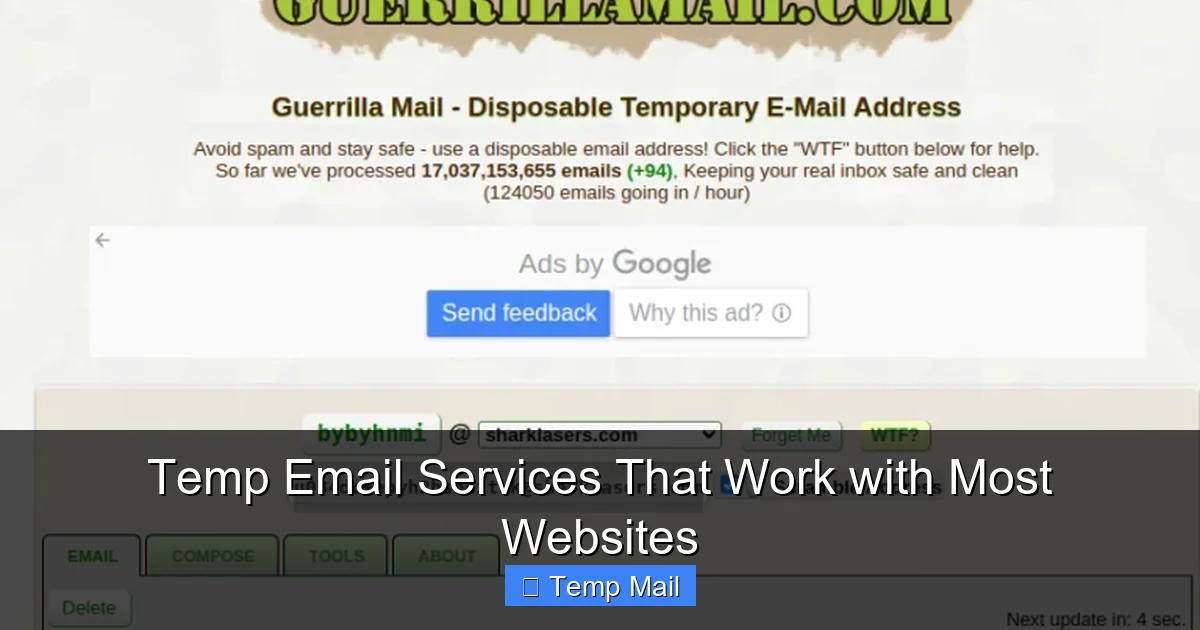
The veteran. Guerrilla Mail has been around for over a decade and is synonymous with “disposable email.” Its domain list is also extensive and well-established. What sets it apart is its slightly more feature-rich free offering. You can not only receive but also send emails from your temporary address (within the same session). You can even choose from a list of available domain names to customize your address slightly (e.g., choosing a shorter or more memorable domain). Its longevity means many websites have its domains whitelisted by default because they’ve been “around so long.” The inbox lasts 1 hour by default.
3. 10MinuteMail (10minutemail.com)
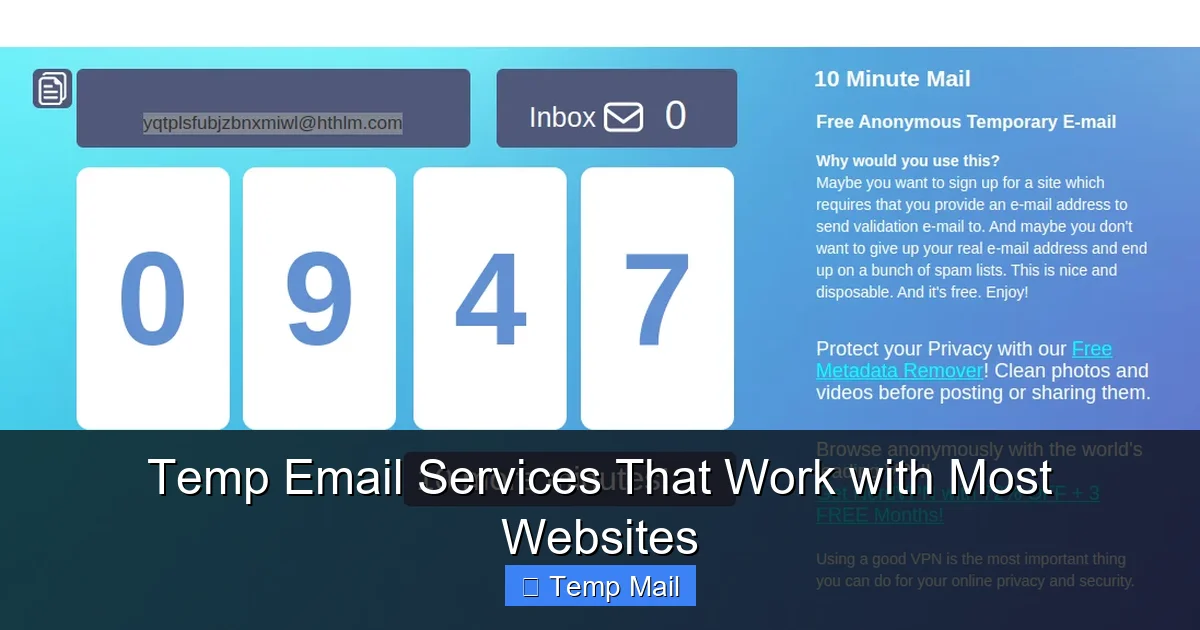
As the name suggests, this service is brutally simple and fast. You get an address that lasts exactly 10 minutes. This is perfect for the most common use case: a single, immediate verification. There is literally no interface beyond the email address and the inbox list. It’s so lightweight that it often slips through blocks because it’s not trying to do too much. If you’re signing up for something and need the code right now, this is a fantastic, no-frills option. The countdown timer is clear and motivating.
4. Maildrop (maildrop.cc)
Maildrop takes a different approach: it uses a single, very clean domain (@maildrop.cc). Its strength lies in its simplicity and its focus on being a pure, no-ads, no-nonsense receiver. Because it’s minimalist and has a reputation for not being a spam hub, the @maildrop.cc domain sometimes gets a pass on sites that aggressively block other temp mail domains. It’s a great “plan B” if the big three above are being blocked. Inboxes last 24 hours but are public by default (though randomly named), so you shouldn’t use it for anything sensitive.
5. Tempail (tempail.com)
A strong European-based alternative with excellent domain rotation. It offers a very user-friendly interface with options to extend the inbox time (up to 3 days on some plans) and even generate a custom alias within their domains. Its domain list is distinct from the US-based services, which can be a huge advantage if a website has specifically blocked the common American temp mail domains. It’s a top-tier choice for users in regions where other services might be more heavily targeted.
Practical Tip: Keep two of these services bookmarked. If you get a “blocked” error on one, immediately switch to the other. Their different domain pools mean a site blocking @tempmail.com might still accept @maildrop.cc.
How to Use Temp Mail Like a Pro: A Step-by-Step Guide for Every Scenario
Knowing which service to pick is half the battle. Using it correctly is the other half. Here’s how to deploy your temporary email effectively across common situations.
Scenario 1: The Quick Download (e.g., Ebook, Template, Software Trial)
This is the temp mail bread and butter. You want a file, and the site demands an email.
- Open your chosen temp mail service (e.g., Temp-Mail) in a new browser tab.
- Copy the generated email address (it’s usually displayed prominently).
- Paste it into the sign-up field on the download site.
- Click “Submit” or “Download.”
- Switch back to the temp mail tab. The inbox should auto-refresh and show the new email within 10-30 seconds.
- Open the email and click the download link or copy any access code.
- Done. Close the tab. The address and inbox are now someone else’s problem.
Pro Tip: Do this in a private/incognito browser window if you’re concerned about cookies from the download site linking to your main browser profile. It’s not always necessary, but it’s an extra layer of separation.
Scenario 2: Social Media or Forum Account Creation
This is trickier. Platforms like Facebook, Instagram, Reddit, or Twitter have very sophisticated anti-bot and anti-spam systems. They will detect and block many disposable email domains.
- First, try a high-reputation service. Start with Guerrilla Mail or Temp-Mail. Their domains are the most likely to be accepted.
- If blocked, try a different domain from the same service. Some services let you click a button to get a “new address” with a different domain suffix. This can sometimes bypass the block.
- If still blocked, switch to your backup service. Use Maildrop or Tempail. Their different domain pools might work.
- Be prepared for additional hurdles. Even with a working email, these platforms may require a phone number verification for new accounts. A temp email won’t help with that. Decide if you truly want an account on that platform using a temp email, as you may hit a phone verification wall anyway.
Critical Warning: Do not use temp mail for your primary, long-term social media accounts. You will be locked out forever if you lose access to the temp inbox and cannot reset your password. Use it only for throwaway, secondary, or testing accounts.
Scenario 3: Online Shopping & Discount Codes
Retail sites often require an email for a discount code or to access a sale. This is a prime temp mail use case.
- Generate a temp address.
- Use it to get the one-time code.
- Immediately use the code to make your purchase or access the sale.
- Do not expect order confirmations or shipping updates at the temp address! Before finalizing the purchase, always log into your account on the retail site and change the email to your real, primary address. This is non-negotiable. You need those shipping notifications and receipts.
This two-step process (temp for gate, real for logistics) gives you the discount without signing up for a lifetime of marketing emails from that retailer.
Common Pitfalls and Why Some Sites Still Block Temp Mail
It’s not magic. Sometimes, the temp email is rejected. Understanding why helps you troubleshoot and set realistic expectations.
The “Known Disposable Domain” Blocklist
This is the most common reason. Large companies (like Google, Microsoft, Yahoo) and popular platforms maintain their own lists of domains they refuse to accept. They update these lists constantly. Your service’s domain might have been added yesterday due to abuse by spammers. There is no permanent fix from your side except switching services or domains.
Advanced Email Validation Services
Many websites don’t just check the domain; they use third-party validation APIs (like Kickbox, NeverBounce, or ZeroBounce) that score email addresses for deliverability and legitimacy. These services flag entire domains as “disposable” or “role-based” (like admin@, info@). If your temp mail domain is on their list, you’re blocked before you even hit “submit.” This is harder to bypass, as these services are used by major platforms.
The “Catch-22” of Account Recovery
Some sites, especially financial or critical service providers, have a policy: “If you forget your password, we will email a reset link to the address on file.” They know that if you use a temp email, you will be permanently locked out. To prevent a flood of support requests from locked-out users, they simply block temp emails at registration. This is a legitimate security and usability policy from their perspective. For these sites, you must use a real, permanent email.
How to Respond When You See “Blocked” or “Invalid Email”
- Don’t panic. It’s not you; it’s the domain.
- Generate a new address. Often, within the same service, a different domain suffix (e.g., from @tmpmail.org to @tmpmail.net) will work.
- Switch your service. Go to your backup provider immediately.
- Accept defeat for that site. If all your temp options fail, the site is likely on a very aggressive blocklist. For a site you trust and need a real account on, use your primary email. For a site you don’t trust, maybe you don’t want an account there at all.
The Future of Disposable Email: Smarter, Stealthier, More Integrated
The cat-and-mouse game between temp mail providers and websites blocking them is eternal. The future of this niche isn’t about bigger inboxes; it’s about smarter evasion and deeper integration.
AI-Powered Domain Generation
Expect services to use AI to generate seemingly legitimate, random domain names that don’t fit the typical “temp,” “mail,” “disposable” pattern. Instead of @spamgourmet.com, you might get @novel-folder-87.net. These look like real, unrelated domains and are much harder to blacklist en masse.
Seamless Browser & Password Manager Integration
The next step is full automation. Imagine a browser extension that, upon detecting an email field on a webpage, automatically generates a temp address, fills it in, and opens the dedicated inbox in a side panel. Even better, integration with password managers like Bitwarden or 1Password could store the temporary email address and the site it was used for, creating a private log of your disposable interactions.
The “Privacy-First” Mainstream Adoption
As privacy awareness grows, we may see mainstream browsers or operating systems building in a “disposable email” feature natively. Apple could add it to iCloud, Google to Chrome. This would legitimize the practice and put immense pressure on websites to accept these sanctioned, system-generated addresses, similar to how they must accept emails from major providers.
Conclusion: Reclaim Your Digital Hygiene
Your email address is the master key to your online identity. Treating it as a public commodity is a recipe for a lifetime of spam, data profiling, and security risks. Temporary email services are not a tool for nefarious activity; they are a fundamental tool for digital hygiene and self-preservation in the modern web. They empower you to say “no” to unwanted relationships and to access the resources you need without a side of marketing spam.
The key is choosing the right tool for the job. By understanding what makes a service reliable—domain diversity, auto-refresh, and no-fuss access—and by having a couple of trusted providers like Temp-Mail and Guerrilla Mail in your arsenal, you can navigate the vast majority of website sign-up forms with confidence. Remember the core rule: use temp mail for access, not for identity. It’s your digital shield for one-off interactions, not the foundation of your permanent online presence. Start using one today for that next free download or forum sign-up. Experience the quiet joy of an inbox that doesn’t fill up with noise. That’s not just convenience; that’s peace of mind.
Frequently Asked Questions
Are temp email services legal to use?
Yes, using a temporary email service is perfectly legal in most jurisdictions. They are legitimate tools for privacy protection. However, using them to commit fraud, evade bans, or engage in illegal activity is, of course, illegal. The service itself is a neutral technology.
Are temp emails safe and private?
For the user, they are very safe and private. The provider does not require your personal information, and the inbox is typically isolated. However, the emails themselves are not encrypted end-to-end, and the provider can technically read any email sent to that address. Therefore, you should never use a temp email for sensitive communications like password resets for important accounts or private messages.
How long do temporary email addresses last?
It varies by service. Common lifespans are 10 minutes, 1 hour, 6 hours, or 24 hours. Some services allow you to extend the time manually. After the expiration time, the address and all its emails are permanently deleted and cannot be recovered.
Why would a website block a temporary email?
Websites block disposable email domains primarily to combat spam, fraud, and abuse. Bots and malicious actors often use temp emails to create fake accounts, post spam, or launch attacks. By blocking these domains, the site raises the barrier to entry for such activities, protecting their platform and legitimate users.
Can I send emails from a temporary address?
Most basic temp mail services are receive-only. Some, like Guerrilla Mail, allow you to send emails from the temporary address during the same session. However, sending capability is often limited to prevent the service from being used for outbound spam. You should never rely on a temp email for ongoing correspondence.
What is the best temp email service for beginners?
For beginners seeking maximum compatibility and simplicity, Temp-Mail (temp-mail.org) is the top recommendation. It requires zero setup, has a huge pool of domains that work on most sites, auto-refreshes the inbox, and offers a useful browser extension. Its reliability makes it the easiest starting point.
Leave a Reply