Tired of spam filling your primary inbox after signing up for websites? Temp mail offers a quick, disposable email address specifically for one-time registrations. It acts as a protective shield, keeping your real email private and your main inbox clean from promotional clutter. This simple tool is perfect for accessing gated content, trying new services, or creating test accounts without long-term commitment or risk.
You’re clicking through the internet, and you stumble upon an incredible article behind a “subscribe to read” wall. Or maybe you want to download a free template, but the site demands your email first. Perhaps you’re just curious about a new forum but have zero interest in becoming a member. The universal gatekeeper? An email address field. For a simple, one-time action, the requirement to hand over your personal, primary email address feels like a major overreach. It opens the floodgates to spam, clutters your carefully organized inbox, and ties your identity to a service you may never use again. This is the exact moment temp mail becomes your best-kept secret weapon. It’s not about being shady; it’s about being smart, efficient, and in control of your digital footprint.
Temp mail, short for temporary mail, is a service that provides you with a disposable, anonymous email address for a short period. These addresses receive emails just like a regular inbox, but they are designed to be used once and forgotten. The entire philosophy behind it is to decouple your valuable, permanent identity from transient online interactions. In this guide, we’ll dive deep into how temp mail transforms the tedious chore of website registrations into a seamless, one-click experience. We’ll explore its inner workings, walk through practical scenarios, weigh the pros and cons, and establish clear best practices so you can use this tool effectively and responsibly.
Key Takeaways
- Instant Privacy Shield: Temp mail provides a throwaway email address that safeguards your primary inbox from spam, marketing emails, and potential data breaches associated with a website.
- Speed and Convenience: It eliminates the friction of creating and managing a new account for minor tasks, allowing for immediate access to websites, downloads, or forums in seconds.
- Not for Critical Accounts: Never use a temporary email for important services like banking, primary cloud storage, or social media where account recovery and long-term access are essential.
- Understanding Limitations: Most temp mail inboxes are public, expire quickly (often 10 minutes to a few hours), and cannot be used for password recovery on the site you’re registering for.
- Simple Workflow: The process is universally simple: visit a temp mail site, get an auto-generated address, use it to sign up, then close the browser tab. No password, no login, no trace.
- Ethical and Legal Use: Using temp mail is legal and ethical for privacy protection, but it violates the Terms of Service of many platforms that require verifiable, lasting contact information.
📑 Table of Contents
- What Exactly is Temp Mail and How Does it Work?
- The Registration Headache: Why We All Dread the “Email Required” Field
- How Temp Mail Solves These Problems: A Practical Guide
- The Flip Side: Crucial Pros and Cons of Using Temp Mail
- Best Practices: Using Temp Mail Responsibly and Effectively
- Alternatives and the Future of Disposable Communication
- Conclusion: Reclaiming Control in a Registration-Obsessed World
What Exactly is Temp Mail and How Does it Work?
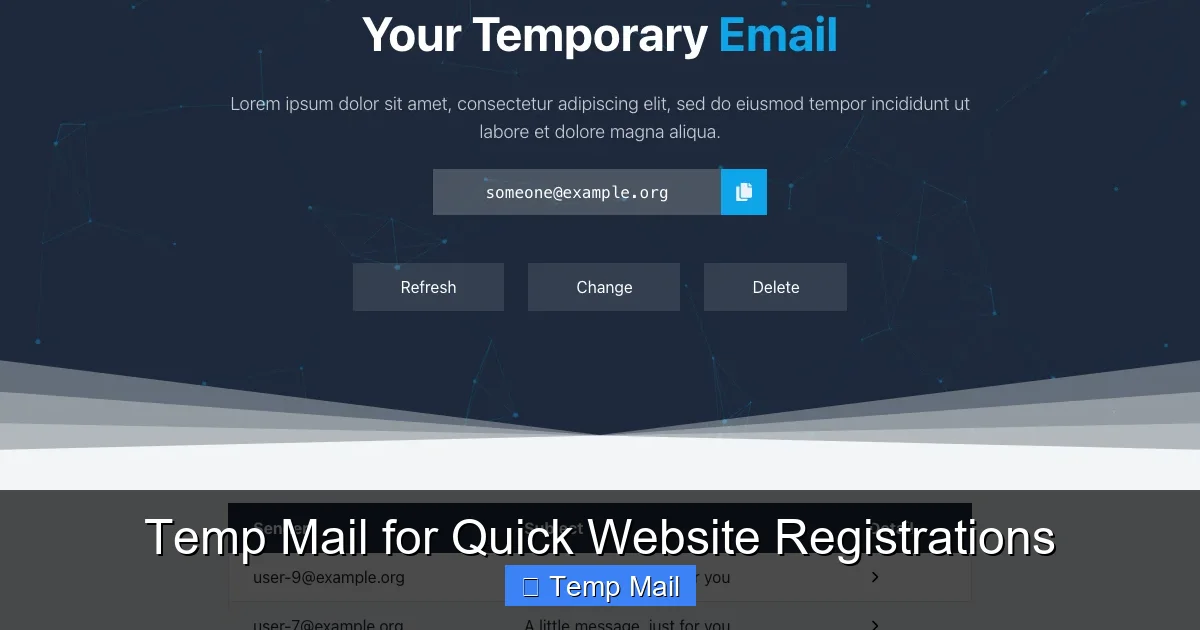
At its core, a temp mail service is a simple web application. You don’t need to download software or create an account. You simply visit the provider’s website, and it instantly generates a random email address for you, like [email protected]. That address is now live and can receive emails. A mailbox viewer is typically displayed right on the same page, listing incoming messages in real-time. You copy that temporary address, paste it into the registration form of the website you’re visiting, and submit.
The Behind-the-Scenes Mechanics
These services operate on shared, public domains. The domain (the part after the @ symbol) is owned by the temp mail provider. When an email is sent to your temporary address, the provider’s mail server receives it. Since the inbox isn’t password-protected and is tied only to the unique, random local part (the part before the @), anyone with the full address can view the emails by visiting the site and entering that address—or, more commonly, the site automatically loads the mailbox for the address it just generated.
The emails are stored temporarily, usually for a predefined lifespan. This could be 10 minutes, 1 hour, 1 day, or until you close the browser tab. After that time, the address and all its contents are permanently deleted from the server. There is no persistent storage, no password recovery, and no way to access that specific inbox again once it’s expired or the session is closed. This ephemeral nature is both its greatest strength and its most critical limitation.
The Registration Headache: Why We All Dread the “Email Required” Field
To understand the value of temp mail, we must first acknowledge the pervasive problem it solves. The mandatory email field on countless websites is a friction point for several reasons:

Visual guide about Temp Mail for Quick Website Registrations
Image source: images-websitehunt.s3.amazonaws.com
The Spam Avalanche
You sign up for a free webinar, promising valuable insights. You provide your real email. Within minutes, you’re added to a daily newsletter. A week later, you’re getting “exclusive offers” from partners you’ve never heard of. Your primary inbox, meant for family, friends, and work, becomes a dumping ground for promotional noise. Unsubscribing is often a cumbersome, multi-step process, and some senders ignore opt-out requests entirely. A single registration can trigger a years-long deluge.
Data Breach Anxiety
Every website you register with becomes a potential point of failure in your digital security. Companies large and small suffer data breaches. When they do, user databases—including email addresses, usernames, and sometimes passwords—are exposed on the dark web. Your email address is a golden key for hackers. It can be used in phishing attacks (emails that pretend to be legitimate services to steal your credentials), credential stuffing attacks (using breached passwords on other sites), or simply to build a profile of your online activity for targeted scams. Using a disposable address for low-stakes sites contains this risk.
The Time Sink of Account Management
How many legitimate, one-time-use accounts do you have? An account to download a single PDF? An account to comment on one news article? An account to access a free trial you canceled? Each of these requires a unique password (if you’re security-conscious), creates a profile with your name, and needs to be remembered if you ever want to return. This creates “digital clutter.” Temp mail eliminates this cognitive load. There is no account to manage, no password to forget, and no profile to clean up later.
How Temp Mail Solves These Problems: A Practical Guide
Now let’s translate theory into action. Using temp mail for registrations is straightforward, but knowing *when* and *how* is key.
Visual guide about Temp Mail for Quick Website Registrations
Image source: temp-mail.best
Step-by-Step: Registering for a Gated Download
Imagine you find a perfect resume template on a career website, but to download it, you must enter your email. Here’s the temp mail workflow:
- Open a new tab and go to a reputable temp mail provider (e.g., Temp-Mail.org, 10MinuteMail.com).
- Copy the auto-generated address displayed prominently on the homepage. The inbox for this address is already open in another pane.
- Paste that address into the registration form on the career website. Fill any other required fields (often just a name) and submit.
- Switch back to your temp mail tab. Within seconds, you should see a new email from the career site with a download link.
- Click the link, download your template, and close the tab. The job is done. The temporary email will expire, and the career site has no way to contact you again unless you give them a real address later.
Pro Tip: Some sites use JavaScript to validate the email format in real-time. If the temp mail domain is on a known “blocked” list, the form might reject it. If this happens, try a different temp mail provider, as they use different domains.
Step-by-Step: Creating a Forum or Comment Account
You want to engage in a discussion on a niche forum but don’t want your real email tied to your comments. The process is identical. Use the temp mail address to register. The forum will send a verification link. Open it from your disposable inbox to activate the account. You can now post using a pseudonym, and your real identity is completely separate. If the forum requires a password, use a password manager to generate and store one for this throwaway account, or use a simple, unique password you’ll forget after the conversation ends.
Bypassing “Read More” Walls and Free Trials
Many news sites and SaaS platforms use email gates. A temp mail address is perfect for these. For a 7-day free trial of a project management tool, you can sign up, explore the features, and cancel before the trial ends—all without a single email landing in your primary inbox. The tool might send reminder emails, but they vanish into the void of the expired temporary address.
The Flip Side: Crucial Pros and Cons of Using Temp Mail
While powerful, temp mail is not a universal solution. Understanding its advantages and, more importantly, its drawbacks is essential for using it correctly.
Visual guide about Temp Mail for Quick Website Registrations
Image source: i0.wp.com
Pros: Freedom and Cleanliness
- Spam Prevention: Your primary inbox remains pristine. This is the single biggest benefit.
- Enhanced Privacy: Reduces the data footprint linking your real identity to minor websites.
- No Long-Term Commitment: Zero obligation. No need to remember login details or worry about deleting the account later.
- Speed: Registration is reduced to copy-paste. No navigating to your real inbox to find a verification code (though sometimes verification is needed).
- Testing: Developers and testers use it to create multiple test accounts for apps without managing hundreds of real emails.
Cons: The Critical Limitations You Must Know
- No Account Recovery: If you forget a password for a site you registered with a temp mail address, you are permanently locked out. The “forgot password” email goes to an inbox that no longer exists.
- Ephemeral Nature: The email address is gone. You cannot log back into that same account later. If you need ongoing access to a service, a temp mail is the wrong tool.
- Public Inboxes: By design, anyone who knows the temporary address can view the emails. Never use it for sensitive information like password resets for *other* accounts, confidential documents, or private communications.
- Violates Terms of Service: Most reputable websites’ Terms of Service require a valid, reachable, and permanent email address. Using a disposable address is often explicitly forbidden and can lead to account suspension if detected.
- Not for Trust & Verification: Services that need to verify your identity—like banking, PayPal, government sites, or LinkedIn—will not accept disposable emails and may block the domain entirely.
Best Practices: Using Temp Mail Responsibly and Effectively
To be a savvy user, follow these guidelines. Think of temp mail as a tool for specific jobs, not a replacement for your main email.
The Golden Rule: Know Your “Why”
Ask yourself: “What is the purpose of this registration, and will I ever need to access this account again?” If the answer is “no” or “maybe, but I can re-register later,” then a temp mail is appropriate. If the answer is “absolutely yes” (e.g., an online banking portal, your main cloud storage, a subscription you pay for), use your real email.
Strategic Provider Selection
Not all temp mail services are created equal. Some offer longer inbox lifespans (up to 24 hours), some have more domains (making them less likely to be blocked), and some have cleaner, ad-free interfaces. Have 2-3 trusted providers bookmarked. If one is down or its domain is blocked, switch to another instantly.
Never Use for High-Stakes Verification
This cannot be stressed enough. Do not use a temp mail address for:
- Two-Factor Authentication (2FA) recovery codes.
- Password reset links for any account you care about.
- Any service that sends legal documents, contracts, or financial statements.
- Primary communication channels with businesses or services where you need a paper trail.
Combine with a Password Manager
If a site forces you to create a password for an account you’re making with temp mail, use your password manager (like Bitwarden, 1Password, or even your browser’s built-in one) to generate and store a unique, strong password. This way, if you *do* need to log back in within the short lifespan of the temporary inbox, you have the credentials. Once the inbox expires, you can safely delete the entry from your manager.
Alternatives and the Future of Disposable Communication
Temp mail is the most direct solution, but it exists within a ecosystem of privacy tools.
Email Aliasing Services
Services like SimpleLogin, AnonAddy, or Firefox Relay take a different approach. You create a long-term, central account with them. They then allow you to generate unlimited *unique, forwardable* email aliases (e.g., [email protected]). Emails sent to the alias are forwarded to your real inbox, and you can reply from the alias. You can delete the alias at any time, stopping all forwarding. This is more powerful than temp mail because it allows for ongoing conversation and is tied to your real inbox, but it requires a setup step and sometimes a small fee. It’s the “premium” version of disposable email.
Built-in Browser Features
Some browsers, like Firefox with its “Firefox Relay” integration or Safari with “Hide My Email” (part of iCloud+), offer native ways to generate disposable aliases directly within login forms. This is the most seamless experience, as it’s integrated into the browser itself. However, availability depends on your browser and ecosystem.
The “Just Don’t Sign Up” Philosophy
The ultimate best practice is to simply decline the registration. Ask: “Do I *really* need this?” If it’s a one-off download, see if there’s an alternative source. If it’s a forum, can I read without commenting? Sometimes, the most powerful privacy tool is the decision to not participate. Use temp mail for the times when the benefit truly outweighs the minor hassle.
Conclusion: Reclaiming Control in a Registration-Obsessed World
The internet’s growth has been fueled by data, and email addresses are one of the most fundamental pieces of that data. The “email required” field is a gatekeeper that often demands more trust and commitment than the action warrants. Temp mail democratizes a simple defense: the right to be anonymous for a little while. It’s a tool for the casual browser, the cautious tester, and the privacy-conscious individual who is tired of trading their primary email address for every fleeting digital interaction.
By understanding its mechanics, respecting its limitations, and applying it strategically, you can navigate the web with far less friction and far greater peace of mind. You can download that template, read that article, and explore that forum without leaving a permanent, spam-attracting trail back to your most valuable communication channel. Use temp mail not as a cloak of invisibility for malicious intent, but as a practical shield for everyday digital hygiene. In a world that asks for your email at every turn, being able to say “here’s a disposable one” is not just convenient—it’s a small but significant act of reclaiming your autonomy.
Frequently Asked Questions
Is using temp mail legal and safe?
Yes, using temp mail is completely legal. It’s safe in the sense that you are not handing over personal information, and the inboxes are isolated. However, “safe” also depends on use: never use it for sensitive communications or account recovery, as the public inbox means anyone with the address can see the emails.
How long do temp mail addresses last?
It varies by provider. Common lifespans are 10 minutes, 1 hour, or 1 day. Some allow you to extend the session by clicking a refresh button. Once the time expires or you close the browser tab, the address and all its emails are permanently deleted and cannot be recovered.
Can websites detect that I’m using a temp mail address?
Yes, many can. They maintain lists of known disposable email domains (like those from temp mail providers) and will block registration attempts using those domains. This is why it’s helpful to know a few different temp mail services, as they use different domains.
What happens if I need to reset my password for a site I signed up with using temp mail?
You will not be able to. The password reset email will be sent to the temporary inbox, which will have expired by the time you need it. This is why the cardinal rule is: never use temp mail for any account where you need lasting access or password recovery.
Are the emails I receive on a temp mail service private?
No. By design, temporary inboxes are not private. They are not password-protected. Anyone who knows the specific temporary email address can open the provider’s website, enter that address, and view all received emails. Only use it for non-sensitive, one-time verification emails.
Should I use temp mail for social media or online shopping accounts?
Generally, no. For social media, you want to recover your account if locked out, and you may receive important notifications. For online shopping (especially with stores you use repeatedly), you need order confirmations, shipping updates, and receipts. Use your real email for these persistent, transactional relationships.
Leave a Reply