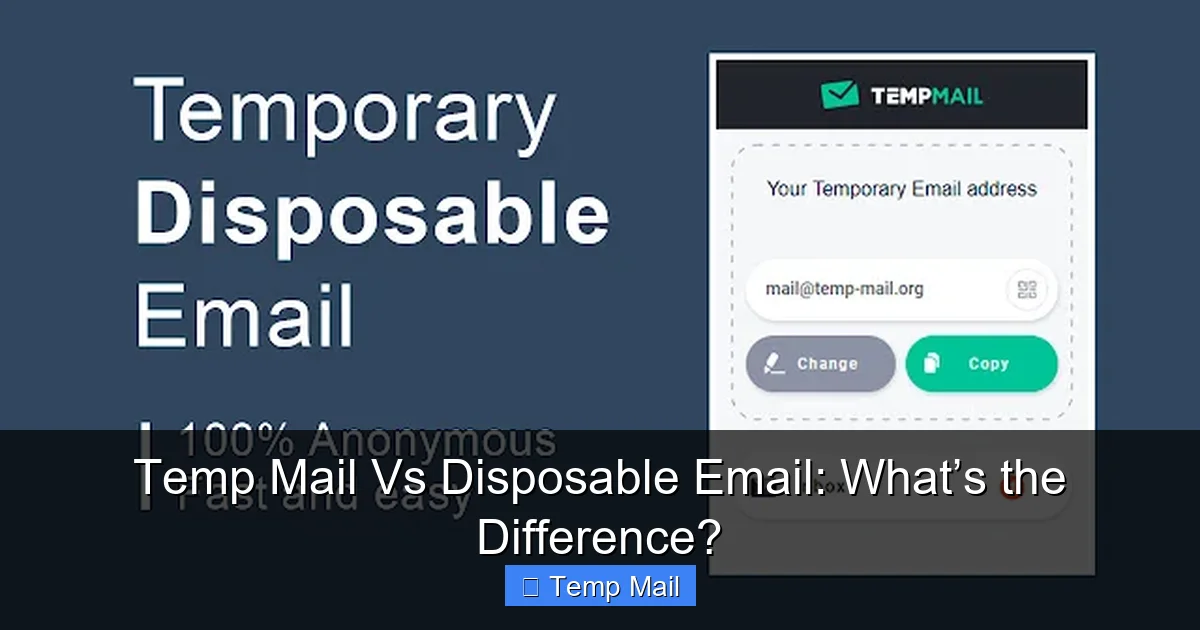
Temp mail and disposable email are often used interchangeably, but they have distinct technical and functional differences. Temp mail typically refers to automatically generated, ultra-short-lived inboxes without user control, while disposable email often implies a user-created, slightly longer-lasting address with more features. Both serve the core purpose of protecting your primary email from spam and data harvesting, but choosing the right tool depends on your specific need for anonymity, duration, and functionality.
Key Takeaways
- Understanding Temp Mail vs Disposable Email: What’s the Difference?: Provides essential knowledge
📑 Table of Contents
- Temp Mail Vs Disposable Email: What’s the Difference?
- Defining the Contenders: What Is Each Service?
- How They Work: A Technical & User Experience Glance
- Head-to-Head: Comparing Features and Use Cases
- Making the Choice: A Simple Decision Flowchart
- The Evolving Landscape and Future-Proofing
- Conclusion: Clearing the Digital Fog
Temp Mail Vs Disposable Email: What’s the Difference?
You’re about to sign up for a new online forum, download a free e-book, or access a gated article. The website asks for your email address. Your stomach tightens. You know that handing out your primary email is like giving out your home address—it invites spam, clutters your inbox, and risks your data in the next inevitable breach. So, you turn to a temporary solution. But as you search, you encounter two terms: “temp mail” and “disposable email.” Are they the same thing? If not, which one should you use?
The short answer is: they are cousins, not twins. While the terms are often used interchangeably in casual conversation, and many services blur the lines, there are meaningful differences in their operation, user control, and ideal applications. Understanding these nuances helps you pick the right tool for the job, balancing convenience, privacy, and a touch of digital hygiene. Let’s unravel the mystery, layer by layer.
A Tale of Two Inboxes: Setting the Stage
Imagine you need a spare key. You could have a locksmith cut a brand new, random key that works for exactly one hour and then melts (that’s temp mail). Or, you could go to a hardware store, pick a blank key, and have it cut to a specific shape you choose, which will work for a few days before you deliberately discard it (that’s disposable email). Both get you through the door without using your main key, but the process, control, and duration differ.
This analogy gets to the heart of the distinction. The divergence lies in user agency, predictability of the address, and service philosophy. One is designed for utter, anonymous transience. The other is designed for short-term, managed utility. Over the next few sections, we’ll define each, compare their mechanics, explore their best and worst use cases, and finally, give you a clear decision framework.
Defining the Contenders: What Is Each Service?
Before we compare, we must define. Let’s establish clear working definitions for “temp mail” and “disposable email” as they are commonly understood in the tech and privacy community.
Visual guide about Temp Mail Vs Disposable Email: What’s the Difference?
Image source: temp-mail.eu.com
Temp Mail: The Ephemeral Phantom
Temp mail, short for temporary mail, is the most transient form of a throwaway inbox. Its defining characteristics are:
- Automatic Generation: You visit a website like Temp-Mail.org or 10MinuteMail.com. Instantly, a random email address (e.g., [email protected]) and an inbox are created for you. You have zero input in the username or domain.
- Ultra-Short Lifespan: The address is designed to die quickly. Classic “10-minute mail” services give you 10 minutes. Others might extend to 30, 60, or 120 minutes. The countdown timer is prominently displayed.
- Receive-Only Simplicity: The interface is stark. You see the inbox, you refresh to check for mail. There is rarely a compose function, no folders, no settings. It’s a digital mailbox, not a communication hub.
- Session-Based: The address is tied to your browser session and IP. If you close the tab or your session expires, that address is often gone forever, and a new random one is generated if you return.
The philosophy behind pure temp mail is maximum anonymity and minimum friction. It’s for when you need an email right now for a single verification and will never need to see the confirmation code again once you’ve typed it in. The randomness ensures no link can ever be made back to you or your habits.
Disposable Email: The Managed Short-Term Solution
Disposable email, sometimes called “throwaway email” or “fake email,” is a broader category that encompasses more user-friendly, feature-rich services. Think of services like Guerrilla Mail, Mailinator (public inboxes), or even the “plus addressing” feature of Gmail (which is a form of self-managed disposable email). Its hallmarks are:
- User Choice: You often get to choose your inbox name. You might type in [email protected]. This makes the address memorable and relevant to your task.
- Longer, Manageable Lifespan: Lifespans range from 1 hour to several days (e.g., 24 hours, 1 week). Many services allow you to extend the lifespan by clicking a button. The address persists until you manually delete it or the timer runs out.
- Enhanced Features: Beyond receiving, you can often:
- Compose and reply to emails (within the disposable system).
- Create multiple disposable addresses from a single dashboard.
- Use a custom domain (paid tiers).
- Access basic filtering or forwarding.
- Account-Like Experience: You might have a password-protected session, allowing you to close the browser and return later to the same inbox from a different device (within the lifespan).
The philosophy here is managed utility. It’s for tasks that might span a few days—like signing up for a free trial, joining a community for a short project, or downloading multiple resources from a single site—where you want a consistent address you can recall and potentially interact with briefly.
How They Work: A Technical & User Experience Glance
The differences in definition lead to different user experiences and underlying technical approaches.
Visual guide about Temp Mail Vs Disposable Email: What’s the Difference?
Image source: atempmail.com
The “Fire-and-Forget” Mechanism of Temp Mail
When you hit a temp mail site, the server does the following in milliseconds:
- Generates a Random Alias: It creates a unique string of characters for the local part (before the @) and pairs it with its domain.
- Provisions an Inbox: It creates a database entry linking that alias to a temporary mailbox file.
- Starts a Countdown: A timer is initiated based on the service’s policy (e.g., 10 minutes).
- Displays Credentials: It shows you the full email address and the inbox interface. The address is not “registered” to you in any persistent way; it’s just allocated to your current session.
When an email arrives, it’s stored in that temporary mailbox. You can read it. Once the timer hits zero, the server’s automated purge process permanently deletes that database entry and mailbox file. The address is then recycled and will eventually be reassigned to a completely different user. There is no recovery.
The “Managed Account” Approach of Disposable Email
Disposable services operate with a bit more structure:
- Address Reservation: When you choose an address (e.g., [email protected]), the system checks its availability and reserves it, often associated with a session ID or a temporary account token.
- Persistent Storage (Temporary): The mailbox exists on the server for a defined period (e.g., 24 hours from creation or last activity). During this time, it accumulates emails.
- User Controls: You typically have controls: “Extend for 1 hour,” “Delete this address,” “Reply to sender.” Some services let you create a list of addresses under one umbrella.
- Manual or Timed Deletion: The address is deleted either when you manually click “delete” or when the system’s TTL (Time To Live) expires. After deletion, the address may be retired for a cooldown period or made available again.
This model allows for a slightly more predictable workflow. You can give an address to a service, close your browser, and return the next day (within the lifespan) to retrieve a password reset email.
Head-to-Head: Comparing Features and Use Cases
Now, let’s pit them against each other in key categories to see where each excels.
Visual guide about Temp Mail Vs Disposable Email: What’s the Difference?
Image source: store-images.s-microsoft.com
Privacy & Anonymity: Which Hides You Better?
This is the million-dollar question. Both aim to protect your primary identity, but they do it differently.
- Temp Mail’s Edge: Because the address is completely random and ultra-short-lived, it leaves almost no pattern. There’s no association between you and the address beyond the immediate session. Even if someone saw the address you used, by the time they could act, it’s likely gone. It’s the digital equivalent of a whisper in a crowded room.
- Disposable Email’s Trade-off: The address you choose might be memorable to you, but it’s also a pattern. If you use [email protected] for several related sign-ups, those services could potentially correlate those sign-ups to a single user (you) if they share data. However, it still shields your real, permanent email address and name.
Verdict: For pure, untraceable anonymity in a single interaction, temp mail has a slight theoretical edge. For most practical privacy needs against commercial spam and data brokers, both are highly effective at masking your primary identity.
Ease of Use & Accessibility
- Temp Mail: The ultimate in ease. No sign-up, no login, no thinking. Click a button, copy the address, paste it, and forget it. The barrier to entry is zero.
- Disposable Email: Slightly more steps. You may need to think of an address name, maybe solve a CAPTCHA, and sometimes remember a session token. Returning to your inbox later might require keeping a tab open or saving the unique URL. It’s still very easy, but not as instant as temp mail.
Reliability & Email Delivery
This is a critical, often overlooked factor. Not all email systems treat these domains equally.
- Temp Mail Domains: Many are on public, well-known blocklists. Some websites (especially financial institutions, social media platforms, or government services) have aggressive filters that will outright reject emails from known temp mail domains. Your verification email might simply never arrive.
- Disposable Email Domains: This varies wildly. Some disposable services use domains that are also widely blocked. Others, particularly those that offer more “premium” features, maintain domains that are less commonly blacklisted because they are used for legitimate short-term business communication. Services like SimpleLogin or AnonAddy (which are more alias-forwarding services) often have excellent deliverability because they act as a proxy.
Pro Tip: If you’re trying to sign up for something important and the email doesn’t come, try a different disposable service domain. Sometimes, just switching from @tempmail.com to @guerrillamail.com works.
Best Use Cases: When to Use Which
Here’s where practical advice crystallizes.
Ideal Scenarios for Temp Mail:
- One-time content access: Download a single PDF, read one gated article.
- Instant forum/comment sign-up: You want to post a comment on a news site that requires an account you’ll never use again.
- Testing a website’s email flow: As a developer or QA tester, you need to see what kind of email a site sends without using a real address.
- When you have zero time: You’re on a public computer or in a hurry and need an email in 5 seconds.
Ideal Scenarios for Disposable Email:
- Short-term projects (1-7 days): You’re researching a topic intensely for a week and will sign up for multiple related newsletters or resource hubs.
- Free trials: You need an email to start a 7-day trial of a SaaS tool. You might receive onboarding emails and a final receipt, and you want a consistent address for that entire trial period.
- One-off professional communication: You need to email a vendor or contact for a quote on a specific project but don’t want to use your main business email. A disposable address with a reply function is perfect.
- When you need to receive an attachment: Most temp mail services block attachments for security. Many disposable services allow small file attachments.
Security Considerations: A Critical Warning
Here is the most important section. Neither temp mail nor disposable email is secure for sensitive information.
- No Encryption Guarantee: These services are not designed with end-to-end encryption like ProtonMail or Tutanota. Emails are stored in plaintext on their servers. The provider (and any hacker who breaches their systems) can read everything.
- No True Privacy: While they hide your address from the recipient, the provider itself knows the IP address from which the inbox was accessed (unless you use a VPN/Tor) and has full access to all email content.
- Never Use For: Password resets for important accounts (if you lose access to the temp inbox, you’re locked out), banking, medical, official government correspondence, or any communication containing personal identifiable information (PII), credit card numbers, or confidential documents.
Rule of Thumb: Treat every email sent to or from a temporary address as if it were posted on a public bulletin board. Its sole purpose is to facilitate a single, low-stakes transaction and then vanish.
Making the Choice: A Simple Decision Flowchart
Still unsure? Walk through these questions next time you hesitate at the email field.
Question 1: How long do I need this address?
- Less than 2 hours, and I won’t need to reply? → Temp Mail.
- A few hours to several days, and I might need to check back or reply? → Disposable Email.
Question 2: Do I need to send emails from this address?
- No, I just need to receive a verification code or link. → Temp Mail.
- Yes, I need to contact someone or reply to an automated message. → Disposable Email (or a dedicated alias service).
Question 3: Is this for something critical or sensitive?
- Yes (banking, health, main account recovery). → STOP. Do not use either. Use your primary, secure email.
- No (free resource, forum, non-essential trial). → Proceed with the appropriate temporary service.
Question 4: Has the website blocked known temp/disposable domains?
- If the email field rejects your temp address: Switch to a different disposable service. Some maintain better deliverability. As a last resort, consider using an email alias from a privacy-focused service like SimpleLogin or AnonAddy, which forwards to your main inbox but can be disabled at any time (this is a more advanced, but superior, method).
The Evolving Landscape and Future-Proofing
The world of temporary email is not static. As websites get smarter at blocking these services to combat spam and fraud, the services adapt.
- Domain Churn: Temp mail services constantly rotate and add new domains to stay ahead of blacklists. The domain you used last month might be blocked today.
- Rise of Alias Forwarding: The most powerful modern solution is the email alias. Services like SimpleLogin, AnonAddy, and Firefox Relay create unique, forwardable email addresses (e.g., [email protected]) that all route to your real Gmail. You can disable any alias with one click. This offers the control of disposable email with the reliability and feature-set of your primary inbox. It’s becoming the gold standard for privacy-conscious users.
- Browser Extensions: Some disposable email providers offer browser extensions that auto-fill these addresses, making the process even smoother.
While pure temp mail and disposable email will likely always exist for the simplest use cases, the trend is towards more integrated, manageable, and deliverable alias-based solutions.
Conclusion: Clearing the Digital Fog
So, temp mail versus disposable email. The difference, in essence, is this: temp mail is a anonymous, random, and fleeting ghost, while disposable email is a short-term, user-managed tool.
For the vast majority of everyday situations where you just need to bypass an email gate without inviting a lifetime of newsletters, either will work. The choice often comes down to immediacy versus a slightly longer, more controlled tenure. If you need an email this second for a one-click verification, grab a temp mail address. If you’re embarking on a three-day research sprint and might need to receive a couple of follow-up emails, create a disposable address you can remember.
But always, always remember the cardinal rule: these are tools for convenience and spam avoidance, not for security or privacy-sensitive tasks. They are the digital equivalent of using a public restroom—functional, temporary, and not a place to conduct your most important business. By understanding their distinct natures, you can wield them effectively, keeping your primary digital identity cleaner and your main inbox blissfully quiet. Now, go forth and sign up without fear, armed with the right knowledge for the right job.
Frequently Asked Questions
Is temp mail safe to use?
Temp mail is safe from a malware perspective for basic receiving, but it is not private or secure. The provider can see all email content. Never use it for sensitive accounts or information.
Can disposable email be traced back to me?
While your primary email is hidden, the disposable service provider knows your IP address and the full content of emails. Law enforcement with a warrant could potentially obtain logs from the provider. For commercial tracking, your real identity is protected from the recipient.
Which is better for signing up for free trials?
Disposable email is generally better. You’ll likely need to receive onboarding emails, receipts, and possibly a cancellation reminder over the course of the trial (e.g., 7-30 days). A temp mail address will expire long before then.
Will my temp mail address work for Gmail or Facebook sign-up?
Almost certainly not. Major platforms like Google and Meta actively block known temporary and disposable email domains at the sign-up stage to prevent spam and abuse. You’ll likely get an error message.
What happens to emails after a temp mail address expires?
They are permanently deleted from the service’s servers. The email address is then recycled and will eventually be assigned to a different user. There is no way to recover those emails.
Should I use a temp mail service on a public computer?
Yes, this is one of the few good use cases. Since the address is session-based and expires quickly, you don’t risk leaving a persistent account logged in. Just ensure you close the browser tab completely after use.
Leave a Reply