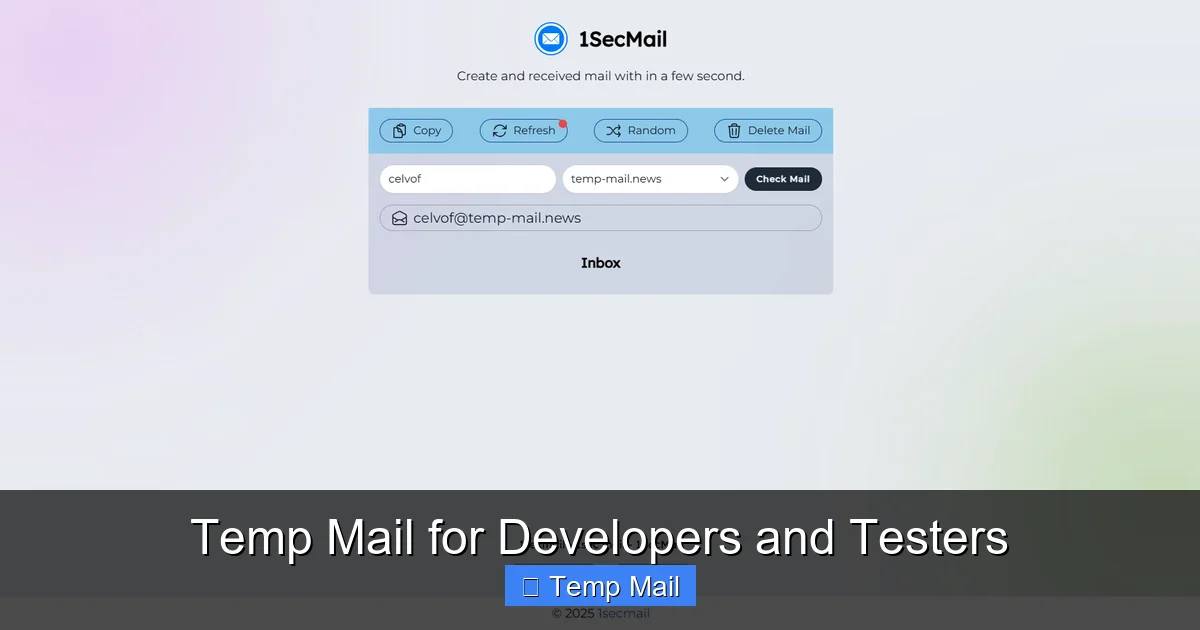
Temp mail services are essential for developers and testers, enabling them to streamline critical workflows like user registration and email verification without compromising personal or corporate inboxes. These tools automate sign-ups for multiple test accounts and avoid spam cluttering primary emails, ensuring clean, reproducible testing environments and protecting privacy.
Key Takeaways
- Prevent spam: Use temp mail to keep your primary inbox free from test-related spam.
- Automate verification: Streamline email confirmation steps with disposable addresses.
- Protect privacy: Safeguard personal and client data during development testing.
- Integrate easily: Add temp mail APIs to your CI/CD pipelines without hassle.
- Test safely: Verify email triggers without sending to real users accidentally.
- Scale effortlessly: Generate unlimited test emails for load testing and QA.
- Ensure compliance: Avoid storing permanent emails in test environments.
📑 Table of Contents
- Why Your Inbox is a Developer’s (and Tester’s) Secret Nightmare
- What Exactly is Temp Mail? More Than Just a Spam Filter
- Why Developers and Testers Live and Breathe by Disposable Email
- How to Integrate Temp Mail Into Your Daily Workflow: A Practical Guide
- The Landscape: Comparing Popular Temp Mail Services for Tech Pros
- The Honest Truth: Pitfalls and Limitations You Must Know
- The Future is Automated: Where Temp Mail Fits in Modern DevSecOps
- Conclusion: Your Inbox Will Thank You
Why Your Inbox is a Developer’s (and Tester’s) Secret Nightmare
Let’s be honest. How many times have you sighed, clicked “Create Account” on a new tool, and then braced yourself? You know the drill. You type in your real, precious, carefully-guarded professional email address. You confirm. And then… the floodgates open. promotional newsletters you never wanted, “important updates” that are just ads, and a creeping sense that your primary inbox has just been violated. For developers and testers, this isn’t just an annoyance; it’s a productivity killer and a security risk. What if I told you there’s a simple, elegant weapon against this digital spam avalanche? It’s called temp mail, and it’s about to become your new best friend in the dev cycle.
I remember the early days of my testing career. I’d use a throwaway Gmail account for everything. It worked, sort of. But managing that separate inbox was a chore. Passwords got lost. Important verification emails for a critical API test would get buried under a mountain of “You won a free iPhone!” spam. It was messy. Then I discovered purpose-built disposable email services. It wasn’t a magic bullet, but it was a massive upgrade. It felt like finally putting on noise-cancelling headphones in a chaotic open-office environment. This guide isn’t about selling you on a specific service; it’s about sharing the mindset, the techniques, and the honest pros and cons of using temporary email as a core tool in your development and testing toolkit.
What Exactly is Temp Mail? More Than Just a Spam Filter
At its core, a temp mail service provides you with a random, temporary email address and a public inbox to go with it. You don’t sign up. You don’t use a password. You simply visit a website, get an address like [email protected], and start using it. That address and its inbox exist for a short, predefined period—usually 10 minutes to a few hours—or until you manually delete it. The moment you close the browser tab, that digital identity can vanish into the ether.

Visual guide about Temp Mail for Developers and Testers
Image source: shakebugs.com
The Core Mechanics: How It Actually Works
These services run on a simple but powerful architecture. They own a domain (or several) and have systems that automatically generate unique inboxes on the fly. When an email is sent to your temporary address, their mail servers receive it and render it in a web-based interface. There’s no persistent storage linked to your identity. Once the inbox times out or is cleared, the data is typically purged. For us as testers, this means a clean, isolated environment for every single test run, free from the baggage of previous sessions.
Temp Mail vs. Your “Fake” Gmail Account: A Crucial Distinction
You might be thinking, “Why not just create another permanent email account?” This is a common first step, and it’s better than using your main work email, but it has fatal flaws for serious testing:
- Persistence is the Enemy of Clean Testing: That “fake” Gmail account accumulates emails over months. A test you run today might be influenced by a verification email from a test you ran six weeks ago. With temp mail, you start from absolute zero every time.
- Management Overhead: You have to remember the password, log in, manage labels, and eventually clean it out. It’s an admin task that steals focus.
- Traceability & Bloat: If you’re testing user registration flows, having a permanent email address linked to your IP or browser fingerprint can sometimes create weird edge cases in analytics or user databases. A fresh, anonymous temp address is truly isolated.
Why Developers and Testers Live and Breathe by Disposable Email
So, we’ve established it’s clean and simple. But why is it essential? Because it solves specific, painful problems that crop up daily in our workflows.

Visual guide about Temp Mail for Developers and Testers
Image source: tempmailmaster.io
1. Testing User Registration and Onboarding Flows
This is the #1 use case. You need to verify that:
- The “Sign Up” form accepts an email and sends a verification link.
- Clicking that link correctly activates the account.
- The welcome email content is formatted correctly and contains the right links.
- Resending the verification email works.
- The “Forgot Password” flow generates and sends a reset link.
With temp mail, you can script or manually run this entire cycle 20 times in an hour, using a brand-new, clean address for each iteration. No logging into different accounts. No worrying about hitting provider limits. You just generate, test, discard, repeat. It’s pure, frictionless validation.
2. Safely Exploring Third-Party Services and APIs
Need to test an integration with a new email marketing service, a CRM, or a social login provider (like “Sign in with Google”)? You don’t want to tie your real credentials or company email to an experimental service that might spam you or have poor data handling. A temporary address lets you:
- Complete the OAuth handshake or API key generation process.
- Receive and parse the test webhook payloads or notification emails those services send.
- Verify the data structure and content without exposing a real identity.
Once the integration is confirmed, you revoke the test credentials and walk away. The temporary email address becomes irrelevant, taking any potential spam with it.
3. QA for Email-Dependent Features Without the Spam
Many applications have features built around email: weekly digest newsletters, alert systems, comment reply notifications, etc. Testing these used to mean signing up, waiting, and then sifting through a ton of marketing emails to find the one transactional email you care about. Now, you use a temp mail address solely for the feature under test. Your inbox is a pristine, single-thread view of the exact emails the application is programmed to send. This dramatically speeds up visual verification and debugging.
How to Integrate Temp Mail Into Your Daily Workflow: A Practical Guide
Knowing *why* to use it is one thing. Knowing *how* to weave it seamlessly into your process is where the real efficiency gains happen. Here’s how I do it, and how you can too.

Visual guide about Temp Mail for Developers and Testers
Image source: cms.juhedata.cloud
The Manual Tester’s Quick-Start Routine
1. Bookmark Your Go-To Service: Pick one reliable temp mail provider (we’ll compare them later) and bookmark it. I use two: one for quick manual tests, another with API access for automation.
2. Generate & Copy: Open the bookmark. Instantly, you have an address. Click the “Copy” button next to it.
3. Paste & Test: Paste it into the application’s email field. Proceed with your test case—registration, password reset, etc.
4. Switch Back & Refresh: After triggering the action, switch back to your temp mail tab and hit refresh. The email should appear within seconds.
5. Inspect & Act: Click the email to view its full content. Check links, copy activation codes, verify formatting. Once done, you can either let the inbox expire or manually delete it to free up the address (some services reuse addresses after deletion).
Automation and Scripting: The Power User’s Edge
This is where temp mail transforms from a handy tool to a force multiplier. Many services offer a simple REST API. Here’s a conceptual Python snippet using a hypothetical API:
import requests
import time

# 1. Get a new temporary email address
response = requests.get('https://api.tempmail.service/address')
email_data = response.json()
test_email = email_data['email']
inbox_id = email_data['id']
print(f"Using test email: {test_email}")

# 2. Use this email in your automated test (e.g., Selenium, requests)
# ... your code to fill form and submit with test_email ...

# 3. Poll the API for incoming messages
timeout = 30  # seconds
start_time = time.time()
while time.time() - start_time < timeout:
    messages = requests.get(f'https://api.tempmail.service/inbox/{inbox_id}').json()
    if messages:
        print(f"Received {len(messages)} emails!")
        # Parse the first message for a verification link or code
        verification_link = extract_link(messages[0]['body'])
        break
    time.sleep(2)
else:
    raise Exception("Verification email not received within timeout")
This script automates the entire cycle: address generation, form submission, inbox polling, and extraction. You can run hundreds of these in parallel, each with its own isolated temp mail session, achieving a scale of testing that would be impossible manually.
The Landscape: Comparing Popular Temp Mail Services for Tech Pros
Not all temp mail services are created equal. Some are built for one-off consumer use, while others cater specifically to developers. Here’s a breakdown of key features you should care about.
| Feature | Why It Matters to Devs/Testers | What to Look For |
|---|---|---|
| API Access & Documentation | Essential for automation and CI/CD pipeline integration. | Clear REST API docs, authentication methods (API key), rate limits, and example code snippets. |
| Inbox Persistence Time | Determines your test window. Too short, and emails vanish before you can inspect them. | Options for 10min, 1hr, 24hr, or custom durations. 1-2 hours is the sweet spot for most manual/automated tests. |
| Domain Variety | Some applications block known disposable email domains. More domains = higher chance of bypassing filters. | Service provides multiple domains (e.g., @tempmail.demo, @10minutemail.com, @discard.email). |
| Email Format Support | Modern apps send HTML emails with CSS, images, and buttons. Your test might rely on these. | Full HTML rendering, not just plain text. Ability to view raw source is a bonus. |
| No CAPTCHA on Site | CAPTCHAs break automation scripts. If the temp mail site itself has one, it’s a non-starter for CI. | Instant access to inbox without solving puzzles. |
| Privacy & Data Handling Policy | Are your test emails logged? Who has access? This matters for sensitive project data. | Clear statement that emails are not logged, not monitored, and are deleted immediately after expiry. |
My Personal “Go-To” Shortlist
Based on my testing, here are two categories of services I rely on:
- For Quick Manual Checks: Temp-Mail.org or 10MinuteMail.com. They are fast, have no sign-up, and the inboxes live long enough (10-60 mins) for a quick manual verification cycle.
- For Automation & Serious Testing: MailSlurp or KillMail. These are built as developer tools first. They have robust APIs, SDKs for various languages, allow you to create “inboxes” with specific properties, and integrate cleanly with testing frameworks. They often have free tiers with enough capacity for individual projects.
The Honest Truth: Pitfalls and Limitations You Must Know
Using temp mail is powerful, but it’s not a silver bullet. Being a pro means knowing the traps.
The Deliverability Blacklist Problem
This is the biggest issue. Many email service providers (Gmail, Outlook, Yahoo) and even some SaaS platforms actively block emails from known disposable email domains. Why? To prevent spam and abuse. So, if you’re testing an app that sends emails to users (like a notification system), and you use a temp address as the recipient, that email might simply never arrive. The app will think it sent it successfully, but you won’t see it. The Fix: Always test your email-sending functionality with a real, permanent email address you control (a dedicated test account). Use temp mail for the incoming side of things—testing what your app does when it receives an email (e.g., parsing a reply, handling a bounce).
Provider Reliability and Uptime
Free temp mail services can be flaky. They might go down during peak hours, have slow inbox loading, or change their UI without notice, breaking your manual or automated workflows. The Fix: For critical test suites, use a paid developer-focused service with an SLA. For exploratory testing, have a backup service bookmarked. Don’t put all your eggs in one basket.
It’s a Tool, Not a Strategy
Relying solely on temp mail for all email-related testing is naive. A robust testing strategy for an email-heavy application includes:
- Real Email Accounts: For end-to-end deliverability tests.
- Temp Mail: For high-volume, isolated, inbound testing of your app’s email processing logic.
- Email Testing Services (e.g., Mailtrap, Ethereal): These are like temp mail on steroids for developers. They provide a fake SMTP server. You configure your app’s email settings to point to their server in your test environment. All emails are “sent” to a secure, private inbox you control. This is the gold standard for testing email content, formatting, and SMTP configuration without ever touching the real internet. I use these for 80% of my backend email testing.
The Future is Automated: Where Temp Mail Fits in Modern DevSecOps
The trend in software development is toward ever-faster, more automated feedback loops. Temp mail is a perfect fit for this paradigm, but its role is evolving.
Integration with CI/CD Pipelines
Imagine this: your pull request triggers a GitHub Actions workflow. The workflow spins up a test environment, uses a temp mail API to get an address, runs a suite of end-to-end tests that include user registration and email verification, extracts a session token from the verification email, and then uses that token to run API tests against the new build—all without human intervention. This is not sci-fi; this is happening now. Temp mail APIs are becoming standard components in testing stacks, alongside headless browsers and cloud device farms.
The Shift-Left Security Angle
“Shift-left” means incorporating security and quality practices earlier in the development lifecycle. Temp mail aids this in two ways. First, it prevents testers and developers from using personal or corporate emails in test environments, reducing the risk of data leakage or phishing campaigns targeting your real identity. Second, it allows for rapid security testing of authentication and email verification flows, ensuring there are no vulnerabilities like email enumeration (where an attacker can probe your system to see if an email is registered) because each test uses a unique, anonymous address.
Conclusion: Your Inbox Will Thank You
Adopting temp mail isn’t about being sneaky or avoiding responsibility. It’s about being a pragmatic, efficient, and security-conscious professional. It’s about respecting the sanctity of your primary communication channels while ruthlessly optimizing your testing process. The next time you’re about to type your real email into a sign-up form for a new library, framework, or internal tool, stop. Open a new tab, grab a temporary address, and test with confidence. You’ll keep your inbox clean, your tests isolated, and your sanity intact.
Start small. Use it for your next manual registration test. Then, explore the API of a developer-focused service and try to automate one simple flow. You’ll quickly see the compound time savings. In the world of development, where our attention is our most valuable currency, temp mail isn’t just a tool—it’s an investment in focus. Give it a try, and watch your testing friction disappear.
Frequently Asked Questions
What is a temporary email service for developers?
A temporary email service provides disposable, short-lived email addresses that developers can use for account registration, API testing, or receiving verification codes without exposing their personal or primary work email. It helps maintain clean inboxes and separate testing environments from production communications.
How can testers use temp mail in QA workflows?
Testers leverage temporary emails to automate user journey tests that require email verification, such as sign-up, password reset, or notification flows. By programmatically accessing the inbox via an API, they can retrieve verification links or codes to complete test cycles without manual intervention.
Is using a temp mail service secure for development?
Reputable temp mail services prioritize security by not storing emails long-term and using encrypted connections, but they should never be used for sensitive, production-level communications. For development and testing, they provide a safe sandbox to avoid spam and potential data leaks from test accounts.
Can I integrate a temporary email with my CI/CD pipeline?
Yes, many temp mail providers offer APIs or webhooks that allow seamless integration into CI/CD tools like Jenkins, GitLab CI, or GitHub Actions. This lets automated tests create a new disposable address, trigger actions, and programmatically check for incoming emails within the pipeline script.
Will temporary emails be delivered reliably for testing?
For most common testing scenarios, temporary emails are delivered reliably in near real-time. However, some services may have slight delays or be blocked by certain providers' spam filters, so it's wise to choose a well-known service with high uptime and good deliverability reputation for critical tests.
Are there limitations to using free temp mail for developers?
Free tiers often have rate limits, fewer domain options, or shorter email retention times (e.g., 10 minutes to 1 hour), which can restrict complex or parallel test suites. For extensive automation, a paid plan with a dedicated API and longer inbox lifespan is usually more effective and reliable.
Leave a Reply