Tired of spam cluttering your primary inbox? Temp mail provides a free, disposable email address in seconds for instant sign-ups and verification. It’s the perfect tool for safeguarding your personal information online without any long-term commitment. Use it for one-time downloads, forum registrations, or accessing gated content, then simply discard it. This simple hack keeps your main email clean and private.
You’re clicking through the web, trying to access a helpful article, download a useful ebook, or sign up for a free software trial. Then you hit the wall: “Please enter your email address.” You sigh. That’s the moment you know your primary inbox, the one tied to your bank accounts and family, is about to be bombarded with newsletters, promotional offers, and who knows what else. What if you could just… wave a magic wand and get an email address for that one purpose, use it, and make it vanish? That’s not magic; that’s temp mail. It’s the unsung hero of online privacy and convenience, offering instant email access to anyone, anywhere, for any fleeting online need. This guide will walk you through everything you need to know, from the basic “how” to the advanced “why,” turning you into a savvy, spam-free internet user.
Key Takeaways
- Instant Setup: Generate a working email address in under 5 seconds with no personal details or registration required.
- Spam Shield: Use a temp mail for any online sign-up to keep promotional emails and potential data breaches away from your primary inbox.
- Privacy First: Your real identity, location, and contact details remain completely hidden from the websites you visit.
- Zero Cost: The service is entirely free, funded by ads on the provider’s site, not by selling your data.
- Ephemeral by Design: Emails and addresses are automatically deleted after a short period (usually 10 minutes to 1 hour), leaving no trace.
- Universal Access: Works for any website that requires an email for verification, from social media to software trials.
- No Technical Skills Needed: The process is as simple as copying and pasting an email address; no setup or configuration is necessary.
📑 Table of Contents
- What Exactly is Temp Mail? The Disposable Email Revolution
- How Does Temp Mail Work? The Simple, 3-Step Process
- Top 7 Practical Use Cases: When to Reach for Temp Mail
- Choosing the Right Temp Mail Service: Features to Look For
- Security and Privacy Deep Dive: Is Temp Mail *Really* Safe?
- The Future of Disposable Email: Trends and Evolving Defenses
- Conclusion: Embrace the Power of “Use and Lose”
What Exactly is Temp Mail? The Disposable Email Revolution
Let’s start with the core concept. Temp mail, short for temporary mail, is a service that provides you with a random, disposable email address. Think of it like a burner phone, but for your email. You don’t own it; you borrow it for a short, defined period—usually between 10 minutes to 1 hour, sometimes longer. Its sole purpose is to receive the single verification email a website sends you, and then it self-destructs, taking any future spam with it.
How It Differs From Your Regular Email
Your Gmail, Outlook, or Yahoo account is a permanent digital identity. It’s tied to your name, your contacts, your calendar, and often your other online accounts. It’s designed for long-term communication. Temp mail is the opposite. It’s anonymous, transient, and functionally limited. You can receive emails (which is its only job), but you typically cannot send emails from a temp mail address. It’s a one-way street for incoming verification messages, not a full-featured communication tool. This limitation is actually its greatest strength, as it prevents misuse and reinforces its temporary nature.
The Core Philosophy: Privacy Through Ephemeral Data
The underlying philosophy of temp mail is simple: you should not have to sacrifice your personal information for basic internet access. Every time you use your real email to sign up for a service, you create a data point. That service now has your email, can link it to your activity on their site, and may share or sell that data. A temp mail breaks that chain. The website gets an email address that points to no real person, that will cease to exist in an hour, and that is completely disconnected from your identity. It’s a practical application of the “right to be forgotten” in the digital age.
How Does Temp Mail Work? The Simple, 3-Step Process
The beauty of temp mail is its breathtaking simplicity. There’s no software to install, no account to create, no password to remember. Here’s the typical workflow, which takes less time than making a cup of coffee.
Visual guide about Temp Mail for Instant Email Access
Image source: miro.medium.com
Step 1: Visit a Provider and Grab Your Address
You navigate to a temp mail website like Temp-Mail.org, 10MinuteMail.com, or Guerrilla Mail. The moment the page loads, it generates a random email address for you, something like [email protected]. It’s already displayed prominently on the screen, and an inbox window is open and actively listening for incoming mail. That’s it. You are now the proud, temporary owner of that email address. You can copy it with one click.
Step 2: Use It Anywhere You Need an Email
Head over to the website or app that’s asking for an email. Paste the temp mail address into the field. Proceed with the sign-up or download. The service will send a verification email to the address you provided. Because the temp mail inbox is already open in your other browser tab (or app), you’ll see the new email arrive in near real-time, often within 10-30 seconds.
Step 3: Access, Verify, and Forget
Click on the email in the temp mail inbox, hit the verification link or copy the code, and complete your action on the original site. Now, the crucial step: do nothing. Just close the tabs. The temp mail address and all its received emails will automatically expire after the designated time (the countdown is usually displayed on the provider’s page). The address is recycled and given to someone else. Your digital footprint from that interaction is gone.
Top 7 Practical Use Cases: When to Reach for Temp Mail
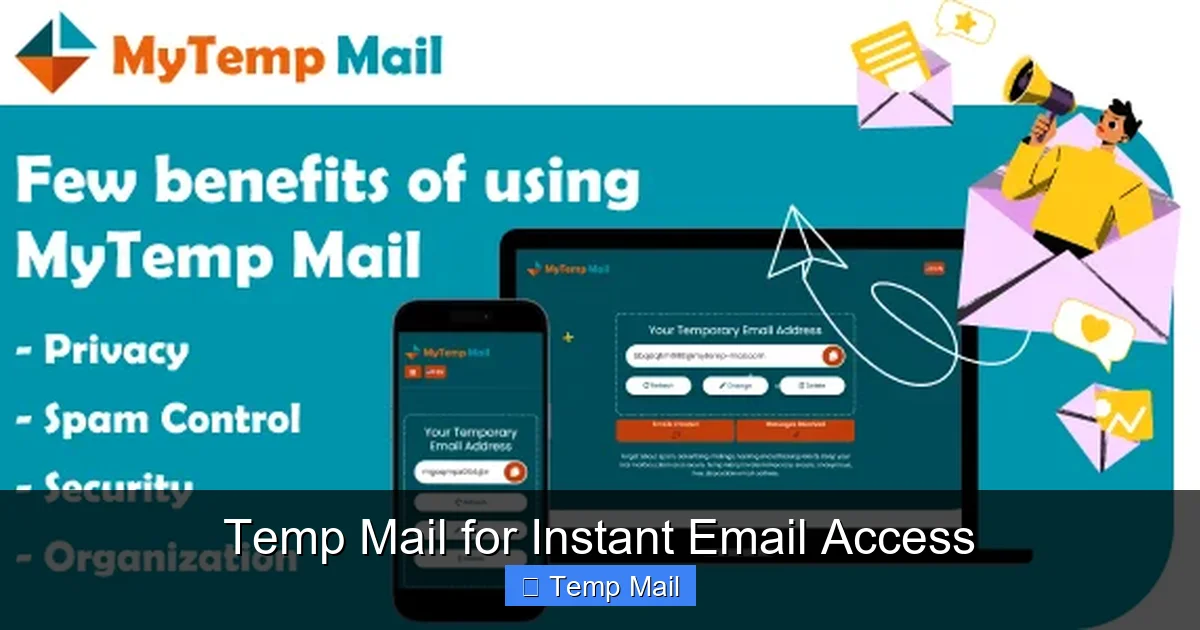
Knowing *that* temp mail exists is one thing; knowing *when* to use it is the key to mastering your online privacy. Here are the most common and effective scenarios.
Visual guide about Temp Mail for Instant Email Access
Image source: mytemp-mail.com
1. Dodging Newsletter Spam After a Free Download
You want that free ebook, template, or whitepaper. The site says, “Get it by subscribing to our newsletter.” You suspect the newsletter will be low-value and high-frequency. Use a temp mail. Get the download link instantly, verify if needed, and walk away. Your primary inbox thanks you.
2. Creating Test Accounts for Software or Services
As a developer, marketer, or just a curious user, you might need to test how a sign-up flow works, or create a secondary account to explore a platform’s features. Using your real email is messy. A temp mail lets you create a throwaway account, test what you need, and abandon it without clogging your real accounts list.
3. Accessing Gated Content Without Commitment
Many blogs and news sites use “content walls” asking for an email to read an article or watch a video. Is the content worth the potential spam? Maybe not. A temp mail gives you the access code or link instantly. You get the content; they get an email that bounces in an hour. A fair trade.
4. Registering on Forums or Community Platforms
Want to ask a quick question on a niche forum or join a temporary discussion? Some forums require registration. Using a temp mail here is perfect. You can participate without creating a permanent digital identity tied to that community, which might have different privacy standards or moderation policies you don’t agree with long-term.
5. Bypassing “Email Already in Use” Errors
This is a classic. A service you *tried* to sign up for years ago has your old email on file, and now you can’t use your current email because it says “already in use.” Or you’re setting up a local service account for a family member on their device. A temp mail provides a fresh, never-used-before address to get past this hurdle instantly.
6. Protecting Your Identity on Untrusted or New Websites
Stumbled upon a new, unknown e-commerce store with an amazing deal? A new social media app from a startup? Your spidey-sense tingles. Before you give them any real data, use a temp mail for the initial account creation. See how they behave. Do they immediately spam the temp address? That’s a huge red flag about their data hygiene. You learned this without risking your main email.
7. One-Time Email for Wi-Fi or Public Kiosk Sign-Ups
At a hotel, airport, or coffee shop that requires an email for Wi-Fi access? Do you really want that network provider having your permanent email? Absolutely not. A quick temp mail gets you online, and the address dies long before the provider could ever send you a marketing email.
Choosing the Right Temp Mail Service: Features to Look For
Not all temp mail services are created equal. While the core function is the same, small differences can impact your experience. Here’s what to consider when picking a provider.
Visual guide about Temp Mail for Instant Email Access
Image source: mytemp-mail.com
Inbox Refresh Speed and Domain Variety
Some providers refresh the entire inbox page automatically every 10 seconds. Others require you to manually refresh. For a smooth experience, especially when waiting for a verification email, an auto-refreshing inbox is superior. Also, look at the domain options. Some services offer multiple domain names (e.g., @tmpmail.org, @tmpmail.net). If a website blocks a known temp mail domain, switching to another domain from the same provider can sometimes bypass the block.
Email Lifespan and Customization
The standard is 10 minutes to 1 hour. Some services, like MailDrop, offer longer durations (up to 24 hours) if you need a slightly longer window. A few advanced providers even let you *choose* a custom inbox name (e.g., [email protected]) for the duration, which can be helpful if the website has strict email format checks. However, custom names often sacrifice a bit of anonymity.
Browser Extensions and Mobile Apps
For power users, browser extensions (Chrome, Firefox) from providers like Temp-Mail can be a game-changer. They often place a small icon in your toolbar, and with one click, they copy a new temp mail address and open the inbox. This streamlines the process immensely. Some providers also offer mobile apps, which are great for on-the-go sign-ups.
Ad Load and User Experience
Most free temp mail services are ad-supported. You will see ads on their site. The key is finding a provider where the ads are not malicious, pop-up hell, or so intrusive that they slow down the inbox refresh. A clean, simple interface with standard banner ads is the norm and is generally acceptable for a free service.
API Access for Developers
If you’re a developer needing to automate testing with disposable emails, look for services that offer an API. This allows your scripts or applications to programmatically generate new temp mail addresses, check for emails, and fetch content without manual browser interaction.
Security and Privacy Deep Dive: Is Temp Mail *Really* Safe?
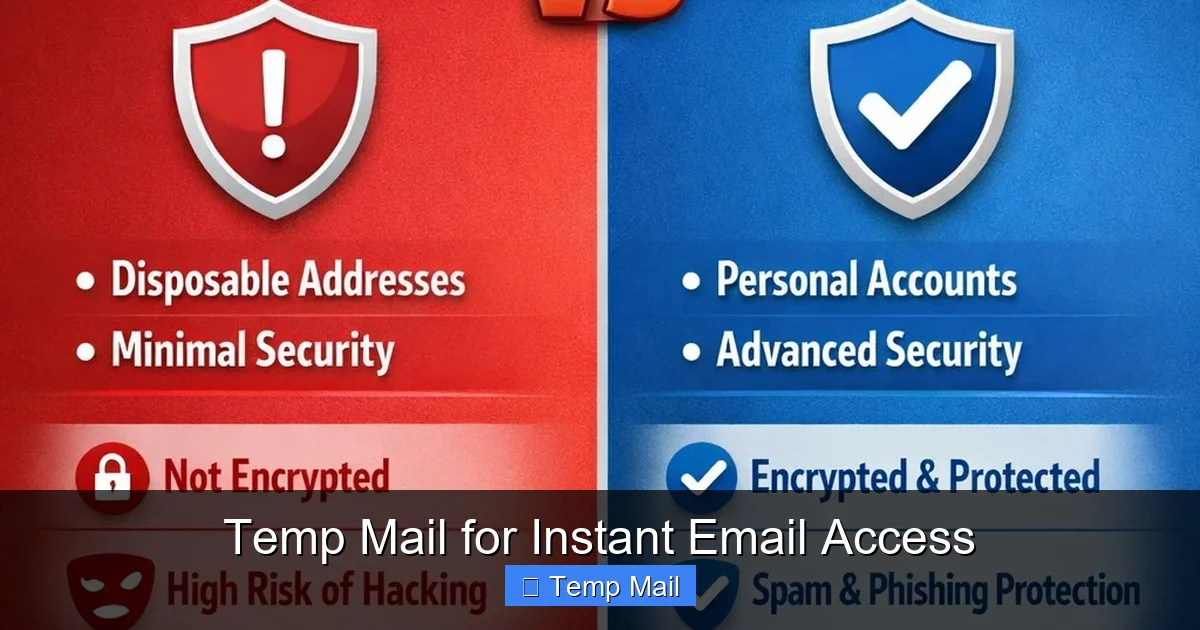
This is the most critical question. The short answer is: for your *privacy* from the websites you visit, yes, it is extremely safe. For the *security* of the emails you receive, it’s more nuanced. Let’s separate the two.
Privacy Shield: How It Protects YOU
When you use a reputable temp mail service, your IP address may be logged by the provider (as with any web service), but no one can tie that activity to your real identity because you provided no identifying information. The website you signed up for only sees the temporary address. They cannot trace it back to you. You have successfully isolated that online interaction from your permanent digital self. This is the primary privacy win.
The “Man-in-the-Middle” Reality: Understanding the Risk
Here’s the important caveat: the temp mail provider *can* see any email that comes into the inbox you are using. The email content is not encrypted between the sender’s server and the temp mail server. Therefore, you should never use a temp mail for:
- Password resets for important accounts (bank, email, social media).
- Receiving sensitive documents like contracts, ID scans, or financial statements.
- Any communication containing personal secrets, confidential business info, or private data.
The rule of thumb: if you wouldn’t read the email on a public park bench, don’t have it sent to a temp mail address. Its purpose is for low-stakes, transactional emails: “click here to verify,” “your download link is…”
Are Temp Mail Providers Malicious?
The vast majority are legitimate businesses running on ad revenue. However, a rogue provider could theoretically log all incoming emails and sell that data. This is why it’s prudent to use well-known, established temp mail services that have been around for years and have a reputation to protect. A quick web search for “temp mail reviews” can reveal if a provider has a history of malicious behavior. Stick to the popular ones.
The Future of Disposable Email: Trends and Evolving Defenses
The cat-and-mouse game between privacy tools and data-hungry services is constant. As temp mail grows in popularity, some websites are fighting back, while the tools themselves are evolving.
Blocklists and the Arms Race
Many SaaS companies, especially those offering freemium plans or trials, maintain blocklists of known temp mail domains. They do this to prevent abuse (people creating infinite free trial accounts) and to ensure they get a real, marketable email address. This means sometimes, when you try to use a temp mail, the website will reject it outright. The response from the temp mail community is constant: new domains are created, providers rotate domains, and services emerge that specifically generate “less obvious” disposable addresses to evade simple blocklists.
The Rise of “Alias” Email Services
A new category of privacy email is gaining traction: alias email services like SimpleLogin, AnonAddy, or Firefox Relay. These are different from classic temp mail. They provide a *permanent* alias address that forwards to your real inbox. You can create hundreds of unique aliases for different websites. The key difference? You can receive and reply from these aliases, and you control their lifespan—you can delete an alias at any time, stopping all future email from that sender. This offers more functionality than temp mail (you can reply) while still providing strong privacy and spam control. It’s a more robust, long-term solution for managing your email footprint.
Integration with Browsers and Password Managers
We are starting to see built-in privacy features in major browsers and tools. For instance, Apple’s “Hide My Email” feature (part of iCloud+) generates unique, random email addresses that forward to your real inbox. Firefox has experimented with similar features. Password managers like 1Password are also exploring integrated alias generation. This mainstream adoption signals that the demand for email privacy, which temp mail pioneered, is now a standard expectation.
Conclusion: Embrace the Power of “Use and Lose”
Temp mail is more than just a trick; it’s a fundamental tool for digital self-defense in an era of relentless data collection. It empowers you to take back control of your primary email address, that most valuable and vulnerable piece of your online identity. By using a temp mail for the countless low-stakes, one-off interactions that populate your daily browsing, you erect a powerful barrier against spam, data brokers, and unintended data trails. You stop the slow leak of your personal information to every corner of the web.
The philosophy is simple: not every online interaction deserves a piece of your permanent self. For the websites and services you try once, the content you access briefly, or the downloads you grab on a whim, use the temp mail. Get your instant email access, complete the task, and walk away cleanly. Adopt this habit, and you’ll notice the change almost immediately: a calmer inbox, fewer phishing attempts targeting your main account, and the satisfying knowledge that you’re not freely giving away your data. In the battle for online privacy, temp mail is a tiny, free, and incredibly effective weapon you should always have in your arsenal.
Frequently Asked Questions
Is using a temp mail service legal?
Yes, using temp mail is perfectly legal. It is a legitimate service for protecting your privacy. The legality only becomes an issue if you use it for fraudulent activities, which applies to any tool.
How long does a temp mail address last?
Most temp mail addresses last between 10 minutes and 1 hour from the moment they are generated. Some services offer extended periods of up to 24 hours for specific needs. The countdown timer is always visible on the provider’s page.
Can I send emails from a temp mail address?
No, temp mail addresses are designed solely for receiving incoming messages, typically verification emails. They do not have the functionality to compose or send new emails, which helps prevent spam and abuse of the service.
Will websites block my temp mail address?
Yes, some websites actively block known temp mail domains to prevent abuse of free trials or sign-up bonuses. If this happens, you can try a different temp mail provider or use an alias email service as an alternative.
Can I receive attachments with temp mail?
Generally, yes. Most temp mail services allow you to receive attachments like PDFs, images, or documents within the verification or notification emails. However, there is often a size limit, and you should never open suspicious attachments from unknown senders.
Is my activity with a temp mail provider truly anonymous?
For the websites you visit, yes—they only see the disposable address. However, the temp mail provider itself can see the emails you receive and may log your IP address. Therefore, you should never use it for highly sensitive communications. For routine sign-ups, it effectively anonymizes your activity from the third-party site.
Leave a Reply