Temp email services are essential tools for safeguarding your primary inbox from spam, data breaches, and unwanted marketing when signing up for unfamiliar websites or one-time offers. They provide a temporary, anonymous email address that self-destructs after a short period, typically 10 minutes to 24 hours. Choosing the right service depends on your need for speed, inbox longevity, attachment support, and ease of use. This guide breaks down the top providers, their key features, and best practices for using them safely and effectively.
Ever signed up for a free ebook, a gaming beta, or a forum, only to find your real inbox flooded with promotional emails you never asked for? Or worse, had your email address caught in a data breach because a site you barely trusted got hacked? This is where the humble, powerful temp email service becomes your digital bodyguard. In today’s data-driven world, your email address is a key to your identity, and handing it out carelessly is like giving a copy of your house keys to every stranger you meet. Anonymous signups using disposable email addresses are not about being shady; they’re about being smart, maintaining control, and protecting your primary communication channel from the relentless tide of digital noise. This guide will walk you through everything you need to know about using temporary email services effectively, safely, and anonymously.
We’ll cut through the clutter of dozens of options to highlight the best temp email services for anonymous signups, evaluating them on speed, privacy, features, and reliability. Whether you need a 10-minute inbox to grab a discount code or a 24-hour address to verify a software trial, understanding the strengths and weaknesses of each provider is crucial. Forget complicated setups; these tools are designed for instant, hassle-free use. Let’s dive in and reclaim your inbox privacy.
Key Takeaways
- Primary Purpose: Temp emails are for one-time signups, gated content, or forums where you distrust the site’s email practices, not for important accounts.
- Self-Destructing Nature: Addresses and inboxes are automatically deleted after a set time (often 10-60 minutes) or a reboot, ensuring no long-term trail.
- No Registration Required: The best services generate an inbox instantly without asking for any personal information or creating an account.
- Key Features Vary: Look for services offering custom usernames, attachment support, reply capabilities, and longer expiration times based on your need.
- Not Foolproof: Many reputable sites (banks, social media) block known temp email domains, and they offer zero security for sensitive communications.
- Privacy vs. Legality: Using a temp email is legal for privacy, but using it for fraud, harassment, or to bypass bans violates terms of service and potentially laws.
- Browser-Based Convenience: Most operate entirely in your web browser; no software install is needed, but clearing cookies can sometimes refresh the session.
📑 Table of Contents
- Why You Absolutely Need a Temp Email for Anonymous Signups
- Top 5 Best Temp Email Services for Anonymous Signups
- Critical Criteria: How to Choose the Right Temp Email Service
- Practical Use Cases: How to Use a Temp Email Step-by-Step
- The Risks and Limitations You Must Know
- Best Practices for Safe and Effective Use
- Conclusion: Take Control of Your Digital Trail
Why You Absolutely Need a Temp Email for Anonymous Signups
Before we compare services, let’s establish the core “why.” The practice of using a disposable email for signups is a fundamental privacy tactic. Your primary email address is often the central hub for password resets, account verifications, and, crucially, a trove of personal data that companies buy and sell. Every time you use it on a new website, you’re potentially adding to a digital profile that follows you across the web.
The Spam Avalanche Problem
Sign up for one “free report” from an unknown marketing firm, and you might be subscribed to 20 other lists they own or sell to. Your inbox becomes a battlefield. A temp email acts as a sacrificial lamb. You use it, get the download link or verification code, and then let it expire. The spam goes to a dead address, leaving your real inbox pristine. This is the single most practical benefit.
Mitigating Data Breach Risks
High-profile data breaches are weekly news. When a site you used your personal email for gets hacked, that email address is now in the hands of criminals. It can be used for phishing attacks, credential stuffing (trying that email/password combo on other sites), or sold on dark web marketplaces. By using a unique, disposable address for each low-stakes signup, you compartmentalize the risk. If that temp email is breached, it’s a dead end with no connection to your identity or other accounts.
Bypassing Gated Content Without Commitment
How many times have you hit a paywall or “enter your email to read more” prompt on a blog or news site? A temp email service lets you bypass that gate instantly to read the article, with zero commitment. You get the content you want immediately, and the publisher gets an email that will bounce in an hour. It’s a clean, anonymous transaction.
Testing Services and Avoiding Unwanted Marketing
Are you a developer testing a new app’s email flow? A marketer checking a competitor’s lead magnet? Or just someone who wants to try a software trial without the sales team hounding you for weeks? A temporary inbox is perfect. You can receive the trial activation email, use the service, and vanish without a trace when the trial ends, avoiding the inevitable “come back!” nurture sequences.
Top 5 Best Temp Email Services for Anonymous Signups
Not all temp email services are created equal. Some are bare-bones and fast, others offer more features like attachments or custom domains. Here are our top picks, tested for speed, reliability, and anonymity.

Visual guide about Best Temp Email Services for Anonymous Signups
Image source: convertingcopy.com
1. Temp-Mail.org: The Speed Champion
When you think of a temp email, Temp-Mail is often the first name that comes to mind, and for good reason. It’s the epitome of “inbox in a click.”
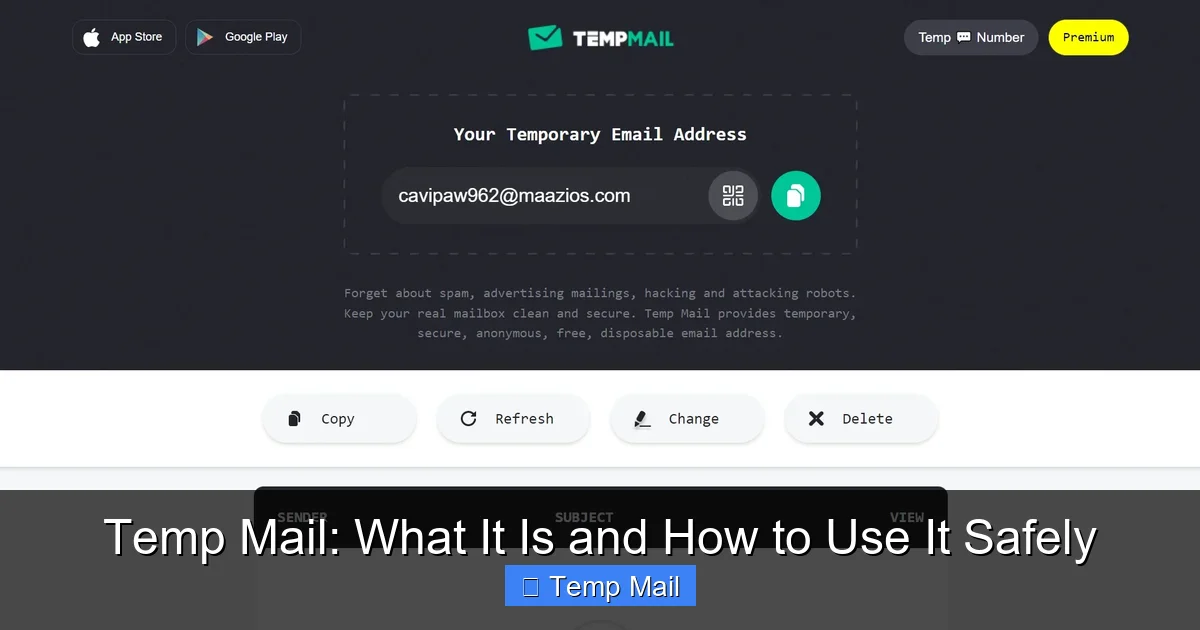
How it works: Visit the site, and a random email address is generated immediately. The inbox page auto-refreshes to show incoming mail. No clicks, no choices. It’s designed for maximum speed.
Key Features:
- Auto-Refresh Inbox: You don’t need to manually check; new emails pop up instantly.
- 10-Minute Default: Addresses last 10 minutes but can be extended by clicking a “Keep this email” button (adds 10 mins).
- Domain Variety: Offers several domain options (@temp-mail.org, @tempr.email, etc.) if the default is blocked.
- No Attachments? Historically, it didn’t support attachments, but this can vary. Check before using for file downloads.
Best For: The absolute fastest, most anonymous signups where you just need a code in under 10 minutes. Perfect for forum verification or quick downloads.
Watch Out For: The short default lifespan means you must be ready to use it immediately. Some aggressive websites may block its common domains.
2. 10MinuteMail.com: The Classic, No-Frills Workhorse
The name says it all. 10MinuteMail is one of the oldest and most reliable services in the business. It focuses on doing one thing perfectly: providing a clean, 10-minute email.
How it works: You land on a page with a pre-filled email address and a big countdown timer (10:00). A separate tab shows your inbox. That’s it.
Key Features:
- Extremely Simple UI: Zero distractions. Just email, timer, inbox.
- 10-Minute Timer: Clear, unambiguous countdown. You can manually add 10 minutes once if needed.
- High Uptime & Reliability: It’s been around for ages and is very stable.
- Reply Function: Allows you to reply to received emails, which is rare and useful for some verification loops.
Best For: Users who want utter simplicity and a clear, visual deadline. Great for students or anyone who might forget they’re using a temp address.
Watch Out For: The 10-minute limit is strict. The domain (@10minutemail.com) is very well-known and frequently blocked by major platforms like Google or Facebook.
3. Guerrilla Mail: The Feature-Rich Contender
Guerrilla Mail steps up the game by offering more control and features while maintaining anonymity. It feels less like a bare tool and more like a lightweight, temporary email client.
How it works: You get a random address upon arrival, but you can immediately change the username and even choose from a list of available domains (like @guerrillamail.com, @sharklasers.com, etc.).
Key Features:
- Customizable Address: Choose your own username, which is great for remembering which site you used it for.
- 60-Minute Default: Inboxes last 60 minutes by default, with options to extend.
- Attachment Support: Can receive emails with attachments (up to 150MB), a critical feature for downloading whitepapers or software.
- Password Protection: You can set a password to lock your temporary inbox, adding a layer of privacy if you’re on a shared computer.
- Send Emails: Allows you to compose and send emails from your temp address, useful for some account creation flows.
Best For: Signups that require a slightly longer window (an hour) or need to download attached files. The custom username is a major usability plus.
Watch Out For: Slightly more complex interface. The longer lifespan, while useful, also means your temporary address is active for a longer period.
4. Maildrop.cc: The Minimalist’s Choice
Maildrop.cc is beautifully simple and emphasizes privacy by not even logging IP addresses by default (according to their policy). It’s a clean, no-nonsense option.
How it works: You can either use a random address or create your own (e.g., [email protected]). The inbox is public by default—anyone with the address can view it—but this is part of its open design philosophy.
Key Features:
- Custom Username: Create a memorable, site-specific address.
- 24-Hour Retention: Emails are stored for 24 hours before automatic deletion, the longest on our list.
- Strong Privacy Stance: Claims not to log IP addresses and uses HTTPS only.
- No Registration: Completely anonymous from the start.
Best For: Situations where you need a full day for verification (some services send delayed emails) or want to create a specific, readable disposable address. The public inbox is a feature for transparency but means you shouldn’t use it for anything sensitive.
Watch Out For: The public inbox model means if someone guesses your address, they can see your mail. Never use for password resets or sensitive codes.
5. Tempail.com: The Modern, User-Friendly Option
Tempail offers a sleek, modern interface and a balance of features. It generates an address instantly and provides a clean, responsive inbox view.
How it works: Auto-generated address upon load. Inbox updates automatically. Options to copy address, refresh, or delete the inbox.
Key Features:
- 60-Minute Inbox: Standard hour-long duration, extendable.
- Multiple Domain Choices: Can switch between @tempail.com, @tempmailo.com, etc., if one is blocked.
- Attachment Support: Handles attachments without issue.
- Clean UI: Ad-light, focused interface that’s easy on the eyes.
- Browser Extension: Offers a Chrome extension for even quicker access.
Best For: Users who appreciate a modern aesthetic and need a reliable 60-minute window with attachment support. The extension is a huge timesaver for frequent users.
Watch Out For: Like others, its domains are known and may be blocked by major services. The extension requires installation, which some ultra-privacy-focused users may avoid.
Critical Criteria: How to Choose the Right Temp Email Service
With our top 5 identified, how do you pick one? It depends entirely on your specific anonymous signup scenario. Ask yourself these questions:
Visual guide about Best Temp Email Services for Anonymous Signups
Image source: images.unsplash.com
How Long Do I Need the Inbox Active?
This is the most important factor. If you’re signing up for a forum that sends a verification link you must click within 5 minutes, a 10-minute service like 10MinuteMail is perfect. If you’re signing up for a webinar that sends the link a day before, you need Maildrop’s 24-hour retention. Most services offer 10-60 minutes, which covers 90% of use cases. Always check the expected email delivery time from the site you’re registering with.
Do I Need to Receive Attachments?
Many sites send a PDF ebook, a software installer, or a discount voucher as an attachment. Temp-Mail and 10MinuteMail traditionally struggle with this. Guerrilla Mail, Tempail, and Maildrop generally handle attachments well. If there’s any doubt, test with a small file first or choose a service that explicitly advertises attachment support.
Is a Custom Username Important?
Random strings like “[email protected]” work, but a custom username like “[email protected]” makes it easier to remember which temp address you used for which purpose. Services like Guerrilla Mail and Maildrop excel here. This is a usability feature, not a privacy one.
Will the Target Site Block This Domain?
This is the biggest practical hurdle. Major platforms (Google, Facebook, Twitter, LinkedIn, Microsoft) and many reputable SaaS tools actively block known temp email domains. You can often find updated lists of blocked domains online. If you get an “invalid email domain” error, you’ll need to switch services or try a less common domain from a provider like Temp-Mail or Tempail that offers multiple options. There’s no 100% guarantee any temp domain will work forever.
Do I Need to Send Replies?
Rarely, a signup flow might involve an email thread (e.g., “reply YES to confirm”). Most temp email services are receive-only. 10MinuteMail and Guerrilla Mail offer limited reply functionality. If you anticipate needing to send a response, verify this feature exists before committing to a service.
Practical Use Cases: How to Use a Temp Email Step-by-Step
Knowing the theory is one thing; using it in practice is another. Here’s a walkthrough for the most common scenario: downloading a gated ebook.
Visual guide about Best Temp Email Services for Anonymous Signups
Image source: ihaveapc.com
Scenario: You want a “10 Growth Hacks” PDF from a marketing blog, but they demand an email address.
- Choose Your Service: Since you’ll likely get a download link via email, pick a service with attachment support (e.g., Guerrilla Mail or Tempail).
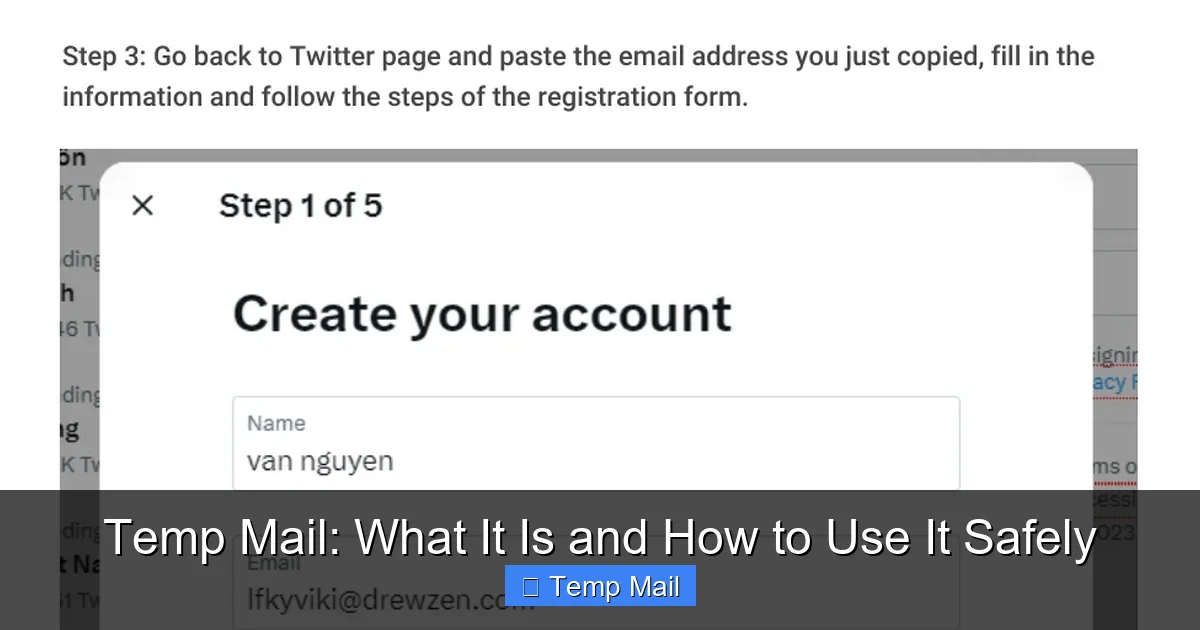
- Generate Address: Go to the site. Copy the displayed email address (e.g., [email protected]).
- Sign Up: Paste this address into the ebook signup form. Fill any other required fields (often fake names/companies are fine). Submit.
- Monitor Inbox: Switch back to the temp email tab. The inbox should refresh and show a new email within 30-60 seconds. Click it to open.
- Extract & Download: Find the download link or attachment. Click the link or download the file. Save it to your computer.
- Dispose: Close the tab. You’re done. The address and email will expire automatically. No further action needed.
Pro Tip: Use your browser’s “Incognito” or “Private” window for an extra layer of isolation. This prevents cookies from the temp email site or the signup site from linking your activity across sessions.
Advanced Tip: Using Multiple Addresses for Organization
If you frequently use temp emails, you can create a simple system. Use one service for “forums,” another for “ebooks/downloads,” and a third for “software trials.” Even within a service that allows custom usernames (like Guerrilla Mail), you can create addresses like “forum_reddit@…” and “ebook_marketo@…” This mental bookkeeping helps you remember where a potential spam source originated if you ever get a stray email (unlikely, but possible).
The Risks and Limitations You Must Know
Temp emails are powerful, but they are not a magic privacy wand. Understanding their limitations is crucial for using them safely and effectively.
They Are Universally Blocked by Major Platforms
As mentioned, you cannot use a temp email to sign up for Gmail, Outlook, Facebook, Instagram, Twitter/X, LinkedIn, or most banking/financial services. These platforms have dedicated teams that update their blocked domain lists daily. Attempting to use one will result in an immediate error. This is by design—they want to ensure accountability and reduce spam and fake accounts.
Zero Security for Sensitive Data
Never, ever use a temp email for:
- Password reset emails for important accounts.
- Any communication containing personal information (ID scans, bank details).
- Medical or legal correspondence.
- Any two-factor authentication (2FA) codes.
The inbox is often unencrypted at rest, accessible by the service provider (though they claim not to log), and the address is public. If a password reset goes to a temp email that expires in an hour, you will be permanently locked out of that account.
Legal and Terms-of-Service Violations
Using a temp email to create multiple accounts to circumvent a ban (e.g., on a gaming platform or forum) is a direct violation of most Terms of Service and can lead to a permanent IP ban. Using it for fraudulent activities, harassment, or to hide illegal conduct is, of course, illegal and will not protect you from law enforcement, as service providers can log IP addresses and cooperate with authorities. The anonymity is from the *recipient site*, not from legal scrutiny.
Reliability and Uptime Can Vary
Free services can sometimes be slow, have pop-up ads, or experience downtime. If you’re in a critical signup flow (like a limited-time offer), have a backup temp email service bookmarked. Some services may also change their policies or domain lists without notice.
Best Practices for Safe and Effective Use
To become a power user of anonymous signups, follow these guidelines.
The Golden Rule: One Inbox, One Purpose
Treat each temporary email address as a single-use token. Once you’ve received the verification email or file from Site X, never use that same address for Site Y. This maximizes the compartmentalization of your digital footprint.
Always Have a Backup Service Ready
If your first-choice temp email domain is blocked, immediately switch to your backup service. Keep two or three different providers bookmarked. The ability to pivot quickly is key.
Clear Your Browser Data After Sensitive Sessions
After using a temp email for a signup, especially on a public or shared computer, clear your browser’s cookies and cache. This severs the link between your browsing session and the temp email service. Using a dedicated browser profile for this purpose is even better.
Never Use for Account Recovery
This cannot be stressed enough. If a site asks, “What’s your recovery email?” do not paste your temp address. You will regret it when you need to reset your password. The recovery email must be a permanent, accessible address you control.
Respect the Site’s Intent
If a small, honest blogger uses an email gate to fund their work, and you really value their content, consider using your real email or a newsletter-specific alias (from a service like SimpleLogin or AnonAddy). Use the temp email for the corporate lead-gen mills and obvious spam traps. Ethical use keeps the ecosystem healthy.
Conclusion: Take Control of Your Digital Trail
The internet’s original promise was anonymity, but today it often feels like a surveillance machine. Your email address is the linchpin of your online identity. By strategically using temp email services for anonymous signups, you take back control. You stop the spam avalanche at the source, you insulate your primary identity from inevitable data breaches, and you browse with a lighter, less trackable footprint.
From the blistering speed of Temp-Mail to the feature-rich Guerrilla Mail, there’s a tool for every need. The key is intentionality. Don’t use a temp email blindly; choose based on the required lifespan, need for attachments, and the likelihood of the target site blocking it. Adopt the best practices: one address per site, clear your data, and never use for anything critical.
In the end, this isn’t about hiding from the world; it’s about deciding who gets access to your digital doorstep. Use your real email for your bank, your close friends, and your essential services. Use a disposable address for everything else. That simple habit is a cornerstone of modern digital hygiene. Now, go forth and sign up anonymously.
Frequently Asked Questions
Is using a temp email legal?
Yes, using a disposable email address for privacy is completely legal in most jurisdictions. It becomes illegal only if used for fraud, identity theft, harassment, or to circumvent legal bans. The anonymity protects you from spam, not from the consequences of illegal acts.
Are temp email services safe from hackers?
They are generally safe from *external* hackers targeting you, as the inbox is isolated and temporary. However, “safe” is relative. The service provider itself could potentially access unencrypted emails. Therefore, you should never use them for sensitive personal data, passwords, or confidential information. Their safety is in their disposability, not in strong encryption.
How long do temp emails usually last?
The lifespan varies by provider. Common durations are 10 minutes, 30 minutes, 60 minutes, and 24 hours. Some services allow you to manually extend the time once or twice. Always check the specific service’s policy before relying on it for a signup that may have a delayed email.
Can websites detect that I’m using a temp email?
Yes, absolutely. Websites use databases of known disposable email domains (like those from Temp-Mail or 10MinuteMail). When you enter an address, they check it against these lists. If it matches, they will block the signup with an error message like “Please use a valid email address.” This is why using less common or multiple domains from a service like Temp-Mail can sometimes bypass blocks.
Do temp emails have encryption?
Most reputable temp email services use HTTPS (SSL/TLS) to encrypt the connection between your browser and their server, preventing eavesdropping during transit. However, they typically do not offer end-to-end encryption for the emails stored in your temporary inbox. The provider can technically read stored emails. This is another reason not to use them for sensitive communications.
What is the best temp email service overall?
There is no single “best” service for all scenarios. For pure speed and simplicity, Temp-Mail or 10MinuteMail are excellent. For a balance of features like attachments, custom usernames, and a longer 60-minute window, Guerrilla Mail and Tempail are top choices. For the longest 24-hour retention, Maildrop.cc is the leader. Your best choice depends on your specific need for that signup.