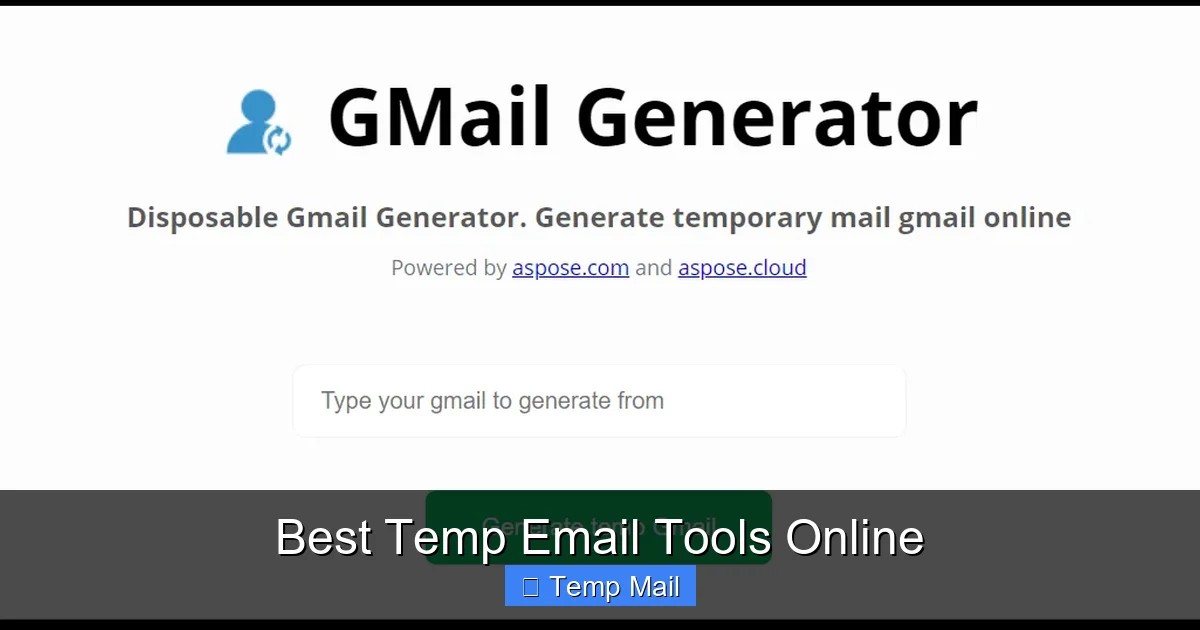
Tired of spam clogging your primary inbox? Temporary email tools provide a simple, effective solution. These disposable addresses let you sign up for websites, download files, or access gated content without revealing your real email. They automatically delete after a short time or a few uses, keeping your main account clean and private. Our guide breaks down the top services, how they work, and exactly how to use them for maximum benefit and safety.
Let’s be honest: your primary email address is a magnet. Once you hand it out to sign up for a free e-book, a discount code, or a new social app, it often gets sold, shared, or leaked. The result? A relentless barrage of promotional newsletters, “special offers,” and, in the worst cases, phishing attempts. This isn’t just annoying; it’s a genuine privacy concern. But what if you could have a digital “burner phone” for your email? That’s exactly what temporary email tools offer. They are your first line of defense in the battle for inbox sanity and online anonymity.
In this comprehensive guide, we’re diving deep into the world of disposable email addresses. We’ll move beyond the basic concept to explore how these tools function in practice, compare the leading services side-by-side, and provide actionable strategies for using them effectively and safely. Whether you’re a casual internet user tired of spam, a developer testing applications, or someone concerned about digital footprints, understanding temp mail is a crucial skill for navigating the modern web.
Key Takeaways
- Temp emails are disposable inboxes: They are short-lived email addresses created instantly without registration, designed for one-time or limited-use scenarios to protect your primary email.
- Primary purpose is spam and privacy prevention: They act as a shield, preventing websites from collecting your real email for marketing lists or data breaches, thus keeping your main inbox spam-free.
- They work via auto-generated inboxes: Services generate a random address and a corresponding inbox you can view on their website. Messages are held temporarily and purged automatically after a set time (e.g., 10 minutes to 1 day).
- Not for secure or critical communications: Never use temp mail for banking, official accounts, password recovery, or any service requiring long-term access and verified identity, as the inbox and its contents vanish.
- Key features vary by service: Look for factors like inbox lifespan, attachment support, custom domain options, browser extensions, and API access based on your specific needs.
- They are legal but have terms of use: The tools themselves are legal services, but using them to fraudulently sign up for sites, bypass bans, or send illegal content violates most providers’ terms and may be illegal.
- Security is provider-dependent: While they hide your IP from the recipient, the temp mail provider itself can see all content. Choose reputable services with clear privacy policies and no-logs practices for better security.
📑 Table of Contents
- The Rising Need for Disposable Email Addresses
- How Do Temporary Email Services Work? The Technical Breakdown
- Top 6 Temp Email Tools Compared: Features, Pros, and Cons
- Practical Use Cases: When and How to Use Temp Mail Effectively
- Security and Privacy Considerations: What You’re Really Trading
- How to Choose the Right Temp Email Tool for You
- The Bottom Line: A Powerful Tool for a Specific Job
The Rising Need for Disposable Email Addresses
Our digital identity is increasingly tied to our email address. It’s the master key to countless online services. But the convenience of “Sign in with Google” or “Use email to register” comes at a cost: data aggregation. Every form you fill out is a data point. Companies build profiles, and your email is the central identifier linking all those activities. A temporary email interrupts this chain. It provides a context-specific identity that self-destructs, leaving no persistent trail back to you.
The Spam Problem: More Than Just Annoyance
Spam is the most visible symptom. But the underlying issue is data proliferation. When you use your main email for a one-off download, that company now has a verified, active email tied to your interests. Even if you unsubscribe later, the data has often already been sold to third-party advertisers. A temp email is a “use and discard” token. The website gets a valid address to send the download link to, but that address becomes inert and inaccessible after 10 minutes or one hour. No future marketing can reach it. It’s a clean break.
Privacy in the Age of Data Breaches
Consider the news: another major platform suffers a breach, and millions of email addresses are exposed. If that email is your primary, personal account, you’re now on a list for targeted phishing and credential-stuffing attacks. Using a temp email for low-stakes registrations means that even if that specific site is breached, the compromised address is useless. It leads nowhere to your real identity or other accounts. It compartmentalizes your digital risk.
How Do Temporary Email Services Work? The Technical Breakdown
At first glance, temp mail seems like magic. You visit a website, an address like [email protected] is generated, and you can see emails sent to it right there. No password, no sign-up. The process is deceptively simple but relies on a clever technical setup.
Visual guide about Best Temp Email Tools Online
Image source: sprinto.com
The Core Mechanism: Shared, Ephemeral Inboxes
Unlike traditional email (like Gmail or Outlook) where your inbox is a private, password-protected database, temp mail services use a system of publicly accessible, shared inboxes. When the service generates [email protected], it creates a new, randomly named inbox on its server. The “inbox” is essentially a folder or database entry labeled “xyz7k2”. Anyone who knows that full address can visit the temp mail website, type it in, and view the contents of that specific inbox. There is no authentication because the “secret” is the complexity of the randomly generated username. Once the inbox’s time limit expires (or it is manually deleted by the service), that label is destroyed forever.
Step-by-Step Flow
- Generation: You visit the temp mail site. The server instantly creates a random string (e.g., “a9f8s7”) and combines it with the service’s domain (e.g., “@10minutemail.com”).
- Use: You copy this address and paste it into a website’s sign-up form. The website sends a verification email to the SMTP server of the temp mail service, addressed to your random string.
- Reception & Viewing: The temp mail service receives the email, stores it in the database entry labeled with your random string, and makes it viewable on its public inbox page for that address. You refresh the page on the temp mail site to see it arrive.
- Expiration: A timer (set by the service, e.g., 10 minutes, 1 hour, 1 day) starts. After this period, the database entry for your inbox is purged. The address becomes invalid. Any future emails sent to it bounce or are silently discarded.
What About Attachments and Replies?
This is a key differentiator between services. Most basic temp mail services do not allow you to send replies. The inbox is receive-only. This is a deliberate security and anti-abuse measure. Regarding attachments, support varies. Some services block all attachments for security (to prevent malware hosting). Others allow them but may impose size limits. Always check the specific tool’s capabilities if you expect to receive a PDF or image file.
Top 6 Temp Email Tools Compared: Features, Pros, and Cons
Not all temp mail services are created equal. Differences in domain availability, inbox lifespan, user interface, and extra features can make one tool perfect for your needs and another frustrating. We’ve tested and evaluated the most popular options based on reliability, ease of use, and feature set.

Visual guide about Best Temp Email Tools Online
Image source: elegantthemes.com
1. Temp-Mail (temp-mail.org)
One of the most popular and feature-rich options. It offers a clean, modern interface and a high degree of control.
- Key Features: Multiple domain choices (e.g., @temp-mail.org, @tempr.email), browser extensions for Chrome/Firefox, customizable inbox timer (10 min to 1 week), ability to manually delete inboxes, supports basic attachments.
- Pros: Very user-friendly, no ads in the inbox view, good longevity options, API available for developers.
- Cons: The free version has limitations; some advanced features require a paid plan. The public nature means anyone with the address can see your emails.
- Best For: General users wanting reliability and control; developers needing API access.
2. 10MinuteMail (10minutemail.com)
The classic, no-frills pioneer. It does exactly what the name says: provides an address for 10 minutes, extendable in some versions.
- Key Features: Extremely simple, ultra-short lifespan (10 min by default), no sign-up, focuses on speed and absolute ephemerality.
- Pros: Inherently secure due to short lifespan, zero learning curve, very low chance of address collision.
- Cons: Too short for many use cases (e.g., waiting for a newsletter that sends overnight). No attachment support in basic version. Limited features.
- Best For: Quick, immediate verifications where you need the email gone in minutes.
3. Guerrilla Mail (guerrillamail.com)
A veteran service known for its robustness and slightly longer inbox life (60 minutes by default). It also offers a “disposable” email sending feature in some versions.
- Key Features: 60-minute default inbox, ability to choose your own random username (to a degree), supports sending emails from the temp address (a rare feature), multiple domain options.
- Pros: More flexible than 10MinuteMail, the ability to reply/send can be useful in specific scenarios, has been around for years and is stable.
- Cons: Interface can feel dated. The ability to send from the address can be misused, so some sites block guerrilla-mail.com domains.
- Best For: Users needing slightly more time and the occasional ability to reply from the temp address.
4. Maildrop (maildrop.cc)
Focuses on simplicity and privacy. It has a clean, ad-light interface and a straightforward 24-hour inbox lifespan.
- Key Features: 24-hour inbox persistence, no ads cluttering the inbox view, simple web interface, supports receiving attachments.
- Pros: Very clean experience, good balance of lifespan and privacy, reliable. The .cc domain is less commonly blocked than .com temp domains.
- Cons: Less customization than Temp-Mail. No browser extension. Publicly viewable inboxes remain a core design.
- Best For: Users who want a simple, reliable service with a full day to check emails, like for next-day newsletter links.
5. Tempail (tempail.com)
A European-based service that emphasizes GDPR compliance and offers a sleek, modern interface with useful tools.
- Key Features: Inbox lasts up to 3 days, includes a built-in password generator tool, supports custom domain selection, has a Chrome extension, API access.
- Pros: Strong privacy focus (EU-based), excellent UI/UX, longer lifespan is useful for multi-day projects, the password generator is a handy bonus.
- Cons: The free tier has usage limits. Some very security-conscious sites may block its domains.
- Best For: Privacy-conscious users in Europe and those needing a few days for a project or download.
6. Getnada (getnada.com)
Differentiates itself by offering “custom” alias creation on its own domain and a focus on being a “real” temporary email solution.
- Key Features: Allows creating a custom alias (e.g., [email protected]) that lasts 7 days, supports attachments, has a mobile-friendly site, offers a “secure” mode that hides your IP from the service (via Tor).
- Pros: The custom alias feature is unique and makes the address more memorable. The 7-day lifespan is among the longest. The secure mode is a big plus for anonymity.
- Cons: The custom alias might defeat the purpose of complete randomness for some. The secure mode can slow down loading.
- Best For: Users wanting a slightly more personalized temp address for a week-long task and those prioritizing IP anonymity.
Practical Use Cases: When and How to Use Temp Mail Effectively
Knowing the tools is one thing; knowing when and how to use them is what unlocks their true value. Using a disposable email for the wrong reason can backfire, while using it for the right reasons can save you countless headaches.
Visual guide about Best Temp Email Tools Online
Image source: designer-daily.com
Ideal Scenarios for Disposable Email
- Gated Content & Downloads: The #1 use case. Want that free PDF, whitepaper, or software trial that demands an email? Use a temp address. The download link will arrive, you get your file, and the address dies. No follow-up spam.
- Forum or Comment Section Sign-Ups: Many forums require registration to comment. Use a temp email to participate in a single discussion without creating a permanent account that will be targeted by spam or hacked in a future breach.
- One-Time Discounts & Coupons: Found a great deal that requires email sign-up for a coupon code? Use temp mail. Get the code, use it, and forget it. The retailer won’t have your real address for endless marketing.
- App & Service Testing: Are you a developer testing user registration flows? Or just a curious user trying a new app? A temp email lets you create a test account without cluttering your real digital life.
- Avoiding Ban Evasion Detection: If you’ve been banned from a service (like a game or forum) and wish to appeal fairly, do NOT use a temp email to create a new account to circumvent the ban. This is against terms of service and often easily detected. Use it only for initial, honest registrations where a persistent identity isn’t required.
Pro-Tips for Seamless Use
- Copy-Paste is Your Friend: Never type the temp address manually. Copy it directly from the service’s page to avoid errors.
- Keep the Tab Open: After using the temp address to sign up, keep the temp mail service’s tab open in your browser. The verification email may arrive in seconds. Refresh the inbox page periodically.
- Watch the Timer: Every service has a countdown. Be aware of it. If you need more time, see if the service offers an “extend” button (like Temp-Mail does) or simply generate a new address and restart the process with the website if possible.
- Clear Your Cache: For maximum privacy, once you’re done, clear your browser cache and cookies related to the temp mail site, especially if you used it on a shared computer.
- Don’t Use for Critical Accounts: This cannot be stressed enough. Never use a temp email for your bank, primary cloud storage, main social media, or any service where account recovery is vital. You will be locked out forever when the inbox vanishes.
Security and Privacy Considerations: What You’re Really Trading
The convenience of temp mail is undeniable, but it’s crucial to understand the security and privacy trade-offs. You are outsourcing the handling of your emails to a third party with a specific, often minimal, business model.
The Illusion of Complete Anonymity
When you send an email from your temp address to a website, the website sees the “From” address as your disposable one. However, the temp mail provider itself sees everything. They see the IP address you used to visit their site (unless you use a VPN or their secure/Tor mode), the full content of all incoming emails, and any attachments. Reputable services like Tempail or Temp-Mail have privacy policies stating they do not log or sell this data and purge it with the inbox. But you are trusting them. For truly sensitive communications, a temp mail is not the tool. Use encrypted, end-to-end services like ProtonMail for that.
Common Risks and How to Mitigate Them
- Address Collision: Because addresses are random, there is a (very small) chance someone else generates the exact same address as you before your session ends. If that happens, you both see the same emails. Using a service that allows you to customize the username slightly (like Getnada) reduces this risk.
- Malicious Attachments: Some services filter attachments, but not all. An email could contain a virus or malware. Never download and open attachments from a temp mail on your primary computer. Use a sandboxed environment or simply avoid downloading if the source is untrusted.
- Blocked by Websites: Many popular websites and platforms (like Facebook, Google, major banks) actively block known temp mail domains from being used in registration forms. They see these domains as high-risk for fraud and spam. If your target site blocks it, you’ll have no choice but to use a real email.
- Lack of Sender Verification: Because you can’t reply from most temp addresses, you cannot engage in a two-way conversation. If a company’s support team replies to your temp address, you can read it but not respond. This limits its use for customer service inquiries.
How to Choose the Right Temp Email Tool for You
With the landscape clear, let’s create a simple decision framework. Ask yourself these questions:
1. What is My Primary Use Case?
- For instant, 5-minute verifications: Choose 10MinuteMail.
- For downloading files/ebooks with a bit more time: Choose Maildrop (24h) or Guerrilla Mail (60m).
- For projects spanning a few days: Choose Tempail (3 days) or Getnada (7 days).
- For developers needing API access: Choose Temp-Mail.
2. Do I Need to Receive Attachments?
If yes, verify the service explicitly supports it. Temp-Mail, Maildrop, Tempail, and Getnada generally do. Basic 10MinuteMail often does not.
3. Is a Browser Extension Important?
For power users, a one-click browser extension to generate a temp email is a huge quality-of-life upgrade. Temp-Mail and Tempail offer excellent extensions.
4. How Important is a “Clean” Interface?
Some services (like older versions of Guerrilla Mail) are ad-heavy and cluttered. If you value a minimalist, fast-loading page, prioritize Maildrop, Temp-Mail, or Tempail.
5. Am I Concerned About My IP Being Logged?
If your threat model includes the temp mail provider logging your IP, look for services that offer a “secure” or “Tor” mode, like Getnada. Otherwise, use a trusted VPN in conjunction with any temp mail service.
Ultimately, for most general users, we recommend starting with Temp-Mail.org or Maildrop.cc. They offer the best balance of reliability, reasonable lifespan, clean interface, and attachment support. Test a couple with a low-stakes sign-up to see which workflow you prefer.
The Bottom Line: A Powerful Tool for a Specific Job
Temporary email tools are not a magic bullet for all your privacy needs, but they are an exceptionally effective tool for a very specific and common job: compartmentalizing your online identity. They are the digital equivalent of using a cash gift card instead of your primary credit card for a one-time purchase at a sketchy vendor. It limits your exposure and contains the potential fallout.
By understanding their mechanics—the shared, public inbox model—you can use them wisely. Never use them for anything you need to access long-term or that involves real-world consequences (money, legal identity). But for the vast ocean of low-value, high-spam online interactions, they are perfect. Incorporate a trusted temp mail service into your daily browsing routine. The next time a pop-up begs for your email for a “free webinar” or a “site audit,” smile, generate a disposable address, and protect your primary inbox. That small action is a significant victory for your digital hygiene and peace of mind.
Frequently Asked Questions
Are temporary email addresses legal to use?
Yes, the services themselves are legal. Using a disposable email to sign up for a website is generally legal, as it’s your choice of contact information. However, using them to commit fraud, evade legal bans, or send illegal content is, of course, illegal and violates the terms of service of virtually all providers.
Are temp mail services safe and private?
They are safe from the perspective of protecting your primary email from spam and data breaches. However, they are not private in the same way as encrypted email. The provider can see all email content. For high-security needs, use a provider with a clear no-logs policy and consider using their Tor/secure mode or a VPN. Never send sensitive personal data (like SSNs, passwords, credit card numbers) via a temp email.
How long do temporary emails last?
It varies significantly by service. Lifespans range from as little as 10 minutes (10MinuteMail) to 60 minutes (Guerrilla Mail), 24 hours (Maildrop), 3 days (Tempail), and up to 7 days (Getnada). Some services like Temp-Mail let you manually set the timer. Always check the specific timer for the address you generate.
Can I send emails from a temporary address?
Most basic temp mail services are receive-only. A few, like Guerrilla Mail and some advanced plans of Temp-Mail, offer limited “send” functionality, often with restrictions (e.g., only to other users of the same service). Do not rely on temp email for two-way communication.
Do I have to pay for a good temp email tool?
No. There are many excellent, reliable free temp mail services (like those listed above). Paid plans typically offer benefits like custom domains, longer lifespans, higher usage limits, API access, and ad-free interfaces. For casual use, free services are perfectly sufficient.
What are the best alternatives to temp mail?
Alternatives include creating a dedicated “junk” email account with a major provider (like Gmail) specifically for sign-ups—this is more persistent but still compartments your main inbox. Another alternative is using an email aliasing service like SimpleLogin or AnonAddy, which forwards emails to your main account but can be disabled/removed anytime, offering more control and a more “real” address format.
Leave a Reply