
Temp mail creates disposable email addresses that auto-delete, shielding your real inbox from spam. Behind the scenes, specialized servers handle incoming messages without storing them long-term. This system offers a privacy-focused solution for sign-ups and verification, but understanding its limitations is key to safe usage.
Key Takeaways
- Disposable Nature: Temp mail addresses are generated on-demand and designed to be used once or for a short, predefined period before automatic deletion.
- No Personal Storage: These services do not require account creation or store your personal data, operating as a public, anonymous inbox for a limited time.
- Server-Side Handling: Incoming emails are processed by dedicated mail servers that temporarily hold messages in volatile memory (RAM) rather than persistent hard drives.
- Privacy by Design: The architecture deliberately avoids linking emails to user identities, preventing tracing back to you, but also means you cannot recall sent messages.
- Use Case Specific: It’s ideal for one-time verifications and avoiding spam but is unsuitable for important accounts, password recovery, or sensitive communication.
- Provider Variability: Different temp mail services implement varying technical workflows, retention times, and security measures, so choosing a reputable provider matters.
- Not Invisible: While your identity is protected from the recipient, the temp mail provider itself sees all incoming content, so never use it for highly sensitive data.
📑 Table of Contents
- Introduction: The Privacy Shield in Your Digital Toolkit
- The Technical Flow: Step-by-Step Journey of a Temp Email
- Behind the Servers: Architecture of a Temp Mail Provider
- Security and Privacy: The Promises and Pitfalls
- Practical Applications: When to Use (and Not Use) Temp Mail
- Limitations and Drawbacks: The Other Side of the Coin
- The Future and Alternatives: Beyond the Basic Temp Mail
- Conclusion: A Powerful Tool for a Specific Job
Introduction: The Privacy Shield in Your Digital Toolkit
Every day, we’re asked to trade our email address for access—a discount code, a PDF guide, entry to a webinar. That “free” offer often leads to a lifetime of promotional emails, data broker profiles, and potential security risks if that address gets breached. This is where temporary email, or “temp mail,” emerges as a digital shield. But what actually happens when you use a service like 10MinuteMail or Temp-Mail.org? How does it magically create an inbox out of thin air, receive a message, and then make it all vanish? Understanding how temp mail works behind the scenes isn’t just tech trivia; it’s about making informed choices for your online privacy. We’re going to peel back the layers of this seemingly simple tool to reveal the clever server architecture, data flows, and security compromises that make disposable email possible.
Think of temp mail as a public, digital PO box that self-destructs. You don’t own it; you just rent it for a few minutes. The magic lies in its deliberate impermanence and anonymity. In this deep dive, we’ll follow a single verification email on its journey from a corporate server to a temporary inbox and into the void. We’ll explore the roles of different servers, the critical security decisions made by providers, and why this system, while brilliant for certain tasks, comes with significant caveats you must know before hitting “send.”
The Technical Flow: Step-by-Step Journey of a Temp Email
Let’s trace the lifecycle of a typical temp email interaction. Imagine you need to verify an account for a one-time software download. You visit a temp mail site, and a random address like [email protected] appears. Here’s the detailed technical choreography that follows.

Visual guide about How Temp Mail Works Behind the Scenes
Image source: o.quizlet.com
1. Address Generation and Session Creation
When you load the temp mail website, its backend server immediately runs an algorithm to generate a unique, random email address. This isn’t a pre-existing box; it’s fabricated on the spot. The random string (e.g., “x7f9p2”) is paired with the service’s domain (e.g., “@disposable.com”). Crucially, this address is mapped in the server’s active memory (RAM) to your specific browser session, often via a temporary session cookie or a unique URL. No database entry with your IP address or personal details is created at this stage. The mapping exists only in volatile memory and is designed to expire quickly.
2. Providing the Address to the External Service
You copy this generated address and paste it into the sign-up form of the website you’re accessing (the “external service”). That website’s server now has your temp address as the destination for the verification email.
3. The External Service Sends the Email
The external service’s mail server (using SMTP—Simple Mail Transfer Protocol) looks up the DNS records for the temp mail domain (e.g., disposable.com). It finds the MX (Mail Exchange) records pointing to the temp mail provider’s incoming mail servers. It then opens a connection and transmits the email, including the full headers (From, To, Subject) and body, to the temp mail server.
4. The Temp Mail Server Receives and Queues the Message
The temp mail provider’s SMTP server accepts the incoming message. Here’s a key divergence from permanent email: the server does not immediately write the email to a hard disk. Instead, it places the message data into a high-speed queue in the server’s RAM, associated with the random mailbox identifier (abc123). It may perform minimal spam filtering, but it does not index or permanently store the content. The system is configured to keep this RAM-based queue for a very short time—often 10 minutes to 1 hour.
5. Your Browser Polls for Mail
Your open browser tab, holding the session cookie/URL identifier, periodically sends a lightweight request (via AJAX or WebSocket) to the temp mail provider’s web application server, asking, “Do I have any mail for abc123?” The web server queries the in-memory queue. If the email is there, it retrieves the raw message from RAM, formats it into a clean HTML view (stripping some headers, displaying attachments as download links), and sends it back to your browser. This polling happens every few seconds, creating the “auto-refresh” effect you see.
6. The Countdown to Deletion
From the moment the address was generated, a countdown timer is active in your browser session and on the server. Once the timer expires (e.g., 10 minutes), the server-side process executes: the mapping between the random address (abc123) and your session is destroyed. The in-memory queue holding the email is purged. The address becomes invalid. Any subsequent attempt to access that specific URL or session will show “Mailbox not found” or a fresh, new address. The email is gone from the server’s memory. There is no “trash” or “archive.” It simply ceases to exist in that server’s ecosystem.
Behind the Servers: Architecture of a Temp Mail Provider
To make the above flow possible, a temp mail service relies on a streamlined, specialized server architecture, often simpler than that of a full-scale email provider like Gmail.
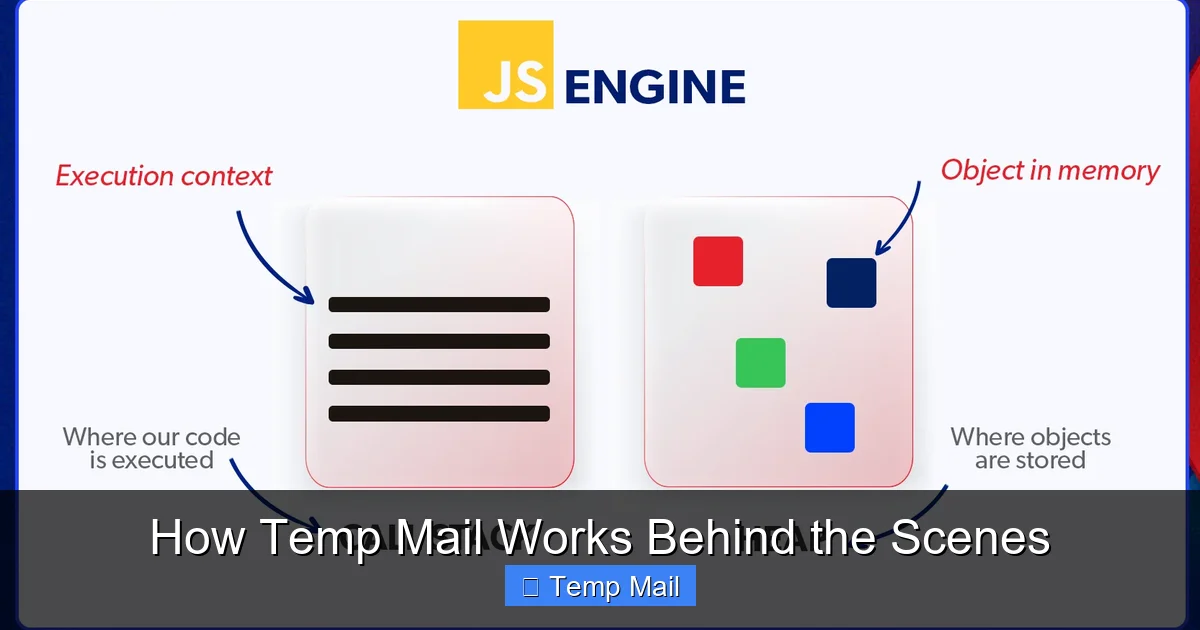
Visual guide about How Temp Mail Works Behind the Scenes
Image source: firegroup.io
The Core Components: Front-End, Mail Server, and In-Memory Store
A typical setup involves three main layers:
- The Web Front-End: This is the website you interact with. It’s a lightweight application (often built with Node.js, Python/Django, or PHP) responsible for generating the random address, managing your browser session, and displaying the inbox interface. Its primary job is to talk to the other two components.
- The Mail Transfer Agent (MTA): This is the workhorse that speaks the SMTP protocol. Software like Postfix, Exim, or custom-built SMTP daemons listen on port 25 for incoming mail. When it receives mail for anything@theirdomain.com, it doesn’t try to deliver it elsewhere. Instead, it accepts it and immediately hands it off to the next component.
- The In-Memory Data Store: This is the heart of the system. Instead of a traditional database like MySQL or PostgreSQL, temp mail services use ultra-fast, volatile memory stores like Redis or even simple in-process memory maps. The MTA deposits the incoming email into this store, using the full recipient address ([email protected]) as the key. The web front-end later queries this store using the same key to retrieve the message. This design ensures zero disk I/O, making it fast and ensuring data is wiped clean on server reboot or manual flush.
Why Not Use a Database?
Permanent email providers use databases to store millions of emails indefinitely, enabling search, folders, and syncing across devices. For temp mail, this is overkill and counterproductive. Writing to a disk leaves forensic traces. Databases require maintenance, backups, and security hardening. An in-memory store is simpler, cheaper to run, and aligns perfectly with the “disposable” ethos. The trade-off is obvious: if the server crashes or restarts, all active mail is lost instantly—which is often a desired feature, not a bug.
Domain and DNS Strategy
Providers often use multiple domains to avoid being blacklisted. If one domain gets added to a spam filter’s blocklist, they can switch traffic to another. They configure wildcard DNS MX records so that *@theirdomain.com all points to their mail server, allowing them to accept mail for any random string without pre-configuring each address.
Security and Privacy: The Promises and Pitfalls
The allure of temp mail is privacy, but the reality is nuanced. Let’s dissect the security model.
What’s Protected: Anonymity from the Recipient
When you use a temp address, the external service (e.g., the forum you’re signing up for) sees only the temp address. It has no direct link to your real email or your IP address (the temp mail server’s IP is what’s logged). This successfully shields your primary identity from that specific service. If that service suffers a data breach, your temp address is in the leak, not your lifelong email.
What’s NOT Protected: The Provider’s View
This is the critical, often overlooked part. The temp mail provider can see every single email that passes through its system. While reputable providers claim not to log IPs or monitor content, the technical capability exists. A malicious or compromised provider could read all emails. Furthermore, if law enforcement presents a warrant, the provider might be forced to turn over server logs if any were kept (though the best designs avoid logging). You are placing trust in the provider’s integrity and security practices.
Encryption in Transit, Not at Rest
Most temp mail services enforce TLS (Transport Layer Security) for connections between external servers and their MTA, and between your browser and their web server. This means the email is encrypted while traveling over the internet. However, once it lands in the provider’s RAM, it is typically not encrypted at rest. It’s plain text in server memory. This is a performance and simplicity choice but means that if an attacker gains remote access to the server’s memory or the server is physically seized, the emails could be read.
No Sender Verification (SPF/DKIM/DMARC)
Permanent email systems use SPF, DKIM, and DMARC to verify that an email genuinely comes from the domain it claims to be from. Temp mail providers rarely implement these for incoming mail because they accept mail for any address on their domain. This makes it easier for spammers to use the service, but it also means you cannot verify the authenticity of a received email. A “verification code” email could be spoofed by a third party if the external service’s own email security is weak. Always treat links and codes from temp mail with the same caution as any email.
Practical Applications: When to Use (and Not Use) Temp Mail
Armed with technical knowledge, we can make smarter decisions about when this tool is appropriate.
Ideal Use Cases: The “One-and-Done” Scenarios
- Account Verification for Gated Content: You want a whitepaper or a software trial that requires an email. Use temp mail, get the link/download, and abandon the address.
- Testing Website Registration Flows: As a developer or QA tester, you need to verify that a “sign up” form sends a confirmation email without using your real work or personal address repeatedly.
- Accessing a Forum or Comment Section: Some sites require login to comment. Create a temp identity to post a single comment without long-term commitment.
- Downloading from File-Sharing Sites: Sites that require an email for a download link can be navigated with a temp address, avoiding future spam.
- Privacy-Preserving Sign-Ups: For services you distrust or that have a history of poor data handling, a temp address creates a firebreak between your identity and that service’s potential data breach.
Dangerous Misuse: What to NEVER Do
- Financial or Banking Accounts: Never use temp mail for banks, PayPal, cryptocurrency exchanges, or any service where account recovery is vital. If you lose access, your money could be locked forever.
- Primary Social Media or Email Accounts: Your main digital identity needs a permanent, recoverable email. Using temp mail here is a recipe for permanent loss.
- Any Service Requiring Long-Term Communication: Job applications, official government correspondence, subscription services you intend to keep—these need a stable address.
- Sending Sensitive Information: Do not use temp mail to transmit passwords, confidential documents, or personal health information. You have no control over the provider’s security, and the recipient will see a disposable address, which may seem suspicious.
- Assuming Complete Anonymity: Remember, the temp mail provider sees the content. For high-stakes anonymity, use encrypted, secure messaging apps or dedicated privacy-focused email services with zero-knowledge architecture, not disposable webmail.
Limitations and Drawbacks: The Other Side of the Coin
The temp mail model has inherent weaknesses that users frequently encounter.
Delivery Failures and Blacklisting
Many reputable companies (Google, Microsoft, major banks) actively scan for and block email domains known to provide disposable addresses. Your verification email might simply never arrive because the external service’s server rejected the temp mail domain as a source of spam or fraud. This is a common point of frustration. Some services even perform basic DNS checks or use commercial databases of disposable domains and refuse to send mail to them altogether.
The “No Reply-To” Problem
When you use a temp address, you cannot reply to the emails you receive. The “Reply” button either does nothing or attempts to reply from a non-existent, random address that will bounce. This is fine for one-way verification codes, but it makes any follow-up communication impossible.
Attachment and Size Limits
To manage server load and RAM usage, temp mail providers impose strict limits on attachment size (often 1-5 MB) and sometimes even strip attachments altogether. Large PDFs or images may be truncated or cause the email to be rejected by the provider’s MTA.
Lack of Features and Search
There is no folders, no labels, no powerful search across thousands of emails. You have a single, chronological list of messages for one address that will vanish. You cannot “star” or “save” an email for later unless you manually copy its content elsewhere before the timer runs out.
Timer Inflexibility
The countdown is usually fixed (10, 30, 60 minutes). If you need the inbox for 2 hours because the external service has a slow email delivery, you’re out of luck. Some services offer a “extend” button, but it’s not universal and may require watching an ad.
The Future and Alternatives: Beyond the Basic Temp Mail
The landscape is evolving. Some providers now offer “custom domain” temporary addresses, allowing you to use a subdomain of your own site as a disposable address. Others integrate with browser extensions that auto-fill and manage temp addresses more seamlessly. For users needing more robust privacy, the alternative is a dedicated, encrypted email service like ProtonMail or Tutanota. These provide real, recoverable inboxes with strong encryption but require account creation and have some learning curve. The choice boils down to a spectrum: maximum convenience and anonymity (temp mail) versus maximum control and security (encrypted permanent email).
Conclusion: A Powerful Tool for a Specific Job
So, how does temp mail work? It works by embracing imperfection. It’s a system built on ephemeral in-memory queues, random address generation, and a conscious rejection of permanence. It’s not a replacement for your primary email; it’s a tactical tool for the digital battlefield of spam and data harvesting. The magic is in its simplicity: no accounts, no storage, no long-term commitment. But that simplicity is also its limitation. By understanding the server-side journey—from the moment an email hits the MX record to its deletion from RAM—you can wield this tool effectively and safely. Use it for the one-time verifications, the gated downloads, the anonymous forum posts. But when it comes to your identity, your finances, or your critical communications, invest in a proper, secure, and recoverable email address. The temporary shield is perfect for skirmishes, but you need a fortress for the war.
Frequently Asked Questions
Is temp mail safe to use?
Temp mail is safe for its intended purpose—receiving non-sensitive verification emails—because it isolates your primary address from spam. However, it is not secure for private or sensitive communication, as the provider can see all content and emails are unencrypted in server memory.
Can my temp mail be traced back to me?
By design, the external service you give the temp address to cannot trace it back to your real email or identity. However, the temp mail provider itself can potentially link the address to your IP address and session if they choose to log it, though reputable ones claim not to. Your anonymity is protected from the recipient, not necessarily from the provider.
Why do some websites block temp mail domains?
Websites block known temp mail domains to prevent spam, fake account creation, and abuse. Disposable addresses are often used for fraudulent sign-ups, bonus abuse, or to bypass bans. By blocking them, sites aim to improve the quality of their user base and reduce administrative overhead from managing fake accounts.
How long do emails stay in a temp mail inbox?
It varies by provider, but typically emails are retained for 10 to 60 minutes after arrival. The entire mailbox (the address and all its messages) is automatically deleted when the session timer expires, which is often 10 minutes from address generation, though some services allow extensions.
Is using temp mail legal?
Yes, using temp mail is legal in most jurisdictions. It’s a legitimate tool for privacy protection. However, using it for illegal activities—like fraud, harassment, or sending threats—does not shield you from legal consequences. Law enforcement can often obtain logs from the provider with a warrant.
Can I send emails from a temp mail address?
Generally, no. Temp mail services are designed primarily for receiving emails. Sending capabilities are usually disabled or severely restricted because allowing outbound mail would make the service a hub for spam, leading to rapid blacklisting by major email providers. Some advanced services may offer limited sending, but it’s not the norm.
Leave a Reply