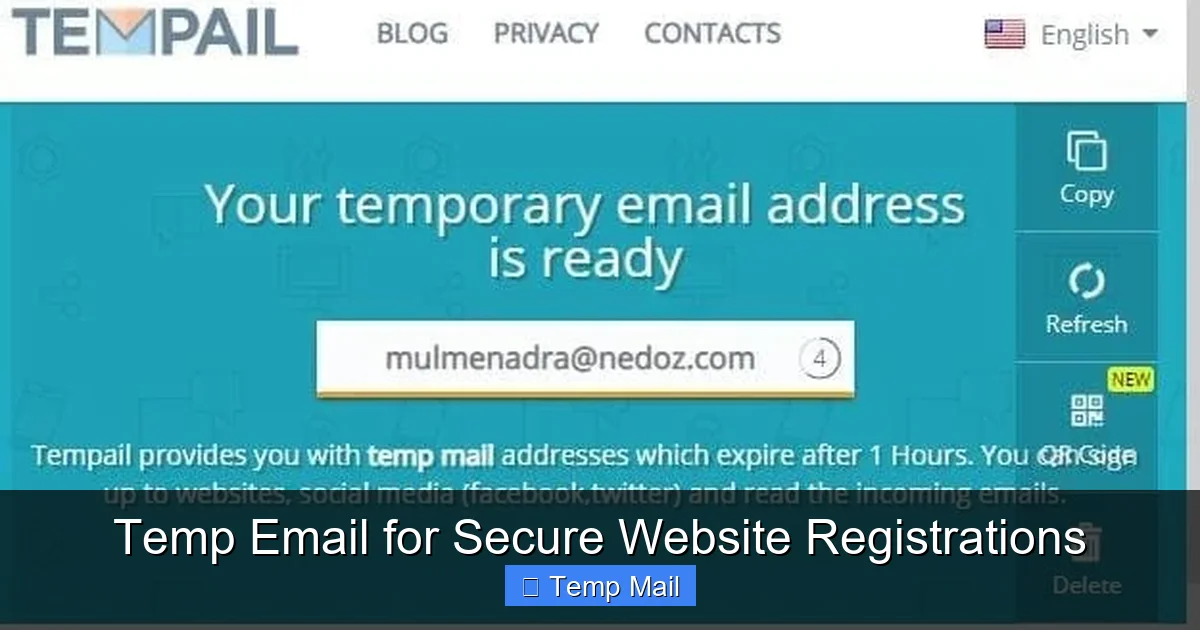
Using a temporary email address for website registrations is a simple yet powerful way to safeguard your personal inbox from spam, phishing attempts, and data breaches. These disposable addresses act as a protective shield, allowing you to access gated content, trial offers, and forums without sacrificing your primary email’s security. By understanding how to leverage these services correctly, you can significantly reduce your digital footprint and maintain greater control over your online privacy.
Key Takeaways
- Temp emails are single-use, disposable inboxes designed for short-term interactions. They automatically delete after a set period or once you close the browser, leaving no lasting trace.
- Their primary function is privacy protection. They prevent websites from collecting and selling your primary email address, stopping spam before it starts.
- They mitigate security risks from data breaches. If a site you registered with using a temp email is hacked, your real identity and permanent inbox remain unaffected.
- Not all sites allow them, and they are unsuitable for critical accounts. Avoid using them for banking, primary social media, or any service requiring long-term account recovery.
- Choosing a reputable provider is crucial. Look for services that don’t require registration, offer decent inbox time (15+ minutes), and have a clear privacy policy.
- The process is straightforward: get a temp address, use it to sign up, receive the verification email in the temp inbox, and complete the process. No complex setup is needed.
- They are legal and ethical tools for privacy, not just for “shady” activities. Their use is a legitimate practice for managing unsolicited digital communications in the modern internet.
📑 Table of Contents
- The Inbox Invasion: Why Your Primary Email Is a Target
- Demystifying the Disposable: What Exactly Is a Temp Email Service?
- How Temp Emails Fortify Your Online Security and Privacy
- Choosing Your Weapon: Selecting the Right Temp Email Service
- The Practical Playbook: Using a Temp Email for Registration, Step-by-Step
- Beyond the Sign-Up: Smart & Strategic Uses for Disposable Email
- Separating Fact from Fiction: Debunking Common Temp Email Myths
- Conclusion: Embracing Proactive Privacy in a Data-Hungry World
The Inbox Invasion: Why Your Primary Email Is a Target
Think about the last time you signed up for a new online service. Maybe it was a streaming platform trial, a discount newsletter, or a forum to ask a single question. What did you have to provide? For 99% of websites, the gateway is your email address. That simple string of characters is your digital key. But every time you hand it over, you’re creating a permanent data point. That key can be sold, leaked, or phished. Your primary inbox—the one linked to your bank, your family, your work—becomes a battleground for spam, promotional nightmares, and sophisticated phishing attacks. The promise of a useful website or a freebie often comes with a hidden cost: a cluttered, insecure, and tracked digital identity. This is the modern web’s core paradox: to participate, you must expose your most valuable communication channel.
What if you had a spare key? A disposable, temporary key that you could use for these one-off interactions, and then simply throw away? That’s the concept behind temporary email services, often called “temp mail” or “disposable email.” They provide a ready-made, anonymous inbox that exists for minutes or hours, solely to receive that one verification email or download link. Once its job is done, it self-destructs. This isn’t about hiding malicious intent; it’s about intelligent boundary-setting. It’s the digital equivalent of giving a restaurant a fake phone number so they can’t call you back with endless promotions. For the average user, a temp email is the first and most effective line of defense in a proactive privacy strategy.
Demystifying the Disposable: What Exactly Is a Temp Email Service?
Not Your Average Webmail
A temporary email service is a web-based platform that generates a random, unique email address on demand. Unlike Gmail, Outlook, or Yahoo, you don’t create an account, set a password, or log in. You simply visit the website, and it presents you with an inbox address like [email protected]. That inbox is immediately active and ready to receive emails. The interface is usually a simple list of incoming messages. You click on one to read it, and that’s it. There are no folders, no labels, no long-term storage. The entire service is designed for ephemerality.
Visual guide about Temp Email for Secure Website Registrations
Image source: domainsrush.com
The Technology in a Nutshell
Behind the scenes, these services run on catch-all mail servers. When they generate [email protected], their mail server is configured to accept *any* email sent to any address at @service.com. This means they don’t need to pre-create millions of individual mailboxes. The moment an email arrives for your specific random address, the server dynamically creates a visible inbox for it on the website. The lifespan is managed by automated scripts: after 10 minutes, 1 hour, or 24 hours (depending on the provider), the address and all its emails are purged from the system. Some services allow you to manually refresh the address to get more time. The simplicity is its strength—no persistent user data, no complex account recovery.
How Temp Emails Fortify Your Online Security and Privacy
Shielding Your Primary Inbox from the Spam Tsunami
The most immediate and tangible benefit is spam annihilation. When you use a temp email for a website sign-up, that website’s marketing emails, partner newsletters, and data-sharing partners have nowhere to go but the disposable address. Your primary inbox remains pristine. Consider this: you sign up for a “free e-book” on a marketing site using a temp email. That site’s default terms often allow them to add you to 10 other promotional lists. With a temp address, that spam cascade hits a dead-end inbox that vanishes in an hour. You’ve just prevented a week’s worth of unwanted clutter. This is proactive inbox hygiene.
Mitigating the Fallout from Data Breaches
Data breaches are not a matter of *if*, but *when*. Major companies from LinkedIn to Have I Been Pwned have suffered massive leaks of user email addresses. When you use your primary email everywhere, a single breach exposes that address to hackers, spammers, and credential stuffers. They now have a verified, high-value target associated with your identity. With a temp email, the breached database contains a dead-end address. The hacker gains nothing of value about *you*. Your real email, and the countless other accounts linked to it, remain insulated. You’ve created a “firewall” at the very point of data entry.
Preventing Identity Theft and Phishing Trails
Phishing emails are more convincing when they address you by name and appear to come from a service you use. If your primary email is compromised in a breach, attackers can craft highly targeted “spear-phishing” emails using that context. A temp email severs this link. There is no personal history, no name, no connection to your financial or social identity to exploit. It’s a blank slate. Furthermore, if a malicious site itself is a phishing operation designed to harvest emails, you’ve successfully given them a worthless asset. You’ve turned their trap into a null result.
Choosing Your Weapon: Selecting the Right Temp Email Service
Critical Features to Evaluate
Not all temp mail services are created equal. Your choice impacts usability and security. First, inbox lifespan. Some only give you 10 minutes, which is insufficient for slow-loading sites or delayed emails. Aim for services offering at least 30-60 minutes, with options to extend. Second, no-registration policy. The best services require no sign-up, no CAPTCHA, and no personal details to start. If a service asks for your email to “receive a temp email,” run. Third, domain variety. Some sites block known disposable email domains. Using a service with multiple, less-common domains increases your chance of success. Fourth, privacy policy. Read it. Do they log IP addresses? Do they claim ownership of the emails? A reputable provider states they do not access or store your emails beyond the auto-deletion.
Comparing Common Providers: A Neutral Overview
Several established services dominate the landscape. Temp-Mail is one of the most popular, offering a random address, multiple domain options, and a 60-minute default lifespan with refresh capability. Its interface is clean and ad-supported. Guerrilla Mail provides a slightly longer default (60+ minutes) and allows you to choose your own random address prefix. It also has a “scramble” feature to change your address mid-session. 10MinuteMail lives up to its name with a strict 10-minute timer, useful for ultra-fast sign-ups but risky for slower processes. Maildrop focuses on simplicity and privacy, with a 24-hour retention policy for addresses that are actively used. When comparing, test a few. Visit each site, generate an address, and see if the domain is commonly blocked by sites you frequent.
Free vs. Paid: Is There a Premium Advantage?
The vast majority of temp email services are completely free, supported by unobtrusive advertising on their web interface. For the average user, a free service is perfectly adequate. Paid “premium” temp mail services exist, typically offering dedicated domains (less likely to be blocked), longer expiration times (days instead of hours), and ad-free interfaces. For a business conducting market research or a developer needing reliable test emails, a paid plan might make sense. For individual use—signing up for a news site or downloading a PDF—a reputable free service is more than sufficient. The key is the service’s reliability and domain reputation, not its price tag.
The Practical Playbook: Using a Temp Email for Registration, Step-by-Step
Before You Click: The Preparation Phase
Don’t wait until you’re on the sign-up form. Open a new browser tab and navigate to your chosen temp email provider (e.g., temp-mail.org). The moment the page loads, you should see your new, randomly generated email address prominently displayed. Copy it to your clipboard. Open a second tab and go to the website you want to register for. This two-tab approach keeps your temporary inbox visible and accessible while you fill out the form. Have a password manager ready, as you’ll still need to create a secure password for the new site—your temp email does not manage passwords for other sites.
The Registration Process Walkthrough
On the target website, find the sign-up or “create account” page. Enter the temp email address you copied. Create a strong, unique password (use your password manager). Fill any other required fields (username, etc.). When you hit “Submit” or “Sign Up,” the site will typically send a verification email. Immediately switch to your temp mail tab. You should see a new message appear within seconds, often titled “Verify your email address” or “Confirm your subscription.” Click on it to open the email. Inside, there will be a verification link or a code. Click the link (it will open in a new tab) or copy the code back into the website’s verification box. Your account is now active, and your primary email is safely unlinked.
After Verification: Managing the Aftermath
Once you’ve verified the account, your immediate need for the temp email is over. You can now close the temp mail tab. The inbox and its contents will expire automatically. Here’s a crucial tip: if the website is valuable and you might need password resets *later*, you have a problem. The temp email is gone. Therefore, the golden rule is: only use a temp email for services where you don’t need long-term, reliable account access. Use it for one-time downloads, forum comments, or trial accounts you’ll cancel. For any service you intend to use for months or years—even a social media account you use casually—use your permanent email. Also, if the site sends a “welcome” email with useful login details after verification, read it immediately and save any necessary information (like a temporary password) before the temp inbox expires.
Beyond the Sign-Up: Smart & Strategic Uses for Disposable Email
Downloading Gated Content Without the Guilt
How many times have you wanted a whitepaper, a research report, or a template, only to be stopped by a form demanding your email? Companies use this “content gate” to build email lists. Using a temp email here is the perfect ethical workaround. You get the resource you wanted instantly, and the company gets a valid (but disposable) email to satisfy their form. It’s a win-win that respects your desire for information without consenting to long-term marketing. This applies to blog posts requiring email, webinar registrations for recordings you may not attend, and software demo downloads.
Anonymous Forum Participation and Commenting
Many online forums, especially niche technical or hobbyist boards, require email verification to prevent bot spam. If you want to contribute to a discussion on a single topic without creating a permanent identity tied to your main email, a temp email is ideal. It allows you to participate authentically while keeping your online personas separate. This is also useful for commenting on news articles or blogs that require login via email, enabling you to voice an opinion without linking it to your primary digital footprint.
Testing Services and Claiming Promotional Offers
Want to try a SaaS tool’s 30-day trial without worrying about automated renewal emails cluttering your inbox? Use a temp email. Need to claim a one-time discount code from a partner website? A temp email keeps that promotional stream contained. This is particularly useful for “freemium” services that aggressively upsell via email. You get the trial benefits, and after the trial period, you can simply let the temp address expire. The service will email the dead address, and you walk away cleanly. Just remember to note the password you used for that trial account somewhere safe if you plan to use it during the trial period!
Separating Fact from Fiction: Debunking Common Temp Email Myths
“It’s Only for Illegitimate or Shady Activities”
This is the most pervasive and unfair myth. While it’s true that malicious actors might use disposable emails for illicit sign-ups, the vast majority of users employ them for the exact opposite reason: to *avoid* spam and *enhance* security. Using a temp email is a privacy-conscious choice, akin to using a VPN or an ad blocker. It’s a tool for digital self-defense. Major privacy advocates and tech journalists routinely recommend their use for non-essential sign-ups. The ethics lie in the user’s intent, not the tool itself. Just as a knife can be used to cook dinner or commit a crime, a temp email is neutral; it’s how you use it that matters.
“It’s Not Secure and They Sell Your Data”
This concern is valid and requires due diligence. A shady temp mail provider could indeed log IP addresses, read emails, or sell metadata. This is why choosing a reputable provider is non-negotiable. Established services like those mentioned earlier have built trust by maintaining clear no-logging policies and by virtue of their business model (ad revenue from their site interface, not from selling user data). Their reputation is their asset. Always check the privacy policy. Look for statements like “emails are deleted automatically,” “we do not monitor or store content,” and “no personal data is required.” If a policy is vague or absent, avoid that service. The security of the *connection* to the temp mail site is also important—ensure it uses HTTPS.
“It’s Too Complicated for the Average Person”
In reality, the process is simpler than managing a password for yet another website. There’s no account creation, no password to remember, no recovery process. You go to a website, copy an address, paste it, and check a web page for a email. It takes 30 seconds. The perceived complexity often comes from fear of “doing it wrong.” The only real rule is: don’t use it for anything important. Once that mental model is clear, the action is effortless. Many users find it *simpler* than creating yet another login with a unique password they’ll forget.
Conclusion: Embracing Proactive Privacy in a Data-Hungry World
The internet’s foundational bargain has always been trade data for access. For too long, we’ve given away our primary email—a cornerstone of our digital identity—too freely, for too little return. Temporary email services flip this script. They give us the power to say “no” to permanent data collection for trivial interactions. They transform our inbox from a passive archive into an active firewall. Integrating a temp email into your digital routine isn’t about paranoia; it’s about practicality and stewardship of your personal information.
Start small. Next time you see a “Get our free checklist!” pop-up, open a temp mail tab first. Experience the clean simplicity of an inbox that doesn’t absorb the spam. As you get comfortable, you’ll naturally extend its use to forum sign-ups and trial accounts. Remember the cardinal rule: your permanent email is for your permanent relationships—your bank, your core social networks, your essential subscriptions. Everything else is fair game for the disposable. In an era of relentless data harvesting, a temp email is a small act of rebellion. It’s a tool that says your attention and your inbox are valuable, and you decide who gets access. Use it wisely, and reclaim control over your digital doorstep.
Frequently Asked Questions
Is using a temporary email address legal?
Yes, using a temporary email service is completely legal in virtually all jurisdictions. It is a legitimate software tool. However, you must still abide by the Terms of Service of each website you visit. Some sites explicitly prohibit the use of disposable emails in their terms, and they may block known temp mail domains or cancel your account if detected.
Are temporary emails truly safe and private?
They can be, but safety depends heavily on the provider’s reputation. Reputable services do not require personal information, use HTTPS, and automatically delete emails after a short time, ensuring no long-term data storage. However, you should never send sensitive information like passwords, financial data, or private documents through a temp email, as the provider (or a potential attacker) could potentially intercept it. Their primary safety benefit is protecting your *permanent* identity from the receiving website.
How long does a temporary email inbox last?
The lifespan varies by provider, typically ranging from 10 minutes to 24 hours or more. Some services offer a default of 60 minutes and allow you to manually “refresh” or extend the time while you are actively using the inbox. Always check the specific service’s timer to ensure you have enough time to receive and click a verification link before the address expires.
Can I use a temp email for all website registrations?
No. You should never use a temporary email for any service where you need long-term, reliable account access. This includes banking, primary email accounts, major social media profiles, cloud storage, subscription services with billing, and any account where password recovery is critical. If the site emails a password reset link and your temp inbox is gone, you will be locked out permanently. Use temp emails only for one-time access, trials, and content downloads.
Is a temp email more secure than a regular email for sign-ups?
In one critical way, yes: it provides superior *privacy* by isolating your primary identity from the website. However, it does not inherently provide better *encryption* or *security* for the email content itself. The security of the email in transit depends on the website you’re signing up for (whether they use HTTPS) and the temp mail provider’s connection (use HTTPS). Its main security advantage is breach containment—if the website is hacked, your real email is not in the stolen database.
What happens if I need to recover an account I signed up with a temp email?
You will not be able to. Recovery emails are sent to the address on file. Since a temporary email address and its inbox are permanently deleted after expiration, you will never receive that recovery link. This is why the cardinal rule exists: only use a temp email for accounts where you do not need to maintain access or recover the account in the future. For any account of value, use your permanent, accessible email address.
Leave a Reply