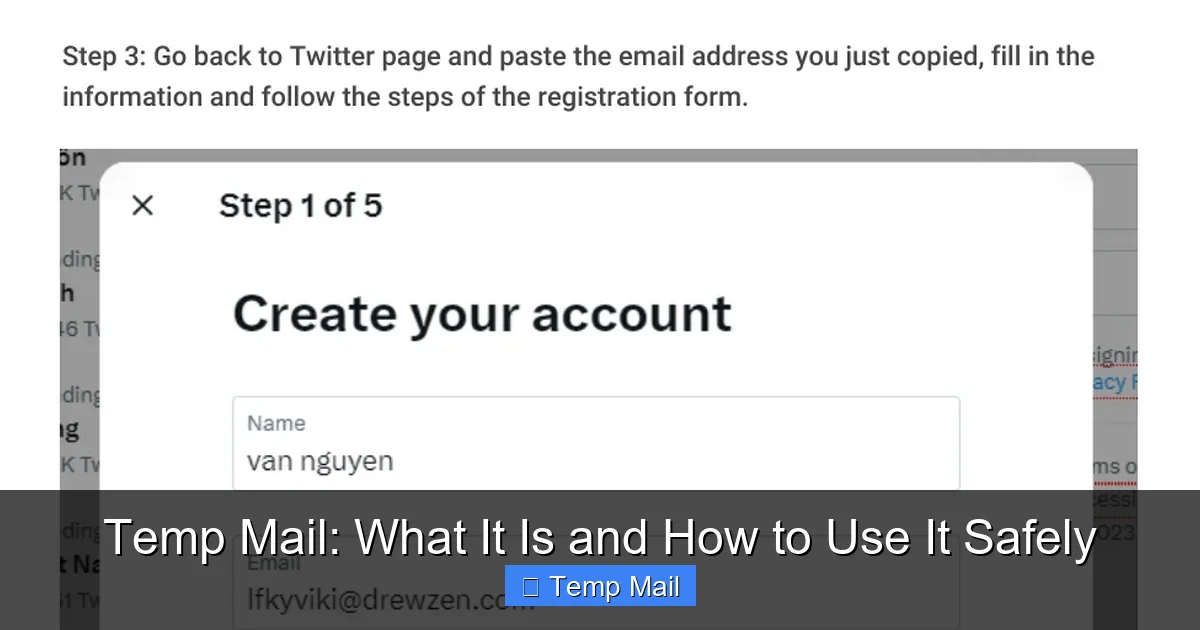
Temp mail is a disposable email address that expires after a short time or a few uses. It’s a powerful tool for protecting your primary inbox from spam and signing up for untrusted websites. However, using it safely requires understanding its limitations and risks. Never use temp mail for critical accounts, banking, or official communications, and always choose reputable providers to avoid data harvesting.
Have you ever hesitated to sign up for a free ebook, a forum, or a one-time discount because it meant handing over your personal email address? You knew it might lead to a torrent of spam or that your data could be sold. That gut feeling is exactly why temp mail exists. It’s like having a digital burner phone for your inbox. But what is temp mail, really? And more importantly, how can you wield this tool without accidentally shooting yourself in the foot? Let’s break it down, friend to friend.
Think of your primary email address as your home address. You give it to people you trust: friends, family, your bank, your employer. Now, imagine you need to give an address to receive a package from a sketchy street vendor. You wouldn’t give them your home address, right? You’d use a P.O. box or a friend’s garage. Temp mail is that P.O. box for the internet. It’s a temporary, throwaway email inbox that lets you receive the verification email or download link you need, and then it vanishes into the digital ether, taking any associated spam with it. It’s a simple concept with powerful privacy implications, but it’s not without its pitfalls. Using it safely is all about knowing exactly what it can and cannot do.
Key Takeaways
- Temp mail is a temporary, disposable email address that self-destructs, shielding your real email from spam and data brokers.
- Its primary use is for website sign-ups and verification where you don’t trust the site or expect long-term communication.
- Major risks include lack of privacy, potential data harvesting by shady providers, and total loss of access to any accounts created with it.
- Safe use means avoiding it for anything important—no banking, social media, or work accounts—and never for password recovery.
- Choose well-known, reputable temp mail services that clearly state their data policy and don’t require personal info to generate an address.
- Understand its limitations: you typically cannot send emails from a temp address, and it’s often blocked by major platforms like Google or Facebook.
- It’s a privacy shield, not an anonymity tool; your IP and activity may still be logged by the temp mail service itself.
📑 Table of Contents
What Exactly Is Temp Mail? The Disposable Email Breakdown
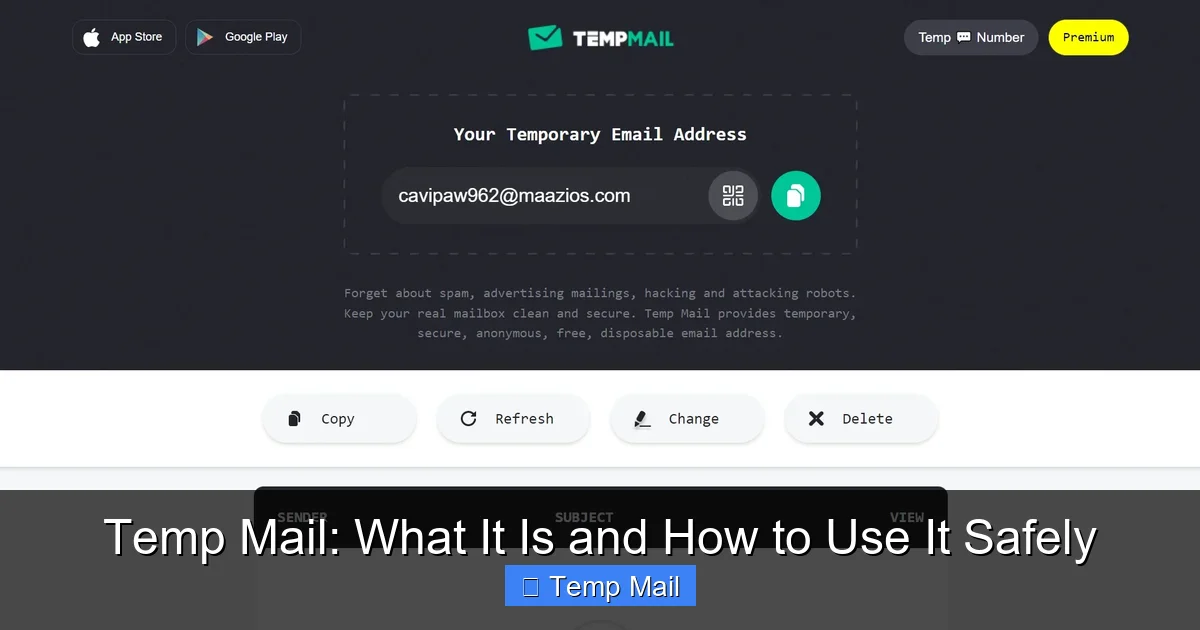
At its core, a temp mail service provides you with a randomly generated email address that exists for a very limited time—usually a few hours to a few days—or for a limited number of received messages. You don’t create an account or a password to access it. You simply visit the service’s website, and a new inbox is created for you on the spot. You copy that temporary address, use it wherever you need, and then refresh the same webpage to see if any emails have arrived in that specific inbox.
How It Works Technically (The Simple Version)
These services operate on shared, public inboxes. When you generate an address like [email protected], the system creates a folder or database entry tagged to that address. Any email sent to that address is routed to that specific folder. The key is that the service does not authenticate you. There’s no login. Anyone who knows the exact address can view the inbox just by visiting the site. This is why the addresses are random and long—to prevent guessing. After a set time (e.g., 10 minutes, 1 hour, 1 day) or after the inbox is cleared, that address and all its emails are permanently deleted from the server.
Common Temp Mail Service Features
Most temp mail platforms offer a similar, no-frills experience:
- Instant Address Generation: One click and you have an inbox.
- Copy-to-Clipboard Button: Easily grab your new address.
- Simple Inbox View: A list of received emails you can click to read.
- Auto-Refresh: The page often refreshes to show new mail.
- Extend Time Button: Some services let you add more time to your inbox if needed.
- Multiple Domain Options: Some offer a choice of domains (e.g., @mailinator.com, @guerrillamail.com).
The beauty is in the utter lack of commitment. No password to forget, no recovery email to set, no personal details to enter.
The Golden Rule: When to Use a Temp Mail Address
This is the most important section. Using temp mail at the right time is its superpower. Using it at the wrong time is a recipe for disaster. Let’s categorize the use cases.
Visual guide about Temp Mail: What It Is and How to Use It Safely
Image source: appmole.com
Perfectly Safe & Smart Uses
These are the scenarios where a disposable inbox shines:
- Downloading Gated Content: That free PDF, whitepaper, or template that requires an email? Use temp mail. You get the download link, and the publisher gets a dead-end address. Everyone wins (except the spammy marketer).
- Signing Up for One-Time Services: Need a quick account on a forum just to post once? A tool you’ll use once? A trial for a SaaS product you’re just testing? Temp mail is perfect.
- Accessing Wi-Fi or Public Services: Many airports, cafes, or event Wi-Fi networks require an email for a voucher. Use a temp address and discard it after your session.
- Bypassing “Email Walls”: Some websites block content entirely unless you subscribe. A temp address lets you see what you need without joining their mailing list.
- Testing Email Delivery: If you’re a developer or marketer testing how your own website’s signup flow sends emails, temp mail inboxes are invaluable for checking formatting and deliverability without spamming your real contacts.
Absolutely Never Use Temp Mail For
This is the critical list. If you violate these, you will likely get burned.
- Any Financial or Banking Service: Your bank, PayPal, crypto exchange, or investment platform. These require verifiable, secure, and permanent contact information. Using temp mail will get your account flagged, locked, or closed immediately.
- Primary Social Media or Main Communication Accounts: Facebook, Instagram, Twitter/X, LinkedIn, your main Google or Apple ID. You cannot recover these accounts without a permanent, accessible email. Lose the temp inbox, lose the account forever.
- Work or Professional Accounts: Your employer, freelance platforms (Upwork, Fiverr), or any service tied to your income and professional reputation.
- Password Recovery for Anything Important: If you forget your password for a service where you used a temp email, you are permanently locked out. There is no “forgot password” help because the mailbox no longer exists.
- Official Government or Legal Documents: Anything from the IRS, DMV, courts, or official university communications. These require legitimate, traceable contact points.
The simple mantra is: if losing access to the account would cause you significant financial loss, legal trouble, or major inconvenience, DO NOT use a temp mail address.
The Hidden Dangers: Risks and Downsides You Must Know
Temp mail isn’t a magic shield. It comes with its own set of risks, often from the services themselves. Understanding these is key to using them safely.
Visual guide about Temp Mail: What It Is and How to Use It Safely
Image source: temp-mail.io
1. The Service Itself Could Be Sketchy
Many temp mail websites are ad-supported farms. Their business model is your data. While they delete emails from their servers after expiration, they may log your IP address, the websites you visit through their portal, and scan email contents for ad targeting. Some less-scrupulous services might even sell aggregated data or use it for their own spam campaigns. You are trusting a stranger with the content of your “temporary” emails.
2. No Real Privacy or Security
Because the inboxes are public (anyone with the URL can view them), there is zero confidentiality. If you use a temp address to sign up for a service that sends a password or a sensitive document, anyone who stumbles upon that specific inbox URL before it expires could see it. Furthermore, these services rarely offer HTTPS encryption on their basic pages (though many now do), and emails are stored in plain text on their servers.
3. Complete and Permanent Loss
This is the biggest user error. Once that inbox expires or is cleared, it’s gone. Poof. No recovery. If you used that temp address to create an account on a legitimate site (like a forum you later want to keep), you will never be able to log in again because you can’t receive the “forgot password” email. You’ve effectively created a ghost account.
4. Getting Blocked by Major Platforms
Services like Google (Gmail), Microsoft (Outlook/Hotmail), Facebook, and Instagram are wise to disposable email domains. They maintain massive blocklists. If you try to sign up for a Gmail account using @mailinator.com, Google will reject it outright. Many reputable websites do this to prevent spam and abuse. So, your temp mail might not even work where you want it to.
5. Legal and Compliance Risks
Using a false or disposable identity to sign up for a service that requires accurate information (even just for a free trial) may violate their Terms of Service. In regulated industries (healthcare, finance), using a non-permanent contact method could be a compliance failure. While unlikely for a simple ebook download, it’s a consideration for business use.
Your Safety Checklist: How to Use Temp Mail Responsibly
Armed with the knowledge of what it is and the risks, here is your actionable guide to using temp mail safely. Think of this as your pre-flight checklist.

Visual guide about Temp Mail: What It Is and How to Use It Safely
Image source: temp-mail.club
Step 1: Choose a Reputable Provider
Not all temp mail services are created equal. Do a quick search for “best disposable email 2024” and look for current reviews. Favor services that:
- Use HTTPS Everywhere: The padlock icon in your browser is non-negotiable.
- Have a Clear Privacy Policy: Read it. Do they say they log data? Do they sell ads? The best ones state they do not log IPs or scan email content.
- Offer Multiple Domains: This increases the pool of available random addresses.
- Are Well-Known and Established: Names like Mailinator, Guerrilla Mail, 10MinuteMail, and Temp-Mail.org are common. They have an incentive to maintain a decent reputation.
- DO NOT Require You to Create an Account: The whole point is no login. If a service asks for a password, it’s not truly disposable.
Step 2: Use It Only for Its Intended Purpose
Refer back to the “When to Use” section. Stick to the safe list: content downloads, one-time forum access, Wi-Fi sign-ups. The moment you think, “Maybe I could use this for my backup social media account,” stop yourself. That’s the road to ruin.
Step 3: Never, Ever Use It for Account Recovery
This bears repeating. When you sign up for a *legitimate* service (even if you use temp mail for the initial sign-up), immediately go into the account settings and change the contact email to your real, permanent address. Do this before you even close the temp inbox. This way, if you forget your password later, recovery goes to your real inbox. This is the single most important safety step.
Step 4: Keep the Inbox Open Until You’re Done
If you need to click a verification link, don’t close the temp mail tab until you’ve completed the process on the other site. Some verification links expire quickly. Once you’ve received the final email you needed (the download link, the confirmation), you can safely abandon the inbox. But until then, keep it open and refreshing.
Step 5: Assume Anything Sent is Public
Do not use a temp address for anything remotely private. No password send-backs, no personal documents, no confidential work info. Treat the inbox like a public bulletin board. If you wouldn’t write it on a postcard and drop it in a random mailbox, don’t use temp mail for it.
Step 6: Clear Your Browser Data (Optional but Cautious)
Since the inbox is accessed via a specific URL that contains your random address, that URL is in your browser history. If you’re on a shared or public computer, this is a risk. After you’re finished, clear your browsing history, cookies, and cache for that site. On your personal device, it’s less critical, but good practice if you’re paranoid.
Alternatives to Temp Mail: When You Need More
Temp mail is great for a quick, one-off, but what if you need a bit more separation without going full disposable? Here are your options, ranked from least to most commitment.
1. Dedicated “Spam” or “Burner” Email Address
This is the gold standard for balance. Create a new email account with a free provider (Gmail, Outlook, ProtonMail) specifically for online sign-ups. Use a strong, unique password and enable two-factor authentication (2FA). This address is permanent, so you can recover accounts, and you can easily filter its emails or delete the entire account later if spam gets too bad. It requires a tiny bit more setup but offers 100x more security and reliability than temp mail.
2. Email Aliasing Services (SimpleLogin, AnonAddy, Firefox Relay)
This is the sophisticated, privacy-focused approach. These services create unique, forwardable email aliases that route to your real inbox. For example, you sign up for a newsletter with [email protected], and emails go to your real [email protected]. You can disable the alias at any time, stopping all future email. The key advantage: you can receive and reply (if the service supports it) from the alias, and it’s tied to a permanent, secure account you control. Many offer free tiers for a few aliases.
3. Your Email Provider’s Built-in Features
Gmail has “plus addressing” ([email protected]) which creates a unique address that still lands in your main inbox. You can later filter or block emails sent to that variant. Some providers like ProtonMail offer similar features. This doesn’t hide your main address from the sender (they see the full variant), but it lets you filter and identify the source of spam easily.
Comparison: Temp Mail vs. Alternatives
| Feature | Temp Mail | Dedicated Burner Email | Email Alias (SimpleLogin) |
|---|---|---|---|
| Setup Time | Seconds | 2-3 minutes | 2-3 minutes |
| Can Send Email? | Rarely | Yes | Yes (if supported) |
| Can Recover Accounts? | No | Yes | Yes (via main inbox) |
| Privacy Level | Low (provider sees all) | Medium-High (provider is Google/MS) | High (provider only sees alias) |
| Best For | One-time downloads | Regular, non-critical sign-ups | Privacy-focused regular sign-ups |
Conclusion: A Tool, Not a Solution
Temp mail is a fantastic tool in your digital hygiene kit. It’s the digital equivalent of a “No Soliciting” sign on your front door. It lets you say “yes” to free resources and minor access points without sacrificing your primary email address to the spam gods. Its value in reducing inbox clutter and limiting data collection by obscure websites is undeniable.
However, its strength—impermanence—is also its greatest weakness. It is fundamentally unsuitable for any identity, credential, or communication that needs to last beyond a few hours. The safest path is to use temp mail with strict discipline: for anonymous, low-stakes, one-time interactions only. For anything you might want to keep, log into later, or recover, invest the five minutes to create a dedicated burner email or, even better, use an aliasing service. That small investment pays off in peace of mind and security.
Ultimately, protecting your online identity is about layers. A temp address is one thin, temporary layer. Building a system with a permanent, secure primary email and perhaps a dedicated secondary address, combined with a password manager and 2FA, creates a far more robust defense. Use temp mail wisely, know its limits, and it will serve you well. Use it ignorantly, and it will leave you locked out and frustrated.
Frequently Asked Questions
Is using temp mail illegal?
No, using a disposable email service is not illegal. It’s a legitimate privacy tool. However, using it to commit fraud, evade bans, or provide false information in violation of a service’s Terms of Service could have consequences, but the act of using the temp mail itself is not a crime.
How long does a temp mail address last?
It varies by provider. Some last 10 minutes, others 1 hour, 1 day, or until you close the browser tab. Some last until a certain number of emails are received (e.g., 3 messages). Always check the specific service’s timer or policy before relying on it.
Can temp mail services read my emails?
Yes, technically they can. Since the emails are stored on their servers in plain text and you access them without a private login, the service provider has full access to all content received by that address. This is why you should never send sensitive information (passwords, IDs, financial data) to a temp mail inbox.
Can I send emails from a temp mail address?
Most traditional temp mail services are receive-only. They are designed for you to get a verification link, not to send emails. Some more advanced disposable email services or email alias forwards do allow sending, but it’s not the norm. Assume you cannot send from a temp address.
Will websites know I’m using temp mail?
Often, yes. Many websites check the domain of the email address you enter against known blocklists of disposable email providers. If you use a common temp mail domain (like @mailinator.com), the site will likely reject it during sign-up. This is why some services offer multiple, less-known domains.
What is the safest temp mail service to use?
There is no single “safest” service, as they all carry inherent risks. However, look for providers that use HTTPS, have a clear no-logs privacy policy, and are widely used. Examples often cited for reliability include Mailinator (for public testing), Temp-Mail.org, and Guerrilla Mail. For higher privacy needs, consider a dedicated burner email or an aliasing service like SimpleLogin instead.
Leave a Reply